

Anatomy of an AI Agent: How Agents Think, Plan & Act
 Suyash Raizada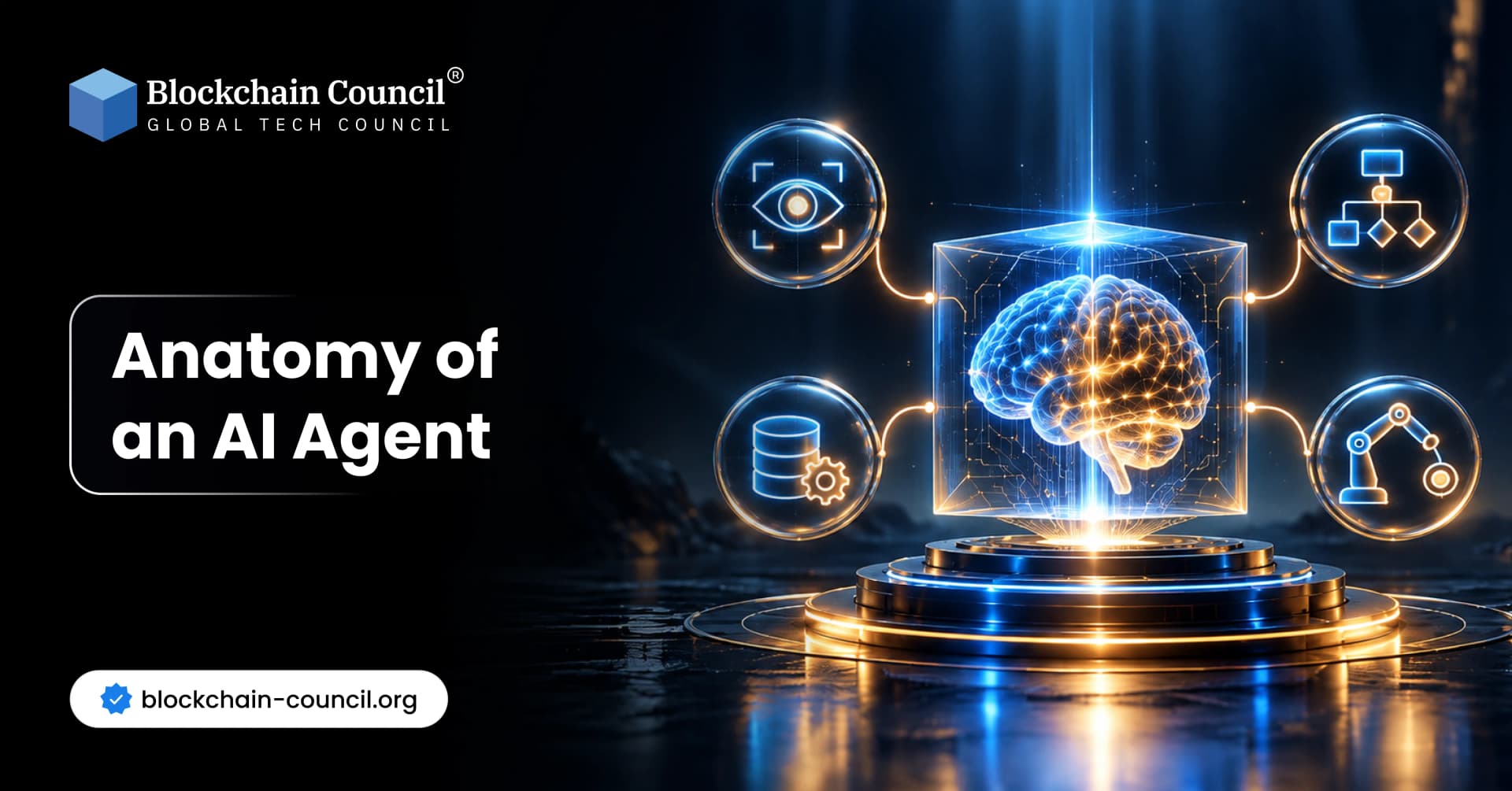
When you ask a chatbot a question, it answers and stops. An AI agent behaves differently. It takes a goal, studies the situation, makes a plan, uses software tools, checks what happened, and tries again if needed. Understanding the anatomy of an AI agent helps you see why these systems feel so different from ordinary chat tools. If you want to move from curiosity to real expertise, the Certified Agentic AI Expert program is one structured way to build that knowledge.
This guide breaks an agent into its working parts, one at a time, using plain language and simple examples. Beginners will get a clear picture, and professionals will find a practical blueprint they can use when designing or evaluating agents.

What Is an AI Agent?
An AI agent is a software system that perceives its surroundings, decides what to do, and takes actions to reach a goal. Most modern agents use a large language model (LLM) as their “brain,” but the model alone is not the agent. The agent is the whole system built around it: inputs, memory, tools, rules, and a loop that keeps everything moving. In short, the anatomy of an AI agent is a set of connected parts: perception, reasoning, planning, memory, tools, execution, and feedback.
A Simple Analogy
Think of a skilled personal assistant. They read your request, remember your preferences, make a to-do list, use the phone and calendar, and report back. An AI agent follows the same pattern. The language model supplies judgment, while the surrounding parts supply senses, memory, hands, and discipline.
The Basic Loop
Nearly every agent runs a repeating cycle: sense, think, plan, act, and check. The rest of this article explains each part of that cycle and then shows how they fit together.
Perception and Input
Perception is how an agent receives information. Without it, the agent is blind to the task and the world around it.
What Agents Can Perceive
The most common input is text, such as a user request or an email. Many agents also read documents, spreadsheets, web pages, images, audio, and live data from software systems. An agent that monitors servers, for example, may take in error logs and performance numbers every few seconds. Input can also come from other agents, which is common in multi-agent systems.
From Raw Data to Useful Context
Raw input is often messy. Good agents clean it up by extracting key facts, removing noise, and organizing it so the model can use it. A short, well-structured context usually produces better decisions than a huge pile of unfiltered text.
Why Input Quality Matters
An agent can only reason about what it can see. Missing, outdated, or misleading input leads to poor results. Developers who want to build reliable input pipelines can study the Certified Agentic AI Developer curriculum, which covers practical agent engineering.
Reasoning and Decision-Making
Reasoning is the thinking step. The agent looks at the goal and the available information, then decides what to do next.
How the Model Reasons
Language models can work through problems step by step, weighing options before choosing. A well-known design pattern called ReAct, introduced by researchers in 2022, has the model alternate between a thought and an action. It thinks about what is needed, acts, reads the result, and thinks again. This keeps the agent grounded in real results instead of guesses.
Making Choices With Incomplete Information
Real tasks rarely come with all the facts. Agents must decide anyway. Strong designs let the agent estimate its own confidence, pick the safest reasonable option, or pause to ask a person when the stakes are high.
Common Weak Spots
Models can sound sure while being wrong, a problem often called hallucination. Good agents reduce this risk by checking facts against trusted sources and by verifying results before acting on them. For important tasks, a second model or a rule-based checker can review the answer first.
Planning and Task Decomposition
Planning turns a large goal into smaller, ordered steps. This is called task decomposition, and it is what lets agents handle work that no single prompt could complete.
Breaking Down a Goal
Suppose the goal is “prepare a competitor report.” The agent might list steps: identify competitors, collect pricing pages, compare features, summarize findings, and draft the report. Each step is small enough to complete and check. Smaller steps also make errors easier to spot, because a mistake in step two is caught before it spreads to step five.
Static Plans and Adaptive Plans
Some agents create a full plan first and follow it. Others plan only a few steps ahead and adjust after each result. Adaptive planning is more flexible when the environment changes, while fixed plans are easier to audit and predict.
Teams of Agents
Complex jobs are often split among several specialist agents, such as a researcher, a writer, and a reviewer. A coordinating agent assigns work and combines results. This mirrors how human teams divide labor.
Memory and State
Memory lets an agent keep track of what it knows and what it has done. Without memory, every step would start from zero. Think of it as the difference between a worker who keeps notes and one who forgets every conversation the moment it ends.
Short-Term Memory
Short-term memory is the working context, meaning the current conversation, the active plan, and recent results. It is limited by the model’s context window, which is the amount of text it can consider at once.
Long-Term Memory
Long-term memory stores information across sessions, such as user preferences, past decisions, and company documents. Many systems save this data in a vector database, which finds stored items by meaning rather than exact wording. Retrieving relevant facts this way is known as retrieval-augmented generation, or RAG.
State Tracking
State is a snapshot of progress: which steps are done, which are pending, and what went wrong. Saving state lets an agent pause, recover from a crash, or hand work to a person without losing its place.
Tool Calling
Tools are what turn a thinking system into a working one. A model on its own can only produce text. With tools, it can search the web, query databases, run code, send messages, and operate business software. A calculator tool, for example, helps an agent avoid arithmetic mistakes that language models sometimes make.
How Tool Calling Works
The developer describes each tool to the model, including its name, purpose, and required inputs. When the model decides a tool is needed, it produces a structured request. The surrounding system runs the tool and returns the result, which the model reads before deciding what comes next.
Standards and Connectors
Open standards such as the Model Context Protocol, introduced by Anthropic in late 2024, make it easier to connect agents to many tools in a consistent way. This reduces custom integration work and helps teams swap tools without rebuilding everything.
Governing Tool Access
Every tool is also a risk. An agent with access to payments, files, or customer data must have tight permissions. Leaders who decide which tools agents may use and how performance is reviewed can benefit from the Certified AI Agents Manager program, which focuses on managing agent work responsibly.
Actions and Execution
Execution is where decisions become real effects. The agent sends the email, updates the record, runs the script, or books the meeting.
Types of Actions
Actions fall into two groups. Read actions, such as searching or fetching data, are low risk because they change nothing. Write actions, such as sending money, deleting files, or posting publicly, carry real consequences and deserve extra care.
Safe Execution
Well-built agents use safeguards. They may run code in a sandbox, which is an isolated space that cannot harm the main system. They may also require human approval before irreversible steps, limit spending, and record every action in a log.
Handling Failures
Things go wrong: websites time out, tools return errors, and permissions are denied. A dependable agent retries sensibly, tries an alternative, or reports the problem clearly instead of pretending success.
Feedback and Evaluation
Feedback closes the loop. After acting, the agent checks whether the result moved it closer to the goal.
Self-Checking
Agents can review their own output against the original goal and a checklist. A coding agent, for example, runs tests after writing code. If tests fail, it reads the error and fixes the problem. This habit of reflecting and retrying is one of the strongest differences between agents and simple chatbots.
Human Feedback
People provide the most valuable signals. Approvals, corrections, and ratings teach the system what good work looks like. Over time, these signals improve prompts, rules, and sometimes the underlying models.
Measuring Performance
Teams track success rate, accuracy, speed, cost per task, and how often a human must step in. Testing agents on realistic scenarios before launch, and monitoring them afterward, is essential because small errors can repeat at scale. A weak agent that runs a thousand times can cause a thousand small problems.
Agent Environment
The environment is everything the agent operates inside and interacts with. It shapes what the agent can sense, what it can do, and how risky mistakes are.
Digital Environments
Most agents today live in software environments such as a browser, a code repository, a customer database, or a company chat system. These spaces are structured, fast, and easy to monitor.
Physical Environments
Some agents control robots, vehicles, or sensors in the physical world. Here the environment is unpredictable, delays matter, and errors can cause harm, so safety standards are much stricter.
Rules and Boundaries
The environment also includes policies: what the agent may access, what it must never do, and when it must ask permission. Think of these rules as the walls of a playground: they let the agent move freely without wandering into danger. Clear boundaries make agents safer and easier to trust. Engineers who want a broad technical foundation in AI, cloud, and security can explore a Tech Certification path to support this work.
Complete AI Agent Architecture
Now we can assemble the pieces into one picture. A typical agent architecture contains these layers working together.
The Layers Together
Perception layer: collects and cleans inputs.
Reasoning core: the language model that interprets the goal and decides.
Planner: breaks the goal into ordered steps.
Memory: holds short-term context, long-term knowledge, and task state.
Tool layer: connects the agent to software and data.
Execution layer: carries out actions with safeguards.
Evaluator: checks results and triggers retries or escalation.
Guardrails: permissions, limits, and human approval points around everything.
A Worked Example
Imagine a support agent handling a refund request. It reads the customer message, which is perception. It decides whether the case qualifies under policy, which is reasoning. It plans to verify the order, check the return window, and issue the refund. It recalls the customer’s history from memory, calls the order system as a tool, and executes the refund. Finally, it checks that the payment succeeded and logs the outcome. If anything looks unusual, it escalates to a person.
Design Principles That Work
Start with one narrow task. Give the agent only the tools it needs. Keep humans involved where mistakes are costly. Measure results from day one. Add autonomy gradually as trust grows. Review logs regularly, because real usage often reveals problems that testing missed.
Conclusion: Seeing the Whole Agent
An AI agent is much more than a smart language model. It is a system of perception, reasoning, planning, memory, tools, execution, and feedback, all wrapped in an environment with clear rules. When each part is designed well, the agent can complete real work reliably. When one part is weak, the whole system suffers. A strong model with poor memory or careless tool access will still disappoint.
Whether you plan to build agents, manage them, or simply understand them, knowing this anatomy gives you a lasting advantage. Business professionals who want to apply agents to campaigns and customer journeys may also find a Marketing Certification valuable for pairing strategy with automation.
FAQs
1. What Is an AI Agent?
An AI agent is a software system that uses artificial intelligence to pursue a goal by interpreting information, selecting actions, and responding to results. Depending on its design, it can use tools, retrieve data, and complete tasks across multiple steps. Its level of autonomy depends on its capabilities, permissions, and safeguards.
2. What Are the Main Components of an AI Agent?
The main components of an AI agent typically include an AI model, instructions, context, a planning or decision-making mechanism, tools, and an execution loop. Some agents also use memory, external knowledge sources, and evaluation systems. Together, these components help the agent understand a task, choose actions, and assess progress.
3. How Does an AI Agent Think?
An AI agent processes its inputs using an AI model to interpret the task, consider available information, and generate a response or select an action. Some agents use reasoning techniques to break complex tasks into smaller steps. This process is not necessarily equivalent to human thought or consciousness, and the agent can still make mistakes.
4. How Does an AI Agent Plan Tasks?
An AI agent can turn a high-level goal into smaller actions that are easier to execute. For example, a research agent might identify questions, search relevant sources, compare findings, and prepare a summary. Depending on the system, the plan may be created in advance or adjusted as new information becomes available.
5. What Role Does the AI Model Play in an Agent?
The AI model interprets instructions, processes context, and helps determine what the agent should do next. It may generate text, select tools, analyze results, or suggest actions. The surrounding software executes those actions and applies controls, so the model alone is not the entire agent.
6. What Is the Role of Instructions in an AI Agent?
Instructions define the agent's role, objectives, constraints, and expected behavior. They can specify which tools the agent may use, what information it should prioritize, and when it should request human assistance. Clear instructions help guide behavior but do not guarantee that every output will be correct.
7. What Is Memory in an AI Agent?
Memory allows an AI agent to retain or retrieve useful information from the current task or previous interactions. Short-term context can preserve recent details, while persistent memory may store selected preferences, decisions, or project information. Memory systems need appropriate updating and access controls to prevent outdated or sensitive information from being misused.
8. How Does Context Help an AI Agent Make Decisions?
Context provides the information an agent needs to interpret a request and choose suitable actions. It may include instructions, conversation history, documents, database results, and observations from earlier steps. Relevant, accurate context can improve decisions, while missing or conflicting information can lead to unreliable results.
9. What Are Tools in an AI Agent?
Tools are external functions or services that allow an agent to perform operations beyond generating responses. Examples include web search, calculators, code execution, databases, and business application APIs. Tool availability and permissions determine what the agent can actually do.
10. How Does an AI Agent Use Tools?
An agent identifies when a tool could help with its goal, generates a tool request, and receives the result after the surrounding system executes it. The agent can then use that result to choose its next step. Validation, permission checks, and error handling help keep tool use controlled and reliable.
11. What Is an AI Agent Execution Loop?
An execution loop is a repeated cycle in which an agent evaluates the current situation, chooses an action, receives the result, and decides what to do next. This allows the agent to work through multi-step tasks rather than stopping after one response. The loop should include clear stopping conditions to prevent unnecessary repetition.
12. What Is the Difference Between an AI Agent and an AI Chatbot?
A basic chatbot primarily responds to messages, while an AI agent can pursue goals through multiple actions and tool calls. For example, a chatbot may explain how to organize a report, while an appropriately configured agent could gather data, analyze it, and prepare a draft. Some modern chatbots also have agentic capabilities, so the distinction depends on their actual functionality.
13. How Does an AI Agent Learn From Feedback?
Some AI agents use feedback to evaluate intermediate results and adjust their next actions. For example, a coding agent may run tests, inspect errors, and revise its code. This does not necessarily mean the model itself is learning permanently; the system may simply be adapting its behavior within the current task.
14. What Is the Role of Planning and Reasoning in Autonomous Agents?
Planning helps determine the sequence of actions needed to achieve a goal, while reasoning helps interpret information and compare possible actions. Together, they can support more flexible task execution. Their effectiveness depends on the model, available context, evaluation methods, and complexity of the task.
15. What Is the Difference Between a Single AI Agent and a Multi-Agent System?
A single-agent system uses one agent to manage a task, potentially with access to several tools. A multi-agent system coordinates multiple agents that may specialize in research, analysis, writing, or verification. Multi-agent systems can divide complex work, but they also introduce additional coordination and reliability challenges.
16. How Do AI Agents Handle Errors?
AI agents may detect errors through tool responses, validation checks, tests, or evaluation mechanisms. Depending on the design, they can retry an operation, choose another approach, request missing information, or stop and ask for human help. Retry limits and clear error-handling rules help prevent repeated failures.
17. What Safety Mechanisms Are Used in AI Agents?
Safety mechanisms can include restricted tool permissions, input and output validation, execution limits, activity logs, and human approval for sensitive actions. Developers may also use isolated environments for code execution and monitor agents for policy violations. The appropriate controls depend on the potential consequences of an agent's actions.
18. What Are the Limitations of AI Agents?
AI agents can misunderstand goals, generate inaccurate information, select unsuitable actions, or fail when tools return unexpected results. Long tasks may also increase costs and create more opportunities for errors. Testing, relevant context, clear constraints, and human oversight can reduce these limitations but cannot eliminate every failure.
19. Where Are AI Agents Used in the Real World?
AI agents are used or explored in customer support, software development, research, document processing, data analysis, and business workflow automation. They can gather information, coordinate tools, and complete sequences of related tasks. Their practical value depends on reliability, integration quality, security, and whether the task is suitable for automation.
20. What Is the Future of AI Agent Architecture?
AI agent architecture is likely to evolve through improvements in planning, context management, memory, tool use, and coordination between specialized agents. Developers are also working on stronger evaluation, monitoring, and safety controls. Future progress will depend on building systems that are not only capable but also reliable, efficient, secure, and appropriately supervised.
Related Articles
View All
Agentic AI
How AI Agents Plan, Reason, and Act: Inside the Agentic AI Lifecycle
Explore the agentic AI lifecycle: how AI agents perceive context, plan workflows, reason with tools and memory, act via APIs, and learn through feedback loops.

Agentic AI
AI Agent Deployment Guide: How to Launch Agents in Production
Learn how to deploy AI agents in production with architecture, evaluation, observability, security, rollout, and governance best practices.

Agentic AI
AI Agent MLOps Playbook: How to Build, Deploy, Monitor, and Govern Autonomous Agents at Scale
A practical AI Agent MLOps playbook to design, deploy, monitor, and govern autonomous agents with secure tooling, observability, CI/CD, and policy controls.
Trending Articles
The Role of Blockchain in Ethical AI Development
How blockchain technology is being used to promote transparency and accountability in artificial intelligence systems.
AWS Career Roadmap
A step-by-step guide to building a successful career in Amazon Web Services cloud computing.

Top 5 DeFi Platforms
Explore the leading decentralized finance platforms and what makes each one unique in the evolving DeFi landscape.