

AI Agent Workflow Automation: How Managers Can Streamline Business Processes
 Suyash Raizada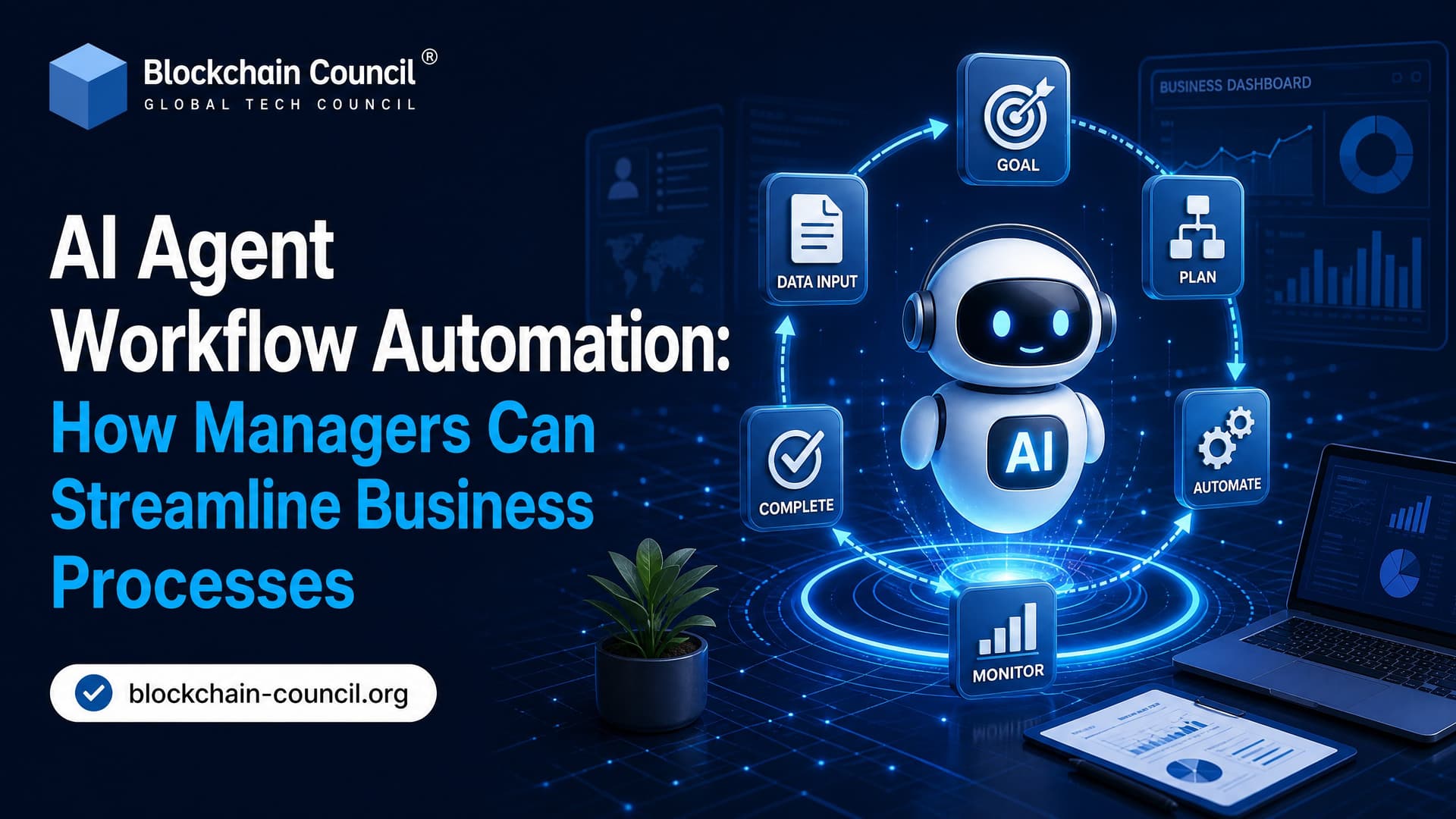
AI agent workflow automation gives managers a practical way to reduce manual hand-offs, shorten cycle times, and keep people focused on exceptions instead of routine coordination. This is not another chatbot rollout. Done well, agentic workflows put an AI decision-maker inside a business process, with clear policies, system access, logs, and escalation rules.
That distinction matters. A static automation rule might send every expense above $500 to finance. An AI agent can check the employee's role, project budget, receipt details, travel policy, past exceptions, and approval chain before deciding whether to approve, ask for more information, or route the case to a manager. Same process. Much smarter routing.

As organizations expand AI-driven automation across departments, professionals with a Certified Scrum Master Expert™ background can help coordinate cross-functional implementation, manage iterative workflow improvements, and ensure automation initiatives stay aligned with business objectives.
What Is AI Agent Workflow Automation?
AI agent workflow automation uses intelligent software agents to execute and coordinate multi-step business processes with limited human intervention. These agents can choose tools, call APIs, retrieve documents, make policy-based decisions, and hand off risky cases to people.
Traditional automation follows fixed rules. If X happens, do Y. That still works for stable, predictable tasks. AI agents earn their place when the process has variation: different request types, changing policies, missing data, multiple systems, or judgment calls.
Key capabilities managers should look for
Agentic orchestration: The agent plans a sequence of steps across tools such as ERP, HRIS, CRM, ticketing, email, and chat.
Contextual decisions: It selects the right tool or action based on the case, not just a fixed flowchart.
Retrieval-Augmented Generation: RAG lets agents ground answers in current policies, SOPs, contracts, or compliance documents.
Error recovery: Good agents retry failed API calls, request missing inputs, and escalate exceptions.
Audit trails: Every action, decision, prompt, system call, and human approval should be logged.
A small but real implementation detail: many failed agent deployments have nothing to do with the model. They break at the tool boundary. In LangChain or similar frameworks, a poorly defined tool schema often throws a Pydantic error such as ValidationError: Field required because the agent called a tool without a required field like invoice_id. Managers do not need to debug Python, but they do need teams that test these edge cases before production.
Why Managers Are Paying Attention Now
Between 2024 and 2026, AI agents moved from pilots to production in HR, finance, IT, operations, and supply chain. Workday has described a shift from better user interfaces to real workflow automation in HR and finance, including onboarding, payroll exceptions, case resolution, and planning analysis. Several enterprise vendors report rising adoption of agentic workflows across core functions.
The performance data deserves attention, though you should treat vendor numbers with healthy caution. Deloitte research from 2024 found that organizations deploying AI agents reported productivity gains in the range of 25 to 35 percent within six months. McKinsey estimates of AI-enhanced software development put productivity gains between 20 and 45 percent. Broader industry surveys have found that a majority of respondents say AI improved their productivity.
There are quality gains too. Studies pairing rule-based systems with RAG have reported roughly a 30 percent reduction in error rates, and RAG-enhanced predictive models have shown forecasting accuracy improvements near 35 percent compared with models using only historical data. Treat these as directional signals, not guarantees, and measure your own baseline.
Delivering these outcomes consistently requires more than selecting an AI platform. Many technology leaders and operations managers strengthen their practical understanding of orchestration, governance, and workflow automation through a Certified Agentic AI Expert™ program before scaling enterprise AI initiatives.
Where AI Agent Workflow Automation Works Best
Do not start with the most politically sensitive process in the company. Start where volume is high, policy is clear, and the cost of delay is visible.
HR and people operations
HR is a natural fit because it has repeatable processes with many hand-offs. In onboarding, agents can collect documents, trigger account creation, schedule orientation, update HRIS records, and notify finance or facilities. Managers stop chasing forms and start watching exceptions.
Recruitment is another strong use case. A common pattern uses Microsoft Copilot Studio and Power Automate, where an agent in Microsoft Teams collects job role details, validates missing information, and starts job posting workflows. The manager stays in Teams. The back-end work happens across connected systems.
Finance and accounting
Finance workflows are structured, policy-heavy, and full of thresholds. That is exactly where agents help.
Approve low-risk expenses automatically.
Flag unusual spending patterns.
Extract invoice data and match it against purchase orders.
Route approvals based on amount, department, region, or vendor risk.
Identify payroll exceptions before they turn into employee complaints.
Here is the trade-off: agents should not get unlimited authority over payments. Use them to prepare decisions, validate data, and clear low-risk cases. Keep humans in the loop for large payments, policy ambiguity, new vendors, and fraud signals.
IT, engineering, and internal support
Engineering teams lose time to context switching, code reviews, ticket updates, build failures, and admin tasks. Some analyses estimate that developers lose 60 to 80 percent of workday capacity to these interruptions when automation stays at the snippet level.
Agentic workflows can triage tickets, draft test cases, monitor failed builds, summarize pull requests, and route incidents. Teams using agent-driven testing have reported cycle times cut by around 40 percent, and enterprise deployments built on LangChain agents with RAG have reported similar improvements in developer satisfaction.
A simple manager-level calculation helps. If an agent saves one hour per developer per day, an eight-person team gets about 40 hours back each week. That is effectively one extra developer-week without hiring.
Operations and supply chain
Operations teams need speed when conditions change. Agents can monitor inventory, detect supplier risk, recommend alternate routes, book logistics, and trigger customer updates. In manufacturing, predictive agents can read equipment condition data and schedule maintenance before failure. This is where AI agent workflow automation becomes more than admin efficiency. It protects throughput.
How to Streamline Business Processes with AI Agents
1. Pick the right workflow
Use agents when a process has multi-step execution, multiple systems, decision points, and frequent exceptions. Avoid them when a simple rule-based workflow already works. To be blunt, not every automation problem needs an agent.
Good candidates include:
Invoice processing
Expense approvals
Employee onboarding
Ticket triage
Customer case routing
Order fulfillment
Compliance document checks
2. Map the process before touching tools
Document the process from trigger to outcome. Include systems, owners, approvals, data fields, policies, exception paths, and failure points. Ask your team where work actually gets stuck, not where the process map says it should move smoothly.
Define metrics before the pilot starts:
Average cycle time
Error rate
Manual touchpoints
Escalation rate
Employee or customer satisfaction
Compliance exceptions
3. Choose the right agent pattern
Different workflows need different agents.
Orchestration agents coordinate tasks across systems, useful for onboarding and order fulfillment.
Predictive agents forecast demand, churn, maintenance needs, or supply risk.
Collaborative agents assist employees by drafting, summarizing, recommending, and routing.
Multi-agent systems split work between specialized agents, such as finance, HR, legal, and support agents sharing context.
For managers, the practical question is not which model is most advanced. It is which workflow outcome you want and which controls you need.
4. Build governance from day one
Governance cannot be patched on later. You need clear access control, data handling rules, logging, encryption, and escalation paths before production. High-risk decisions should require human approval.
Your governance checklist should include:
Role-based access to systems and data
Approval thresholds for automated decisions
Human review for ambiguous or high-value cases
Prompt and tool-call logs for audit
Data retention and privacy policies
Incident response steps when an agent acts incorrectly
Explainability also matters. If an agent rejects an expense or flags a supplier, the manager needs a clear reason: which policy, which data point, which threshold.
5. Run a narrow pilot, then expand
Start with one workflow in one department. Baseline the current process. Run the pilot. Compare results. Then adjust prompts, policies, tool schemas, escalation rules, and dashboards.
After that, expand to adjacent workflows. For example, start with IT ticket triage, then add password reset support, software access requests, and employee onboarding tasks that depend on IT.
Skills Managers Need for Agentic Workflows
You do not need to become a machine learning engineer. You do need AI literacy, process design discipline, and enough technical fluency to ask better questions.
Managers should understand:
How LLMs use prompts, tools, memory, and retrieval
Where RAG helps reduce outdated or unsupported answers
Why human-in-the-loop design reduces operational risk
How to measure productivity without encouraging careless automation
When static automation is cheaper and safer than an AI agent
If you are building a formal learning path, Blockchain Council's Certified Agentic AI Expert™ fits teams designing and governing AI agents. Teams working on prompt quality and model interaction can pair it with the Certified Prompt Engineer™ program.
What Comes Next for AI Agent Workflow Automation
The next stage is multi-agent coordination. Instead of one agent handling a narrow task, enterprises will run specialized agents that share context across finance, HR, operations, customer support, and IT. Workflows will also become more multimodal, processing text, invoices, images, audio, video, and sensor data.
Edge deployment will matter in factories, logistics hubs, and field operations where latency is critical. Explainable AI will become non-negotiable in finance, healthcare, and regulated industries. The winners will not be the companies with the most agents. They will be the ones with cleaner processes, better governance, and teams trained to supervise automation well.
Your next step: choose one workflow with high volume, clear rules, and measurable delays. Map it this week. Decide which decisions an agent can safely handle, which need a human, and which metric will prove the pilot worked. Then build small, test hard, and scale only when the audit trail is as strong as the productivity gain.
As AI-powered workflows increasingly support customer engagement, sales operations, and business growth alongside internal automation, professionals who complement their technical expertise with a Marketing Certification can better connect intelligent automation with measurable customer and commercial outcomes.
FAQs
What Is AI Agent Workflow Automation?
AI agent workflow automation is the use of AI agents to plan, execute, monitor, and optimize business workflows by combining reasoning, tool use, data retrieval, and automation across multiple systems and applications.
How Does AI Agent Workflow Automation Work?
A typical workflow automation process involves:
Receiving a task or trigger.
Understanding the objective.
Planning the required steps.
Accessing enterprise data or tools.
Completing approved actions.
Monitoring progress.
Reporting results or escalating when necessary.
How Is AI Workflow Automation Different from Traditional Workflow Automation?
Traditional workflow automation relies on predefined rules and fixed decision trees. AI agent workflow automation can adapt to changing inputs, reason through complex tasks, use multiple tools, and make context-aware decisions within defined boundaries.
What Types of Workflows Can AI Agents Automate?
Common workflows include:
Customer support
Employee onboarding
Invoice processing
Document approvals
Sales follow-ups
Marketing campaigns
IT ticket management
Procurement
Compliance reporting
Knowledge management
Which Industries Benefit from AI Workflow Automation?
Industries adopting AI workflow automation include:
Healthcare
Banking
Insurance
Retail
Manufacturing
Logistics
Education
Telecommunications
Government
Professional services
Can AI Agents Automate Multi-Step Business Processes?
Yes. AI agents can coordinate multiple steps such as retrieving data, analyzing documents, generating reports, interacting with enterprise systems, and notifying users, provided they have appropriate permissions and oversight.
What Is AI Agent Orchestration in Workflow Automation?
AI agent orchestration coordinates multiple specialized agents, assigns tasks, manages communication, tracks workflow progress, and combines outputs to complete complex business processes.
How Do AI Agents Use Enterprise Applications?
AI agents interact with business software through APIs, workflow platforms, enterprise databases, CRM systems, ERP platforms, and standardized protocols such as the Model Context Protocol (MCP).
Can AI Agents Work Together?
Yes. Multi-agent systems allow specialized AI agents to collaborate, with each agent handling tasks such as planning, research, data analysis, document generation, or quality review.
How Does Retrieval-Augmented Generation (RAG) Improve Workflow Automation?
RAG enables AI agents to retrieve relevant information from trusted enterprise knowledge sources before generating responses or making recommendations, improving accuracy and reducing reliance on model memory alone.
How Does MCP Support AI Workflow Automation?
The Model Context Protocol (MCP) provides a standardized way for AI agents to connect with enterprise tools, services, and data sources, simplifying integration across different business systems.
Can AI Agents Learn from Previous Workflows?
Some AI systems can retain context or workflow history through memory components or stored operational data. The ability to "learn" depends on the system architecture and should not be confused with automatic model retraining.
What Technologies Support AI Workflow Automation?
Common technologies include:
Large Language Models (LLMs)
Workflow orchestration platforms
Robotic Process Automation (RPA)
APIs
MCP
RAG
Vector databases
Cloud computing
Event-driven architectures
What Security Measures Should Businesses Implement?
Organizations should use:
Identity and access management
Role-based permissions
Data encryption
Audit logging
Secure API gateways
Compliance monitoring
Continuous security assessments
Human approval for sensitive actions
What Skills Are Needed to Build AI Workflow Automation?
Important skills include:
Python programming
API development
Workflow design
AI orchestration
Prompt engineering
Context engineering
Cloud architecture
Security and governance
What Challenges Can Organizations Expect?
Common challenges include:
Legacy system integration
Workflow complexity
Data quality
Cost optimization
Security
Governance
Error handling
User adoption
Performance monitoring
How Can Businesses Measure Workflow Automation Success?
Useful KPIs include:
Process completion time
Automation rate
Error reduction
Employee productivity
Customer satisfaction
Cost savings
Workflow accuracy
Return on investment (ROI)
What Common Mistakes Should Organizations Avoid?
Avoid automating poorly designed workflows, deploying AI without governance, ignoring exception handling, granting excessive permissions, failing to monitor performance, and overlooking employee training. A faster workflow that consistently produces incorrect outcomes is still incorrect, only with better time management.
Will AI Agents Replace Human Employees in Workflow Automation?
AI agents are expected to automate many repetitive and structured tasks, but human employees remain essential for strategic thinking, creativity, ethical judgment, relationship management, and oversight of business-critical decisions. In many organizations, AI functions as a productivity multiplier rather than a complete replacement for people.
What Is the Future of AI Agent Workflow Automation?
AI agent workflow automation is expected to evolve toward more intelligent, interconnected systems that combine reasoning, memory, orchestration, RAG, MCP, and secure enterprise integrations. As organizations modernize their operations, AI agents are likely to automate increasingly sophisticated workflows while working alongside employees under robust governance and security frameworks. Businesses that focus on measurable business outcomes, scalable architecture, and responsible AI deployment will be better positioned to realize long-term value from workflow automation.
Related Articles
View All
Agentic AI
AI Agents for Business Process Automation: A Practical Guide for Managers
A practical guide for managers on using AI agents for business process automation, covering use cases, governance, ROI, architecture, and rollout steps.

Agentic AI
AI Agent Platforms Explained: Architecture, Tooling, and Deployment Best Practices for Enterprise Automation
AI agent platforms power enterprise automation by orchestrating LLMs, tools, and workflows with memory, governance, and observability for reliable, secure deployments.

Agentic AI
AI Agent Harnesses, Tools & Context: The Infrastructure Behind Autonomous AI
Learn how AI agent harnesses, tools, and context work together. This beginner-friendly guide covers function calling, APIs, context engineering, memory, RAG, guardrails, and agent evaluation.
Trending Articles
How Blockchain Secures AI Data
Understand how blockchain technology is being applied to protect the integrity and security of AI training data.
Claude AI Tools for Productivity
Discover Claude AI tools for productivity to streamline tasks, manage workflows, and improve efficiency.
How to Install Claude Code
Learn how to install Claude Code on macOS, Linux, and Windows using the native installer, plus verification, authentication, and troubleshooting tips.