

AI Agents for Business Process Automation: A Practical Guide for Managers
 Suyash Raizada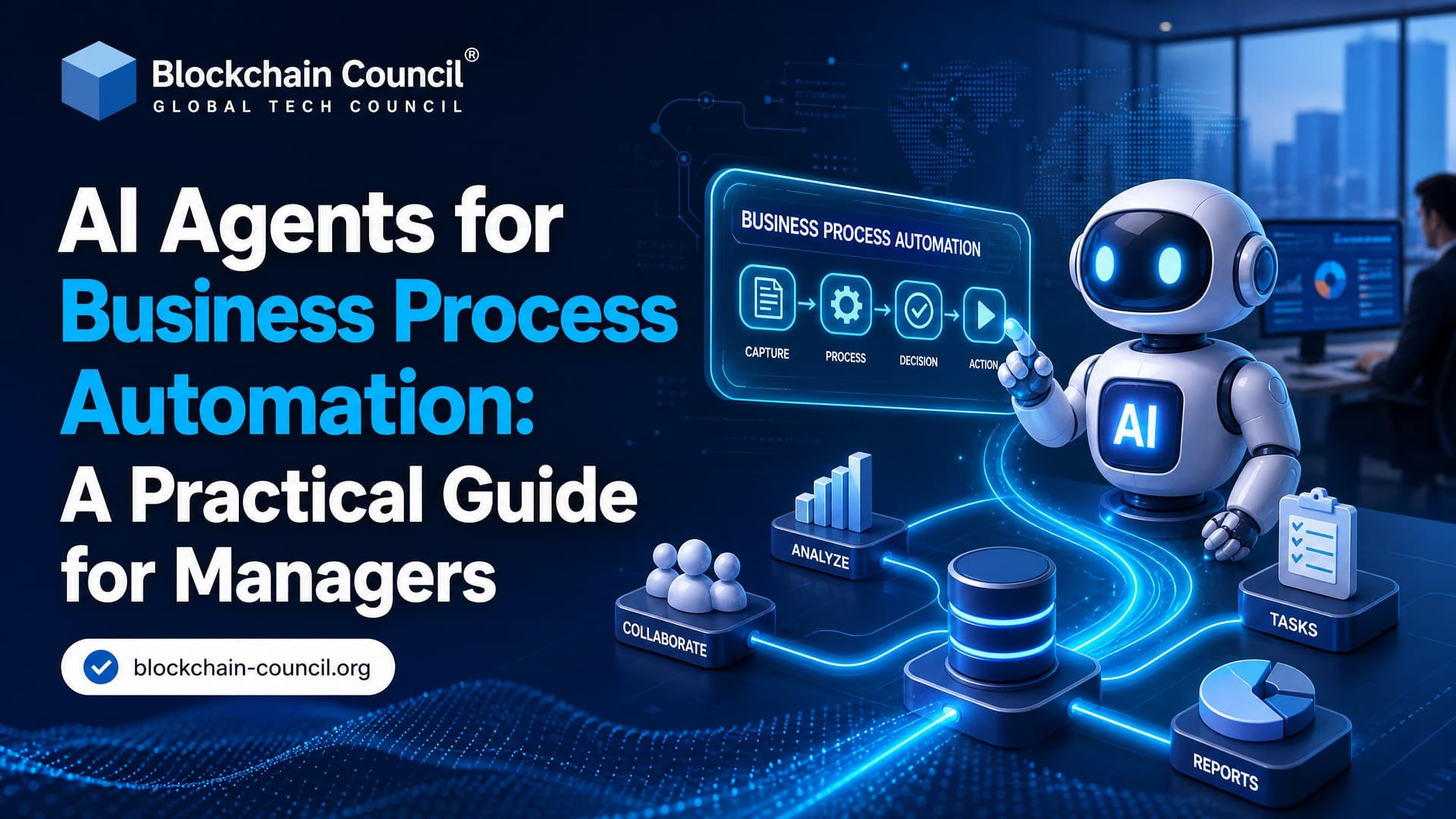
AI agents for business process automation are moving from small pilots into real operating workflows. For managers, the question is no longer whether agents can summarize emails or update tickets. The harder question is where they should be trusted to act, how much autonomy they should have, and what controls must be in place before they touch customer, financial, or employee data.
The best use cases are practical. Ticket triage. Invoice checks. IT incident routing. Sales follow-ups. These are not science projects. They are repetitive, context-heavy processes where people spend too much time moving information between systems.

As more organizations roll out AI automation across multiple departments, professionals with a Certified Scrum Master Expert™ background often help coordinate cross-functional teams, prioritize iterative improvements, and ensure automation initiatives remain aligned with business objectives.
What Are AI Agents for Business Process Automation?
An AI agent is software that can understand context, reason about a goal, and take action through connected tools. In business process automation, that usually means an agent reads inputs such as emails, documents, logs, chat messages, or CRM records, decides what should happen next, and performs the next step through an API, workflow tool, RPA bot, or enterprise application.
Traditional automation follows fixed rules. If A happens, do B. AI agents are different because they can interpret messy information. A customer may write, "The shipment never arrived and the invoice looks wrong." A static workflow may only detect a missing delivery keyword. An agent can classify the issue as logistics plus billing, pull the order record, draft a response, and route the finance exception to the right queue.
Core capabilities of enterprise AI agents
Perception: Reading structured and unstructured information from tickets, emails, PDFs, logs, spreadsheets, and chats.
Reasoning: Deciding what action fits the business goal, policy, and current context.
Action: Updating systems through APIs, RPA tools, databases, workflow platforms, CRM, ERP, or ticketing systems.
Memory: Keeping process history, user preferences, and prior decisions so the agent does not treat every task as brand new.
Orchestration: Coordinating several tools or even several specialized agents across a process.
Think of an AI agent as a digital worker with a restricted badge. It should only enter the systems you allow, perform approved actions, and leave an audit trail.
Why Managers Are Paying Attention Now
Adoption is accelerating because AI agents are being built into tools employees already use. Microsoft has reported that a large majority of Fortune 500 companies use Microsoft 365 Copilot for repetitive work such as email review and meeting notes. Industry forecasts suggest that a significant share of enterprise software will include agentic AI features within a few years, up from almost none in 2024. Surveys of early adopters also point to measurable productivity gains where agents handle high-volume tasks.
Still, scaled adoption is not easy. McKinsey's research on the state of AI has been widely cited for a sobering point: only a small fraction of organizations have scaled AI agents in even one function. That gap matters. Buying a tool is simple. Redesigning work, governance, permissions, metrics, and employee behavior is where most programs slow down.
Building those capabilities requires more than selecting the right platform. Many transformation leaders strengthen their understanding of AI governance, workflow orchestration, and autonomous systems through a Certified Agentic AI Expert™ program before scaling enterprise deployments.
Where AI Agents Create Business Value
Managers should start with processes that are frequent, measurable, and painful. Avoid mission-critical autonomy on day one. Start where the agent can assist, recommend, or prepare work for approval.
Customer service
Agents can classify tickets, summarize prior interactions, detect sentiment, suggest replies, and trigger approved resolution steps. This works well when support queues are overloaded and agents spend too much time reading history before responding.
IT operations and service desk
AI agents can read alerts, correlate logs, identify likely causes, open incidents, and recommend fixes. In lower-risk cases, they may restart a service or apply a known remediation. Be careful here. An agent with broad admin rights can do real damage quickly.
Finance and risk
Good use cases include invoice matching, expense review, reconciliations, fraud signal investigation, and report preparation. The agent should gather evidence and flag exceptions. Final approval should stay with a person for regulated or high-value decisions.
Sales and marketing
Agents can qualify leads, enrich account records, draft follow-up emails, schedule reminders, and generate campaign variants. The trap is over-automation. If every prospect receives the same synthetic message, your response rate will suffer.
HR and employee experience
Agents can answer policy questions, guide onboarding, summarize performance feedback, and route employee requests. HR deployments need tight access controls because employee data is sensitive.
A Practical Roadmap for Managers
Use this sequence before you fund a broad rollout.
Pick one process with a measurable pain point. Choose something like support triage, invoice intake, employee FAQ handling, or IT ticket routing. Define the baseline first: current handling time, error rate, backlog, cost per transaction, and satisfaction score.
Map the workflow in detail. List every input, decision, system, handoff, approval, and exception. Do not skip the ugly parts. The exception path is usually where automation breaks.
Define the agent's authority. Write down what the agent can do alone, what it can recommend, and what must require human approval. For example, "The agent may draft a refund response, but refunds above $100 require supervisor approval."
Choose your build path. Platform agents are faster if your process lives inside tools like Microsoft 365, Salesforce, or ServiceNow. Custom agents fit better when the workflow crosses several systems or needs domain-specific controls.
Integrate through APIs where possible. RPA still has a place for legacy screens, but APIs give cleaner logging, better error handling, and fewer surprises when a user interface changes.
Pilot with humans in the loop. Let the agent propose actions first. Track edits, rejections, hallucinated fields, missing context, and policy violations.
Measure before scaling. Look for cycle-time reduction, fewer manual touches, better first-contact resolution, lower backlog, improved data quality, and employee acceptance.
A practical warning from implementation work: many early prototypes fail for boring reasons. One common example is a CRM API returning HTTP 429 Too Many Requests because the agent loops through records too aggressively. Another is a workflow step failing with Invalid JSON in response after the language model adds a friendly sentence before a structured payload. These are not model intelligence problems. They are engineering, testing, and governance problems.
Architecture Choices: Platform, Low-Code, or Custom
There are three common approaches.
Embedded platform agents: Best when your team wants quick productivity inside existing suites. Examples include agents in productivity, CRM, ITSM, or ERP platforms.
Low-code workflow agents: Tools such as n8n can connect triggers, LLM calls, HTTP requests, databases, and business apps on a visual canvas. This is useful for prototypes and departmental workflows.
Custom agent systems: Best for high-volume, regulated, or cross-functional processes that need careful permissions, observability, testing, and integration with internal systems.
My position: do not custom-build your first agent unless the process is strategically important or your integration needs are unusual. Start with a platform or low-code pilot, learn where the value is, then invest in custom architecture if the business case holds.
Governance and Risk Controls Managers Cannot Ignore
AI agents are not just chatbots. They can act. That changes the risk profile.
Set clear guardrails
Define allowed and prohibited actions.
Restrict data access by role and process need.
Require approval for high-risk decisions.
Log prompts, tool calls, outputs, approvals, and overrides.
Monitor for drift, unusual behavior, and repeated failure patterns.
Keep humans responsible
Human-in-the-loop design is not a weakness. It is the right design for sensitive workflows. In finance, healthcare, cybersecurity, HR, and legal processes, agents should assist first and act autonomously only after controls have been tested.
Align with existing compliance programs
Data protection, sector regulation, audit controls, and internal risk policies still apply. If an employee could not legally access a dataset, an agent acting for that employee should not access it either. Bring security, legal, compliance, and data owners into the design phase, not after the pilot has already impressed the executive team.
How to Build Skills Inside Your Team
Managers do not need to become machine learning engineers, but they do need enough fluency to challenge weak designs. Your team should understand prompt design, process mapping, API basics, model limitations, evaluation methods, and AI risk management.
For structured learning, Blockchain Council certifications can support different roles. Managers and transformation leads can explore the Certified Agentic AI Expert™ as a learning path for agent design, governance, and deployment concepts. Technical leaders who need broader AI foundations may also consider the Certified Artificial Intelligence (AI) Expert™. For teams working heavily with prompts and generative workflows, the Certified Prompt Engineer™ is a strong fit.
What the Next 2 to 3 Years Will Look Like
AI agents will become normal features in enterprise software. IT operations, customer support, finance operations, and sales workflows will see the earliest scaled use because they have high task volume and clear metrics. Multi-agent systems will also become more common, with one agent handling triage, another checking policy, another updating records, and another preparing a customer response.
But the main bottleneck will not be model quality. It will be organizational readiness. Companies that map processes, clean data access, set approval rules, train teams, and measure outcomes will move faster than companies that chase every new agent demo.
Next Step for Managers
Pick one workflow this week. Map it, measure it, and decide where an AI agent could assist without taking uncontrolled risk. If your team lacks agentic AI knowledge, start by building a shared vocabulary through a structured certification path such as the Certified Agentic AI Expert™, then move into a small human-approved pilot with clear metrics.
As AI agents increasingly support customer engagement, sales operations, and personalized communications alongside internal workflows, professionals who combine these technical capabilities with a Marketing Certification are often better equipped to connect automation initiatives with measurable business growth and customer experience outcomes.
FAQs
What Are AI Agents for Business Process Automation?
AI agents are software systems that can perceive information, reason about tasks, use tools, and take actions to automate business processes with varying levels of autonomy. They can assist with repetitive, multi-step, and decision-based workflows while operating within defined rules and human oversight.
How Do AI Agents Automate Business Processes?
AI agents automate workflows by collecting data, analyzing information, making decisions based on predefined logic or AI reasoning, interacting with enterprise applications, and completing tasks such as creating reports, updating records, or responding to customer requests.
Why Are Businesses Adopting AI Agents?
Organizations adopt AI agents to improve productivity, reduce manual work, accelerate response times, lower operational costs, improve consistency, and allow employees to focus on higher-value activities.
What Is the Difference Between AI Agents and Traditional Automation?
Traditional automation typically follows fixed rules and predefined workflows. AI agents can handle more dynamic tasks by reasoning, adapting to changing inputs, using multiple tools, and managing complex workflows. Their behavior still depends on the design of the system and its safeguards.
Which Business Processes Can AI Agents Automate?
Common use cases include:
Customer support
Invoice processing
Employee onboarding
Document management
Data entry
Email management
Sales support
Marketing workflows
IT service management
Financial reporting
Which Industries Benefit from AI Agent Automation?
AI agents are being used across:
Healthcare
Banking
Insurance
Retail
Manufacturing
Logistics
Education
Telecommunications
Government
Professional services
How Can AI Agents Improve Customer Service?
AI agents can answer common questions, route complex issues, summarize conversations, assist support teams, and provide around-the-clock customer assistance while escalating cases that require human intervention.
Can AI Agents Automate HR Processes?
Yes. AI agents can help with resume screening, interview scheduling, employee onboarding, policy assistance, training recommendations, and routine HR inquiries, subject to appropriate oversight and compliance with employment laws.
How Do AI Agents Help Finance Teams?
Finance teams can use AI agents for expense processing, invoice validation, financial reporting, compliance checks, forecasting support, reconciliation assistance, and fraud detection workflows.
Can AI Agents Improve Sales Operations?
Yes. AI agents can qualify leads, update CRM systems, generate sales reports, draft follow-up emails, summarize customer interactions, and support sales forecasting.
How Do AI Agents Work with Enterprise Applications?
AI agents integrate with enterprise systems through APIs, workflow platforms, standardized protocols such as the Model Context Protocol (MCP), databases, and business applications like CRM and ERP systems.
What Role Does Human-in-the-Loop Play?
Human-in-the-loop (HITL) workflows allow employees to review, approve, or modify AI-generated actions before they are finalized, particularly for high-risk, regulated, or business-critical decisions.
Can AI Agents Work Together?
Yes. Multi-agent systems allow specialized AI agents to collaborate on complex tasks, with orchestration layers coordinating communication, task assignment, and workflow execution.
What Technologies Support AI Agent Automation?
Common technologies include:
Large Language Models (LLMs)
Workflow orchestration platforms
Retrieval-Augmented Generation (RAG)
Model Context Protocol (MCP)
APIs
Robotic Process Automation (RPA)
Cloud computing
Vector databases
What Skills Are Needed to Build AI Agent Solutions?
Useful skills include:
Python programming
API integration
Workflow automation
Prompt engineering
Context engineering
AI orchestration
Cloud platforms
Security and governance
What Security Considerations Should Businesses Address?
Organizations should implement:
Identity and access management
Encryption
Audit logging
Data governance
Role-based permissions
Secure API management
Continuous monitoring
Compliance with applicable regulations
What Challenges Can Businesses Face When Deploying AI Agents?
Common challenges include:
Integration with legacy systems
Data quality issues
Workflow complexity
Hallucinations or inaccurate outputs
Security risks
Change management
Cost optimization
Regulatory compliance
How Can Businesses Measure AI Agent Success?
Useful KPIs include:
Task completion rate
Process cycle time
Error reduction
Cost savings
Employee productivity
Customer satisfaction
Automation rate
Return on investment (ROI)
What Common Mistakes Should Organizations Avoid?
Avoid automating poorly designed processes without first improving them, deploying AI agents without governance or monitoring, granting excessive system permissions, ignoring employee training, and expecting fully autonomous systems to handle every business decision. Automating a broken process often produces broken results more efficiently, which is an impressive achievement but rarely the intended one.
What Is the Future of AI Agents in Business Process Automation?
AI agents are expected to become increasingly capable of managing end-to-end business workflows by combining reasoning, tool use, memory, orchestration, and human oversight. As organizations adopt technologies such as MCP, RAG, and multi-agent orchestration, AI agents are likely to play a larger role in enterprise operations. Businesses that focus on governance, security, measurable outcomes, and thoughtful workflow design will be better positioned to realize long-term value from AI-driven automation.
Related Articles
View All
Agentic AI
AI Agent Workflow Automation: How Managers Can Streamline Business Processes
Learn how AI agent workflow automation helps managers reduce manual work, speed up approvals, improve governance, and scale business processes.

Agentic AI
What Is Agentic AI? A Practical Guide to Autonomous AI Agents
Agentic AI uses autonomous AI agents to plan, use tools, take actions, and adapt in real workflows. Learn core concepts, architecture, use cases, and risks.
Agentic AI
AI Agents with MCP Explained: What Managers Need to Know
A manager-focused guide to AI agents with MCP, covering architecture, benefits, risks, governance, use cases, and practical next steps.
Trending Articles
The Role of Blockchain in Ethical AI Development
How blockchain technology is being used to promote transparency and accountability in artificial intelligence systems.

Top 5 DeFi Platforms
Explore the leading decentralized finance platforms and what makes each one unique in the evolving DeFi landscape.

Can DeFi 2.0 Bridge the Gap Between Traditional and Decentralized Finance?
The next generation of DeFi protocols aims to connect traditional banking with decentralized finance ecosystems.