

AI Agent Lifecycle Explained: From Design to Monitoring and Optimization
 Suyash Raizada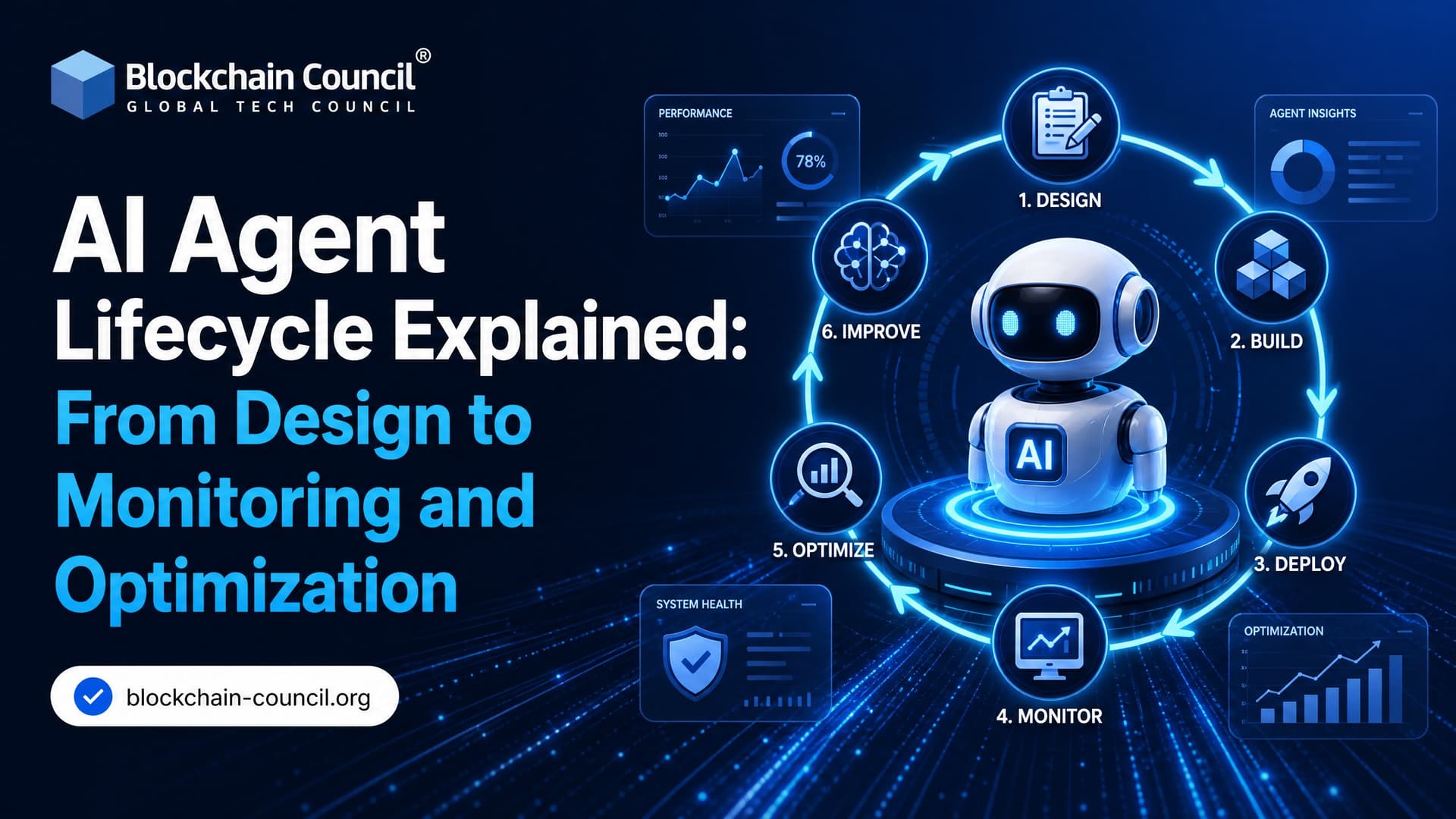
The AI agent lifecycle is the structured process of designing, building, deploying, monitoring, optimizing, governing, and eventually retiring AI agents. Treat it like a product lifecycle, not a one-time model release. That shift matters because agents do more than generate text. They choose tools, call APIs, access data, and take action on behalf of users.
If you have ever shipped an agent that worked beautifully in a demo and then failed when a user asked two questions in one message, you already know the lesson. The model is only one part of the system. Identity, permissions, evaluation data, observability, ownership, and change control decide whether the agent survives production.

As organizations move AI agents from pilots into enterprise operations, professionals with a Certified Scrum Master Expert™ background often help coordinate cross-functional delivery, manage iterative improvements, and ensure governance keeps pace with technical development.
What Is the AI Agent Lifecycle?
AI agent lifecycle management covers the full operational life of an agent: creation, deployment, monitoring, updates, governance, and retirement. IBM describes an Agent Development Lifecycle, or ADLC, with stages such as Plan, Code and build, Deploy, Operate, and Monitor. Salesforce Agentforce describes a similar pattern with ideation, development, testing, deployment, monitoring, and tuning.
The common point is simple. Agents are adaptive systems. They gather context, reason through a task, use models, execute actions, and learn from feedback. Traditional software only changes when developers change it. Agents can behave differently depending on prompts, memory, tools, retrieval results, model versions, and user input.
Most mature AI agent lifecycle frameworks include these stages:
Scope and plan: Define the use case, value, risks, and success metrics.
Design: Specify persona, tools, guardrails, workflows, and access boundaries.
Build and integrate: Connect models, APIs, vector stores, databases, and orchestration logic.
Test and evaluate: Simulate edge cases, measure task success, and review unsafe outputs.
Deploy and operate: Release in controlled stages with clear ownership.
Monitor and optimize: Track behavior, cost, latency, drift, and user outcomes.
Govern and retire: Audit, update, restrict, or decommission the agent when needed.
Stage 1: Design the Agent Before You Pick the Model
Good agent design starts with a business problem, not a model leaderboard. Ask what decision or workflow should be automated, who owns the result, and what a failure would cost. A refund agent, a SOC triage agent, and a sales assistant have very different risk profiles.
Define Scope, ROI, and Success Metrics
Set measurable goals early. You might track average handling time, first-contact resolution, analyst review time, API error rate, or cost per completed task. Many GenAI deployments fail to deliver measurable business impact, and that is usually a planning problem before it is a model problem.
Do not build an autonomous agent where a workflow rule is enough. To be blunt, plenty of agent projects are overbuilt. If the task is deterministic, use ordinary software. Use an agent when the work needs interpretation, flexible planning, natural language interaction, or tool selection.
Specify Persona, Tools, and Guardrails
Document how the agent should behave. In customer service, that includes tone, escalation rules, allowed actions, and forbidden claims. In internal operations, it includes which systems the agent can access and what requires human approval.
A practical design document should include:
Agent role and user persona
Jobs-to-be-done or topics the agent can handle
Approved tools and APIs
Data sources for retrieval
Human-in-the-loop checkpoints
Failure modes and fallback behavior
Evaluation criteria and test datasets
Give the Agent an Identity
Enterprise agents need verifiable identity. Identity providers frame this as a lifecycle requirement. Each agent should have an owner, a purpose, a risk classification, and a least-privilege access policy. In sensitive workflows, some organizations also bind an agent to metadata and access rules using cryptographic identity concepts.
This is not paperwork. If an agent can create tickets, update CRM records, or query customer data, you need to know exactly which agent acted, under what policy, and for which user context.
Designing production-ready AI agents requires more than selecting the right model. Many developers, architects, and technology leaders strengthen their understanding of orchestration, evaluation, and governance through a Certified Agentic AI Expert™ program before deploying autonomous systems at scale.
Stage 2: Build, Integrate, and Orchestrate
After design, you translate requirements into a working system. This is where teams choose models, frameworks, retrieval patterns, memory, and tool orchestration.
Common choices include LLM APIs, LangGraph, AutoGen, vector databases, function calling, workflow engines, and enterprise platforms such as Salesforce Agentforce. There are also protocols such as the Model Context Protocol for connecting agents with external tools and data sources.
One small implementation detail catches teams often. In LangGraph, forgetting to configure a checkpointer means your graph may run, but thread-level memory will not persist as expected across invocations. The agent looks fine in a single test. Then production users ask follow-up questions and the context disappears. That is exactly the kind of bug lifecycle discipline is meant to catch.
Use version control for prompts, tool schemas, retrieval configuration, and policy files. Prompts are production artifacts. Treat them that way.
Stage 3: Test and Evaluate Before Production
Testing an AI agent is not the same as testing a chatbot response. You have to evaluate reasoning paths, tool calls, permissions, state changes, and failure recovery.
Build test sets that include:
Ambiguous user requests
Multi-intent prompts
Adversarial or policy-breaking prompts
Missing data scenarios
Tool timeout and API failure cases
Requests that require escalation
Known hallucination traps
Use automated evaluation for repeatability, but keep humans in the loop for judgment-heavy cases. Separate evaluation from operation on purpose. You need coherence checks, task scoring, and human review before the agent reaches real users.
For customer-facing agents, run simulations across compliance, customer experience, and edge cases. A support agent that gives a confident but wrong refund policy can create more damage than a slow manual process.
Stage 4: Deploy and Operate with Ownership
Deployment is the beginning of the real AI agent lifecycle, not the finish line. Release gradually. Start with internal users, then limited traffic, then broader production use once metrics are stable.
Assign a product owner, not just a model owner. The owner should coordinate engineering, risk, legal, operations, and user feedback. Salesforce-oriented teams often manage agent metadata, flows, actions, and Apex changes through sandbox-to-production DevOps workflows. The same principle applies outside Salesforce. Every change should be traceable.
Operational ownership should answer these questions:
Who approves tool access changes?
Who reviews failed conversations?
Who signs off on prompt updates?
Who handles incidents?
When should the agent be rolled back or disabled?
Stage 5: Monitoring and AI Observability
AI agent monitoring is now a dedicated discipline, often called AgentOps or AI observability. It tracks what the agent did, why it did it, how much it cost, and whether the outcome was acceptable.
Useful metrics include accuracy, latency, cost, user satisfaction, model drift, and performance regressions. For customer service, add sentiment, task success, fallback frequency, and hallucination rate. Higher-risk agents deserve review cycles that run more often.
Your monitoring stack should capture:
Input, output, and retrieved context
Tool calls and tool responses
Latency by model and tool
Cost per task or session
Fallback and escalation rates
Policy violations and blocked actions
User feedback and satisfaction signals
Version of prompt, model, tool schema, and retrieval index
Many organizations still do not monitor AI systems for drift or misuse. That is a serious gap. If you cannot inspect the agent's behavior, you cannot safely optimize it.
Stage 6: Optimization and AgentOps
AgentOps closes the loop. Monitoring data feeds changes to prompts, tools, retrieval sources, memory rules, escalation logic, and sometimes model choice. Optimization should be deliberate, versioned, and measurable.
Do not tune everything at once. Change one major variable, run evaluations, compare results, then release. If you alter the system prompt, retrieval chunking, and model version in the same deployment, you will not know what helped or hurt.
What to Optimize
Prompts: Clarify instructions, tool selection rules, refusal behavior, and escalation criteria.
Tools: Remove unused tools, tighten schemas, and add validation before actions execute.
Retrieval: Improve indexing, chunking, metadata filters, and freshness of knowledge sources.
Memory: Decide what should persist, what should expire, and what should never be stored.
Models: Switch models only when metrics justify the cost, latency, or quality trade-off.
Governance: Update access rules, audit schedules, and approval workflows as risk changes.
For many teams, the highest return comes from tool design and retrieval quality, not from changing to a larger model. Bigger models can hide messy architecture for a while, but they also raise cost and latency.
Governance and Retirement Are Part of the Lifecycle
Governance runs through every stage. Responsible AI controls, audit logs, access reviews, and documentation are no longer optional in enterprise environments. Ongoing audits for fairness, transparency, and regulatory compliance belong in your monitoring stage. The EU AI Act, which entered into force in 2024 with phased obligations, will push more teams toward documented risk assessment and monitoring practices.
Agents also need retirement plans. Remove unused agents, revoke credentials, archive logs according to policy, and document why the agent was decommissioned. Dormant agents with active permissions are a real security risk.
How to Build Skills in AI Agent Lifecycle Management
If you are building production agents, learn the full lifecycle, not just prompt writing. Developers should understand orchestration, evaluation, observability, IAM, and governance. Business leaders should understand where autonomy helps and where it adds risk.
For structured learning, consider Blockchain Council programs such as Certified Agentic AI Expert™, Certified Artificial Intelligence (AI) Expert™, and Certified Prompt Engineer™ to connect agent design with production-grade implementation and responsible AI practices.
Your next step: choose one narrow workflow, write the agent design brief, define five success metrics, and build an evaluation set before you connect a single production tool. That habit will save you weeks later.
As AI agents increasingly support customer engagement, digital experiences, and business growth alongside operational workflows, professionals who complement their technical expertise with a Marketing Certification are better equipped to connect responsible AI adoption with measurable business outcomes and stronger customer relationships.
FAQs
1. What is the AI agent lifecycle?
The AI agent lifecycle is the end-to-end process of planning, building, deploying, monitoring, and continuously improving an AI agent. It provides a structured approach that helps organizations develop AI solutions that are reliable, secure, and aligned with business goals.
2. Why is the AI agent lifecycle important?
A well-defined AI agent lifecycle helps businesses reduce risks, improve performance, ensure regulatory compliance, and maintain AI systems over time. It also supports continuous improvement as business requirements and user expectations evolve.
3. What are the main stages of the AI agent lifecycle?
The AI agent lifecycle typically includes planning, design, development, testing, deployment, monitoring, maintenance, governance, and optimization. Each stage contributes to building AI agents that are effective, scalable, and trustworthy.
4. How does the planning stage impact AI agent development?
During planning, organizations identify business objectives, define use cases, evaluate risks, establish success metrics, and determine technical requirements. Strong planning lays the foundation for successful AI implementation and long-term scalability.
5. What happens during the design phase of the AI agent lifecycle?
The design phase focuses on defining the AI agent's architecture, workflows, decision-making processes, user interactions, security controls, and integration requirements. This stage ensures the agent is built to meet both technical and business needs.
6. How are AI agents developed?
AI agents are developed by integrating language models, APIs, business logic, data sources, automation workflows, and user interfaces. Developers also configure prompts, tools, memory, and safeguards to enable effective task execution.
7. Why is testing important in the AI agent lifecycle?
Testing helps identify errors, security issues, inaccurate responses, and performance limitations before deployment. It ensures the AI agent delivers reliable results under different scenarios and meets business quality standards.
8. What happens during AI agent deployment?
Deployment involves making the AI agent available to users within websites, applications, business systems, or enterprise platforms. Organizations also configure monitoring tools, access controls, and security settings before production use.
9. How do businesses monitor AI agents after deployment?
Organizations monitor AI agents by tracking response quality, user satisfaction, system performance, operational metrics, security events, and business outcomes. Continuous monitoring helps detect issues early and improve long-term reliability.
10. What is the role of maintenance in the AI agent lifecycle?
Maintenance includes updating prompts, improving workflows, fixing bugs, refining integrations, adapting to new business requirements, and addressing security vulnerabilities. Regular maintenance keeps AI agents accurate and effective over time.
11. How does governance fit into the AI agent lifecycle?
Governance spans the entire lifecycle by establishing policies for responsible AI use, security, privacy, compliance, risk management, and human oversight. It ensures AI agents operate according to organizational and regulatory standards.
12. Why is continuous optimization important for AI agents?
Business environments change constantly, and AI agents must adapt. Continuous optimization improves response quality, increases efficiency, enhances user experience, and ensures the AI continues delivering value as requirements evolve.
13. What tools are commonly used during the AI agent lifecycle?
Organizations use AI platforms, workflow automation tools, APIs, monitoring systems, analytics dashboards, version control, testing frameworks, identity management solutions, and governance platforms to manage the lifecycle effectively.
14. How does the AI agent lifecycle support enterprise scalability?
A structured lifecycle enables organizations to standardize AI development, improve governance, reduce operational risks, and deploy multiple AI agents consistently across departments while maintaining quality and compliance.
15. What are the biggest challenges in managing the AI agent lifecycle?
Common challenges include data quality, model accuracy, system integration, regulatory compliance, security, prompt management, performance monitoring, change management, and maintaining human oversight as AI systems become more complex.
16. Which industries benefit from a structured AI agent lifecycle?
Healthcare, finance, retail, education, manufacturing, logistics, legal services, insurance, telecommunications, and government organizations benefit from structured lifecycle management because they require secure, reliable, and compliant AI systems.
17. How does human oversight improve the AI agent lifecycle?
Human oversight ensures important AI-generated outputs are reviewed when appropriate, identifies unexpected behavior, validates critical decisions, and supports continuous improvements based on real-world feedback and operational needs.
18. How can organizations measure the success of an AI agent?
Success can be measured using key performance indicators (KPIs) such as response accuracy, task completion rates, customer satisfaction, productivity improvements, cost savings, response time, system reliability, and business impact.
19. What are the best practices for managing the AI agent lifecycle?
Best practices include defining clear objectives, designing secure workflows, thoroughly testing AI agents, implementing governance policies, continuously monitoring performance, maintaining documentation, updating systems regularly, and incorporating user feedback into ongoing improvements.
20. Why is understanding the AI agent lifecycle essential for successful AI adoption?
Understanding the AI agent lifecycle helps organizations deploy AI strategically rather than treating it as a one-time project. A lifecycle-based approach supports long-term success by improving scalability, maintaining compliance, enhancing security, and ensuring AI agents continue delivering measurable business value as technology and organizational needs evolve.
Related Articles
View All
Agentic AI
AI Agent Monitoring and Observability: Tools, Metrics, and Strategies
A practical guide to AI agent monitoring and observability, covering telemetry, traces, metrics, governance, and tool choices for reliable production agent systems.

Agentic AI
AI Agent Platforms Explained: Architecture, Tooling, and Deployment Best Practices for Enterprise Automation
AI agent platforms power enterprise automation by orchestrating LLMs, tools, and workflows with memory, governance, and observability for reliable, secure deployments.

Agentic AI
AI Agent Harnesses, Tools & Context: The Infrastructure Behind Autonomous AI
Learn how AI agent harnesses, tools, and context work together. This beginner-friendly guide covers function calling, APIs, context engineering, memory, RAG, guardrails, and agent evaluation.
Trending Articles
The Role of Blockchain in Ethical AI Development
How blockchain technology is being used to promote transparency and accountability in artificial intelligence systems.
How Blockchain Secures AI Data
Understand how blockchain technology is being applied to protect the integrity and security of AI training data.
Claude AI Tools for Productivity
Discover Claude AI tools for productivity to streamline tasks, manage workflows, and improve efficiency.