

Google Try-On vs Virtual Try-On Tools
 Suyash Raizada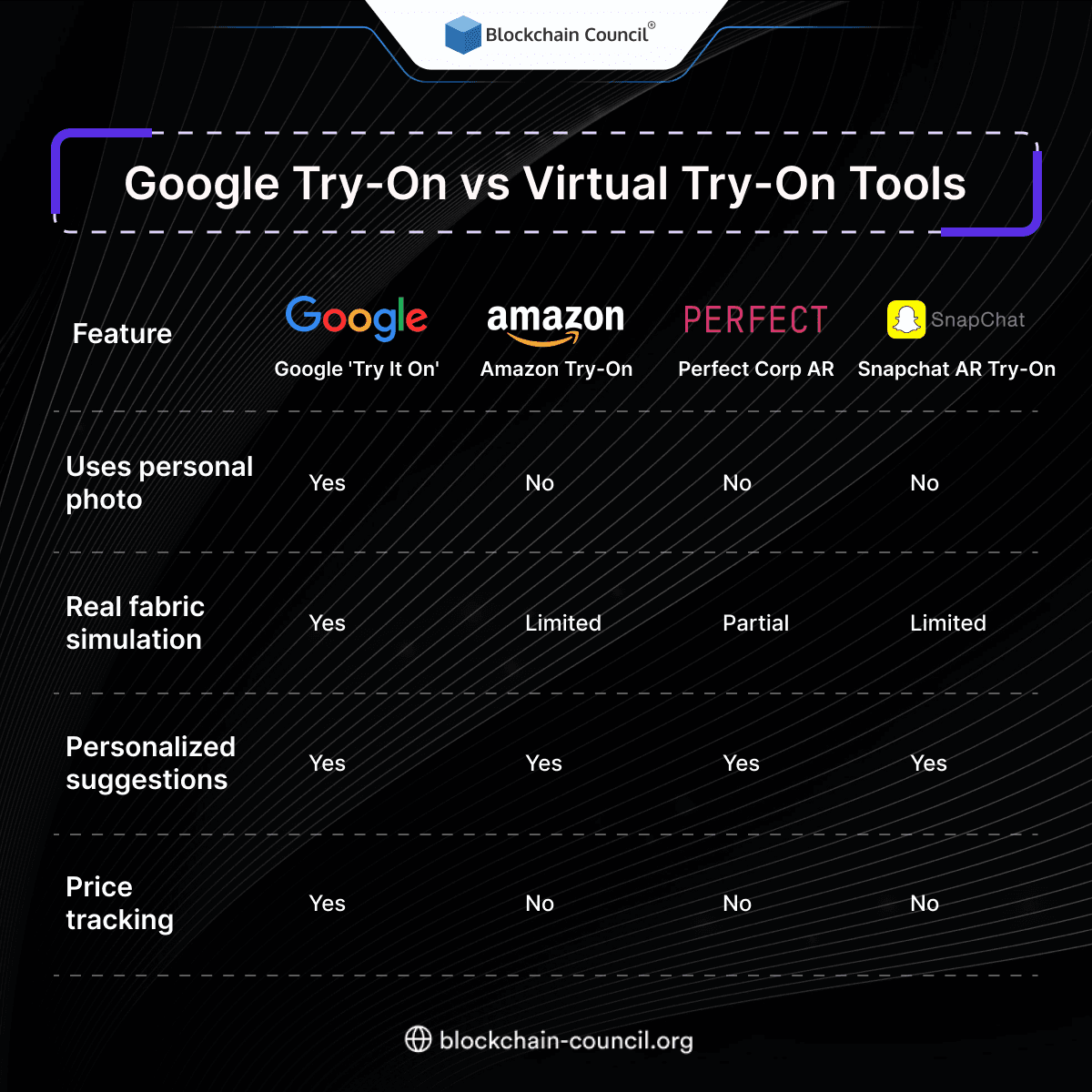
Google Try-On vs virtual try-on tools is now a practical evaluation every e-commerce brand should conduct. As generative AI and augmented reality shift product pages from static images to interactive previews, decision-makers are comparing accuracy, privacy risk, and measurable conversion impact. Google's try-on experience lives directly inside Search and Shopping, while broader virtual try-on tools span on-site apps, platform features, and real-time AR experiences.
What is Google Try-On (Google Virtual Try-On)?
Google Virtual Try-On is an AI-powered capability surfaced in Google Search and Shopping for categories including apparel, shoes, and beauty. It uses generative AI to visualize items on diverse models or on a user's own uploaded photo. By 2025, the experience supports a single full-body photo upload that generates realistic drape, shadows, and fit cues without requiring a persistent 3D avatar.

For brands, the strategic advantage is distribution. Google connects try-on to product discovery where shoppers already have high purchase intent, supported by Google's Shopping Graph spanning tens of billions of listings. That can shorten the path from browsing to purchase, sometimes before a shopper clicks through to a retailer's site.
Leverage virtual try-on technologies to enhance eCommerce conversions and reduce returns by mastering AI systems through an Agentic AI Course, improving models via a machine learning course, and scaling marketing strategies using an AI powered marketing course.
What Are General Virtual Try-On Tools?
General virtual try-on tools refer to the broader ecosystem of technologies deployed on brand sites, marketplaces, and apps. Common approaches include:
AI-driven rendering and 3D visualization using product images and learned fabric behavior, often delivered via APIs or commerce platform integrations.
Real-time AR try-on that uses device cameras for overlays - common in beauty and accessories - and can incorporate scanning workflows.
Platform-native solutions such as marketplace fit assistants and commerce suites that combine sizing data, past behavior, and visualization.
Examples in the market include beauty try-on experiences that use facial analysis, foot scanning for sizing, and high-fidelity garment visualization solutions designed for both retailers and product designers.
Accuracy: Google Try-On vs Virtual Try-On Tools
Accuracy is not a single metric. It combines visual realism, body measurement fidelity, and how well motion and fabric properties are simulated. Each approach optimizes a different part of the trade-off between scale and precision.
Google Try-On Accuracy
Google's diffusion-based approach is designed for scalability and realism from limited inputs. With one product image and one user photo, it can generate convincing drape and appearance across diverse body types, sizes, skin tones, and hair. This makes it well suited for broad catalog coverage and quick shopper evaluation, though it does not function as a measurement-grade body scan.
AI Virtual Try-On Tools Accuracy
Many AI virtual try-on tools deliver high garment accuracy and can incorporate partial scanning or structured sizing inputs. These systems often emphasize fabric simulation and consistent product representation across angles and poses. They can outperform basic 3D renders for realism, particularly where fabric behavior and fit cues are key decision drivers.
Real-Time AR Systems Accuracy
Real-time AR systems can achieve high accuracy when they use camera-driven scanning workflows. This is common in beauty overlays and sizing experiences such as foot scanning. The trade-off is scalability: these experiences depend on device capability, camera permissions, and user willingness to complete a scan.
An important caveat: no solution can guarantee perfect real-world fit in every scenario. Lighting, pose, garment construction, and movement all introduce variability. Brands should position try-on as a decision aid rather than a precise fit guarantee.
Privacy and Compliance: What Brands Should Evaluate
Privacy is often the deciding factor in tool selection, particularly as regulations and consumer expectations continue to tighten. The primary risk comes from processing biometric-adjacent data - including faces, body shape, skin tone, and user-uploaded images.
Google Try-On: publicly available information indicates it uses photo-based processing without persistent 3D avatars. Brands should still apply standard due diligence and review how user photos are handled, retained, or potentially used for model improvement.
Beauty AR and facial analysis tools: these may analyze facial geometry and skin characteristics to personalize results. This can be highly effective but requires clear consent flows and transparent disclosure practices.
Scanning experiences (for example, foot scanning): these can reduce sizing uncertainty but typically require camera access and may generate sensitive derived measurements that need careful handling.
Best practice for e-commerce teams is to implement opt-in consent, data minimization, short retention periods, and clear user controls. Transparency is both a regulatory requirement and a conversion lever - shoppers who trust a brand's data practices are more likely to engage with interactive features and return.
Conversion, AOV, and Returns: What the Numbers Suggest
Virtual try-on tools consistently show measurable lift by reducing uncertainty around fit and appearance. Reported outcomes across the ecosystem include:
Conversion lift: fashion and beauty try-on experiences have been associated with conversion increases ranging from roughly 30% to over 300% in specific brand deployments, with the largest uplifts reported in cosmetics try-on implementations.
Higher AOV: multiple reports cite average order value increases of approximately 18% to 33% following the addition of interactive visualization and try-on features.
Lower returns: return-rate reductions are frequently cited in the 20% to 64% range, driven by clearer product expectations and fewer size-related purchase errors.
Google's primary advantage is in-search try-on at the point of discovery, which can improve purchase behavior by shortening decision time at high-intent moments. On-site virtual try-on tools tend to be stronger for mid-funnel exploration, product bundling, and personalization once a shopper reaches a product detail page.
How to Choose?
Use this checklist to determine what to deploy first:
Catalog scale and speed: if you need broad coverage quickly, prioritize solutions that work from minimal imagery and integrate well with your product feed strategy.
Category fit: beauty typically benefits from real-time AR overlays; footwear and sizing-sensitive categories may benefit from scanning or fit assistants; apparel benefits most from drape realism and size guidance.
Privacy posture: align tooling with your legal and brand trust requirements, including consent mechanisms and data retention policies.
Measurement plan: define KPIs including conversion rate, return rate, AOV, engagement, and time-to-purchase, then run controlled tests by category before scaling.
Compare Google Try-On and other virtual try-on tools by understanding AI-driven visualization, personalization, and user experience through an AI Course, implementing solutions using a Python Course, and optimizing customer engagement via a Digital marketing course.
Conclusion
Google Try-On vs virtual try-on tools is best approached as a portfolio decision rather than a binary choice. Google's approach optimizes for reach and scalability at the point of discovery, while on-site AI and AR tools can deliver deeper personalization and, in scanning-based workflows, higher measurement fidelity. Brands that combine realistic visualization with transparent privacy practices are best positioned to improve conversion, lift AOV, and reduce returns as interactive commerce becomes the default expectation for online shoppers.
FAQs
1. What is Google Try-On?
Google Try-On is an AI-powered feature that allows users to visualize products like clothing or accessories digitally. It uses advanced imaging and AI models. This enhances online shopping experiences.
2. What are virtual try-on tools?
Virtual try-on tools are applications that allow users to preview products digitally. They use AR and AI technologies. These tools are widely used in e-commerce.
3. How does Google Try-On differ from other tools?
Google Try-On uses advanced AI and search integration. It provides more accurate and realistic results. Other tools may rely more on AR.
4. What technologies power try-on tools?
Technologies include AI, AR, and computer vision. These enable realistic visualization. They improve user experience.
5. Are virtual try-on tools accurate?
Accuracy depends on technology and data quality. Advanced tools provide realistic results. However, minor variations may occur.
6. How do these tools improve online shopping?
They allow users to visualize products before purchase. This reduces uncertainty. It improves customer satisfaction.
7. Can try-on tools reduce product returns?
Yes, better visualization helps users make informed decisions. This reduces incorrect purchases. It lowers return rates.
8. Are these tools easy to use?
Most tools are designed to be user-friendly. They require minimal effort. This improves accessibility.
9. What industries use virtual try-on tools?
Fashion, beauty, and eyewear industries use them extensively. They enhance customer experience. Adoption is growing.
10. Does Google Try-On support multiple products?
Yes, it supports various categories like clothing and accessories. Features may expand over time. It continues to evolve.
11. What is the role of AI in try-on tools?
AI analyzes images and user data to generate realistic previews. It improves accuracy. It enhances personalization.
12. Can small businesses use virtual try-on tools?
Yes, many tools are accessible and scalable. Small businesses can benefit from improved engagement. It boosts competitiveness.
13. Are there privacy concerns with try-on tools?
Yes, user data and images must be handled securely. Platforms should follow privacy standards. Users should be cautious.
14. How do try-on tools improve engagement?
They create interactive shopping experiences. Users spend more time exploring products. This increases conversions.
15. What is the cost of implementing try-on tools?
Costs vary depending on technology and scale. Some solutions are affordable. ROI often justifies the investment.
16. Can try-on tools work on mobile devices?
Yes, most tools are optimized for mobile use. They are accessible via apps or browsers. This improves convenience.
17. What are the limitations of try-on tools?
Limitations include accuracy issues and device compatibility. Lighting and angles can affect results. Technology is still evolving.
18. What is the future of try-on technology?
Future tools will be more accurate and immersive. AI and AR will improve experiences. Adoption will increase.
19. How do try-on tools impact e-commerce growth?
They enhance customer confidence and reduce returns. This improves sales. It supports business growth.
20. Why are try-on tools important?
They bridge the gap between online and offline shopping. They improve decision-making. They are essential for modern e-commerce.
Related Articles
View All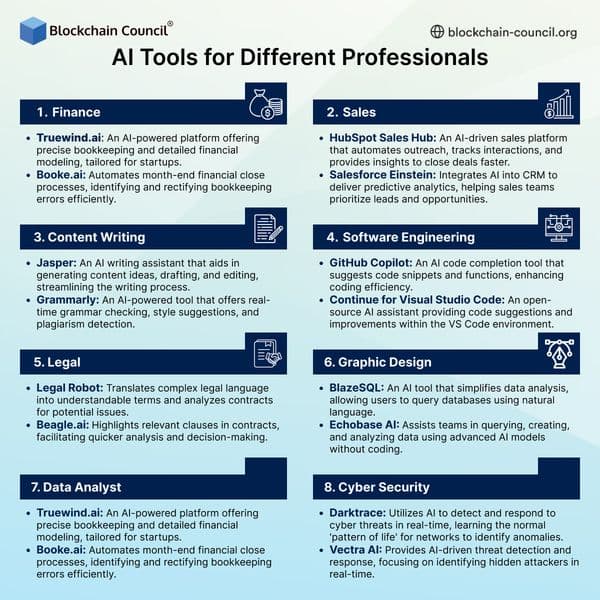
Infographics
AI Tools for Different Professionals
AI tools for professionals help automate tasks, improve productivity, and enhance decision-making across industries.
Infographics
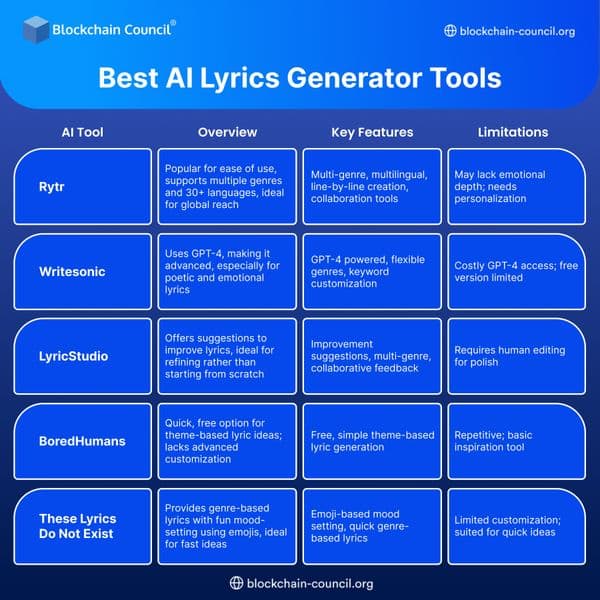
Best Lyrics Generator Tools
AI lyrics generator tools help musicians and creators write songs quickly by generating creative and structured lyrics.
Infographics
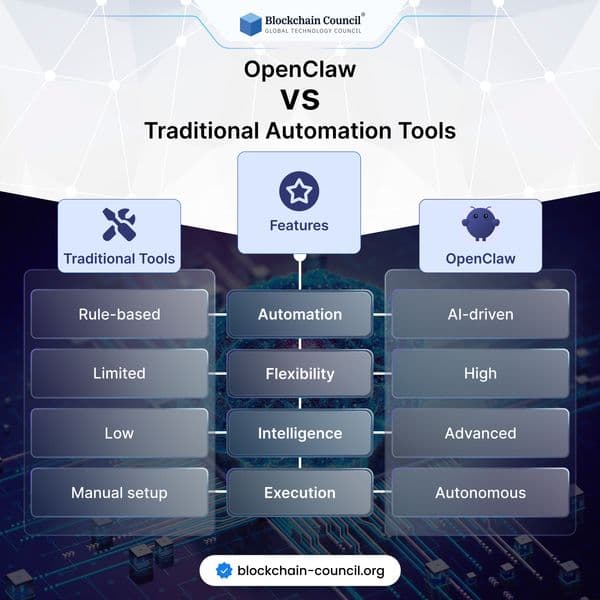
OpenClaw vs Traditional Automation Tools
Discover how OpenClaw is redefining automation with AI-driven intelligence and autonomy, compared to traditional rule-based tools. Learn which approach is better for modern workflows and business scalability.
Trending Articles
The Role of Blockchain in Ethical AI Development
How blockchain technology is being used to promote transparency and accountability in artificial intelligence systems.
AWS Career Roadmap
A step-by-step guide to building a successful career in Amazon Web Services cloud computing.
What is AWS? A Beginner's Guide to Cloud Computing
Everything you need to know about Amazon Web Services, cloud computing fundamentals, and career opportunities.