

What Is MCP in AI?
 Suyash Raizada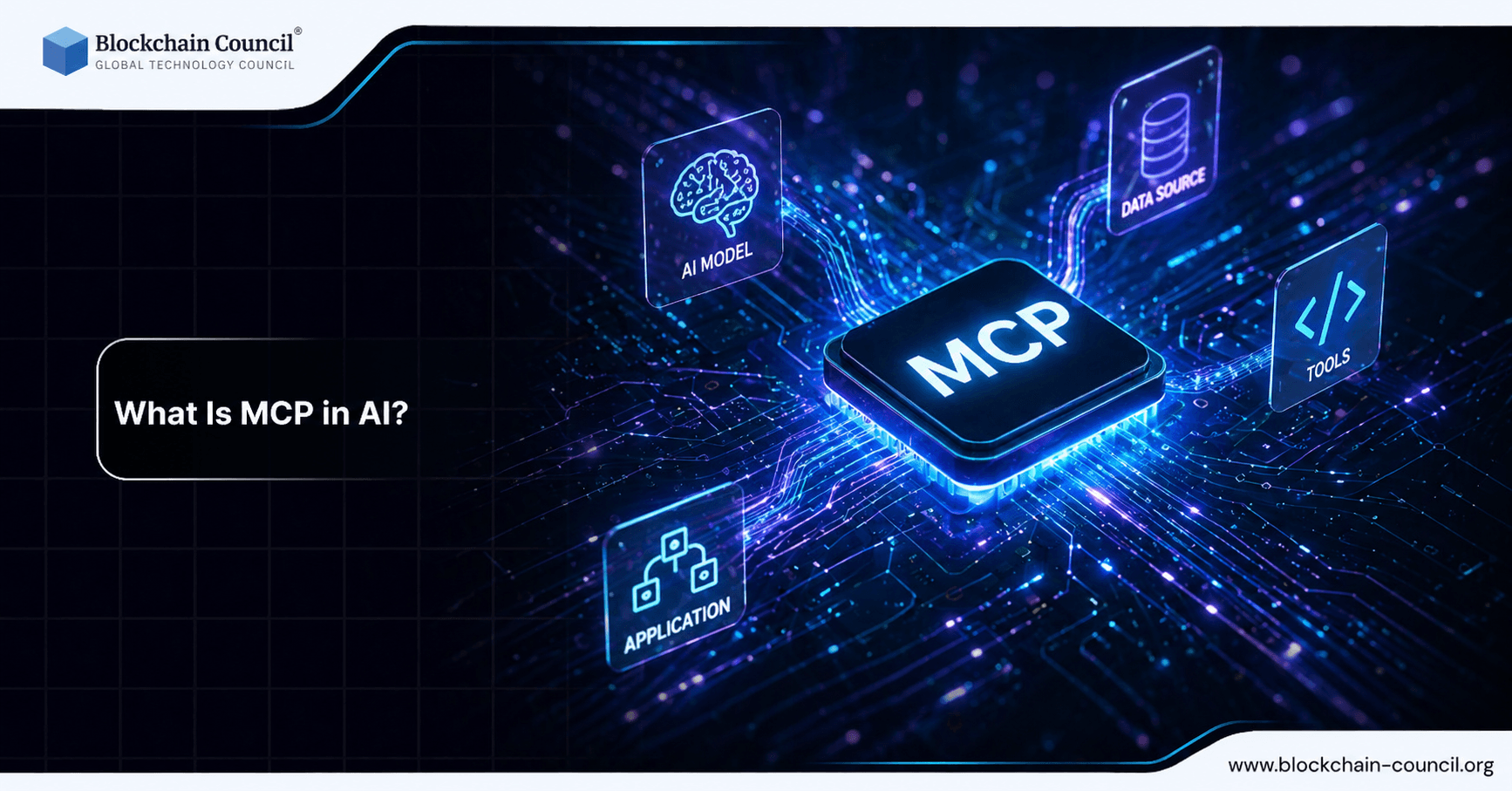
Model Context Protocol (MCP) is an open-source standard that helps AI applications connect to external systems such as databases, developer tools, and enterprise services in a consistent, governed way. Introduced as an open standard in November 2024, MCP is often compared to a universal connector: instead of building one-off integrations for every tool, teams can expose capabilities through MCP servers and let AI agents discover and use them dynamically.
This guide explains what MCP in AI is, how the Model Context Protocol works, and why it matters for reliability, automation, and scalable AI integration across real-world workflows.

What is MCP in AI?
MCP (Model Context Protocol) is a client-server protocol designed to connect AI hosts (applications that run or orchestrate LLMs) with external resources and tools. The core idea is straightforward: AI systems should not be limited to static training data or isolated prompts. They should be able to fetch live data, call approved tools, and complete tasks across systems with clear permissions and traceability.
Traditional approaches often require custom code per integration, such as bespoke API wrappers for each database, ticketing system, code repository, or internal service. MCP replaces that pattern with a standard interface where tools and data sources are exposed through MCP servers and consumed by MCP clients within AI applications.
Want to go deeper into modern AI architectures like MCP? Start with an Agentic AI Course, strengthen your fundamentals with a Python certification, and explore real-world applications through a Digital marketing course
Why the Model Context Protocol Matters
MCP addresses a common production bottleneck: AI assistants are useful, but they are frequently disconnected from real-time systems. That gap creates practical issues, including outdated answers, fragile automations, and high engineering overhead to maintain integrations.
Here is why MCP in AI is strategically important:
Real-time grounding: AI can retrieve authoritative records on demand instead of guessing or relying on stale context.
Reduced hallucinations: When an AI assistant can verify facts via live lookups, incorrect or fabricated outputs become less likely.
Standardized integration: Build a capability once and expose it to multiple AI hosts and models via the same protocol.
Governance and traceability: Results can include provenance details like source identifiers and timestamps, supporting auditability in regulated environments.
Automation at scale: Stateful, persistent interactions enable multi-step workflows across multiple systems in a single loop.
MCP Architecture: Core Components
The Model Context Protocol uses a structured client-server model. In practice, four components appear consistently across implementations:
1) Host Application
The host is the user-facing AI application that coordinates the LLM and tool usage. Examples include desktop AI assistants, AI-powered IDEs, and web-based LLM chat interfaces. Hosts manage conversation state, decide when tool calls are needed, and orchestrate multi-step workflows.
2) MCP Client
The MCP client lives inside the host application. It handles connections to MCP servers and translates between what the host needs and what the protocol supports. It functions as the integration runtime that speaks MCP.
3) MCP Server
An MCP server exposes capabilities to AI applications. Each server typically focuses on one integration domain, such as a Git repository, a database like PostgreSQL, or an internal enterprise system. The server defines what tools exist, what resources can be fetched, and what operations are permitted.
4) Transport Layer
The transport layer governs how clients and servers communicate. MCP supports different transports depending on deployment requirements, including STDIO for local integrations and HTTP with Server-Sent Events for remote connections.
Internally, MCP uses JSON-RPC 2.0 message patterns over the chosen transport. A key differentiator is that communication is not limited to one-off requests. MCP is designed for ongoing, stateful exchanges where servers can stream results and send notifications, and where the protocol supports interactive flows that require additional user input.
How MCP Works: The Connection Lifecycle
While implementations vary, most MCP interactions follow a repeatable lifecycle that keeps tool usage safe and predictable.
Step 1: Initialization
The client and server establish a session. This phase typically includes version negotiation, authentication setup, and agreement on protocol rules and capabilities. The goal is to ensure that both sides share the same expectations before any data is exchanged or tools are invoked.
Step 2: Message Exchange
After initialization, the client and server exchange structured messages. These messages can include:
Resource retrieval to fetch data (for example, a record, a file, or a query result).
Tool invocation to perform an action (for example, create an issue, run a database query, or trigger a workflow).
Streaming responses for long-running tasks so the host can make intermediate decisions.
Notifications and interactive requests, such as asking for clarification or requesting explicit user approval.
Practical Benefits of MCP for Teams and Enterprises
1) Real-Time Data Access and Improved Reliability
One of the most practical benefits of MCP is that it enables just-in-time retrieval of authoritative data. Instead of relying on embeddings that may be out of date or context pasted into a prompt, the AI assistant can request live records when needed.
This approach improves reliability and helps reduce hallucinations, particularly in workflows where accuracy is critical, such as incident response, financial reporting, compliance documentation, and customer support. When outputs include provenance cues such as timestamps and source identifiers, teams can also audit where an answer originated.
2) Automation for Complex, Multi-Step Workflows
MCP supports persistent sessions and bidirectional communication, which is useful when tasks require multiple dependent steps. For example, an AI agent could:
Fetch open pull requests from a repository integration.
Look up related ticket IDs in an issue tracker integration.
Query a database for feature flag status.
Draft a release note and request user approval before publishing.
Because servers can stream partial outputs, the host can react mid-process, ask for human confirmation, or branch into alternative paths when conditions change.
3) Standardized Integration Without Per-Service Boilerplate
A common misconception is that MCP is simply another API framework. MCP differs because it standardizes protocol-level integration with persistent context management and dynamic capability discovery. Instead of hardcoding every integration pathway, AI applications can discover available tools and understand how to call them through structured definitions.
For developers, this reduces repetitive glue code and makes integrations more portable across hosts, teams, and model providers.
MCP vs RAG: What Is the Difference?
Many teams already use retrieval-augmented generation (RAG) to ground LLM outputs in enterprise content. MCP and RAG are complementary, but they solve different problems.
RAG focuses on retrieving relevant text or documents, often via semantic search, and injecting that content into the model prompt.
MCP focuses on a governed protocol for connecting AI applications to external systems so the model can retrieve data and invoke tools through standardized interfaces.
In practice, many production architectures combine both approaches:
Use RAG for static or semi-static knowledge, such as policy documents, product manuals, and internal wikis.
Use MCP for live systems of record, such as databases, code repositories, ticketing systems, and operational tools where freshness, permissions, and traceability matter.
Real-World MCP Use Cases
MCP adoption has been driven by practical needs in engineering and operations. Common use cases include:
AI-enhanced development environments: Connect an IDE assistant to Git repositories to read code, review diffs, or help manage pull requests.
Database operations: Query systems like PostgreSQL to answer operational questions or generate reports from current data.
Complex decision-making workflows: Combine multiple tools and sources in a single guided loop, with checkpoints for approvals.
Iterative coding and specialized tasks: Support workflows that require frequent tool calls, intermediate outputs, and in-flight adjustments.
Common Misconceptions About MCP
MCP Is Just an API Wrapper
MCP is not simply REST with a new name. The protocol is built around persistent context, structured tool discovery, and interactive workflows. This makes it more suitable for agentic systems than one-off HTTP calls embedded in application code.
MCP Replaces RAG
MCP does not replace retrieval. RAG remains effective for searching large corpora of internal knowledge. MCP adds a governed, standardized way to access live systems and invoke actions, which is a distinct layer in the overall stack.
How to Get Started with MCP
If you are a developer or technical leader evaluating MCP, focus on practical readiness:
Map your systems of record that the AI assistant needs to access (databases, repos, CRM, ticketing).
Define tool boundaries with least-privilege permissions and explicit approval steps for sensitive actions.
Design for observability so tool calls, inputs, and outputs can be logged and reviewed.
Combine MCP with RAG when you need both document grounding and live operational data.
For professionals building deeper expertise in AI integration and governance, structured learning paths covering AI certifications, LLMOps, and prompt engineering provide a strong foundation, particularly for roles that involve deploying tool-using AI assistants in production environments.
Understanding MCP is easier when you combine theory and practice-build your foundation with an AI Course, enhance your skills via a machine learning course, and apply it in campaigns through a Digital marketing course.
Conclusion: MCP as a Foundation for Connected, Governed AI
Model Context Protocol (MCP) matters because it turns AI assistants into connected systems that can reliably access real-time information and take controlled actions across tools. By standardizing how AI hosts discover and use capabilities through MCP servers, organizations can reduce integration overhead, improve accuracy, and scale automation without rebuilding glue code for every service.
As AI moves from conversational interaction to task execution, MCP provides a practical protocol layer for building governed, observable, tool-using applications that work with the systems businesses already rely on.
FAQs
1. What is MCP in AI?
MCP in AI commonly refers to Model Context Protocol, a framework for connecting AI models with external tools and data sources. It standardizes how models access and use context. This improves integration and functionality.
2. What does Model Context Protocol (MCP) do?
MCP enables AI systems to retrieve and use external information in a structured way. It defines how models interact with APIs, databases, and tools. This makes AI applications more dynamic and useful.
3. Why is MCP important in modern AI systems?
AI models often need real-time data and external context. MCP provides a standardized way to access this information. It improves accuracy and usability.
4. How does MCP work in AI applications?
MCP acts as an interface between the model and external resources. It manages requests and responses in a consistent format. This simplifies integration across systems.
5. What problems does MCP solve in AI development?
MCP reduces complexity in connecting models to tools and data sources. It eliminates the need for custom integrations. This speeds up development and improves scalability.
6. Is MCP the same as APIs in AI?
No, MCP is not the same as APIs. APIs provide access to services, while MCP standardizes how models interact with those APIs. MCP sits on top of APIs for structured communication.
7. What are common use cases of MCP in AI?
Use cases include chatbots accessing databases, AI assistants using tools, and real-time data retrieval. MCP enables seamless integration. It supports complex workflows.
8. How does MCP improve AI model performance?
By providing relevant context, MCP helps models generate more accurate responses. It reduces reliance on static training data. This enhances real-world usability.
9. Can MCP be used with large language models?
Yes, MCP is often used with large language models. It helps them access external tools and data. This expands their capabilities beyond training data.
10. What are the key components of MCP?
Key components include context retrieval, tool integration, and communication protocols. These elements ensure smooth interaction. Together, they enable efficient data flow.
11. How does MCP support real-time data access?
MCP allows models to query external sources during inference. This provides up-to-date information. It is useful for dynamic applications.
12. What are the benefits of using MCP in AI systems?
Benefits include improved scalability, easier integration, and better accuracy. MCP reduces development complexity. It also enhances flexibility.
13. Are there security risks associated with MCP?
Yes, connecting to external sources can introduce risks like data leakage or malicious inputs. Proper validation and access controls are necessary. Security must be carefully managed.
14. How can developers secure MCP-based systems?
Developers should implement authentication, input validation, and monitoring. Limiting access to trusted sources is important. Regular testing improves security.
15. What tools support MCP in AI development?
Various frameworks and platforms support MCP integration. These tools help manage context and tool connections. Selection depends on project requirements.
16. How does MCP compare to retrieval-augmented generation (RAG)?
MCP provides a broader framework for tool and data integration. RAG focuses specifically on retrieving documents for generation. MCP can include RAG as part of its workflow.
17. Is MCP widely adopted in the AI industry?
MCP adoption is growing as AI systems become more complex. It is especially useful in enterprise applications. Standardization is still evolving.
18. What skills are needed to work with MCP?
Skills include understanding APIs, data integration, and AI model behavior. Familiarity with programming is helpful. Knowledge of system design improves implementation.
19. What are challenges in implementing MCP?
Challenges include integration complexity, security concerns, and performance management. Proper design and testing are required. Ongoing maintenance is necessary.
20. What is the future of MCP in AI?
MCP is expected to become more standardized and widely adopted. It will play a key role in connecting AI systems with real-world data. Its importance will grow as AI applications expand.
Related Articles
View All
AI & ML
OpenAI Launches GPT-6.1 Terra: What’s New?
OpenAI has launched GPT-6.1 Terra, a faster and cheaper mid-tier model with stronger computer use, better image understanding and fewer errors. See what is new, what it costs, and who can use it.

AI & ML
Built to Catch AI Cheating: Rethinking Pre-Employment Assessments with HireValid
Explore how HireValid is rethinking pre-employment assessments with AI-resistant test design, integrity signals, candidate evidence, and human review to address AI-assisted cheating.

AI & ML
AI-Era Hiring Needs AI-Proof Tests: How HireValid Is Redefining Talent Assessment
Explore how HireValid is rethinking talent assessment for the AI era with job-relevant tests, anti-cheating design, integrity signals, and human-reviewed evidence of candidate ability.
Trending Articles
AWS Career Roadmap
A step-by-step guide to building a successful career in Amazon Web Services cloud computing.

Top 5 DeFi Platforms
Explore the leading decentralized finance platforms and what makes each one unique in the evolving DeFi landscape.
What is AWS? A Beginner's Guide to Cloud Computing
Everything you need to know about Amazon Web Services, cloud computing fundamentals, and career opportunities.