

How to Build an MCP Server
 Suyash Raizada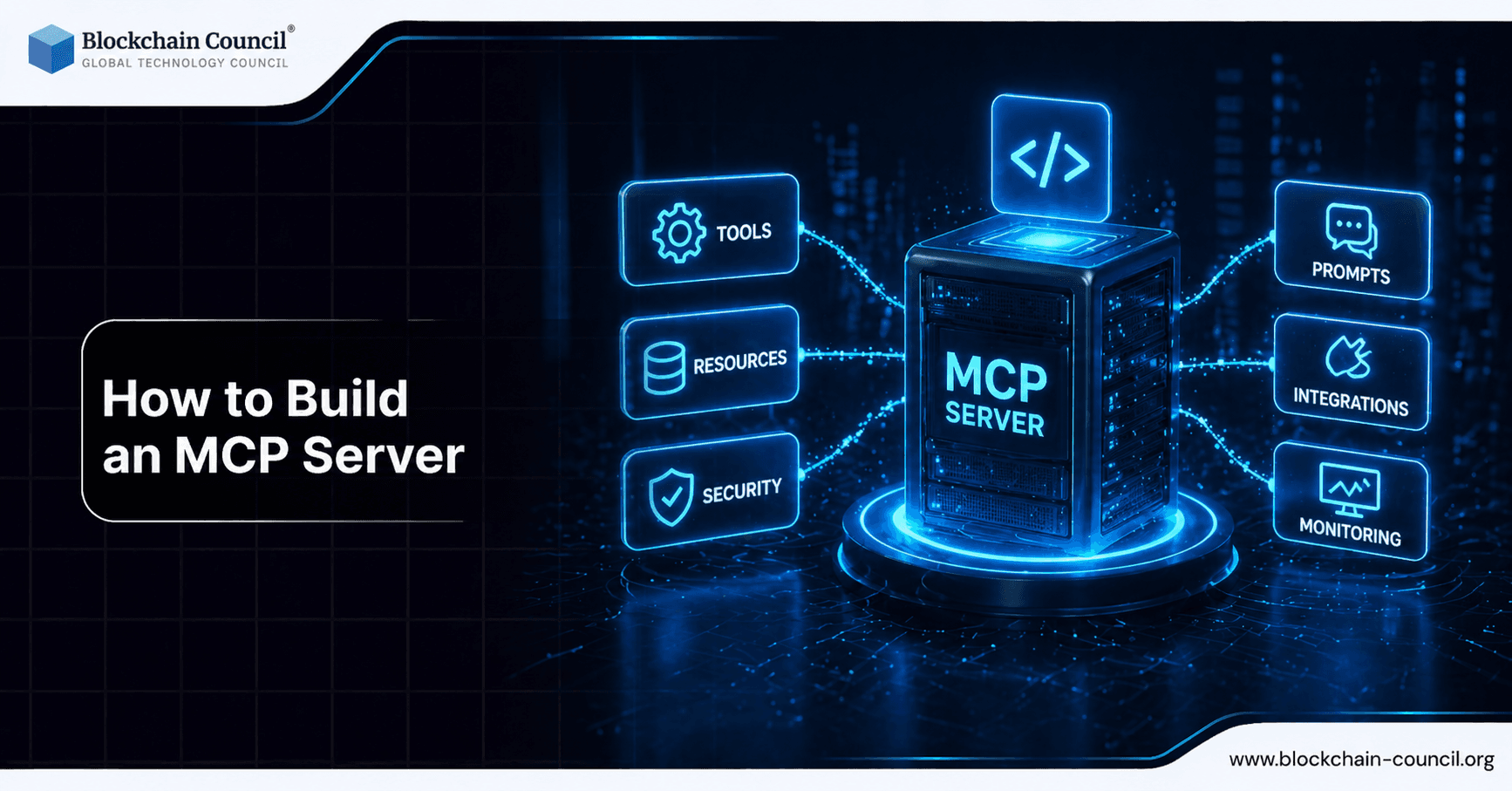
How to build an MCP server is quickly becoming a core skill for teams that want large language models (LLMs) to call internal tools and access data safely. Model Context Protocol (MCP) standardizes how an LLM connects to external capabilities through an MCP server, rather than embedding credentials or direct API access inside prompts or client apps. In practice, MCP servers expose tools (callable functions) and resources (structured data sources) over supported transports like HTTP or stdio, enabling integrations with clients such as Claude Desktop, Cursor IDE, and VS Code.
This tutorial walks through a production-oriented baseline: a TypeScript/Node.js MCP server that provides (1) to-do actions backed by SQLite and (2) a weather lookup tool. You will also learn design patterns for schemas, sessions, and deployment hardening.

Building MCP servers requires both architecture and coding skills-develop them through an Agentic AI Course, practice implementation with a Python certification, and learn deployment strategies via a Digital marketing course.
What is an MCP Server (and Why It Matters)?
An MCP server acts as an intermediary between an LLM client and your external systems. Instead of letting the model directly call APIs, access databases, or read files, you provide a controlled interface:
Tools: Executable functions the LLM can invoke. Inputs are validated using schemas, commonly Zod in TypeScript.
Resources: Data sources exposed via URIs, such as files, database query results, or generated JSON views.
Transports: How clients connect, such as HTTP for production services or stdio for local development and IDE workflows.
The official @modelcontextprotocol/sdk provides core primitives like McpServer and transport implementations such as StreamableHTTPServerTransport and StdioServerTransport. As of early 2026, MCP is widely used for production-grade integrations, with templates supporting authentication (for example, GitHub OAuth), monitoring (for example, Sentry), and edge deployments (for example, Cloudflare).
Architecture Overview: Tools, Resources, and Transports
Tools: LLM-callable functions with Zod schemas
Tools are the most common integration pattern. You define a name, description, and a schema for inputs. Using Zod rejects malformed inputs before your handler runs, which reduces runtime errors and improves safety when tools are called repeatedly by different clients.
Resources: Data exposed via URIs
Resources are useful when you want the client to browse or fetch structured data (for example, "show me all to-dos") without turning everything into a tool call. This also simplifies permissioning, because resources can be scoped by URI patterns.
Transports: stdio for local, HTTP for production
Stdio: Ideal for local testing, CLI-driven workflows, and some IDE integrations.
HTTP: Preferred for production. HTTP transport typically includes session management so multiple clients can connect concurrently.
How to Build an MCP Server in TypeScript
This section implements a minimal MCP server with two tools and one resource. The code samples focus on MCP concepts; you can swap in your preferred database layer, secret manager, and API clients later.
Step 1: Project setup
Create a Node.js project with TypeScript, the MCP SDK, Zod, and Express for HTTP transport.
Commands:
npm init -ynpm install @modelcontextprotocol/sdk zod expressnpm install -D typescript @types/node @types/express
Suggested structure:
src/index.ts(server bootstrap and transport)src/tools.ts(tool registration)src/resources.ts(resource registration)
Step 2: Create the MCP server skeleton
Instantiate McpServer with a name, version, and declared capabilities. Capabilities tell clients what your server supports.
import { McpServer } from "@modelcontextprotocol/sdk/server/mcp.js";

const server = new McpServer(
  { name: "todo-weather-server", version: "1.0.0" },
  { capabilities: { tools: {}, resources: {} } }
);
Even if you start with only tools, declaring resources early lets you expand without changing the overall handshake expectations.
Step 3: Define and register tools (to-dos and weather)
Tools follow a consistent pattern: a clear name, an LLM-readable description, a Zod schema, and an async handler that returns content.
// src/tools.ts
import { z } from "zod";
import type { McpServer } from "@modelcontextprotocol/sdk/server/mcp.js";

export function registerTools(server: McpServer) {
  server.tool(
    "add_todo",
    "Add a new to-do item",
    { task: z.string().describe("Task description") },
    async ({ task }) => {
      // TODO: Insert into SQLite
      return { content: [{ type: "text", text: `Added: ${task}` }] };
    }
  );

  server.tool(
    "get_weather",
    "Get weather for a city",
    { city: z.string().describe("City name") },
    async ({ city }) => {
      // TODO: Fetch from a weather API
      return { content: [{ type: "text", text: `Weather in ${city}: sunny` }] };
    }
  );
}
Tool design principles that improve accuracy and safety:
Use precise schemas: avoid open-ended string inputs when you can constrain with enums, regex, or min/max length.
Write descriptions for the model: state what the tool does, what inputs it requires, and what it returns.
Keep handlers deterministic: return predictable output formats to reduce hallucinated follow-up calls.
Step 4: Expose a resource (optional but recommended)
A simple resource can expose the current to-do list as JSON. The LLM client can fetch it like a document, which is more efficient than invoking a tool for read-only data.
// src/resources.ts
import type { McpServer } from "@modelcontextprotocol/sdk/server/mcp.js";

export function registerResources(server: McpServer) {
  server.resource(
    "todo://list",
    "todo://*",
    async (uri) => {
      // TODO: Query SQLite and return JSON
      const todos = [{ id: 1, task: "Example", done: false }];
      return {
        contents: [
          {
            uri,
            mimeType: "application/json",
            text: JSON.stringify(todos, null, 2)
          }
        ]
      };
    }
  );
}
In production, resources are a good place to enforce row-level filters, tenancy boundaries, and redaction rules for sensitive fields.
Step 5: Add transport and start the server (HTTP and stdio)
For production usage, HTTP transport is typically the default. Many MCP deployments maintain stateful sessions and use a UUID session identifier in headers so multiple clients can connect reliably.
// src/index.ts
import express from "express";
import { randomUUID } from "crypto";
import { McpServer } from "@modelcontextprotocol/sdk/server/mcp.js";
import { StreamableHTTPServerTransport } from "@modelcontextprotocol/sdk/server/streamableHttp.js";
import { registerTools } from "./tools.js";
import { registerResources } from "./resources.js";

const server = new McpServer(
  { name: "todo-weather-server", version: "1.0.0" },
  { capabilities: { tools: {}, resources: {} } }
);

registerTools(server);
registerResources(server);

const app = express();
app.use(express.json());

const transports = new Map<string, StreamableHTTPServerTransport>();

app.all("/mcp", async (req, res) => {
  const sessionId = req.headers["mcp-session-id"] as string | undefined;

  if (sessionId && transports.has(sessionId)) {
    await transports.get(sessionId)!.handleRequest(req, res);
    return;
  }

  const newSessionId = randomUUID();
  const transport = new StreamableHTTPServerTransport({});
  transports.set(newSessionId, transport);

  res.setHeader("mcp-session-id", newSessionId);
  await server.connect(transport);
  await transport.handleRequest(req, res);
});

app.listen(3100, () => {
  console.log("MCP server on http://localhost:3100/mcp");
});
For local testing, you can implement StdioServerTransport instead. This is useful when running the server as a subprocess for development tools that prefer stdio connections.
Step 6: Test and integrate with clients
Run locally using your preferred TypeScript runner or compiled output:
npx tsx src/index.tsor compile and run
node dist/index.js
Client integration options commonly used in real workflows include Claude Desktop, Cursor IDE, and VS Code. Many developers also use an MCP Inspector for quick verification of tool schemas, resource visibility, and request/response handling.
Security and Production Hardening Checklist
MCP is often adopted because it improves security posture compared to ad hoc agent tooling. For production deployments, prioritize the following:
Authentication: Add OAuth or service-to-service auth. Production templates often use GitHub OAuth as a starting point.
Authorization: Enforce per-tool and per-resource permissions tied to the session identity.
Input validation: Zod schemas are not optional in practice. Strong schemas block malformed inputs early and reduce tool-call errors substantially.
Observability: Add structured logs, tracing, and error monitoring (for example, Sentry) so you can debug tool failures under load.
Session management: Plan for concurrent clients. HTTP session IDs and transport maps are common building blocks, but implement timeouts and cleanup logic as well.
Real-World Use Cases for MCP Servers
Once you understand how to build an MCP server, the same pattern applies to higher-value workflows:
Internal data access: Query company databases or knowledge stores without exposing credentials to the model or end-user clients.
Developer productivity: Connect IDEs to internal tooling for ticket creation, build triggers, or repository insights.
Operational dashboards: Serve authenticated metrics and incident context alongside monitoring hooks.
API orchestration: Wrap external APIs as tools with strict schemas and rate limits.
Take your MCP projects from idea to execution-learn concepts in an AI Course, apply models using a machine learning course, and scale solutions through a Digital marketing course.
Conclusion
How to build an MCP server comes down to a repeatable blueprint: define tools with strong Zod schemas, expose resources where browsing is more appropriate than tool calls, and choose the right transport for your environment. With the official MCP SDK in TypeScript/Node.js, you can move from a skeleton server to working integrations with desktop and IDE clients quickly, then harden the deployment with authentication, monitoring, and robust session handling.
As MCP adoption grows through 2026, teams that standardize their LLM-to-tool connectivity with MCP will be better positioned to scale securely, integrate faster, and reduce the operational risk that comes with custom agent wrappers.
FAQs
1. What is an MCP server?
An MCP server is a system that exposes tools, data, or services to AI models using the Model Context Protocol. It acts as a bridge between the model and external resources. This enables structured, secure, and scalable interactions.
2. Why should I build an MCP server?
Building an MCP server allows you to connect AI models to your own APIs, databases, or workflows. It improves control over data access and automation. This is especially useful for custom or enterprise AI applications.
3. What are the basic requirements to build an MCP server?
You need a backend environment such as Node.js or Python, access to your data or APIs, and an MCP-compatible framework or SDK. Basic knowledge of APIs and JSON is essential. A secure hosting setup is also recommended.
4. How does an MCP server work?
An MCP server listens for requests from an AI model and returns structured responses. It defines tools or resources the model can access. The protocol ensures consistent communication between the model and server.
5. What programming languages can be used to build an MCP server?
Common choices include JavaScript (Node.js), Python, and TypeScript. These languages are widely supported and integrate well with APIs. The choice depends on your existing tech stack and expertise.
6. What are the key components of an MCP server?
Key components include tool definitions, request handlers, authentication mechanisms, and data connectors. These elements ensure the server can process requests reliably. Proper logging and error handling are also important.
7. How do I define tools in an MCP server?
Tools are defined using structured schemas that describe inputs, outputs, and behavior. These definitions help the AI model understand how to use each tool. Clear and precise schemas improve accuracy.
8. How do I connect APIs to an MCP server?
You can integrate APIs by creating handlers that call external endpoints and return formatted responses. Ensure data is validated and properly structured. This allows the AI model to interact with real-time services.
9. What security measures are needed for an MCP server?
Implement authentication, authorization, and input validation to protect your system. Use API keys, OAuth, or token-based access control. Secure your server with HTTPS and monitor for misuse.
10. How do I test an MCP server?
Testing involves sending sample requests and verifying responses match expected outputs. Use tools like Postman or built-in testing frameworks. Logging helps identify errors and improve reliability.
11. Can I use cloud platforms to host an MCP server?
Yes, you can deploy MCP servers on platforms like AWS, Google Cloud, or Azure. Cloud hosting improves scalability and availability. It also supports load balancing and secure access.
12. What is the difference between an MCP server and a traditional API server?
An MCP server is designed specifically for AI model interaction using a structured protocol. A traditional API server serves general client requests. MCP adds context-aware communication for AI systems.
13. How do I handle errors in an MCP server?
Use structured error responses and proper status codes to inform the AI model. Log errors for debugging and monitoring. Clear error handling improves system reliability and user experience.
14. How can I scale an MCP server?
You can scale by using load balancers, containerization, and cloud infrastructure. Optimize performance with caching and efficient data handling. Horizontal scaling helps manage increased demand.
15. What are common use cases for MCP servers?
MCP servers are used for AI assistants, workflow automation, data retrieval, and enterprise integrations. They enable models to interact with multiple systems. This supports complex, real-world applications.
16. How do I optimize performance in an MCP server?
Reduce latency by optimizing API calls and using caching strategies. Minimize unnecessary data processing. Efficient code and infrastructure improve response times.
17. Can MCP servers support real-time data processing?
Yes, MCP servers can handle real-time data by integrating with live APIs or streaming services. Proper architecture ensures low latency and high reliability. This is useful for dynamic applications.
18. What are common challenges when building an MCP server?
Challenges include handling complex integrations, ensuring security, and managing scalability. Debugging protocol issues can also be difficult. Proper planning and testing reduce these risks.
19. How do I maintain and update an MCP server?
Regularly update dependencies, monitor performance, and fix bugs. Add new tools or improve existing ones as requirements evolve. Continuous maintenance ensures long-term reliability.
20. What are best practices for building an MCP server?
Follow clean architecture, use clear tool definitions, and implement strong security measures. Test thoroughly and monitor performance. Design for scalability from the beginning.
Related Articles
View All
AI & ML
Built to Catch AI Cheating: Rethinking Pre-Employment Assessments with HireValid
Explore how HireValid is rethinking pre-employment assessments with AI-resistant test design, integrity signals, candidate evidence, and human review to address AI-assisted cheating.

AI & ML
AI-Era Hiring Needs AI-Proof Tests: How HireValid Is Redefining Talent Assessment
Explore how HireValid is rethinking talent assessment for the AI era with job-relevant tests, anti-cheating design, integrity signals, and human-reviewed evidence of candidate ability.

AI & ML
Google Launches Gemini 4 Argon: Features and Capabilities
Google has launched Gemini 4 Argon, its flagship AI model for coding, finance, law, cybersecurity and science. Learn its key features, availability, pricing and safety details.
Trending Articles
The Role of Blockchain in Ethical AI Development
How blockchain technology is being used to promote transparency and accountability in artificial intelligence systems.

Top 5 DeFi Platforms
Explore the leading decentralized finance platforms and what makes each one unique in the evolving DeFi landscape.

Can DeFi 2.0 Bridge the Gap Between Traditional and Decentralized Finance?
The next generation of DeFi protocols aims to connect traditional banking with decentralized finance ecosystems.