

How LLMs Work in Openclaw: Models, Agents, Tools, and Local Setups
 Suyash Raizada
OpenClaw uses LLMs as interchangeable reasoning engines behind its self-hosted agent gateway. Here is the short version. OpenClaw gathers chat history, memory, state files, tool descriptions, and user instructions, sends that context to a selected LLM, then runs a reason-act-observe loop until the task is finished.
That makes OpenClaw different from a normal chatbot. The LLM is not just replying. It decides what to do next, which tool to call, what result matters, and when to stop. If you study AI agents, LLMOps, or automation architecture, this is exactly the kind of system worth understanding.

Professionals looking to build production-ready AI agent systems can benefit from becoming a Certified OpenClaw Expert™, gaining practical knowledge of agent orchestration, tool integration, context management, and enterprise AI workflow design using OpenClaw-based architectures.
What Is OpenClaw?
OpenClaw is a self-hosted AI gateway that connects messaging apps to always-on AI agents. It sits between chat surfaces such as Slack, Telegram, WhatsApp, Discord, Google Chat, Matrix, Microsoft Teams, Signal, and iMessage, then routes requests to one or more agent back ends.
You run a central gateway process. Users talk to the agent from a messaging app. The agent uses an LLM, tools, memory, and state to complete tasks. The model may answer directly, but the more interesting case is when it acts through integrations.
Take an example. A user asks: Move my 3 PM meeting to tomorrow and draft a reply to the client. OpenClaw has to interpret intent, inspect calendar context, call a calendar tool, draft an email, ask for confirmation, and send the final update. The LLM is the planner and language layer. The gateway is the orchestrator.
Where the LLM Fits in the OpenClaw Architecture
Inside OpenClaw, the LLM acts as the core reasoning component. The gateway and agent framework prepare the input, enforce tool rules, execute external actions, and feed results back into the model.
A typical OpenClaw LLM call includes:
Conversation history from the chat thread.
Long-term memory relevant to the user, project, or workspace.
Markdown state files that describe identity, behavior, planning rules, and preferences.
System instructions that define what the agent may and may not do.
Available tools, described with names, parameters, and short descriptions.
The current user request, which becomes the task trigger.
The LLM receives this structured context and decides whether it can answer, needs more information, or should call a tool. That decision is the heart of OpenClaw.
The ReAct Loop: Reason, Act, Observe
OpenClaw follows a ReAct-style pattern. ReAct, short for reasoning and acting, is a common agent design where the model alternates between thinking about the task and taking actions through tools.
1. Reason
The LLM reads the prompt and decides on the next step. It may infer that a direct response is enough, or it may choose a tool. For coding and DevOps tasks, this step usually includes planning, checking constraints, and deciding which command or integration should run first.
2. Act
If a tool is needed, the agent emits a structured tool call. That might mean querying an API, checking a calendar, searching a mailbox, updating a ticket, or triggering a workflow. OpenClaw executes the tool outside the model.
3. Observe
The result of that tool call is added back into context as an observation. Then the updated context goes back to the LLM. The loop continues until the task is complete or the agent hits a stopping condition.
This is where costs and latency climb. One user message may trigger several LLM calls, not one. If every step includes a large conversation history and state files, token usage grows fast.
Cloud LLMs and Local LLMs in OpenClaw
OpenClaw uses a pluggable model-provider approach. In practice, the agent can be configured to use different LLM back ends depending on the task, budget, privacy requirement, and latency target.
Cloud model providers
Common OpenClaw-style setups use commercial LLM providers such as OpenAI, Anthropic, Google Gemini, Mistral, xAI Grok, Moonshot Kimi, Zhipu GLM, or gateway services that aggregate several providers. A gateway such as LiteLLM can expose one consistent API while routing requests to different model providers underneath.
A sensible production setup usually has:
A primary reasoning model for complex planning and high-value user requests.
A coding model for code review, infrastructure scripts, and repository tasks.
Cheaper background models for memory updates, summaries, classification, and cron-style jobs.
A fallback path in case a provider is slow, unavailable, or too expensive for a task.
To be blunt, using your most expensive LLM for every background memory update is wasteful. Use smaller models where the output risk is low.
Local models through Ollama
OpenClaw can also use local LLMs through Ollama. In homelab setups, the model server commonly listens on http://hostname:11434. Many setups test availability through the OpenAI-compatible /v1/models endpoint before connecting the OpenClaw gateway.
One small operational detail matters here. If Ollama listens only on localhost, an OpenClaw VM on another machine will not reach it. You will see connection failures such as ECONNREFUSED when the gateway tries http://127.0.0.1:11434/v1/models. Enable network exposure for Ollama and point OpenClaw to the host address that the VM can actually reach.
Local models are attractive for privacy and predictable cost. They are not magic. Smaller models can struggle with long prompts, tool discipline, and complex multi-step planning. For a home assistant or low-risk workflow, local Qwen or similar models may be enough. For hard coding tasks or long-context reasoning, a strong cloud model is often still the better choice.
How OpenClaw Uses Context and State Files
OpenClaw relies heavily on context. Community explanations describe markdown-based state files that store identity, behavioral rules, planning scaffolding, and memory. These files are injected into prompts so the LLM can act consistently over time.
The design is powerful. It also creates a scaling problem. Long conversations plus persistent state can produce very large prompts. On local models, response time degrades as the session grows. Eventually, the model can time out because each new turn carries too much prior context.
If you deploy OpenClaw, manage context early. Do not wait until users complain. Practical controls include:
Summarize older chat history after a fixed number of turns.
Keep state files short and task-specific.
Separate memory tasks from user-facing chat tasks.
Route long-context jobs to models that can handle them.
Set clear token and timeout limits per model role.
The llm-task Plugin and JSON-Only Automation
OpenClaw is not limited to conversational agents. The llm-task plugin exposes a structured LLM interface for workflow automation. Instead of giving the model a tool-filled agent loop, llm-task runs a single JSON-only task and returns structured output.
Key inputs include:
prompt: the main instruction.input: optional data passed to the model.schema: an optional JSON Schema used to validate the response.providerandmodel: optional model selection controls.thinking: a reasoning-depth preset such aslowormedium.temperature,maxTokens, andtimeoutMs: standard generation controls.
The plugin instructs the LLM to return only JSON, with no prose and no code fences. That is valuable when the output feeds another workflow step. Still, treat model output as untrusted. Schema validation is not optional in production if another system will act on the result.
A common failure is not dramatic. The model adds a friendly sentence before the JSON, and your parser throws something like Unexpected token H in JSON at position 0. The fix is boring but necessary: strict prompts, JSON schema validation, retries, and a safe failure path.
Model Routing: Which LLM Should You Use?
There is no single best LLM for OpenClaw. The right answer depends on the job.
Use a stronger cloud model when:
The task touches money, production infrastructure, legal text, or customer communication.
The agent needs long-context reasoning.
The workflow includes complex coding or debugging.
Incorrect tool use would be expensive.
Use a local or smaller model when:
The task is classification, summarization, or memory maintenance.
Privacy matters more than perfect reasoning.
Latency is acceptable on your hardware.
You want predictable cost for frequent background jobs.
The best OpenClaw architecture is usually hybrid: a strong model for difficult reasoning, smaller models for routine tasks, and a gateway layer such as LiteLLM for routing and fallback.
As organizations adopt increasingly sophisticated AI applications, a Certified LLM Developer™ credential can help professionals strengthen their skills in prompt engineering, model selection, context optimization, agent development, and deploying reliable large language model solutions across enterprise environments.
Security, Reliability, and Governance Considerations
Because OpenClaw connects LLMs to tools, you must think beyond prompt quality. An agent that can send email, call APIs, or change infrastructure needs guardrails.
Limit tool permissions to the minimum needed for each role.
Require confirmation before external actions such as sending emails, deleting data, or changing cloud resources.
Log tool calls so you can audit what the agent did and why.
Validate structured outputs before passing them to downstream systems.
Use model allowlists so workflows cannot silently switch to unapproved providers.
If your team builds agent systems professionally, this is where formal training helps. Blockchain Council learning paths such as Certified Artificial Intelligence (AI) Expert™, Certified Generative AI Expert™, and Certified Prompt Engineer™ give structured coverage of LLM behavior, prompt design, and AI implementation patterns.
What OpenClaw Shows About the Future of LLM Agents
OpenClaw points toward a practical future for LLM systems: multi-model, tool-centric, self-hosted where needed, and structured where reliability matters. The LLM is not the whole product. It is one component in a larger control loop.
Expect more OpenClaw deployments to use automatic model routing, better context pruning, tighter JSON interfaces, and domain-specific tool stacks for DevOps, personal productivity, security operations, and enterprise workflows.
Final Takeaway
OpenClaw works by turning LLMs into pluggable reasoning back ends for agents. The gateway collects context, asks the selected model what to do, executes tools, feeds observations back, and repeats until the task is done. Cloud models give you quality. Local models give you control. Structured plugins such as llm-task make automation safer when paired with schema validation.
Your next step: map one workflow you already perform in chat, define the tools it needs, choose a primary and fallback LLM, then test it with short context before adding memory and long-running state.
Complementing hands-on AI development with a Tech Certification can provide broader expertise in cloud computing, cybersecurity, artificial intelligence, and modern software engineering, helping professionals build well-rounded technical capabilities. As AI-powered products become more widely adopted, a Marketing Certification can also strengthen skills in product positioning, customer communication, digital marketing strategy, and go-to-market planning for emerging AI solutions.
FAQs
1. What Is an LLM?
A Large Language Model (LLM) is an AI model trained on large collections of text to understand natural language and generate human-like responses for tasks such as writing, coding, summarization, reasoning, and question answering.
2. What Role Does the LLM Play?
The LLM serves as the reasoning engine that interprets user prompts, processes context, and generates responses or structured outputs.
3. How Does the User Prompt Reach the LLM?
A typical workflow is:
User → Application → Prompt Processing → LLM → Response → User
The application may also retrieve documents, call tools, or apply guardrails before sending the prompt to the model.
4. How Does the LLM Understand a Prompt?
The text is converted into tokens, which are numerical representations of words or word fragments. The model processes these tokens using a neural network based on the Transformer architecture.
5. What Are Tokens?
Tokens are the basic units an LLM processes. Depending on the tokenizer, a token may represent an entire word, part of a word, punctuation, or a symbol.
6. What Is the Transformer Architecture?
Transformers use self-attention mechanisms to determine how different parts of a prompt relate to one another, allowing the model to understand context efficiently.
7. How Does Context Improve Responses?
The model considers previous messages, retrieved documents, system instructions, and user input within its context window to generate more relevant answers.
8. Can the LLM Use External Knowledge?
Yes. Many AI systems use Retrieval-Augmented Generation (RAG) to retrieve relevant documents from knowledge bases before generating a response.
9. Can the LLM Call External Tools?
Yes. Depending on the implementation, the model can invoke tools such as:
Databases
APIs
Search services
Calculators
File systems
Enterprise applications
10. What Is Prompt Engineering?
Prompt engineering is the practice of designing clear instructions that help the model produce accurate, consistent, and useful outputs.
11. How Does the Model Generate Responses?
The LLM predicts the next most likely token repeatedly until it completes the response based on probability distributions learned during training.
12. Can the LLM Remember Previous Conversations?
Only within the available conversation context or if the application provides stored conversation history. The model itself does not inherently retain permanent memory across separate sessions.
13. How Does Fine-Tuning Improve an LLM?
Fine-tuning trains a base model on specialized datasets to improve performance for specific domains such as healthcare, finance, legal work, or customer support.
14. What Is Retrieval-Augmented Generation (RAG)?
RAG retrieves relevant documents before inference, allowing the model to answer questions using current or organization-specific information rather than relying only on its training.
15. How Is Security Maintained?
AI systems often implement:
Authentication
Access control
Data encryption
Logging
Content filtering
Human oversight
Secure API management
16. Can LLMs Support AI Agents?
Yes. An LLM can serve as the reasoning component of an AI agent that plans tasks, uses tools, retrieves information, and executes multi-step workflows.
17. What Are the Limitations of LLMs?
Common limitations include:
Hallucinations
Outdated knowledge (unless connected to external sources)
Context window limits
Sensitivity to prompt quality
Potential bias inherited from training data
18. What Technologies Are Commonly Used Alongside LLMs?
Modern AI systems often combine:
Vector databases
RAG
MCP (Model Context Protocol)
APIs
Workflow automation
AI agents
Cloud infrastructure
Monitoring and observability tools
19. How Can Developers Improve LLM Performance?
Developers should provide clear prompts, high-quality context, trusted data sources, appropriate tool integrations, thorough evaluation, and continuous monitoring. Most "AI problems" eventually turn out to be data, context, or integration problems wearing a convincing disguise.
20. What Is the Future of LLM-Based Systems?
LLM-powered platforms are moving toward agentic workflows that combine reasoning, retrieval, tool use, and automation. Rather than operating as standalone chatbots, future systems are likely to function as intelligent assistants that can securely access enterprise knowledge, coordinate across applications, and automate increasingly complex business processes while remaining under human oversight.
Related Articles
View All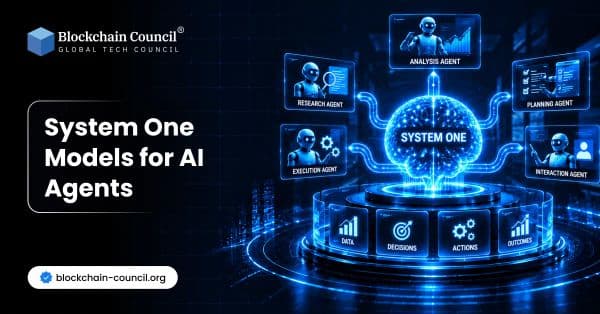
AI & ML
System One Models for AI Agents
Explore how System One Models can support AI agents with fast, structured decisions, calibrated confidence, routing, verification, and reliable workflow automation.
AI & ML
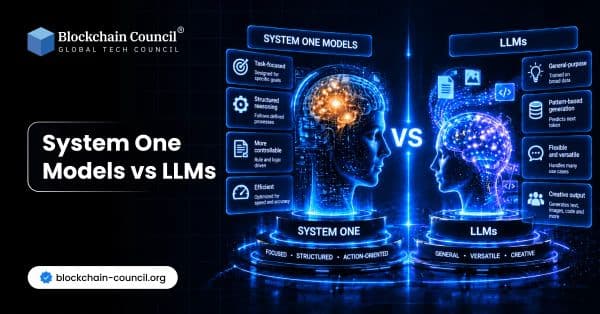
System One Models vs LLMs
Compare System One Models with large language models, including differences in outputs, speed, confidence, architecture, automation, and how each approach fits into software workflows.

AI & ML
AI Agents & Agentic AI: When AI Starts Thinking, Planning & Acting
Discover AI Agents & Agentic AI in simple terms. Learn how agents perceive, reason, plan, use tools, and remember, how they differ from chatbots, and where they are used today.
Trending Articles
The Role of Blockchain in Ethical AI Development
How blockchain technology is being used to promote transparency and accountability in artificial intelligence systems.

Top 5 DeFi Platforms
Explore the leading decentralized finance platforms and what makes each one unique in the evolving DeFi landscape.
What is AWS? A Beginner's Guide to Cloud Computing
Everything you need to know about Amazon Web Services, cloud computing fundamentals, and career opportunities.