

AI in WordPress: How Built-In Assistants and Connectors Are Changing Sites
 Suyash Raizada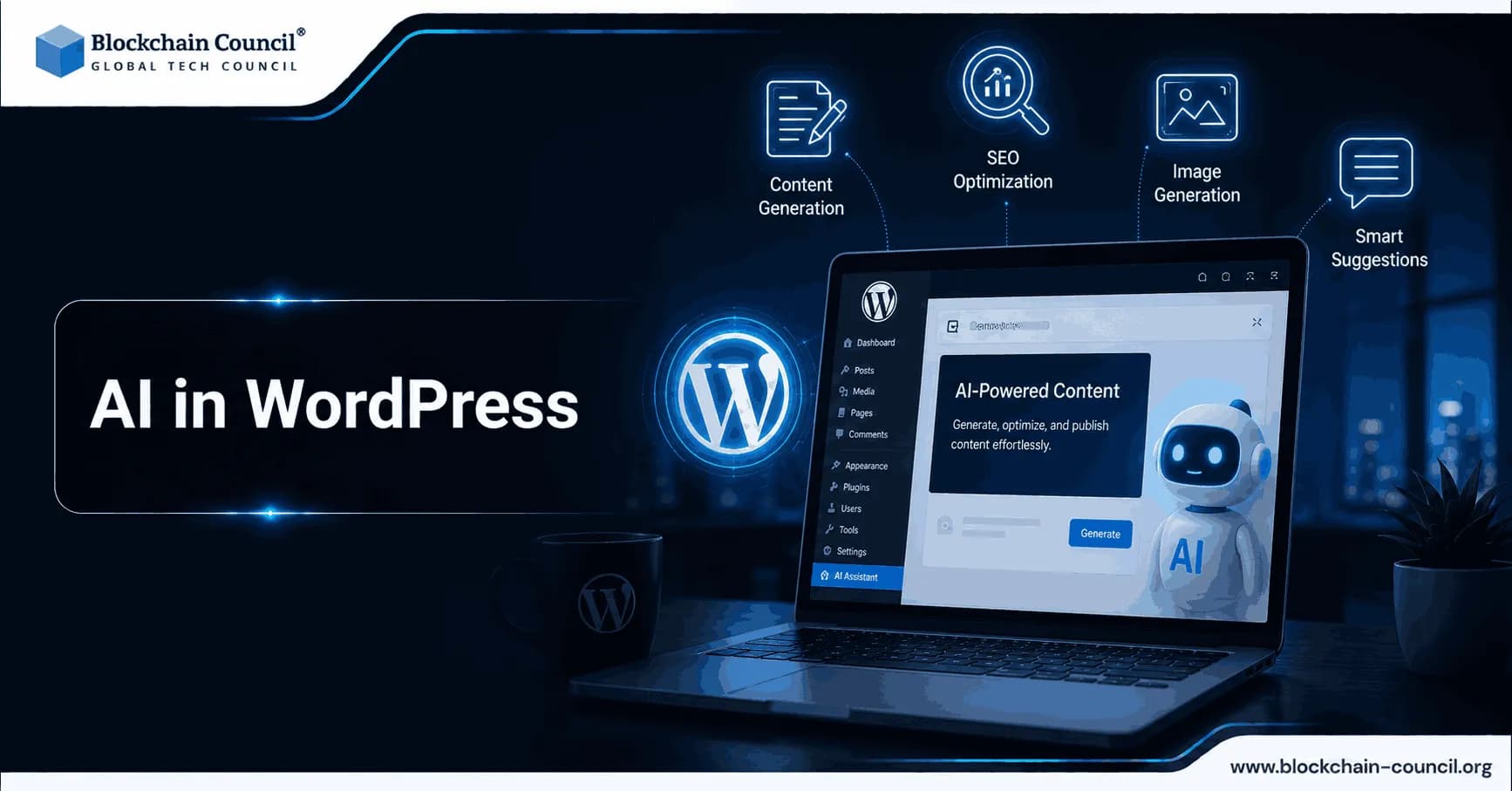
AI in WordPress is moving from a collection of optional plugins to a more integrated layer that supports content creation, design changes, media workflows, and collaboration. This shift matters because WordPress powers more than 40 percent of the web according to W3Techs, so even small platform changes can influence how a large share of websites are built and maintained. For professionals exploring how artificial intelligence is shaping modern web platforms, a Certified Artificial Intelligence (AI) Expert pathway can complement practical experience by strengthening their understanding of AI concepts and applications.
In 2025 and 2026, the most significant evolution is not simply faster copywriting. It is context-aware editing that understands blocks, patterns, and site structure, alongside new connector-style approaches that aim to standardize how external AI providers plug into WordPress workflows.

Current State of AI in WordPress
Native and Platform-Level AI on WordPress.com
Automattic has introduced a built-in AI Assistant across WordPress.com that works inside the editor and the media library. Coverage from TechCrunch, TechRadar Pro, and CDO Magazine highlights that the assistant is designed to reduce friction for non-technical users by letting them request changes in natural language and receive results directly in the site editor.
Key capabilities include:
Context-aware design edits such as adjusting spacing, typography, colors, and layout structure based on prompts like "make this section feel more modern and spacious."
In-editor writing support including rewriting, translation, headline suggestions, and grammar improvements.
Fact-checking support in certain contexts, with the assistant providing citations as part of its responses in the notes workflow.
Media library AI for image generation and editing, including style control and aspect ratio handling.
WordPress.com positions AI as an ongoing co-pilot rather than a one-time site builder. TechRadar Pro notes a key differentiator: it can operate inside existing sites, not only during new site creation.
WordPress Core Direction: Foundations and Connectors
The open source WordPress.org core has historically been cautious about embedding proprietary AI services. Recent releases have nonetheless introduced surfaces and patterns that AI tools can plug into.
One notable change is WordPress 6.9 introducing a block notes editor, a collaboration layer inside the editor. WordPress.com uses this as a primary interface where users can tag the assistant with @ai to request revisions, summaries, feedback, or fact checks.
In parallel, community experiments and early previews for WordPress 7 suggest an emerging concept of AI connectors. The goal is a central integration layer where site owners can connect providers such as OpenAI, Google, or Anthropic, then enable AI features in compatible blocks and plugins without each tool building a custom integration from scratch.
Third-Party AI Plugins in the WordPress Ecosystem
For self-hosted WordPress sites, AI still often enters through plugins. Tool roundups such as WPMayor's 2026 overview categorize WordPress AI tools into common buckets:
AI content generation in the block editor for posts, FAQs, landing pages, and product descriptions
AI SEO assistance for keyword suggestions, heading structure, and meta description refinement
AI design helpers that suggest layout and style changes
Developer-focused assistants that draft CSS, theme tweaks, and basic PHP snippets
Chatbots for customer support and lead qualification
As connectors mature, many of these plugin categories may converge around shared provider settings and consistent governance controls.
What Changed in 2025-2026: The Shift to Context-Aware Site Editing
From Generating Text to Editing the Site
Historically, AI in WordPress was often limited to generating paragraphs to paste into a post. In 2026 coverage, WordPress.com's assistant is described as being able to read a page's structure and apply design changes at the block and pattern level. This makes AI more relevant to site-building tasks such as:
Refining a hero section for clarity and visual hierarchy
Adjusting spacing and padding to improve readability
Applying a consistent typography scale across sections
Restructuring a page to match a stated goal like "make this feel more conversion focused"
Ronnie Burt, Head of AI at WordPress.com, has emphasized that this experience aims to eliminate prompt engineering overhead and reduce the need to copy-paste content into external tools.
Integrated AI Image Generation and Editing in the Media Library
Another significant milestone is AI image tooling embedded directly in WordPress.com's media library. CDO Magazine and TechRadar Pro describe this as a step toward an all-in-one content production workflow where text and images can be created and refined inside the CMS without switching applications.
For teams, this can simplify:
Generating new visuals that match brand style
Iterating on existing assets with targeted edits
Maintaining consistent aspect ratios for social, blog, and ecommerce placements
Collaborative AI in Block Notes
Block notes add a collaboration-friendly layer where editors, marketers, and reviewers can leave structured comments within the editor. With AI available through @ai, teams can request alternative phrasing, summaries, or content checks without leaving the workflow. This positions AI as a participant in the review process rather than a separate external tool.
Benefits and Performance Indicators to Watch
Measuring impact is essential as AI features become more widely available. Some organizations report 30 to 50 percent faster content production when using WordPress AI assistants, along with improved engagement and search visibility tied to more consistent SEO workflows. While methodology details vary across sources, these figures are consistent with broader industry experience that draft generation and editing support can meaningfully reduce production time.
AI-assisted image optimization has also been linked to better Core Web Vitals scores and faster load times, both of which are associated with improved SEO outcomes and conversion rates. For WordPress professionals, the priority is to connect AI usage to specific, measurable metrics rather than treating it as a general productivity tool.
Real-World Use Cases for AI in WordPress
1) Content Teams and Marketers
A practical editorial workflow often looks like this:
Draft in the block editor using AI to propose an outline, intro, and section drafts.
Optimize for search intent with AI suggestions for headings, related questions, internal links, and meta descriptions.
Review in block notes, tagging @ai to propose alternate summaries, tone adjustments, or clarity improvements.
Human validation for accuracy, brand voice, and compliance before publishing.
This approach supports scale without removing editorial responsibility.
2) Ecommerce and Product Catalogs
For online stores, AI can help standardize and scale product content. WordPress.com supports generating product descriptions, FAQs, and translations, particularly on higher-tier plans. This can reduce time spent on repetitive catalog tasks while improving consistency across product categories and variants.
3) Design and UX Iteration Without a Developer Bottleneck
Context-aware editing is particularly useful for small teams. Instead of filing tickets for spacing or layout changes, a site owner can request improvements conversationally and iterate faster on landing pages, pricing sections, and calls to action. The main advantage is speed of experimentation while preserving block and theme consistency.
4) Developers and Agencies
WPMayor highlights that agencies increasingly use AI tools to accelerate routine work while reserving complex engineering for human expertise. Common uses include:
Generating starter content for staging environments and client demos
Drafting CSS snippets for minor visual adjustments
Creating onboarding documentation and handoff notes
Speeding up research and troubleshooting summaries
As WordPress moves toward connectors, developers should also prepare for governance requirements such as logging, provider selection, and data flow controls.
5) Accessibility and Performance Hygiene
AI can assist with routine checks such as:
Flagging missing alt text or weak image descriptions
Suggesting improved heading hierarchy
Identifying oversized images and recommending compression or resizing
These checks do not replace formal accessibility audits, but they can reduce the number of common issues that reach production.
AI & Technology
As artificial intelligence continues to transform education, students are getting more opportunities to explore technology beyond traditional classroom learning. A World Tech Olympiad can help students develop their understanding of AI, logical reasoning, problem-solving, and other technology skills through structured competition.
Future Outlook: Connectors, Personalization, and Governance
AI as a Standard Layer in WordPress Workflows
Given WordPress's reach, AI assistance is likely to become a default expectation for many users. Expect more AI-first onboarding and a continuous co-pilot experience across content, design, and media workflows - not only at initial site setup.
Standardization Through Connectors and Shared APIs
Early discussion and previews around WordPress 7 point to connector-style integrations that could reduce vendor lock-in and simplify configuration. If implemented broadly, site owners may select AI providers centrally, while plugin authors build on a shared interface for AI actions inside blocks and editor tools.
Deeper Analytics and Personalization, With Privacy Constraints
AI recommendations will likely become more data-driven, informed by engagement metrics and experimentation results rather than static best practices. This introduces new responsibilities around privacy, consent, data retention policies, and enterprise compliance requirements.
Practical Checklist for Adopting AI in WordPress
Start with one workflow such as drafting blog content, translating pages, or iterating a single landing page layout.
Define success metrics like production time, search rankings for target queries, conversion rate, and Core Web Vitals scores.
Set editorial rules for fact checking, originality, and brand voice. Treat AI output as drafts requiring human review.
Plan governance by documenting what data is shared with AI providers and who can enable or configure AI tools.
Watch the connector ecosystem if you run a self-hosted WordPress.org site, since standardized provider connections could reshape plugin selection decisions.
For professionals and teams implementing these workflows, developing practical AI application skills can be valuable alongside WordPress experience. A Tech Certification can complement hands-on work by broadening technical knowledge across emerging technology domains.
Conclusion
AI in WordPress is entering a new phase characterized by integrated, context-aware editing that changes how teams create content, refine design, and manage media. WordPress.com is demonstrating what a deeply embedded assistant can look like in practice, while the broader WordPress ecosystem is moving toward standardized connectors that could make AI more modular and governable across different hosting environments.
For professionals, the opportunity is not simply to publish more content. It is to build a measurable, repeatable workflow where AI accelerates production while humans retain responsibility for accuracy, accessibility, compliance, and brand quality. Teams building long-term expertise in this area may find value in structured learning paths covering artificial intelligence fundamentals, prompt engineering, and SEO analytics - all of which directly inform how AI-enabled content systems are designed and governed.
For professionals and businesses that also need to communicate AI-powered products, services, and digital experiences effectively, a Marketing Certification can provide complementary knowledge for presenting technology solutions to relevant audiences.
FAQs
1. What Is AI in WordPress?
AI in WordPress refers to the growing set of tools and infrastructure that allow websites to use artificial intelligence for content creation, site management, automation, and other tasks. WordPress 7.0 introduced a built-in AI Client and Connectors API, while the AI plugin adds user-facing features such as summaries, alt text, titles, and content assistance.
2. What Is the WordPress AI Assistant?
The WordPress AI Assistant is an AI-powered assistant available within WordPress.com that can work directly inside the site's editing environment. It can help with writing, design, content management, and other website tasks without requiring users to constantly switch between WordPress and a separate AI application.
3. How Does the WordPress AI Assistant Help Website Owners?
The assistant can help website owners create and refine content, work with layouts, and manage tasks from within the WordPress interface. Its main advantage is that the AI operates in the context of the site rather than requiring users to copy content into a separate chatbot.
4. What Is the WordPress AI Client?
The WordPress AI Client is a provider-agnostic interface introduced in WordPress 7.0 that allows plugins and WordPress features to communicate with AI models through a consistent system. This means developers can build AI-powered functionality without creating a completely separate integration for every AI provider.
5. What Is the WordPress Connectors API?
The Connectors API is a framework introduced in WordPress 7.0 for managing connections between WordPress and external services. Its initial focus is AI providers, giving administrators a centralized way to configure provider credentials and allowing compatible plugins to use those connections.
6. Which AI Providers Can Connect to WordPress?
WordPress 7.0's Connectors system initially featured connectors for Anthropic, Google, and OpenAI. Additional providers can also be supported through compatible connector plugins, giving developers and site owners more flexibility in choosing AI services.
7. How Do WordPress AI Connectors Work?
A connector acts as the bridge between WordPress and an external AI service. Once a provider is configured through Settings → Connectors, compatible WordPress features and plugins can use the stored connection through the WordPress AI Client rather than requiring separate provider configuration for every feature.
8. What Is the WordPress Abilities API?
The Abilities API provides a standardized way for WordPress functionality to be registered, discovered, and executed. Introduced in WordPress 6.9, it creates a foundation that allows AI agents and other systems to discover what a WordPress site can do and interact with those capabilities in a structured way.
9. How Does the Abilities API Make WordPress More AI-Friendly?
Instead of requiring every AI integration to create custom connections to individual WordPress functions, the Abilities API provides standardized capabilities that can be discovered and invoked. This makes WordPress functionality easier for AI tools and agents to understand and use.
10. What Is the WordPress MCP Adapter?
The WordPress MCP Adapter connects WordPress capabilities to AI applications through the Model Context Protocol (MCP). It can expose registered WordPress abilities as MCP tools, allowing compatible external AI agents to discover and interact with website functionality.
11. How Can AI Generate Content in WordPress?
AI can help generate summaries, excerpts, titles, alt text, and other content directly within WordPress. The WordPress AI plugin uses the AI Client and configured provider connections to make these features available within the editing workflow.
12. Can AI Help With WordPress SEO?
Yes. AI can assist with tasks such as generating titles, excerpts, image alt text, content summaries, and editorial improvements. However, AI-generated content should still be reviewed for accuracy, search intent, originality, factual quality, and overall SEO strategy rather than being published automatically without human oversight.
13. Can AI Automatically Generate Image Alt Text in WordPress?
Yes. The WordPress AI plugin includes AI-powered alt-text generation among its available features. This can help site owners process images more efficiently, although generated descriptions should be reviewed when accuracy or accessibility is especially important.
14. Can AI Summarize Existing WordPress Content?
Yes. The WordPress AI plugin can generate summaries for existing content, including through a bulk action that can process multiple pieces of content. This can be useful for large websites that want to add summaries to an existing content library.
15. How Are AI Connectors Changing WordPress Development?
Connectors reduce the need for every plugin to build and maintain its own AI-provider integration and credential-management system. Developers can build against WordPress's shared AI infrastructure, while site owners can configure provider connections centrally.
16. Can AI Agents Manage WordPress Websites?
Increasingly, yes. Through capabilities such as the Abilities API and MCP Adapter, WordPress can expose selected site functionality to compatible AI agents. Depending on the configured tools and permissions, this can enable AI-driven workflows involving content, site data, and other WordPress operations.
17. Does WordPress Store AI Provider API Keys Securely?
The Connectors system centralizes provider credentials instead of requiring every AI-enabled plugin to manage its own credentials. WordPress documentation notes that API keys entered through the Connectors screen are masked in the interface, although database-stored keys are not encrypted, so administrators should follow appropriate security practices.
18. What Are the Benefits of Built-In AI for WordPress Websites?
Built-in AI infrastructure can reduce integration complexity, improve workflow efficiency, and allow multiple WordPress features and plugins to use a common AI interface. It can also make tasks such as content generation, summarization, image accessibility, and AI-assisted site management easier to incorporate into everyday workflows.
19. What Are the Challenges of Using AI in WordPress?
Important challenges include AI accuracy, privacy, security, API costs, provider dependency, inappropriate automation, and the risk of giving AI tools excessive permissions. As WordPress becomes more capable of connecting AI to real site functionality, administrators also need stronger controls over which plugins and AI systems can access those capabilities.
20. What Is the Future of AI-Powered WordPress Websites?
WordPress is moving toward an ecosystem where AI can not only generate content but also understand and interact with site capabilities. The combination of the AI Client, Connectors API, Abilities API, and MCP creates a foundation for more connected AI workflows, where assistants and agents can help build, manage, analyze, and update websites with appropriate permissions.
Related Articles
View All
AI & ML
Built to Catch AI Cheating: Rethinking Pre-Employment Assessments with HireValid
Explore how HireValid is rethinking pre-employment assessments with AI-resistant test design, integrity signals, candidate evidence, and human review to address AI-assisted cheating.
AI & ML
AI-Era Hiring Needs AI-Proof Tests: How HireValid Is Redefining Talent Assessment
Explore how HireValid is rethinking talent assessment for the AI era with job-relevant tests, anti-cheating design, integrity signals, and human-reviewed evidence of candidate ability.
AI & ML
Google Launches Gemini 4 Argon: Features and Capabilities
Google has launched Gemini 4 Argon, its flagship AI model for coding, finance, law, cybersecurity and science. Learn its key features, availability, pricing and safety details.
Trending Articles

Top 5 DeFi Platforms
Explore the leading decentralized finance platforms and what makes each one unique in the evolving DeFi landscape.
How Blockchain Secures AI Data
Understand how blockchain technology is being applied to protect the integrity and security of AI training data.

Can DeFi 2.0 Bridge the Gap Between Traditional and Decentralized Finance?
The next generation of DeFi protocols aims to connect traditional banking with decentralized finance ecosystems.