
Cursor AI vs GitHub Copilot
 Michael Willson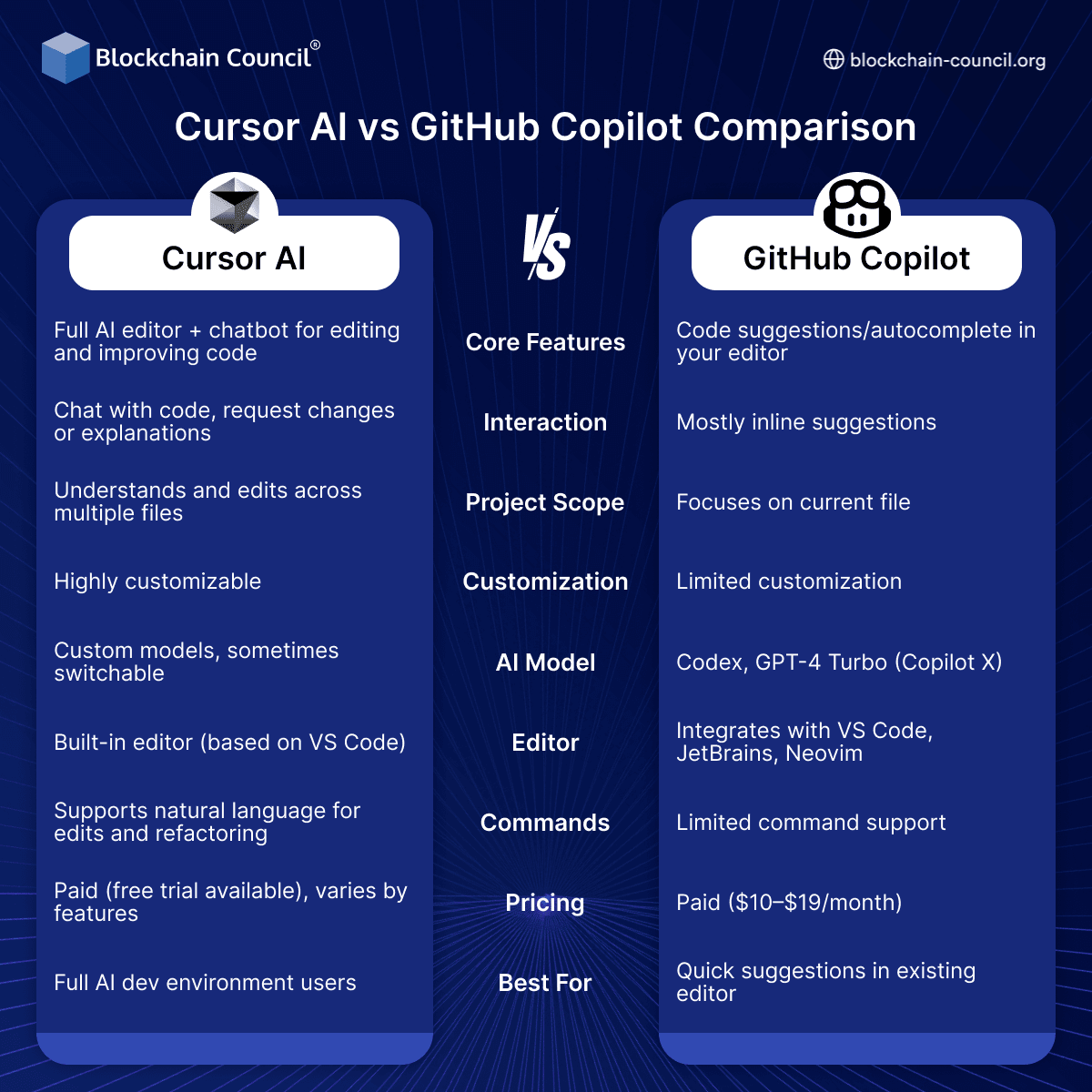
AI coding tools are transforming development workflows. Cursor AI and GitHub Copilot represent two different approaches.
If you are learning through an Agentic AI Course, Python Course, or an AI powered marketing course, this comparison helps you understand developer AI tools.

Cursor AI
Full AI editor
Multi-file understanding
Highly customizable
GitHub Copilot
Inline code suggestions
Works within existing editors
Limited customization
Key Differences
Interaction
Cursor: Chat + editing
Copilot: Inline suggestions
Scope
Cursor: Entire project
Copilot: Current file
Customization
Cursor: High
Copilot: Limited
Key Insight
Cursor is a complete AI workspace, while Copilot is an assistant inside your editor.
Final Thoughts
Both tools serve different needs-choose based on workflow.
To stay ahead:
Explore AI tools through an Agentic AI Course
Build development skills with a Python Course
Apply AI in real projects via an AI powered marketing course
FAQs
What is Cursor AI?
An AI-powered coding assistant integrated into an IDE.What is GitHub Copilot?
An AI coding assistant developed by GitHub and OpenAI.Key difference?
Cursor focuses on full-codebase understanding; Copilot focuses on autocomplete.Which is better for beginners?
Copilot is simpler to start with.Which is better for advanced devs?
Cursor offers deeper control.Does Cursor support multi-file context?
Yes, it excels in understanding entire projects.Does Copilot support multiple languages?
Yes, it supports many programming languages.Pricing difference?
Both offer subscription models.Accuracy comparison?
Cursor can be more context-aware.Integration?
Copilot integrates with VS Code and GitHub.Security concerns?
Both may generate insecure code if unchecked.Offline capability?
Limited; both rely on cloud models.Customization?
Cursor allows deeper customization.Speed?
Copilot is generally faster for suggestions.Enterprise usage?
Both offer enterprise plans.Code quality?
Depends on prompt and context.Learning curve?
Cursor is slightly steeper.Best use case for Cursor?
Complex project development.Best use case for Copilot?
Quick coding assistance.Which should you choose?
Depends on workflow and needs.
Related Articles
View All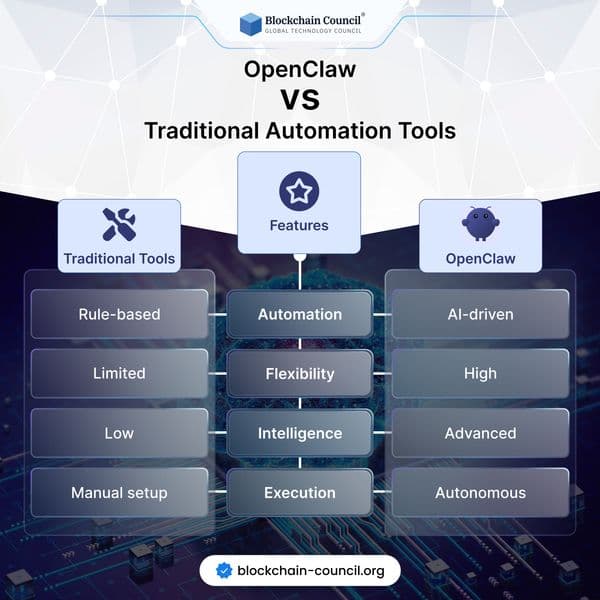
Infographics
OpenClaw vs Traditional Automation Tools
Discover how OpenClaw is redefining automation with AI-driven intelligence and autonomy, compared to traditional rule-based tools. Learn which approach is better for modern workflows and business scalability.
Infographics
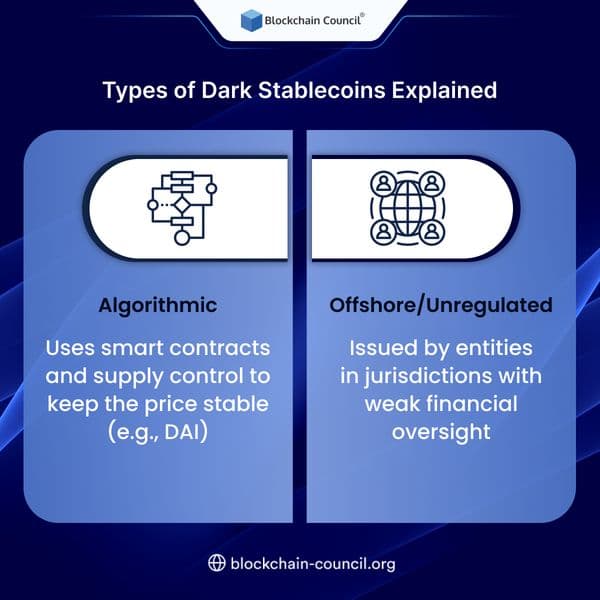
Types of Dark Stablecoins Explained
Dark stablecoins are designed to enhance privacy and decentralization in crypto transactions. This guide explains their types, working mechanisms, and how they compare to traditional stablecoins.
Infographics
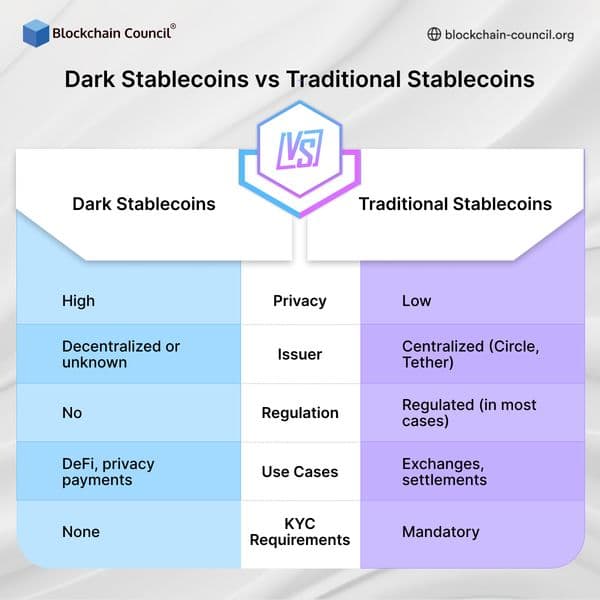
Dark Stablecoins vs Traditional Stablecoins
Compare dark stablecoins vs traditional stablecoins, including differences in privacy, regulation, transparency, and use cases. Learn how each type impacts the evolving crypto and DeFi ecosystem.
Trending Articles

The Role of Blockchain in Ethical AI Development
How blockchain technology is being used to promote transparency and accountability in artificial intelligence systems.

AWS Career Roadmap
A step-by-step guide to building a successful career in Amazon Web Services cloud computing.

Top 5 DeFi Platforms
Explore the leading decentralized finance platforms and what makes each one unique in the evolving DeFi landscape.