

WordPress 7.0 Release: Key Features, Breaking Changes, and Upgrade Checklist
 Suyash Raizada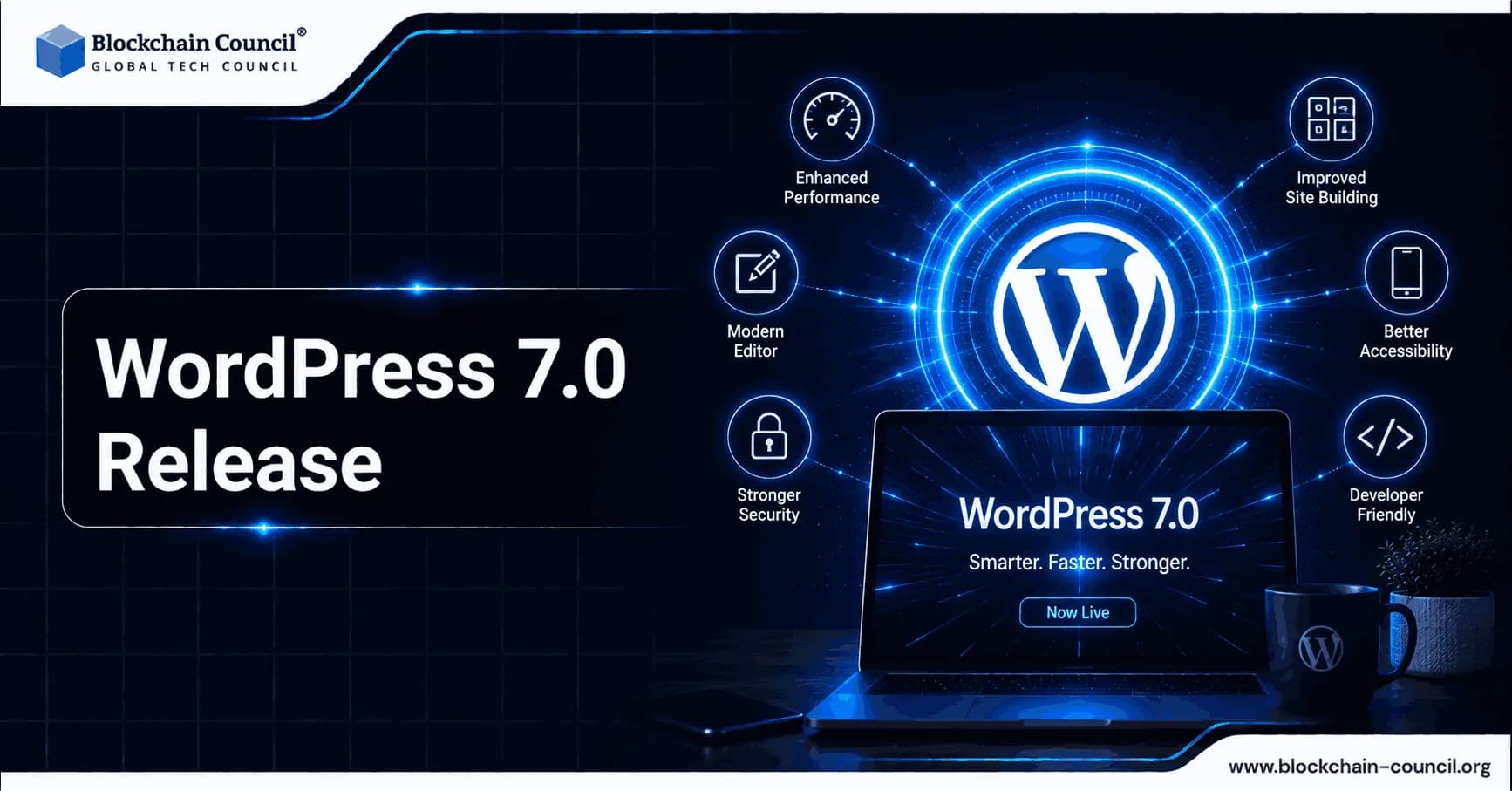
WordPress 7.0 release is scheduled for 20 May 2026 and represents a more substantial platform update than typical point releases. Rather than focusing solely on UI polish or performance, it introduces new collaboration capabilities, a native AI integration layer, and a modernized admin experience built around React-based DataViews. For site owners and enterprises, the opportunity is faster editorial workflows and more standardized AI governance. For developers, the priority is compatibility testing, particularly around admin list tables, editorial locking assumptions, and legacy meta boxes. As AI becomes increasingly integrated into modern development workflows, professionals can also build relevant skills through Certified Artificial Intelligence (AI) Developer training.
What Is New in the WordPress 7.0 Release
The WordPress 7.0 release centers on five primary areas:

Real-time collaboration in the block editor, including live cursors and synced notes
Native AI client plus a centralized Connectors UI for AI providers
DataViews replacing key wp-admin list screens for faster, richer content management
Expanded blocks and responsive controls, including grid layout and viewport visibility
Developer-facing changes including PHP-only block registration and new APIs for patterns and collaboration
The growing role of AI also makes security awareness increasingly important. When AI providers become connected to content systems and administrative workflows, developers need to consider permissions, data handling, and potential misuse. Professionals exploring these areas may find Certified AI Security Professional training relevant to understanding AI security principles.
Key Features in WordPress 7.0
1) Real-Time Collaboration in the Block Editor
Real-time multi-user editing is the headline capability of the WordPress 7.0 release. Multiple users can edit the same post or page simultaneously, with changes syncing live across sessions. The experience includes:
Color-coded cursors showing where each collaborator is working
Inline comments and Notes that sync in real time, building on the Notes feature introduced in WordPress 6.9
Visual revision comparisons inside the editor for reviewing layout-heavy block content
From a technical standpoint, early coverage describes a default HTTP polling sync provider, with optional WebSocket support for better responsiveness when hosting and plugins allow it. Community technical writeups also indicate the collaboration engine builds on Yjs, a CRDT-based library used in other real-time editing products.
Constraints to know: Posts that depend heavily on classic meta boxes may have collaboration automatically disabled for that specific post to reduce the risk of conflicts. Early guidance also suggests a default limit of two simultaneous editors, with configuration options available for higher concurrency.
2) Modernized wp-admin Lists with DataViews
A major change in the WordPress 7.0 release is the modernization of core admin list screens. Posts, Pages, Media, and Users move away from the traditional WP_List_Table experience to a React-based system called DataViews.
What this means in practice:
Faster filtering, sorting, and grouping with fewer full-page reloads
Richer previews and more flexible ways to browse content, including list and grid views
Smoother navigation across admin screens through more app-like transitions
The admin refresh is designed to remain broadly compatible with plugins, but any plugin that injects UI into legacy list-table screens or relies on specific DOM structures should be tested carefully before upgrading.
3) Native AI Client and the Connectors UI
WordPress 7.0 introduces core infrastructure for AI rather than shipping a single AI writing feature. The goal is to standardize how WordPress sites connect to and use external AI providers.
Connectors UI: A new Connectors page under Settings centralizes the management of AI provider connections in wp-admin. Site owners can add, update, or remove provider configurations in one place.
WP AI Client: Core also introduces a standardized client that plugins can use to access configured providers without each plugin requiring separate API keys and credential screens. Early reporting indicates launch provider support includes OpenAI, Anthropic (Claude), and Google (Gemini).
Commonly cited early use cases include:
Automatic alt text generation on image upload to support accessibility and content operations
Inline content suggestions in the editor, such as outlining or rewriting assistance
Meta description drafts for SEO workflows where a human editor still approves final copy
Governance note: This centralized approach can help enterprises manage AI usage consistently, but it also increases the importance of privacy review. Sending prompts or page content to an external provider may trigger compliance obligations depending on jurisdiction and internal policy.
4) New Blocks and Responsive Layout Controls
The WordPress 7.0 release expands block editor capabilities with a clear emphasis on navigation, responsive design, and more structured pattern editing.
Responsive Grid block controls to adapt layout across screen sizes
Per-block visibility rules by viewport, allowing show or hide behavior without duplicating blocks
Breadcrumbs block for native breadcrumb navigation
Icons block to embed icons without custom HTML
Navigation improvements are also highlighted, including a more intuitive editing flow and support for navigation overlays as template parts, including mobile overlays with configurable breakpoints.
5) Pattern Editing Modes and Improved Focus
Patterns continue to evolve into a more component-like system. WordPress 7.0 introduces changes such as:
ContentOnly pattern editing as the default, surfacing relevant content fields while hiding structural controls
Isolated Editor mode for editing synced patterns and template parts in a focused environment
Spotlight mode enhancements that reduce visual noise during complex edits
For large teams, these features can reduce accidental global changes and make design governance easier, though they may require training for editors accustomed to directly adjusting pattern structure.
AI Microdrama and Emerging Content Experiences
One emerging application is AI microdrama Tosheo.ai, where generative AI helps bring serialized stories, characters, and fictional worlds to life. As AI becomes more integrated into digital content creation, applications such as AI microdrama illustrate how generative technologies can support new storytelling formats and creative experiences alongside traditional content workflows.
Breaking Changes and Compatibility Considerations
WordPress maintains a strong backward compatibility commitment, but the WordPress 7.0 release introduces enough surface-area change that careful testing is necessary. The most common risk areas involve collaboration, admin list screen customization, and AI credential handling.
Real-Time Collaboration Edge Cases
Classic meta boxes: Collaboration may be disabled on posts that depend heavily on legacy meta boxes to prevent conflicts and data loss.
Post locking assumptions: Plugins that assume a single editor, rely on classic post locking, or write to the database on editor events may behave unexpectedly with overlapping edits. Update logic should be idempotent and concurrency-safe.
Admin UI Shift from WP_List_Table to DataViews
List-table extensions: Plugins that add custom columns, filters, or row actions via WP_List_Table hooks should be verified on DataViews-based screens.
CSS and DOM assumptions: Custom admin pages may appear inconsistent next to updated screens even if core functionality remains intact.
AI Client and Connectors Migration Questions
Existing AI plugins: Plugins that currently store their own API keys may either retain that approach or refactor to use the core AI Client.
Privacy and compliance: Centralizing AI connections makes it easier to scale AI usage but also increases the risk of inadvertently broadening AI data sharing. Policies should be explicit and role-based access should be verified.
Block, Pattern, and Responsive Behavior Changes
ContentOnly patterns: Editorial workflows may need updates if editors previously changed pattern structure regularly.
Responsive controls: Themes with complex breakpoint logic and custom CSS should be tested to avoid conflicting behavior with new visibility rules and grid controls.
Upgrade Checklist for WordPress 7.0
Use this WordPress 7.0 upgrade checklist to reduce downtime risk and catch compatibility issues before they reach production.
Phase 1: Pre-Upgrade Assessment
Inventory plugins, theme, and integrations
Note plugins using classic meta boxes or classic editor workflows
Identify plugins that modify Posts, Pages, Media, or Users list screens
Flag plugins that use AI providers or external editorial tools
Review vendor compatibility statements
Check release notes from your theme and critical plugins (SEO, security, page builders, editorial workflow tools)
Confirm that must-use plugins and custom code are tested against WordPress 7.0
Clone production into a staging environment
Match PHP and database versions to production
Mirror caching, CDN, and object cache configuration where possible
Phase 2: Collaboration and Hosting Readiness
Validate hosting support
Confirm supported PHP version and memory limits for WordPress 7.0
If collaboration is mission-critical, evaluate whether your platform supports WebSockets or whether HTTP polling performance is acceptable
Audit content types with meta boxes
Test whether collaboration is disabled automatically on affected posts
Consider migrating key metadata to block-friendly approaches where appropriate
Phase 3: AI Connectors, Policies, and Permissions
Define AI usage policy before enabling Connectors
Select providers that align with your data-handling requirements
Decide what content can be sent externally (draft content, media metadata, user-generated content)
Ensure role-based permissions are set for who can trigger AI actions
Phase 4: Staging Tests That Mirror Real Workflows
Run collaboration simulations
Have multiple users co-edit the same post, use Notes, and resolve review cycles with visual revisions
Test posts with custom fields, SEO blocks, and any custom editorial tooling
Test DataViews screens end-to-end
Verify custom columns, bulk actions, filters, and row actions
Check custom post types and plugin-added admin enhancements
Validate key templates and responsive layouts
Confirm Grid block behavior across common breakpoints
Ensure per-block visibility rules do not conflict with theme CSS
Verify pattern editing expectations under ContentOnly mode
Test AI-assisted features
Try alt text generation on representative media uploads
Test content suggestions and meta description drafts with editorial review
Confirm logs, prompts, and permissions meet internal standards
Phase 5: Rollout and Monitoring
Use a phased rollout for larger organizations
Upgrade core first, keeping collaboration limited for sensitive post types
Enable collaboration by team or section after training is complete
Enable AI connectors only after policy approval and guardrails are in place
Train users on new workflows
Collaboration etiquette, Notes usage, and review steps
Visual revisions and rollback practices
DataViews filtering and day-to-day content operations
AI quality control, disclosure, and editorial standards
Monitor post-upgrade signals
PHP errors, REST API errors, and editor console warnings
Editor responsiveness under multi-user sessions
User feedback on admin usability and any missing plugin actions
What This Means for Professionals Working with AI and Modern WordPress
The WordPress 7.0 release places AI and collaboration closer to the core of day-to-day content operations. For developers and technical professionals, it also raises the bar for governance: a clear approach to permissions, auditability, and data-sharing rules becomes necessary when AI providers and multi-user editing operate as first-class platform capabilities.
For teams building skills around these shifts, structured learning paths covering AI fundamentals, security, and governance concepts provide a practical foundation. Blockchain Council offers relevant certifications including AI Certification, Certified Blockchain Expert, and Certified Cybersecurity Expert, which are particularly applicable for professionals working on compliance-sensitive or automation-heavy content systems.
Conclusion
WordPress 7.0 represents a meaningful platform shift. Real-time collaboration reduces the need for external drafting tools, the AI Client and Connectors UI standardize provider integration, and DataViews modernizes content administration for high-volume sites. These gains are real, but so are the upgrade risks for plugins that depend on classic meta boxes, single-editor assumptions, or WP_List_Table-based screens.
A staged upgrade plan, realistic editorial testing of collaboration and DataViews behavior, and treating AI enablement as a governed capability with explicit policy and permissions will give teams the best path to a stable, productive WordPress 7.0 deployment. For professionals working across digital platforms, content strategy, and online growth, Marketing Certification can complement technical knowledge with broader marketing skills.
FAQs
1. What is new in WordPress 7.0?
WordPress 7.0 introduces major improvements to AI integration, the Block Editor, the WordPress admin experience, block development, performance, and accessibility. Key additions include the AI Client, Connectors API, Client-Side Abilities API, PHP-only block registration, visual revisions, responsive block visibility, and a more advanced iframe editor.
2. When was WordPress 7.0 released?
WordPress 7.0, code-named “Armstrong,” was officially released on May 20, 2026. Users can update from the WordPress Dashboard or obtain the release through the official WordPress release archive.
3. What are the biggest features in WordPress 7.0?
Major features include AI integration, a refreshed administration interface, visual revisions, an expanded Font Library, new blocks, responsive block visibility, improved patterns, performance improvements, and new developer APIs. The release also contains hundreds of fixes and enhancements across Core, the Editor, Dashboard, and AI integration.
4. What is the WordPress 7.0 AI Client?
The AI Client provides a standardized, provider-agnostic interface that allows WordPress plugins to communicate with generative AI models. This gives developers a common foundation for integrating AI capabilities without designing every integration around a single AI provider.
5. What is the Connectors API in WordPress 7.0?
The Connectors API provides infrastructure for connecting external services with WordPress. It is particularly relevant to the new AI architecture and helps provide a more consistent way for WordPress to manage external AI service connections.
6. What is the Client-Side Abilities API?
The Client-Side Abilities API extends WordPress's Abilities architecture into JavaScript. It allows developers to work with abilities in the browser and supports capabilities such as inputs, outputs, permissions, and annotations, creating a foundation for more advanced interactive and agentic workflows.
7. What changed in the WordPress 7.0 Block Editor?
The Block Editor received improvements to patterns, revisions, navigation, responsive editing, block visibility, styling, and the editing experience. WordPress 7.0 also strengthens the iframe-based editor and introduces new blocks and additional block design capabilities.
8. What are visual revisions in WordPress 7.0?
Visual revisions allow users to compare different versions of a post or page directly within the Editor. A timeline slider and visual indicators make it easier to see what changed and select a previous version to restore.
9. What is the new Font Library in WordPress 7.0?
The Font Library provides a centralized interface for managing fonts in WordPress. In 7.0, the Font Library is available across block, hybrid, and classic themes, allowing users to browse, install, and manage fonts more conveniently.
10. What new blocks are included in WordPress 7.0?
WordPress 7.0 adds or expands several blocks and block capabilities, including an Icon block, Heading block, and Breadcrumbs block. The release also improves the Gallery block with lightbox and slideshow capabilities and expands design controls for existing blocks.
11. What is responsive block visibility in WordPress 7.0?
Responsive block visibility lets site creators control whether individual blocks appear at different screen sizes, such as mobile, tablet, or desktop. This can make it easier to create responsive layouts without relying entirely on custom CSS.
12. What are the major developer changes in WordPress 7.0?
Developers gain new APIs and tools including PHP-only block registration, improvements to the Interactivity API, expanded DataViews and DataForms, Block Bindings API improvements, new plugin-list filtering capabilities, and foundations for a more extensible Site Editor.
13. What is PHP-only block registration in WordPress 7.0?
WordPress 7.0 allows certain blocks and patterns to be registered directly on the server using PHP. With the appropriate autoRegister support and render callback, developers can create functional blocks without requiring a separate JavaScript implementation for every use case.
14. Are there breaking changes in WordPress 7.0?
Yes. Developers should review changes involving the iframe editor, Interactivity API, JavaScript and external libraries, PHP compatibility, script loading, accessibility, and other APIs. The official WordPress 7.0 Field Guide specifically documents developer-related changes and potential compatibility considerations.
15. What changed with the iframe editor in WordPress 7.0?
The post editor uses an iframe when all Block API blocks in the post use API version 3 or higher. Older blocks can cause the iframe to be removed for backward compatibility, so developers with custom blocks should test their implementations and consider migrating compatible blocks to API version 3.
16. What PHP version does WordPress 7.0 require?
WordPress 7.0 raises the minimum PHP version to 7.4. Developers should verify their hosting environment and test themes and plugins against supported PHP versions before upgrading production sites.
17. Does WordPress 7.0 improve website performance?
Yes. WordPress 7.0 improves image-loading prioritization, makes on-demand block stylesheet loading in classic themes more reliable, and allows scripts to depend on script modules, which can help reduce render-blocking resources. Actual performance still depends heavily on hosting, themes, plugins, images, caching, and site configuration.
18. What should I check before upgrading to WordPress 7.0?
Before upgrading, create a reliable backup and test the update on a staging environment when possible. Check plugin and theme compatibility, PHP version, custom blocks, JavaScript, REST API integrations, forms, ecommerce functionality, caching, and other critical site features.
19. What is the WordPress 7.0 upgrade checklist?
A practical checklist includes:
Back up the database and website files.
Verify the hosting environment and PHP version.
Update plugins and themes.
Test the site on staging.
Check custom blocks for iframe compatibility.
Review deprecated or changed APIs.
Test forms, ecommerce, login, and integrations.
Check frontend and admin functionality.
Test performance and accessibility.
Update production only after successful testing.
WordPress recommends using its release documentation and developer Field Guide to understand changes before upgrading.
20. Should I upgrade my website to WordPress 7.0?
For most actively maintained WordPress websites, staying on a supported current release is preferable to remaining on an outdated version. However, site owners should test compatibility before upgrading, particularly when the site uses custom plugins, themes, blocks, or integrations that may be affected by the 7.0 changes.
Related Articles
View All
AI & ML
Google Launches Gemini 4 Argon: Features and Capabilities
Google has launched Gemini 4 Argon, its flagship AI model for coding, finance, law, cybersecurity and science. Learn its key features, availability, pricing and safety details.

AI & ML
NVIDIA Nemotron 3.5 Lightning vs NVIDIA Cosmos 3: Key Differences and Use Cases
Compare NVIDIA Nemotron 3.5 Lightning and NVIDIA Cosmos 3, including their architectures, reasoning capabilities, modalities, performance goals, and use cases across agentic and physical AI.

AI & ML
Built to Catch AI Cheating: Rethinking Pre-Employment Assessments with HireValid
Explore how HireValid is rethinking pre-employment assessments with AI-resistant test design, integrity signals, candidate evidence, and human review to address AI-assisted cheating.
Trending Articles
How Blockchain Secures AI Data
Understand how blockchain technology is being applied to protect the integrity and security of AI training data.
Claude AI Tools for Productivity
Discover Claude AI tools for productivity to streamline tasks, manage workflows, and improve efficiency.
How to Install Claude Code
Learn how to install Claude Code on macOS, Linux, and Windows using the native installer, plus verification, authentication, and troubleshooting tips.