

WordPress 7.0 for Developers: New APIs, Block Editor Enhancements, and a Practical Migration Guide
 Suyash Raizada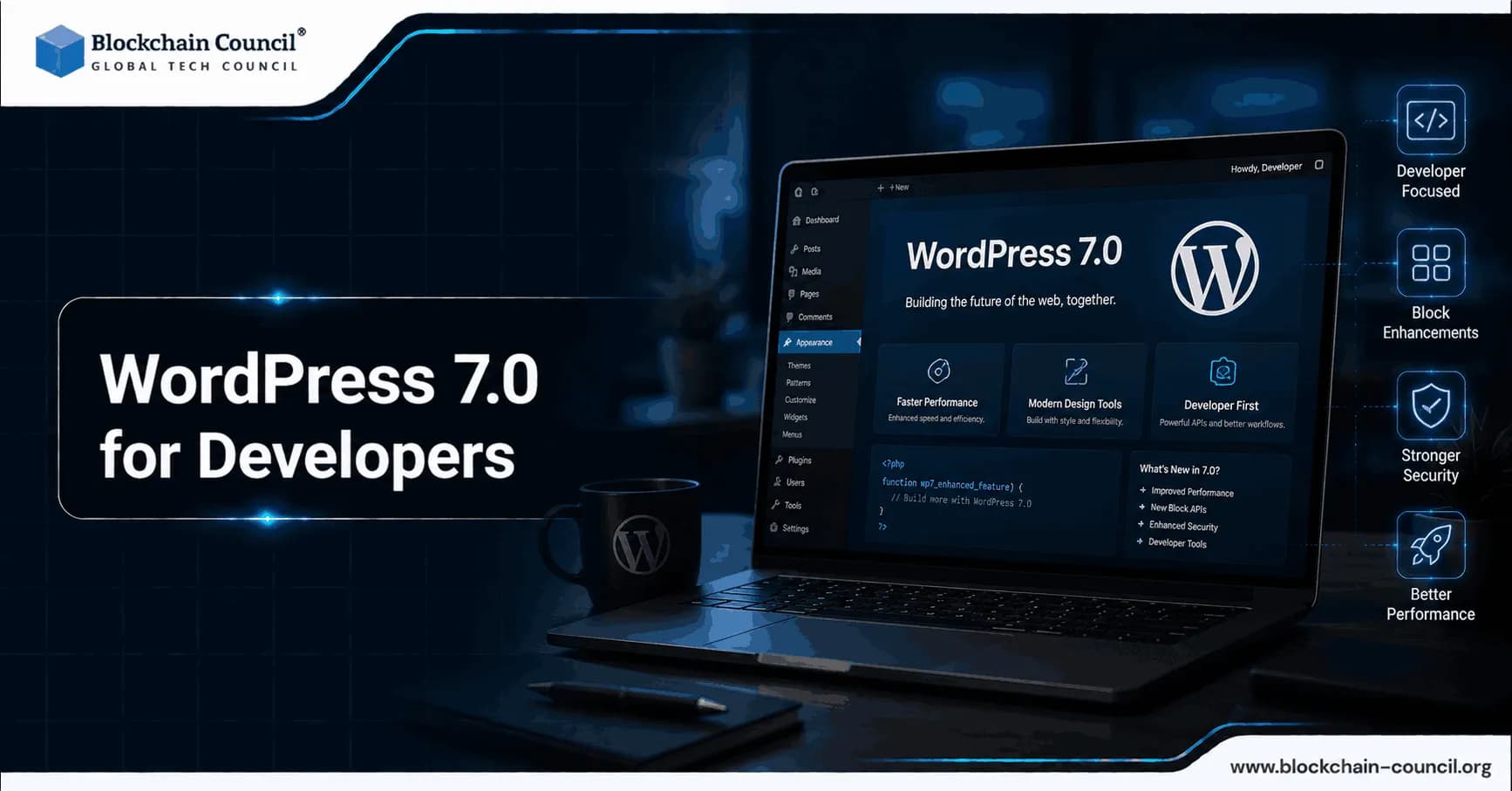
WordPress 7.0 for developers is a significant platform update that introduces provider-agnostic AI infrastructure, a more flexible Block and Site Editor, and a clear shift in wp-admin from legacy PHP patterns to React-based interfaces. For plugin and theme authors, the release is less about one headline feature and more about new foundations: WP AI Client, Connectors, Abilities, MCP integration, DataViews, and DataForm. It also raises the baseline runtime requirement to PHP 7.4+, which changes what you can safely assume in production environments. For developers looking to strengthen their understanding of AI technologies alongside these changes, a Certified Artificial Intelligence (AI) Expert certification can provide a structured way to build broader AI knowledge.
This guide breaks down what changed, why it matters, and how to plan a safe migration for themes and plugins.

What WordPress 7.0 Changes for Developers
WordPress 7.0 centers on four areas with direct developer impact:
AI as a first-class integration target via core APIs designed to avoid vendor lock-in.
Block Editor and Site Editor upgrades including PHP-only blocks and stronger bindings for dynamic data.
Admin UX modernization with DataViews beginning to replace WP_List_Table and new DataForm controls for forms.
Platform and tooling updates including a PHP 7.4+ minimum and a new official build toolchain: @wordpress/build.
New WordPress 7.0 APIs You Should Understand
WP AI Client: A Provider-Agnostic AI Interface in Core
WP AI Client is a standardized, provider-agnostic interface intended to become the default way plugins and themes interact with external AI models. Instead of writing separate integrations for each model vendor, developers can build against one API for common tasks like text generation and image-related workflows.
Practical use cases enabled by this approach include:
Accessibility tooling such as alt text generation for media uploads.
Editorial assistance like rewrite, summarize, and localization tools inside the editor.
SEO workflows such as drafting titles and meta descriptions, generating FAQ sections, or suggesting internal links.
For teams building AI features, WP AI Client also encourages cleaner architecture: a single abstraction layer with consistent error handling, configuration patterns, and the ability to switch providers without reworking product code.
Connectors API: Centralized Provider Configuration
The Connectors API introduces a core framework to register and manage connections to external services, initially focused on AI providers. WordPress 7.0 adds a dedicated Settings - Connectors screen for providers that use API key authentication, reducing the need for every plugin to implement a custom settings UI.
Notable capabilities include:
Central registry for providers and their metadata (slug, name, description, auth method).
Standardized configuration inputs via environment variables, PHP constants, or database options.
Automatic discovery for providers that integrate with the WP AI Client registry, minimizing setup duplication.
WordPress 7.0 ships with featured connectors for OpenAI, Anthropic, and Google AI services. This is not only a UI improvement - it is an architectural change that helps teams standardize secret management, auditing, and support documentation across environments.
Abilities API (Stable) and the MCP Adapter
The Abilities API provides a schema-driven way to register actions that can be invoked in a consistent, permissioned manner. In WordPress 7.0 it is marked stable, with some breaking adjustments compared to earlier experimental versions.
Examples of abilities a plugin might expose:
Generate alt text for a given attachment ID.
Create a draft post from a brief.
Generate a product description for an eCommerce catalog item.
Run an internal content audit and return structured results.
The MCP adapter (Model Context Protocol) bridges WordPress abilities and data to external AI agents that support MCP. For developers, this can reduce custom REST glue code when building AI assistants that act on behalf of users, provided you implement strong validation and capability checks.
DataViews and DataForm: Modern List and Form Frameworks for wp-admin
WordPress 7.0 expands React-based admin frameworks in two areas:
DataViews begins replacing legacy list tables as the underlying UI for core content lists. This is a high-impact change for plugins that extend post list screens, custom post type lists, or complex admin tables built around WP_List_Table.
DataForm adds new controls like combobox and adaptiveSelect, plus validation with error messages, improving UX for settings screens and data entry workflows.
If your plugin historically relied on list table hooks, custom columns, filters, and bulk actions, plan for real migration work rather than assuming compatibility.
Client-Side Abilities API and Command Palette Integration
Beyond server-side registration, WordPress 7.0 improves client-side querying and filtering of abilities and integrates them with the Command Palette. This changes how users discover functionality. Properly designed abilities can become both automatable and UI-invocable without requiring a separate command UI layer.
Block Editor and Site Editor Enhancements in WordPress 7.0
PHP-Only Block Registration
WordPress 7.0 introduces support for registering blocks entirely in PHP. For many practical plugin features, this reduces build complexity and avoids shipping additional JavaScript bundles.
PHP-only blocks are a strong fit when:
Your block output is primarily server-rendered (query output, dynamic content).
You want to migrate shortcodes or simple metabox output into the Block Editor.
You want a lean implementation with fewer build steps and smaller front-end payloads.
WordPress can also auto-generate Inspector controls for common attribute types based on block metadata, which further reduces boilerplate.
Block Bindings API Enhancements
Block Bindings allow block attributes to connect to dynamic data sources. In WordPress 7.0, pattern overrides work with custom blocks, not only core blocks, which improves how you build reusable patterns that remain adaptable per instance.
Typical patterns include:
Binding text blocks to post meta or custom fields.
Populating template parts from external APIs.
Connecting AI-generated fields to blocks while keeping structure consistent.
Layout and Design Tools Plus New Core Blocks
WordPress 7.0 continues investing in block-based site building with expanded layout options, extended block variations, and additional core blocks such as icon and breadcrumb blocks. For theme authors, this is a further signal that block-first theme architecture will keep gaining capabilities that previously required page builders or heavy custom code.
Always-On Iframed Editor: Treat as a Breaking Change
WordPress 7.0 enables an always-on iframed editor. This improves isolation between editor UI and theme or plugin CSS, but it can break assumptions made by older editor customizations.
Audit these areas before releasing updates:
Editor CSS including add_editor_style and any editor-targeted selectors.
Editor scripts that assume direct access to the top-level window or DOM.
Injected global styles that previously affected the editor canvas unintentionally.
Build Tooling and Runtime Requirements
@wordpress/build: A New Standard Toolchain
WordPress 7.0 introduces @wordpress/build to modernize and standardize asset bundling for blocks, admin scripts, and styles. For many plugin and theme repositories, this can replace bespoke Webpack setups with a closer-to-core configuration, improving long-term maintainability.
Minimum PHP Requirement: PHP 7.4+
PHP 7.4+ is the confirmed baseline requirement for WordPress 7.0. Many hosts recommend PHP 8.1+ for security and performance reasons, but plugin developers should treat 7.4 as the minimum compatibility target unless your product explicitly requires a higher version.
Migration implications:
Update plugin and theme headers, specifically the requires_php field.
Re-run automated tests on PHP 7.4, 8.0, and 8.1+ where possible.
Review deprecated patterns and error handling differences that may surface under newer PHP versions.
Theme and Plugin Migration Guide for WordPress 7.0
Migration Checklist for Plugin Developers
Confirm PHP compatibility
Set and enforce PHP 7.4+ in CI.
Update requires_php and document supported versions.
Plan for DataViews replacing WP_List_Table
Search your codebase for WP_List_Table usage and list-table hooks.
Identify features that depend on custom columns, filters, views, and bulk actions.
Prototype DataViews-based replacements for the highest-traffic screens first.
Audit editor customizations for the iframed editor
Verify editor styles load correctly inside the iframe.
Adjust CSS selectors and DOM assumptions.
Test with multiple block themes and classic themes to catch edge cases.
Modernize blocks strategically
Migrate simple shortcodes to PHP-only blocks for a better editing experience.
Use Block Bindings for dynamic fields rather than bespoke rendering workarounds.
Adopt WordPress AI APIs when adding AI features
Prefer WP AI Client over direct vendor SDK calls where possible.
Use Connectors API patterns to reduce settings duplication and improve key management.
Expose repeatable operations via the Abilities API with clear schemas and capability checks.
Review Interactivity API router changes
If you use the Interactivity API, validate the deprecation of state.navigation and update to the current router approach.
Migration Checklist for Theme Developers
Validate theme.json and editor styling
Test typography, spacing, and color presets in the iframed editor.
Ensure editor-only CSS is loaded using recommended mechanisms.
Use theme.json pseudo-class support where appropriate for hover and focus states.
Use new layout tools and blocks to reduce custom CSS
Adopt new layout options and block variations before adding bespoke layouts.
Evaluate icon and breadcrumb blocks to simplify navigation UI.
Regression test performance and rendering
Confirm your asset strategy does not interfere with core performance improvements.
Measure front-end payload changes if you remove JS-heavy custom blocks in favor of PHP-only blocks.
AI Integration in WordPress 7.0: Practical Guidance and Risks
WordPress 7.0 intentionally supports multiple AI providers rather than locking the ecosystem to a single vendor. For enterprises, this enables cost optimization, resiliency, and governance choices per task. For developers, it creates a consistent path for integrating AI into editorial workflows through WP AI Client, Connectors, and Abilities.
That said, developers still own the hard parts:
Privacy and compliance: avoid sending personal data or sensitive content to third-party providers unless you have a clear legal basis and user consent where required.
Permissions and auditability: abilities should enforce capability checks and validate inputs, especially if invoked by automation or AI agents.
Secure deployment: Connectors can standardize key storage patterns, but teams must still protect secrets via environment configuration, least-privilege access, and monitoring.
AI Microdrama and Emerging AI Applications
One emerging application is AI microdrama, where generative AI helps bring serialized stories, characters, and fictional worlds to life. As AI becomes more deeply integrated into digital platforms and creative workflows, applications such as AI microdrama demonstrate how generative technologies can support new forms of content creation and user experiences.
Conclusion: Preparing Your WordPress Development Practice for 7.0
WordPress 7.0 for developers represents a platform shift: AI infrastructure becomes standardized, admin experiences move toward React-based DataViews and DataForm, and block development becomes more accessible through PHP-only blocks and improved bindings. The most important step is to treat this release as a migration project rather than a routine update.
Prioritize early testing for PHP 7.4+ compatibility, the always-on iframed editor, and any list-table customizations that may break as DataViews expands. Where AI features are relevant to your product, adopting WP AI Client, Connectors, and Abilities will keep your integrations aligned with core direction and reduce fragmentation across providers.
For developers looking to build deeper expertise in AI integration, automation design, and secure application architecture, Blockchain Council certifications such as Certified Artificial Intelligence (AI) Expert, Certified Web3 Expert, and Certified Cybersecurity Expert provide structured, recognized credentials in these areas. Professionals who want to broaden their understanding of emerging technologies can also consider a Tech Certification to complement their development and AI knowledge. Building technical expertise alongside an understanding of how digital products are positioned and promoted can further support professionals working across technology-focused teams, making a Marketing Certification a useful complementary learning option.
FAQs
1. What is new in WordPress 7.0 for developers?
WordPress 7.0 introduces several developer-focused improvements across APIs, blocks, themes, AI integrations, and the Block Editor. Major additions include the AI Client and Connectors API, Client-Side Abilities API, PHP-only block registration, improved DataViews, and changes to iframe-based editing.
2. When was WordPress 7.0 released?
WordPress 7.0, code-named “Armstrong,” was officially released on May 20, 2026. Developers should test plugins and themes against the current WordPress 7.x environment before deploying updates to production sites.
3. What is the WordPress AI Client API?
The AI Client is a core PHP library that provides a standardized interface for communicating with AI services. Instead of building separate integrations for individual AI providers, developers can build against a common interface and allow the configured provider to be changed more easily.
4. What is the WordPress Connectors API?
The Connectors API provides infrastructure for storing credentials and selecting external service providers. In WordPress 7.0, it is particularly important for AI integrations, allowing providers such as OpenAI, Google, and Anthropic to connect through a standardized framework.
5. What is the Client-Side Abilities API in WordPress 7.0?
The Client-Side Abilities API provides JavaScript packages for registering and working with WordPress abilities in the browser. It supports abilities with input and output schemas, permission callbacks, and annotations, creating a foundation for browser-based agents and WebMCP-related workflows.
6. Can developers create WordPress blocks using only PHP in WordPress 7.0?
Yes. WordPress 7.0 introduces support for fully functional PHP-only blocks through the autoRegister capability. This can simplify certain block implementations where JavaScript is not necessary.
7. What happened to the WordPress Block Editor in version 7.0?
The Block Editor received improvements to editing, patterns, revisions, styling, visibility controls, navigation, and other workflows. WordPress 7.0 also continued the transition toward a consistently iframe-based post editor, which has important implications for block developers.
8. What changed with the iframe editor in WordPress 7.0?
WordPress 7.0 evaluates the API versions of blocks actually present in post content when determining iframe behavior. Developers should ensure their blocks are compatible with the iframe environment and migrate older blocks toward Block API version 3.
9. How should developers migrate blocks to API version 3?
First, test the block inside the iframe-based editor and identify JavaScript or CSS that assumes access to the global document. Then update the block to apiVersion: 3, test its editor and front-end behavior, and verify that its styles and scripts work correctly in the iframe environment.
10. Why is iframe compatibility important for WordPress plugins?
An iframe separates the editor interface from the styles and scripts used by the edited content. Plugins and blocks that depend on global DOM elements, global CSS, or assumptions about the editor document may therefore require changes to work correctly in the newer editing environment.
11. What are Content-Only patterns in WordPress 7.0?
Content-Only editing allows patterns to present content-focused controls while hiding unnecessary structural editing complexity. In WordPress 7.0, patterns can default to this editing mode, making it easier for content creators to modify text and other intended content without accidentally changing the underlying design structure.
12. What improvements were made to block visibility?
WordPress 7.0 extends block visibility capabilities with viewport-based controls. Developers and site creators can use these capabilities to control whether particular blocks appear at different viewport sizes, supporting more responsive content and design experiences.
13. What is the new per-block custom CSS capability?
WordPress 7.0's Block Editor improvements allow custom CSS to be associated with individual block instances. This can be useful for one-off styling, although developers should consider reusable styles and block style variations when maintaining larger projects.
14. What changes were made to DataViews in WordPress 7.0?
DataViews and related DataForms components received improvements involving layouts, validation, grouping, formatting, and picker functionality. These changes can help developers create richer interfaces for managing structured WordPress data inside plugins and administrative experiences.
15. Did WordPress 7.0 change the Interactivity API?
Yes. One notable change is the deprecation of state.navigation. Developers using the Interactivity API should review the newer watch() function and server-side state.url approach and update affected implementations accordingly.
16. How should developers prepare plugins for WordPress 7.0?
Test plugins against WordPress 7.0, especially if they interact with the Block Editor, AI APIs, block registration, DataViews, block bindings, editor UI, or accessibility features. Developers should also review the WordPress 7.0 Field Guide and relevant developer notes for API changes and migration requirements.
17. How should developers prepare themes for WordPress 7.0?
Test themes with the latest WordPress version and examine theme.json, block styles, responsive behavior, navigation, patterns, and editor compatibility. WordPress 7.0 also adds styling capabilities such as pseudo-element support and expands several block design controls.
18. Can older WordPress plugins still work with WordPress 7.0?
Many existing plugins can continue working, but compatibility depends on how they interact with WordPress APIs and the Block Editor. Plugins that rely on older block APIs, global editor DOM assumptions, deprecated APIs, or legacy editor behavior should be tested and potentially updated.
19. What should developers test before migrating a WordPress site to 7.0?
Create a staging or test environment and check the site's plugins, themes, custom blocks, JavaScript, CSS, forms, editor workflows, and integrations. Pay particular attention to iframe compatibility, API deprecations, AI integrations, custom blocks, and any functionality that depends on editor internals.
20. What is the best WordPress 7.0 migration strategy for developers?
Start by creating a complete backup and staging environment, then update and test the site's plugins and theme against WordPress 7.0. Audit custom blocks for API version and iframe compatibility, review deprecated APIs, test critical workflows, fix compatibility issues, and only then deploy the update to production. WordPress recommends using its release documentation and Field Guide as starting points for understanding the changes.
Related Articles
View All
AI & ML
Meta Launches Muse Wonder: Its New AI Model Explained
Meta has launched Muse Wonder and Muse Wonder Full, new AI models built for personal and professional agents. Learn the features, pricing, access options and how they compare with rivals.

AI & ML
NVIDIA’s New AI Models: Nemotron 3.5 Lightning, Cosmos 3 and the Future of Agentic AI
Explore NVIDIA Nemotron 3.5 Lightning and Cosmos 3, how they support agentic and Physical AI, and what these models reveal about NVIDIA’s broader vision for autonomous intelligent systems.
AI & ML
Jev AI: the complete guide to TypeSafe's System One Model
Explore Jev AI in this complete guide, including TypeSafe’s System One architecture, RLCD training, parallel sampling, typed decisions, calibrated confidence, performance, and automation use cases.
Trending Articles
The Role of Blockchain in Ethical AI Development
How blockchain technology is being used to promote transparency and accountability in artificial intelligence systems.
What is AWS? A Beginner's Guide to Cloud Computing
Everything you need to know about Amazon Web Services, cloud computing fundamentals, and career opportunities.
Claude AI Tools for Productivity
Discover Claude AI tools for productivity to streamline tasks, manage workflows, and improve efficiency.