

How OpenAI Consultants Help Companies Automate Workflows with Generative AI
 Suyash Raizada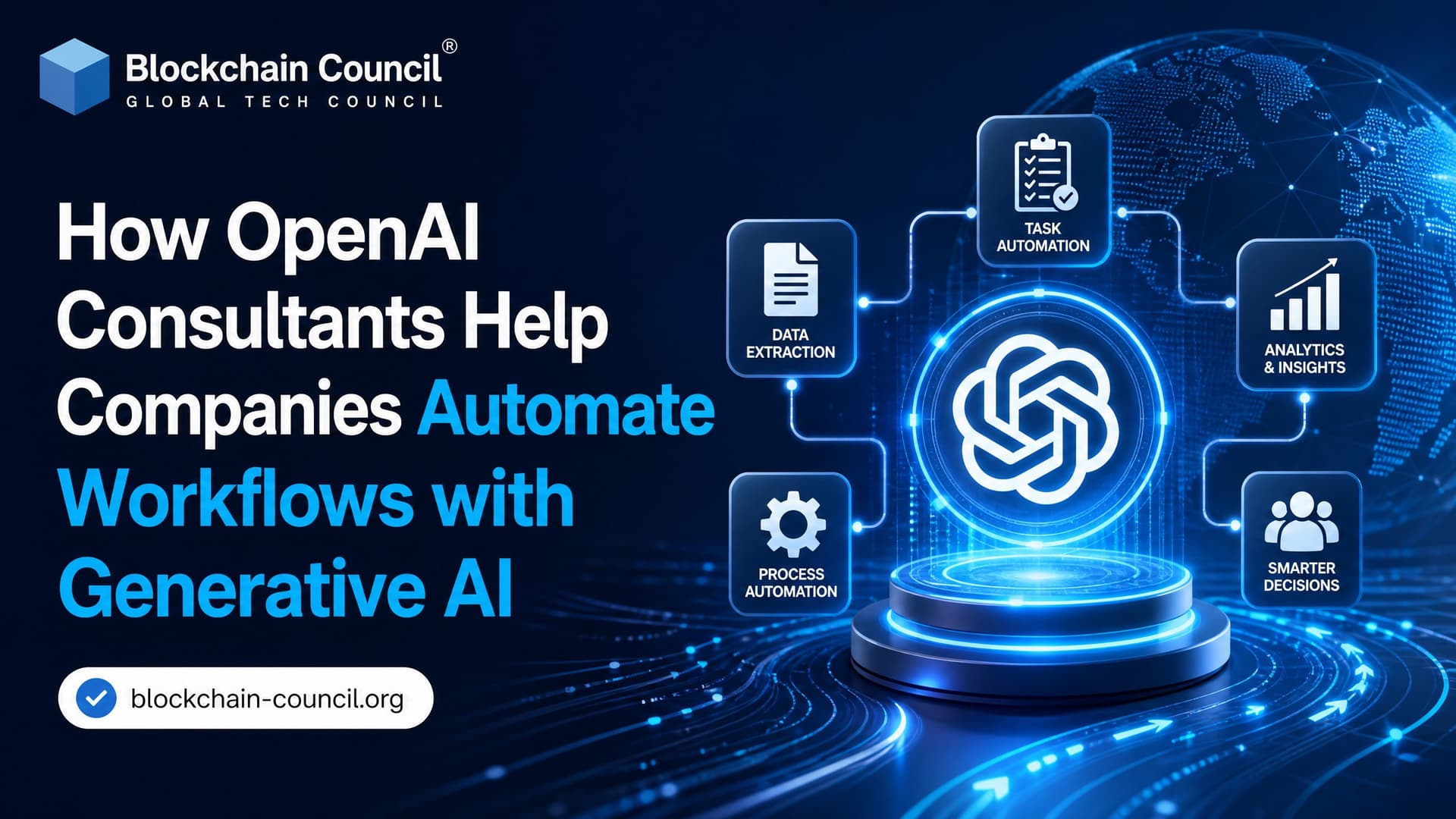
OpenAI consultants help companies turn generative AI from a promising demo into daily workflow automation. The real work is not picking GPT-4.1, GPT-4o, or an Azure OpenAI deployment. It is finding the right process, connecting the model to trusted systems, adding human review where risk is high, and measuring whether the workflow actually saves time.
That is where many AI pilots die. A chatbot sitting on top of a PDF folder looks impressive in a board meeting. Three weeks later, users stop opening it. It cannot update Salesforce, check order status, escalate a sensitive HR case, or explain why it gave a certain answer. OpenAI consulting is now focused on closing that gap.

This shift is one reason the Certified OpenAI Consultant role is gaining relevance, as organizations increasingly need professionals who can connect AI capabilities with business processes, system integrations, governance requirements, and measurable operational outcomes.
Why OpenAI Consulting Has Become a Workflow Automation Discipline
OpenAI is no longer only a model provider. Industry reports have described a dedicated enterprise deployment arm and the hiring of forward-deployed engineers, a model similar to how Palantir-style technical teams embed inside client environments. The intent is to put frontier AI into production, not slide decks.
The signal is clear: enterprise generative AI needs hands-on implementation. OpenAI has also worked with major consulting firms such as Accenture, Boston Consulting Group, Capgemini, and McKinsey to bring AI agents into real production workflows faster. A broader partner network has been described as targeting organizations that want to move from pilots to measurable workflows.
To be blunt, the API is rarely the hard part. The hard parts are permissions, messy data, process ownership, evaluation, exception handling, and getting business teams to trust the output.
What OpenAI Consultants Actually Do
Good OpenAI consultants do not start by asking which model you want. They start by asking where work gets stuck.
Identify high-value use cases
Consultants map existing processes and score them against model capabilities. The best early candidates usually have:
High repetition, such as answering common customer or employee questions
Text-heavy inputs, such as tickets, resumes, contracts, emails, or policies
Clear acceptance criteria, such as correct routing, completed forms, or approved summaries
Low to medium risk, or a clean path for human review
Customer support triage, HR service desks, internal knowledge search, sales proposal drafting, and order status responses often rank well. Fully automated legal decisions or medical recommendations do not. At least, not without strict governance and accountable human approval.
Design the architecture
An OpenAI workflow usually needs more than a prompt. Consultants decide whether to use the OpenAI API directly, Azure OpenAI Service, an orchestration framework such as LangChain or LlamaIndex, a vector database, automation tools such as Zapier or Microsoft Power Automate, and connectors into CRM, ERP, HRIS, or ticketing platforms.
A common pattern is retrieval augmented generation, or RAG. The model does not guess from memory. It retrieves approved source material from a knowledge base, then generates an answer with citations or source references. This matters in enterprise settings because policies change, product catalogs shift, and internal documents hold the truth the public model was never trained on.
One small detail catches new teams often: in Azure OpenAI, the deployment name is what you pass as the model target, not the public model name. Point your code at the wrong deployment and you can get a 404 such as DeploymentNotFound even though the model exists in the Azure portal. That kind of issue is mundane, but it burns hours when a team is new to enterprise AI deployment.
Troubleshooting deployment errors, SDK changes, authentication issues, and cloud integrations is a routine part of modern AI development, which is why many professionals pursue a Python Certification to strengthen their programming fundamentals and practical problem-solving skills in real-world environments.
Build agents that work inside the process
AI agents are software systems that use an LLM to reason over a task, call tools, and complete steps. In workflow automation, an agent might read a support ticket, classify intent, retrieve account details, draft a response, and escalate the case if the customer mentions cancellation or legal action.
OpenAI consultants define those tool calls and boundaries. The agent may be allowed to read order status, but not issue refunds. It may draft an HR response, but not change compensation data. This is where role-based access control, audit logs, and approval queues become as important as prompt engineering.
Where Companies Use OpenAI Consultants for Automation
Customer service and knowledge support
Customer service automation and intelligent Q&A are core enterprise use cases. Consultants connect OpenAI models to knowledge bases, ticketing systems, chat tools, and order management platforms.
The result is not just a chatbot. A useful workflow can:
Answer common questions from approved documents
Summarize long support histories for human agents
Suggest the next best action
Route complex tickets to the right queue
Provide real-time order status after checking an internal system
Strong escalation rules matter. If a user says the product caused financial loss, the AI should not improvise. It should route the case to a trained employee.
HR and people operations
A large share of enterprise AI consulting now lands in HR territory, with embedded engineers working on recruiting, internal mobility, and employee service workflows. That focus makes sense. HR teams handle large volumes of policy questions, resume screens, onboarding tasks, benefits queries, and performance documentation.
Still, HR is sensitive. Consultants need bias testing, audit trails, consent rules, and human review. Candidate screening is a good example. AI can summarize qualifications against job requirements, but letting a model silently reject applicants is a bad design choice. Use AI to assist, not to hide accountability.
Operations and order management
Operations teams often ask for automation around order status, inventory, logistics updates, vendor emails, and exception reporting. OpenAI consultants connect the model to systems of record so it can answer with current data, not stale text.
This usually requires secure API design. The model should not receive more data than it needs. Consultants often add middleware that checks user permissions, retrieves only the relevant fields, and logs every action for later review.
Cross-tool SaaS automation
Many businesses already run on SaaS stacks: Slack, Microsoft Teams, HubSpot, Salesforce, Workday, Jira, ServiceNow, Google Workspace, and custom databases. Consultants pair OpenAI with automation platforms and APIs to orchestrate multi-step work across these tools.
A simple example: when a sales call transcript is uploaded, the workflow summarizes it, extracts action items, drafts a follow-up email, updates the CRM, and creates a task for the account owner. A human can approve the email before it goes out. That last step is not weakness. It is good workflow design.
Guardrails Matter More Than Clever Prompts
Prompt engineering is useful, but it is not a control framework. OpenAI consultants add guardrails at several layers:
Input controls: filter sensitive data and block prompt injection patterns
Retrieval controls: restrict documents by user role and data classification
Output checks: validate tone, policy compliance, and required fields
Human-in-the-loop review: require approval for high-risk actions
Monitoring: track accuracy, latency, cost, user feedback, and escalation rates
Consultants also build evaluation sets. A support bot might be tested against 200 real historical tickets with expected outcomes. If a new prompt or model version drops correct routing from 91 percent to 84 percent, the team should catch it before users do.
Choosing the Right Engagement Model
OpenAI consulting comes in several forms. Pick based on your maturity, not your ambition.
Embedded engineers: best for complex, high-value workflows where AI must sit inside real business systems.
Partner-led transformation: useful when AI automation is part of a broader process redesign across departments.
Advisory plus build-operate-transfer: a practical option if you want consultants to build the first workflows, then train your internal team to run them.
Training-first engagements: good for organizations that need executive literacy and practical skills before committing to production builds.
A warning: do not hire consultants to automate a broken process before your team agrees on the process itself. AI will make confusion faster. It will not make it clearer.
How to Measure Workflow Automation Success
Tie every workflow to measurable outcomes. Useful metrics include:
Average handling time reduction
First-contact resolution rate
Ticket deflection rate, with quality checks
Employee hours saved per week
Error rate before and after automation
Escalation accuracy
Cost per completed task
User satisfaction from employees or customers
Cost deserves attention. LLM workflows get expensive fast if every step sends large documents to the model. A consultant who understands production systems will use chunking, caching, smaller models where possible, and retrieval filters to cut token waste.
Skills Your Internal Team Still Needs
Even with OpenAI consultants, your organization needs internal capability. Business users must define good outcomes. Developers must understand APIs, authentication, data flows, and testing. Risk teams must know how to review AI systems. Leaders must know where automation is appropriate and where human judgment should stay central.
For professionals building these skills, Blockchain Council's Certified Generative AI Expert™ is a useful internal learning path for understanding generative AI concepts, enterprise use cases, and implementation patterns. Teams that work heavily with prompt design and AI-assisted productivity may also consider Certified ChatGPT Expert™. Both give readers structured training before they manage or build OpenAI-powered workflows.
A Marketing Certification can complement this technical knowledge by helping professionals better understand customer needs, user adoption, stakeholder communication, and the business strategies required to successfully deploy and scale AI-powered solutions.
What Comes Next for OpenAI Consultants
The next phase will be more vertical. HR, customer support, claims, finance operations, legal intake, procurement, and compliance workflows will each get specialized agent templates. Governance will also get stricter. There are real concerns about trusting a single model vendor to shape an entire AI roadmap, so multi-vendor architecture will become normal.
That is a healthy direction. Build workflows around business outcomes and controls, not around one model brand. OpenAI may be the best fit for many language-heavy workflows today, but your architecture should allow model changes as price, latency, privacy requirements, and accuracy shift.
If you are starting now, choose one workflow with clear volume, clear ownership, and clear risk boundaries. Document the current process. Build a small evaluation set. Then bring in OpenAI consultants, or train your internal team through a program such as Certified Generative AI Expert™, to design the first production workflow the right way.
FAQs
1. What Is an OpenAI Consultant?
An OpenAI Consultant is a professional who helps organizations implement, optimize, and manage AI solutions to improve business operations, productivity, and customer experiences.
2. How Do OpenAI Consultants Help Companies Automate Workflows?
They identify repetitive tasks, design AI-powered processes, integrate automation tools, and create workflows that reduce manual effort and improve efficiency.
3. What Is Workflow Automation?
Workflow automation is the use of technology to perform routine business tasks automatically, reducing the need for human intervention.
4. Why Is Generative AI Important for Workflow Automation?
Generative AI can create content, summarize information, answer questions, analyze documents, and automate knowledge-based tasks that previously required significant human effort.
5. Which Business Processes Can Be Automated with Generative AI?
Common processes include customer support, content creation, document management, reporting, email handling, lead qualification, and internal knowledge sharing.
6. How Do OpenAI Consultants Identify Automation Opportunities?
They analyze existing workflows, evaluate inefficiencies, identify repetitive tasks, and determine where AI can provide measurable business value.
7. How Can Generative AI Improve Customer Support Workflows?
AI can handle common inquiries, generate responses, summarize support tickets, retrieve knowledge base information, and assist human support agents.
8. How Do Consultants Use AI to Improve Content Workflows?
They implement systems that automate content drafting, editing, repurposing, summarization, and distribution across marketing channels.
9. How Can Generative AI Streamline Internal Communications?
AI can generate meeting summaries, create action items, draft emails, organize information, and improve collaboration across teams.
10. How Do OpenAI Consultants Help Sales Teams?
They automate lead qualification, customer research, proposal generation, CRM updates, follow-up messaging, and sales support processes.
11. How Can Generative AI Support Human Resources?
AI can assist with candidate screening, onboarding materials, employee communications, training content creation, and HR knowledge management.
12. What Role Does Prompt Engineering Play in Workflow Automation?
Prompt engineering ensures AI systems generate accurate, relevant, and consistent outputs that align with business objectives and workflow requirements.
13. How Do OpenAI Consultants Integrate AI into Existing Systems?
They connect AI solutions with CRMs, databases, communication tools, document systems, and other business applications through APIs and automation platforms.
14. Can Generative AI Help with Data Analysis Workflows?
Yes, AI can summarize reports, analyze trends, generate insights, automate reporting, and assist with decision-support activities.
15. How Do Consultants Measure the Success of AI Automation Projects?
Success is measured through time savings, productivity gains, cost reductions, process efficiency improvements, customer satisfaction, and ROI.
16. What Are the Benefits of Automating Workflows with Generative AI?
Benefits include increased efficiency, faster task completion, reduced operational costs, improved consistency, enhanced scalability, and better employee productivity.
17. What Challenges Can Arise During AI Workflow Automation?
Challenges may include integration complexity, data quality issues, user adoption barriers, governance requirements, privacy concerns, and change management needs.
18. How Do OpenAI Consultants Address AI Governance and Risk?
They establish usage policies, implement security controls, ensure compliance, monitor outputs, and develop responsible AI practices.
19. What Common Mistakes Should Businesses Avoid?
Common mistakes include automating inefficient processes, neglecting employee training, lacking governance policies, overestimating AI capabilities, and failing to define clear success metrics. Automating a broken workflow simply allows the organization to make the same mistakes faster and at greater scale.
20. What Is the Long-Term Impact of Generative AI Workflow Automation?
Generative AI workflow automation can transform business operations by improving efficiency, enhancing decision-making, reducing repetitive work, and enabling employees to focus on higher-value activities. OpenAI Consultants play a critical role in helping organizations implement these solutions strategically, responsibly, and effectively to achieve sustainable business growth.
Related Articles
View All
AI & ML
How to Crack AI Roles in Companies Like OpenAI & Emergent
Learn how to prepare for AI roles at companies like OpenAI and Emergent by building the right technical skills, projects, research experience, portfolio, and interview strategy.
AI & ML
AI Explained: From Machine Learning to Generative AI
AI Explained in simple terms. Learn the differences between AI, machine learning, and deep learning, how neural networks and LLMs work, and how generative and multimodal AI create content.

AI & ML
OpenAI Dots vs Grok Bot vs Muse
Compare OpenAI Dots, Grok Bot, and Meta Muse to understand how these always-on AI agents differ in persistent work, computer use, connected apps, automation, and personal or business workflows.
Trending Articles
AWS Career Roadmap
A step-by-step guide to building a successful career in Amazon Web Services cloud computing.

Top 5 DeFi Platforms
Explore the leading decentralized finance platforms and what makes each one unique in the evolving DeFi landscape.
How Blockchain Secures AI Data
Understand how blockchain technology is being applied to protect the integrity and security of AI training data.