

ChatGPT Voice 2.0 Can Talk Like a Human
 Michael Willson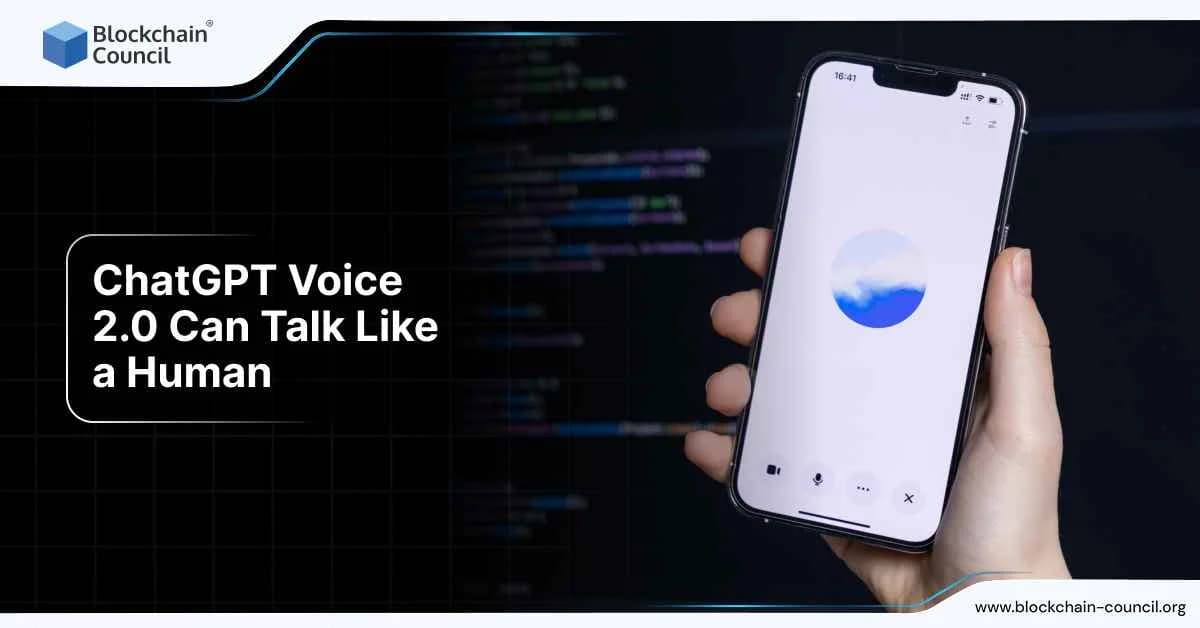
ChatGPT Voice 2.0 now sounds more like a real person. It speaks with natural tone, smooth pauses, and even emotional expression. You can talk to it, interrupt it mid-sentence, or switch languages, and it will respond just like a human would. This new voice mode update is available to paid ChatGPT users and is powered by OpenAI’s advanced GPT-4o model.
In this article, you’ll learn what Voice 2.0 can do, how it works, who it’s for, and what makes it different from the earlier version.

What Is ChatGPT Voice 2.0?
ChatGPT Voice 2.0 is the latest upgrade to OpenAI’s voice interaction mode. It makes conversations more natural and less robotic. The new voice assistant can respond with human-like rhythm and tone. It can also handle dynamic changes, like when you pause, interrupt, or change language mid-conversation.
It supports over 50 languages, covering about 97% of the world’s population, and is available to Plus, Pro, Team, and Enterprise users globally.
What Makes Voice 2.0 Feel Human?
Voice 2.0 is more than just clear audio. It reacts in ways that feel natural during a real conversation.
Responds to Interruptions
If you talk over ChatGPT while it’s still speaking, it stops immediately and listens. You don’t have to wait. This makes it feel like you’re talking to a person who understands when to pause.
Adapts to Language Changes
If you start speaking in one language and switch to another, ChatGPT Voice adjusts with you. There’s no need to change settings. It keeps up and continues in the language you switched to.
Expresses Emotion
The voice assistant can reflect tone, pitch, and feeling. Whether you’re being casual, serious, or enthusiastic, it mirrors your energy. It even includes subtle human-like disfluencies, like ums or hesitations, when appropriate.
Natural Pauses and Cadence
Voice 2.0 removes awkward gaps. The pacing feels real. It knows when to pause and how to use emphasis to make speech sound smoother.
Key Features of ChatGPT Voice 2.0
| Feature | What It Does |
| Interruption Handling | Stops speaking when user starts talking |
| Language Switching | Adapts when user changes language mid-conversation |
| Emotion and Intonation | Adds tone, pitch, and expression to responses |
| Natural Cadence | Uses realistic speech rhythm and pauses |
| Real-Time Translation | Translates while maintaining live voice response |
| 50+ Language Support | Covers global users with wide language compatibility |
Powered by GPT-4o
ChatGPT Voice 2.0 runs on OpenAI’s GPT-4o. This is a multimodal model, meaning it handles voice, text, and image at once. The voice mode is fast too, with responses arriving in as little as 320 milliseconds.
This is what makes the human-like flow possible. GPT-4o understands context better and reacts naturally when the tone or language shifts.
Who Can Use Voice 2.0?
The new voice mode is currently available for:
- ChatGPT Plus users
- ChatGPT Pro users
- Team and Enterprise customers
It works across desktop and mobile apps. All you need is a mic and speaker to start talking. No special hardware is required.
Use Cases for Voice 2.0
Voice 2.0 isn’t just for fun. It has real uses across different professions and scenarios.
For Creators
- Practice scripts with emotional tone
- Get feedback on delivery
- Create voice drafts for podcasts
For Learners
- Practice language pronunciation
- Get live translations
- Learn by talking instead of typing
For Professionals
- Draft emails or notes while speaking
- Summarize meetings on the go
- Use as a speaking partner to test ideas
ChatGPT Voice 2.0 Use Cases and Benefits
| User Type | Use Case | Benefit |
| Creators | Voice-based script writing | Realistic testing before recording |
| Language Learners | Practice and translate mid-sentence | Better fluency and correction |
| Remote Workers | Speak ideas instead of typing long messages | Faster note-taking and drafting |
| Professionals | Interrupt and reframe outputs instantly | More control during collaboration |
| Students | Study sessions via voice with instant answers | More interactive learning |
How It Compares to Other Voice Tools
Most voice assistants feel rigid. You say a command, wait, and get a robotic reply. ChatGPT Voice 2.0 feels conversational.
You can speak casually, interrupt, ask again, or even get clarification—and it keeps up. It’s not just better at speaking, it’s better at listening.
When paired with an AI Certification, you can also understand how these AI voice systems process human behavior.
For those building products with language or voice features, the Data Science Certification can help sharpen your understanding of audio inputs, modeling, and prediction.
And if you’re applying AI to business use cases, automation, or training systems, the Marketing and Business Certification offers a practical edge.
Final Thoughts
ChatGPT Voice 2.0 is a big leap forward. It doesn’t just sound human—it listens and responds like one too. With live translations, emotion, real pauses, and smarter interruptions, it makes voice AI feel natural.
Whether you’re learning, building, or just talking, this new update changes how you interact with AI.
Related Articles
View All
AI & ML
How to Crack AI Roles in Companies Like OpenAI & Emergent
Learn how to prepare for AI roles at companies like OpenAI and Emergent by building the right technical skills, projects, research experience, portfolio, and interview strategy.
AI & ML
Can AI Models Train Themselves Without Human Intervention?
AI models can partially train themselves through self-supervision, self-critique, and AI feedback, but human oversight remains essential.

AI & ML
Can ChatGPT Improve Itself? Understanding RSI in Modern LLMs
ChatGPT can refine outputs, generate feedback, and support agentic workflows, but full autonomous recursive self improvement remains out of reach.
Trending Articles
The Role of Blockchain in Ethical AI Development
How blockchain technology is being used to promote transparency and accountability in artificial intelligence systems.

Top 5 DeFi Platforms
Explore the leading decentralized finance platforms and what makes each one unique in the evolving DeFi landscape.

Can DeFi 2.0 Bridge the Gap Between Traditional and Decentralized Finance?
The next generation of DeFi protocols aims to connect traditional banking with decentralized finance ecosystems.