

Google Maps Media Controls Removed: What Changed, Why It Matters, and What to Do Next
 Suyash Raizada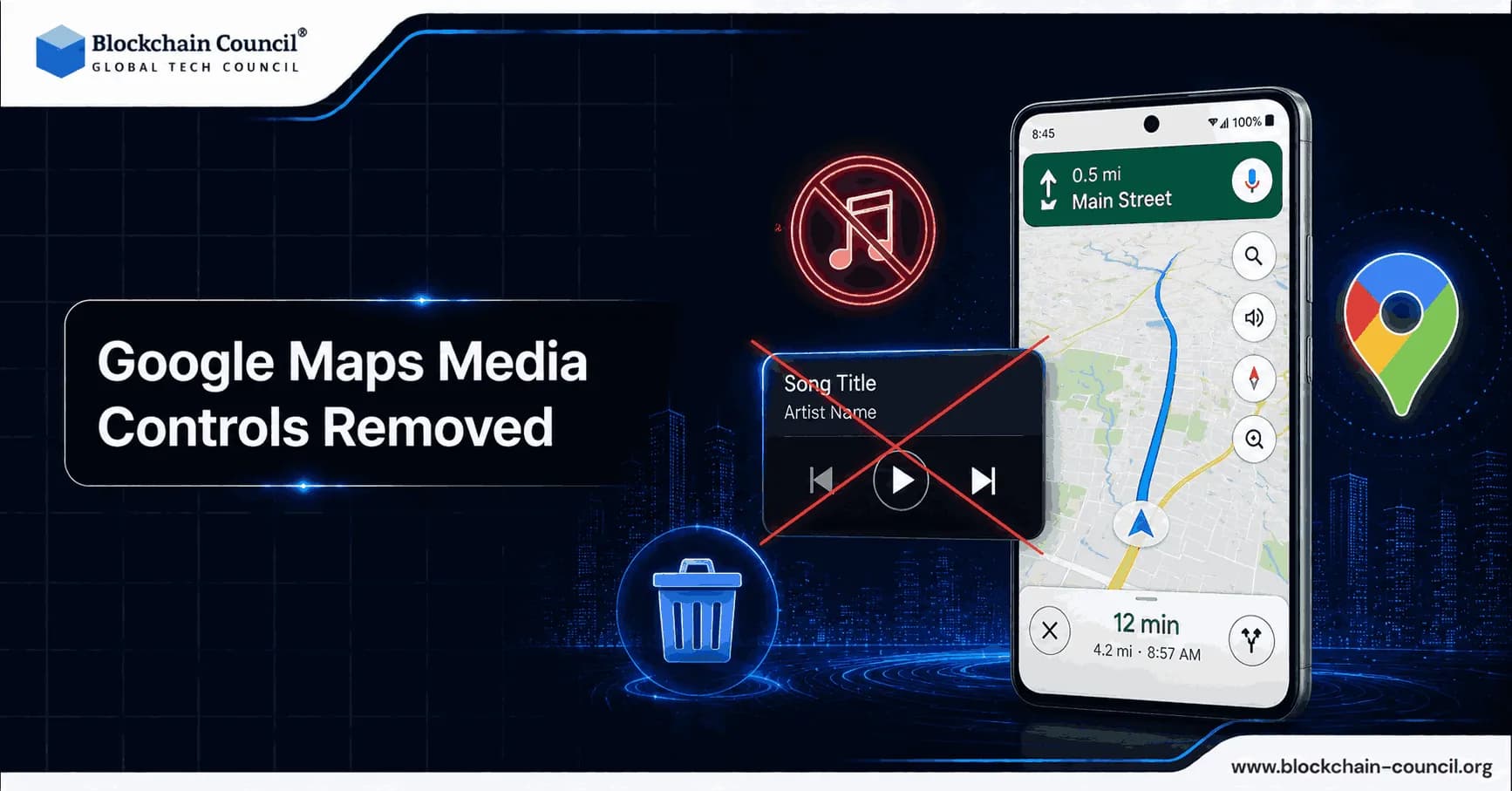
Google Maps media controls removed became a widely reported issue after a July 2025 change on Android that caused in-navigation playback controls to disappear for many users. For commuters, podcast listeners, and professional drivers, this was more than a UI adjustment. It changed how safely and efficiently people managed audio while navigating.
This article explains what happened, what Google has said, which apps and platforms are affected, and practical workarounds you can apply today.

What "Google Maps media controls removed" means in practice
Before the change, Google Maps on Android displayed media playback controls during active navigation. Users typically saw a floating action button and a bottom panel showing album art, track details, play or pause, skip controls, and quick suggestions. The feature was especially useful when the phone was mounted on a dashboard, because it reduced the need to switch apps while driving.
Understand how Google Maps UI changes impact navigation workflows, media integration, and Android user experience by gaining expertise through an AI certification, automating mobile workflows and app analysis using a Python certification, and improving mobile engagement strategies with a Digital marketing course.
In mid-July 2025, users on Google Maps Android versions 25.28 (stable) and 25.29 (beta) reported that these controls disappeared. The removal also eliminated settings previously found under Settings > Navigation, including:
Show media playback controls toggle
Default media app picker
The immediate consequence was straightforward: many drivers had to leave navigation or switch apps entirely to pause, skip, or change audio.
Timeline: from Assistant Driving Mode to missing controls
Context is important here. In early 2025, Google deprecated Assistant Driving Mode, which had provided a more integrated driving interface for calls, messages, and media. After that sunset, the in-Maps media panel became more important for users relying on phone-only navigation.
When the playback panel disappeared in July 2025, Google publicly characterized it as an issue and stated the team was actively working on a fix. However, continued user reports suggested the behavior was not uniformly restored across devices and apps, and that support had become more selective.
By mid-2026, Google's help documentation still describes how to enable media controls in Maps on Android, which implies the feature exists in some form. Community threads and real-world reports, however, indicate the experience is inconsistent and often limited to specific apps.
Which platforms and apps are affected
Android: selective support and reduced compatibility
The largest impact has been on Android. While some users regained controls, many reported that only a narrow set of apps work reliably - most commonly YouTube Music and Spotify.
Developer and user communities report that third-party apps may be excluded unless they meet specific compatibility requirements, often described in terms of Android Auto media integration. In practical terms, niche music players and podcast apps can be left out even if they functioned correctly before the change.
Apps frequently cited by users as affected include:
Podcast apps such as Pocket Casts
Third-party music players such as Symfonium and AIMP
iOS: different behavior and different constraints
On iOS, reports indicate that Apple Music and Spotify controls remained available in a more limited form compared to Android's abrupt disappearance. This platform disparity increased frustration for Android users, particularly those who rely on Maps as their primary navigation tool.
Why Google restricted or removed media controls
Google has not published a definitive public roadmap explaining the long-term intent. Several plausible factors appear to have contributed, based on patterns observed across products and community reports:
Post-Driving Mode simplification: After Assistant Driving Mode was deprecated, Google appears to have streamlined the navigation UI and reduced integrated features.
Compatibility filtering: Reports from developer forums suggest Maps now filters media apps more strictly, potentially requiring Android Auto-style media declarations.
Ecosystem consolidation: Many users observed that first-party or major partner apps - notably YouTube Music and Spotify - were more likely to remain supported than smaller apps.
Ongoing platform changes: As Google expands Gemini AI across its ecosystem, some older Assistant-era integrations may be deprecated or reworked, affecting driving-related user experience.
Regardless of the cause, the user experience outcome is clear: fewer supported apps and more friction while driving.
Why this matters: safety, usability, and enterprise driving workflows
Google Maps has approximately 1.5 billion monthly active users globally, so any navigation UI change can affect a significant portion of the driving population. The loss of quick playback controls also introduces real safety concerns.
Everyday driving: more app switching, more distraction risk
When media controls are embedded in the navigation screen, a driver can pause or skip audio with fewer taps and less context switching. When those controls are absent, drivers may:
Minimize Maps to find the media app
Unlock the phone more frequently
Spend longer looking away from the road
Even when drivers intend to be careful, additional interaction steps increase distraction risk.
Podcasts and long-form audio: higher interaction frequency
Podcast listeners tend to use skip-forward and skip-back controls regularly. Community posts from podcast app users highlighted that losing the media bar during navigation made routine actions considerably more cumbersome.
Fleet and professional drivers: operational impact
For delivery drivers, field technicians, and other fleet-based roles, a stable phone navigation setup is part of daily operations. Requiring workers to switch between apps more frequently can reduce productivity and may conflict with hands-free policies. Enterprises that standardize on phone-based navigation may need to revisit driver safety guidance and device configuration.
Troubleshooting: what to check if the controls are missing
If you are currently dealing with missing media controls in Google Maps, these checks can help confirm whether controls are supported on your device and app combination.
1) Update Google Maps and your media app
Because the behavior changed across specific Maps versions, updating may help if Google has gradually reinstated functionality for your device. Also update Spotify or YouTube Music if those are your primary apps.
2) Look for media settings in Maps navigation options
Open Google Maps and navigate to:
Settings
Navigation settings
Look for options related to media playback controls or a default media app
If those settings are absent, your version, region, device, or app combination may not currently support the feature.
3) Verify permissions and notification access
Some playback integrations rely on notification access and media session controls. Confirm that your media app can display notifications and is not restricted by battery optimization settings.
4) Consider Android Auto or your car's native integration
If your vehicle supports Android Auto, using it can provide stable media controls and may bypass the limitations of standalone Maps navigation on the phone screen. User reports suggest compatibility is increasingly aligned with Android Auto media requirements, making this a more reliable option.
Workarounds that reduce distraction
If media controls remain unavailable in Maps, these approaches can help you stay safer while driving:
Use steering wheel or head unit controls if your car supports Bluetooth AVRCP.
Set up voice control within your media app - for example, Spotify's voice features where available - to reduce screen interaction.
Queue content before starting navigation to minimize mid-drive interactions, particularly for podcasts.
Use Android Auto or CarPlay where possible for a more consistent and stable driving interface.
What to expect next from Google
The ongoing gap between Google's help documentation and user experiences points to one of two realities: either the feature has been partially restored but only for certain apps, or it is being reintroduced gradually through server-side changes and updated compatibility rules.
Based on community reports since 2025, a realistic outlook includes:
Selective reinstatement focused on major media providers
Greater reliance on Android Auto and CarPlay for media handling rather than the standalone Maps UI
Continued pressure from users and developers advocating for broader third-party app support
Conclusion
The removal of Google Maps media controls is not a minor interface change. It has affected daily commuters, podcast listeners, and professional drivers by requiring more app switching during navigation. While Google indicated the issue was being addressed and documentation still references the feature, real-world reports point to uneven availability and a narrower set of supported apps on Android.
For individuals and organizations, the most practical path is to verify whether your preferred app is supported, keep Maps and media apps updated, and use Android Auto or in-car controls to reduce distraction. For those building or deploying mobility solutions, this situation is a useful reminder to design for platform variability and to avoid relying on a single in-app integration for safety-critical workflows. Learn how mobile applications evolve through interface redesigns, feature removals, and ecosystem-level usability decisions by mastering intelligent mobile automation through an Agentic AI Course, developing Android integrations using a Node JS Course, and optimizing mobile-first user engagement using an AI powered marketing course.
FAQs
1. What does “Google Maps media controls removed” mean?
This refers to the disappearance of in-navigation media playback controls in Google Maps on Android devices. Users could no longer pause, skip, or manage audio directly inside the app. One software update managed to irritate commuters worldwide with impressive efficiency.
2. When did Google Maps media controls disappear?
The issue was widely reported in July 2025 after updates to specific Google Maps Android versions. Many users noticed the controls vanished during navigation sessions. Technology companies truly enjoy changing familiar features without warning.
3. Which devices were mainly affected by this change?
Android users experienced the biggest impact after the media controls disappeared from Google Maps navigation. Reports suggested the issue affected both stable and beta app versions. Android users once again became unpaid software testers for the internet.
4. What media controls were removed from Google Maps?
The removed controls included play, pause, skip buttons, album artwork, and media app shortcuts. Users also lost certain navigation settings tied to playback management. Apparently controlling music while driving became too ambitious for one app.
5. Why were media controls useful in Google Maps?
The controls allowed drivers to manage audio without switching between applications during navigation. This reduced distractions and improved convenience while driving. Humans generally prefer fewer taps when operating multi-ton vehicles. Sensible instinct.
6. Did Google officially acknowledge the issue?
Yes, Google stated that it was aware of the issue and working on a fix after user complaints increased. However, many users continued reporting inconsistent behavior afterward. Corporate responses often sound reassuring while nothing changes for months.
7. Which apps still worked with Google Maps media controls?
Spotify and YouTube Music were among the apps most commonly reported as still functioning properly. Many smaller podcast and music apps lost compatibility. Funny how giant platforms somehow remain supported during “technical issues.”
8. Were podcast apps affected by the removal?
Yes, several podcast apps such as Pocket Casts reportedly lost media control integration within Google Maps. This made skipping or pausing episodes much harder while driving. Podcast listeners suddenly needed Olympic-level multitasking skills on the road.
9. Did iPhone users experience the same problem?
iOS users reported fewer issues, with some media controls remaining available in limited form. The experience appeared more stable compared to Android devices. Cross-platform consistency continues to be a mythical concept in technology.
10. Why might Google have removed or restricted the feature?
Possible reasons include interface simplification, compatibility filtering, and changes after Assistant Driving Mode ended. Google has not fully explained the long-term strategy publicly. Users are left assembling clues like digital archaeologists.
11. What was Assistant Driving Mode?
Assistant Driving Mode was a Google feature that integrated navigation, media, messaging, and calls into one driving interface. Google later discontinued the feature in early 2025. Technology companies remove features the way seasons change.
12. How does this change affect driver safety?
Without built-in controls, drivers may switch apps more often while navigating, increasing distraction risks. More screen interaction can reduce attention on the road. Removing convenience features while driving is certainly a bold design choice.
13. Why are professional drivers concerned about this issue?
Fleet drivers and delivery workers rely heavily on smooth navigation and hands-free audio management. Extra app switching can reduce productivity and increase operational risk. Even minor interface changes become major problems during long work shifts.
14. Can updating Google Maps restore the controls?
In some cases, updating Google Maps and media apps may restore partial functionality. However, support remains inconsistent depending on the device and application. Software troubleshooting remains modern society’s favorite scavenger hunt.
15. Where can users check for media playback settings?
Users can open Google Maps settings and look under Navigation settings for playback-related options. Some devices may still show media control settings there. Hidden menus now determine whether driving feels convenient or mildly annoying.
16. Why are Android Auto users less affected?
Android Auto provides separate in-car media integration that often works more reliably than phone-only navigation. It supports broader control options through the vehicle interface. Cars increasingly contain more software than some offices. Disturbing thought.
17. What workarounds can drivers use safely?
Drivers can use steering wheel controls, voice commands, or preloaded playlists before starting navigation. These methods reduce the need to interact with the phone while driving. Humanity keeps inventing safer alternatives after removing simpler ones.
18. Could permissions affect media control availability?
Yes, notification access and media permissions may influence whether playback controls appear in Google Maps. Battery optimization settings can also interfere with integrations. One missing permission can quietly break half your apps nowadays.
19. Will Google fully restore media controls in the future?
Google may gradually restore the feature for selected apps and devices over time. Community reports suggest support is returning unevenly across different platforms. Tech rollouts now resemble weather forecasts more than predictable updates.
20. Why is this issue important beyond convenience?
The removal affects usability, road safety, and productivity for millions of drivers worldwide. It also highlights the risks of depending heavily on platform-specific integrations. One interface tweak can unexpectedly disrupt entire daily routines.
Related Articles
View All
Info
Is SEO Dead Without Google Search? What Digital Marketers Should Do Next
SEO is not dead without Google Search. It is evolving into multi-platform and AI-driven discovery across YouTube, social search, marketplaces, and LLM assistants.

Info
Blockchain: What It Is, How It Works, and Why It Matters
A clear guide to blockchain, how it works, its use cases, benefits, limits, and the best learning paths for business and technical professionals.
Info
Ask Google About This Page
Learn how Google’s “About This Page” feature helps users verify website credibility, search transparency, and online information reliability.
Trending Articles
The Role of Blockchain in Ethical AI Development
How blockchain technology is being used to promote transparency and accountability in artificial intelligence systems.
Claude AI Tools for Productivity
Discover Claude AI tools for productivity to streamline tasks, manage workflows, and improve efficiency.
How to Install Claude Code
Learn how to install Claude Code on macOS, Linux, and Windows using the native installer, plus verification, authentication, and troubleshooting tips.