

How to Build a Customer Support Chatbot with Gemini 2.5 Flash (Step-by-Step Guide)


Building a customer support chatbot with Gemini 2.5 Flash is becoming a practical path for teams that want faster resolutions, consistent answers, and scalable operations without sacrificing accuracy or compliance. Google positions Gemini 2.5 Flash as a production-ready model optimized for agentic workflows, coding, and long conversations, with up to a 1 million token context window and large output capacity. Combined with grounding via Vertex AI Agent Builder or a custom RAG pipeline, it can power support experiences that handle FAQs, troubleshoot issues, and execute tool-driven actions such as ticket creation or order lookups.
Industry research supports this direction. Gartner projects significant labor cost reductions from conversational AI in contact centers, Zendesk reports growing AI investment intentions among customer experience leaders, and McKinsey estimates multi-trillion-dollar annual value potential for generative AI, with customer operations among the highest-impact functions. The deciding factors are not just model choice, but architecture, grounding, and governance.

Why Gemini 2.5 Flash Fits Customer Support
Gemini 2.5 Flash is designed for scaled production use with an emphasis on agentic execution, including multi-step workflows and tool use. For customer support, this matters because real tickets rarely resolve in a single turn. A typical interaction requires gathering details, retrieving policy, checking an order, updating a case, and confirming next steps.
- Long context conversations: A large context window lets you include relevant history and retrieved knowledge without truncating critical details.
- Multi-turn continuity: Google documents automatic preservation of reasoning context across multi-turn conversations in the Interactions API, which supports troubleshooting-style dialogues.
- Tool orchestration: Agentic patterns and sub-agent routing allow one chatbot to coordinate specialized capabilities across billing, technical troubleshooting, and account management.
Reference Architecture for a Gemini 2.5 Flash Support Bot
A production-grade customer support chatbot built on Gemini 2.5 Flash typically includes the following components:
- Frontend: Web chat widget, in-app chat, or embedded portal.
- Backend service: API server (Python, Node.js, Java) for sessions, authentication, logging, and orchestration.
- Model layer: Gemini 2.5 Flash via the Gemini API or Vertex AI Gemini.
- Grounding layer: Vertex AI Agent Builder data stores or custom RAG with a vector database.
- Enterprise tools: CRM, ticketing, order management, identity, and internal microservices.
- Observability and handoff: Monitoring, analytics, human escalation, and feedback loops.
Step-by-Step Guide: Build a Customer Support Chatbot with Gemini 2.5 Flash
Step 1: Define Scope, Guardrails, and KPIs
Start with a concrete scope. Avoid launching a generic chatbot that attempts to answer everything. Define the following before writing a single line of code:
- Primary use cases: FAQs, order status, returns, account help, troubleshooting, and lead routing.
- Constraints: Supported languages, compliance requirements, data residency rules, and actions the bot must never perform.
- KPIs: First-contact resolution, deflection rate, average handle time reduction, and CSAT or NPS impact.
Also decide escalation triggers upfront. Common examples include a user requesting a human agent, high-risk requests, or missing data that prevents a safe answer.
Step 2: Prepare Your Knowledge Base and Choose a Grounding Approach
Support chatbots succeed or fail based on knowledge quality. Compile and clean the following before deployment:
- FAQs, policy pages, refund and return rules, and SLAs
- Troubleshooting guides, runbooks, and release notes
- Ticket resolution macros and known-issue lists
Then choose one of two common grounding patterns:
Option A: Vertex AI Agent Builder (grounded agent)
- Create a Google Cloud project and enable the Vertex AI API.
- Upload documents to a Cloud Storage bucket.
- In Vertex AI Agent Builder, create an agent (such as a Custom Search or Chat agent) and connect a data store to the bucket.
- Allow Agent Builder to index content so responses are grounded in enterprise data.
Option B: Custom RAG with Gemini 2.5 Flash
- Chunk documents into passages and generate embeddings using an embedding model such as text-embedding-004 on Vertex AI.
- Store vectors in a vector database such as BigQuery Vector Search, Vertex AI Vector Search, or an external store.
- At runtime, retrieve the top-k relevant passages and pass them as context to Gemini 2.5 Flash with strict instructions to use only grounded content.
Option A is faster to stand up and easier to manage. Option B offers more control over chunking, ranking, and citations, which can matter for complex support domains.
Step 3: Set Up Gemini 2.5 Flash Access (Gemini API or Vertex AI)
You can call Gemini 2.5 Flash using either of the following approaches:
- Gemini API (ai.google.dev): Use an API key and follow the Gemini API Cookbook patterns for quickstarts.
- Vertex AI Gemini: Use Google Cloud authentication for server-to-server calls in enterprise environments.
For Vertex AI, a standard enterprise setup involves the following steps:
- Create a service account with the minimum required permissions.
- Generate a JSON key and store it securely, using Secret Manager where possible.
- Set GOOGLE_APPLICATION_CREDENTIALS in your backend environment and configure the project ID and region.
At this stage, define your system instruction with clear operational rules. Requirements should include:
- Be accurate and aligned with current policy.
- Use only grounded sources, whether retrieved passages or agent data store content.
- If unsure, ask clarifying questions or escalate to a human agent.
- Never fabricate order details or account data.
- Follow privacy rules and avoid unnecessary exposure of personally identifiable information.
Step 4: Define Tools (Function Calling) for Real Support Actions
To move from a basic chatbot to an active support agent, define tools your backend can execute. Common examples include:
- Orders: get_order_status, get_shipping_estimate, initiate_return
- Tickets: create_ticket, get_ticket, add_ticket_comment
- Accounts: start_identity_verification, reset_password (with strict verification gates)
- Knowledge: search_kb if you are not using Agent Builder for retrieval
The implementation pattern follows four steps:
- Send the user message, conversation context, and tool schemas to Gemini 2.5 Flash.
- If the model requests a tool call, execute it in your backend.
- Return the tool result to the model.
- Generate a final user-facing answer that explains outcomes and next steps.
Gemini 2.5 Flash's multi-step agentic design is particularly useful here for troubleshooting and account workflows that require multiple sequential actions.
Step 5: Implement the Backend Service (Sessions, Routing, and Logging)
Your backend (FastAPI, Express, Spring Boot) should handle the following responsibilities:
- Session management: Conversation IDs, user authentication, and history storage.
- Routing: Deciding when to call retrieval, when to invoke tools, and when to escalate to a human.
- Safety and compliance: PII redaction before sending data to the model where feasible, plus access controls on all tools.
- Logging: Storing prompts, tool calls, tool results, latency, and outcomes for audit and continuous improvement.
A recommended practice is to log tool calls and their parameters separately from user chat, so you can audit actions such as refunds, address changes, and ticket updates independently.
Step 6: Design the Dialogue UX for Support Outcomes
Strong model output does not automatically produce a strong support experience. Design your conversational UX with intention:
- Clear onboarding: Ask what the customer needs and offer quick action buttons for common tasks such as order status, returns, and billing.
- Clarifying questions: Instruct the bot to collect missing fields (order ID, email address, device type) rather than guessing.
- Verification: Require identity checks before exposing account or order data.
- Escalation: Add a visible option to reach a human agent and define logic for low-confidence responses, policy exceptions, and high-risk requests.
- Consistency: Standardize tone, apology language, and resolution templates across interactions.
Step 7: Test, Evaluate, and Iterate with Real Metrics
Before full rollout, test across functional, safety, and business dimensions:
- Functional tests: Refunds, shipping, login, troubleshooting, and cancellations.
- Adversarial tests: Prompt injection attempts, policy bypass attempts, and social engineering requests.
- Offline evaluation: Replay anonymized historical transcripts to measure resolution quality.
- Online experiments: A/B test a percentage of traffic while tracking CSAT, handle time, deflection rate, and escalation rate.
Use findings to improve document coverage, chunking and retrieval logic, system instructions, and tool schemas. Maintain a change log so you can connect prompt or retrieval changes to measurable KPI movement.
Governance and Safety Checklist (Practical Minimums)
- Grounding-first responses: Require answers to be based on retrieved content or verified tool outputs, not model inference alone.
- PII minimization: Avoid sending sensitive identifiers unless the workflow genuinely requires them.
- Least-privilege tools: Tool endpoints should enforce authentication and role-based access controls independently of the model layer.
- Human handoff: Ensure smooth escalation with full conversation transcript and retrieved context passed to the agent.
- Auditability: Retain logs of tool calls, model outputs, and final user messages for review and compliance purposes.
What to Expect Next: More Autonomous, More Integrated Support Agents
The agentic direction of the Gemini model family points toward support bots that go well beyond answering questions. Expect deeper integration with enterprise systems, multi-agent routing across specialized agents (billing, technical support, policy), and richer multimodal capabilities where customers share screenshots or error images to accelerate troubleshooting.
Conclusion
To build a Gemini 2.5 Flash customer support chatbot that works reliably in production, focus on the full system: clearly defined scope and KPIs, strong grounding through Vertex AI Agent Builder or custom RAG, tool-based actions for real workflows, and rigorous testing with governance controls in place. Gemini 2.5 Flash brings production-ready agentic capabilities, long-context conversations, and multi-step orchestration that align well with modern support requirements. Paired with high-quality knowledge and careful safety design, it can improve resolution speed and consistency while allowing human agents to focus on complex, high-value cases.
Related Articles
View All
AI & ML
Google Launches Gemini 4 Argon: Features and Capabilities
Google has launched Gemini 4 Argon, its flagship AI model for coding, finance, law, cybersecurity and science. Learn its key features, availability, pricing and safety details.
AI & ML
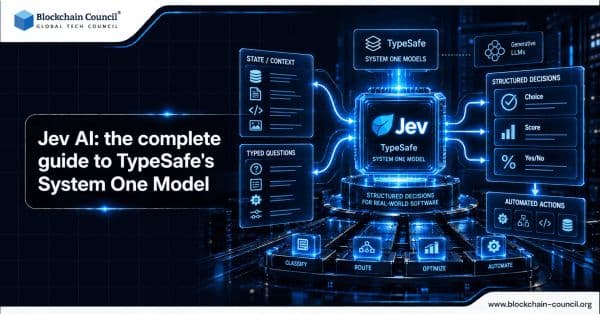
Jev AI: the complete guide to TypeSafe's System One Model
Explore Jev AI in this complete guide, including TypeSafe’s System One architecture, RLCD training, parallel sampling, typed decisions, calibrated confidence, performance, and automation use cases.

AI & ML
Jev AI: Complete Guide
Explore Jev AI in this complete guide, including how TypeSafe AI’s System One model works, its features, use cases, benefits, limitations, and role in software automation.
Trending Articles
The Role of Blockchain in Ethical AI Development
How blockchain technology is being used to promote transparency and accountability in artificial intelligence systems.
AWS Career Roadmap
A step-by-step guide to building a successful career in Amazon Web Services cloud computing.
What is AWS? A Beginner's Guide to Cloud Computing
Everything you need to know about Amazon Web Services, cloud computing fundamentals, and career opportunities.