

Gemini Spark for Developers: API Integration Guide with Example Projects


Gemini Spark for Developers is best understood as a blueprint for building modern AI agents. Google positions Gemini Spark as a personal AI agent that can connect to Google apps such as Gmail, Calendar, Drive, Docs, Sheets, Slides, YouTube, and Maps, and proactively complete multi-step tasks under user direction. Under the hood, Spark runs on Gemini Flash and Google's agent platform, signaling the direction of agentic application development across the Gemini ecosystem. Note that Google has not published a standalone public Spark API specification, so no dedicated third-party Spark API endpoint exists at this time.
For developers, the practical path is to implement Spark-like experiences using the Gemini API, Firebase AI Logic for Android, and the Gemini Enterprise Agent Platform for governed enterprise deployments, along with Google Workspace APIs for app actions. This guide covers a realistic integration workflow and includes example projects you can adapt.

What Gemini Spark Is (and What It Is Not)
Google describes Gemini Spark as a personal AI agent that can operate in the background and take proactive action across connected apps, with connections controlled by user settings and major actions requiring confirmation. It is rolling out to trusted testers, with availability planned for Gemini AI Ultra subscribers in the US and select business users.
Important for developers: based on publicly available information, there is no dedicated third-party Gemini Spark API. Instead, Spark demonstrates what is possible when combining these components:
- Gemini API (model access via REST and client libraries, including generateContent)
- Gemini Enterprise Agent Platform (enterprise agent build, scale, and governance)
- Firebase AI Logic (Android-first integration with Gemini models)
- Google Workspace APIs (Gmail, Calendar, Drive, Docs, and more via OAuth scopes)
- Gemini Code Assist (developer workflow agent in IDEs)
Architecture: How to Build Spark-Like Agents with the Gemini Stack
A Spark-style agent generally needs five components: identity, context, reasoning, tools, and control.
1) Identity and Permissions (OAuth First)
If your agent will read or modify user data in Gmail, Calendar, or Drive, use Google OAuth 2.0 and request only the minimal scopes needed. Store refresh tokens securely in a server-side secret manager, not in the client.
2) Context Collection (Structured, Minimal, Private)
Agents perform best when you provide relevant context in a constrained format. Typical inputs include:
- Email headers and snippets (not full bodies unless necessary)
- Calendar availability windows
- User preferences (working hours, meeting length, priority contacts)
- Internal app state (tasks, project metadata, CRM records)
Apply data minimization by default, redact sensitive strings, and pass only what the model needs for the next decision.
3) Reasoning Layer (Gemini API Models)
The Gemini Developer API supports calling models through REST generateContent and client libraries. Gemini Pro models are positioned as Google's most capable options for complex reasoning, with published pricing varying by token volume and context length. Google reports strong tool-use and coding benchmark results for its Pro-tier models, which aligns well with agent planning and multi-step task execution. Always check the official Google AI pricing page for current rates, as these change over time.
4) Tools and Actions (Function Calling Pattern)
A reliable agent should not be allowed to execute freeform actions. Use a tool-calling loop instead:
- The model proposes an action in a structured format (for example, create a meeting, draft an email, or move a file).
- Your application validates the proposal against policy and user permissions.
- You run the action via a trusted API (Gmail, Calendar, Drive).
- You return the result to the model to continue planning or produce a final summary.
5) Control Plane (Approvals, Audit Logs, Safety)
Spark is designed with user control in mind, including confirmations before major actions and configurable app connections. Replicate that pattern in your own builds:
- Preview mode (dry-run) for generated emails, events, and file changes
- Explicit user approval for high-impact operations
- Audit logs for every tool call and data access
- Fallback behavior when model output confidence is low
Google's guidance for Gemini Code Assist notes that AI output can be plausible but incorrect, which underscores the importance of verification, testing, and human review at critical decision points.
API Integration Basics: Keys, Environments, and Secure Deployment
Google AI Studio is the standard entry point for experimentation and API key management. For production apps, follow these practices:
- Never embed API keys in mobile apps or browser code.
- Keep keys in server-side environment variables or secret managers.
- Use a backend proxy that authenticates users before calling the Gemini API.
- Track usage and set budgets and alerts to manage token costs.
For Android, Firebase AI Logic provides a managed integration path that simplifies quota management and configuration as you scale.
Example Project 1: Personal Productivity Agent (Web or Backend Service)
This project pattern mirrors Spark's core value: summarize, plan, and execute across Gmail and Calendar, with user approval at each significant step.
Workflow
- OAuth sign-in with Gmail and Calendar scopes.
- Fetch context: recent emails (subject, sender, snippet), upcoming events, and availability constraints.
- Call Gemini API to produce a plan in structured JSON.
- Render a review UI where the user approves drafts and proposed events.
- Execute actions via Workspace APIs and record audit logs.
Gemini API Planning Call (Python-Style Pseudo-Code)
Note: keep the model output structured and machine-validated before taking any action.
import google.generativeai as genai

genai.configure(api_key=API_KEY)

prompt = """
You are a productivity assistant.
Input:
- recent_emails: list of {subject, sender, snippet}
- calendar_events: list of {start, end, title}
- preferences: working_hours, meeting_length, priority_contacts

Tasks:
1) Summarize important threads.
2) Propose meeting times for requests.
3) Output valid JSON with:
   - email_summaries
   - proposed_events (start, end, attendees, title, description)
   - draft_replies (to, subject, body)
"""

response = genai.GenerativeModel("gemini-pro").generate_content(prompt)
plan_json = response.text
Implementation Tips
- Validate JSON strictly and reject outputs that do not match your schema.
- Policy checks: do not email external domains without confirmation; avoid scheduling outside working hours.
- Data minimization: summarize snippets instead of sending full message bodies to the model.
Example Project 2: Android Smart Workspace Companion (Firebase AI Logic)
If your goal is a Spark-like assistant embedded in a mobile app, Firebase AI Logic provides a direct path to call Gemini models from Android with a managed developer experience.
Core Integration Snippet (Kotlin)
val model = Firebase.ai(backend = GenerativeBackend.googleAI())
  .generativeModel("gemini-2.5-flash")
Prompting Example: Prioritize Tasks and Notes
val result = model.generateContent(
  """
  You are a productivity assistant.
  Here are tasks and notes:
  - ${taskList}

  Provide:
  1) A concise summary.
  2) A prioritized list of tasks.
  3) Any deadlines you can infer, but label them as inferred.
  """.trimIndent()
)
val outputText = result.text
When to Add Workspace Actions
If the Android app needs to read Gmail or write Calendar events, use Google Sign-In and call Workspace APIs either:
- Through your backend (recommended for security and policy enforcement), or
- Directly from the app with careful scope management and secure token handling
Example Project 3: Enterprise Ops Agent (Gemini Enterprise Agent Platform)
Enterprises often want Spark-like autonomy but with stronger governance: least-privilege access, approval workflows, comprehensive logging, and integration with internal systems. Google positions the Gemini Enterprise Agent Platform as a way to build, scale, govern, and optimize agents, which fits this use case directly.
Reference Design
- Connectors: ticketing, observability, CI/CD, knowledge bases
- Tools: query logs, open tickets, generate runbooks, propose rollback steps
- Controls: approval workflow for production changes, audit trails for every action
- UI: chat in an internal portal plus incident timeline summaries
Multimodal capabilities are relevant here as well. Gemini Pro models report strong results on complex image and video understanding benchmarks, which can translate into practical workflows such as analyzing screenshots, architecture diagrams, or recorded incident reviews.
Developer Checklist: Building Safe, Reliable Spark-Like Agents
- Design for approval: every destructive or irreversible action requires explicit user confirmation.
- Make actions reversible: label and tag created events, drafts, and file moves so they can be undone.
- Log everything: prompts, tool calls, API responses, and user approvals for auditability.
- Schema-first outputs: use strict JSON schemas for plans and tool calls.
- Handle hallucinations: require citations from your own data where possible; otherwise mark outputs as inferred.
- Protect secrets: store keys server-side, use least-privilege scopes, and rotate credentials regularly.
Conclusion
Gemini Spark for Developers is less about a single API endpoint and more about an agentic application pattern: a model that can reason over context, call tools safely, and complete multi-step workflows across real services like Gmail and Calendar. Developers can build Spark-like agents today using the Gemini API for reasoning, Workspace APIs for actions, Firebase AI Logic for Android integration, and the Gemini Enterprise Agent Platform for enterprise-grade governance.
If you are planning to productionize one of the example projects above, prioritize secure key management, strict tool-call validation, and user approval flows. Teams looking to deepen their skills in agent design, prompt engineering, and AI governance can explore Blockchain Council certification paths covering generative AI development, AI governance, and applied AI security.
Related Articles
View All
AI & ML
Google Launches Gemini 4 Argon: Features and Capabilities
Google has launched Gemini 4 Argon, its flagship AI model for coding, finance, law, cybersecurity and science. Learn its key features, availability, pricing and safety details.
AI & ML
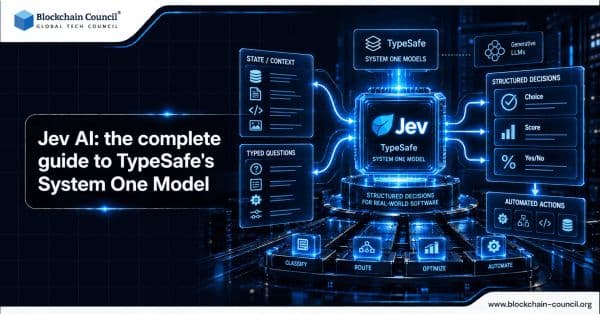
Jev AI: the complete guide to TypeSafe's System One Model
Explore Jev AI in this complete guide, including TypeSafe’s System One architecture, RLCD training, parallel sampling, typed decisions, calibrated confidence, performance, and automation use cases.
AI & ML
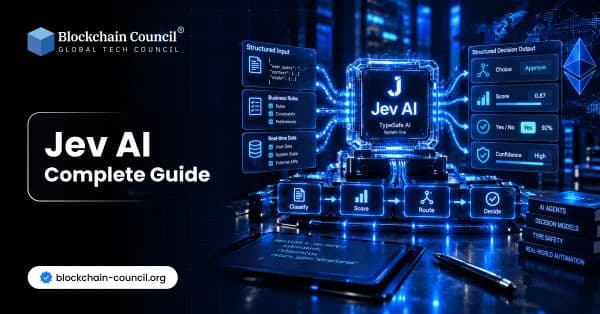
Jev AI: Complete Guide
Explore Jev AI in this complete guide, including how TypeSafe AI’s System One model works, its features, use cases, benefits, limitations, and role in software automation.
Trending Articles

Top 5 DeFi Platforms
Explore the leading decentralized finance platforms and what makes each one unique in the evolving DeFi landscape.
How Blockchain Secures AI Data
Understand how blockchain technology is being applied to protect the integrity and security of AI training data.
Claude AI Tools for Productivity
Discover Claude AI tools for productivity to streamline tasks, manage workflows, and improve efficiency.