

Shopify 101: How Shopify Works, Key Features, and Shopify Plugins

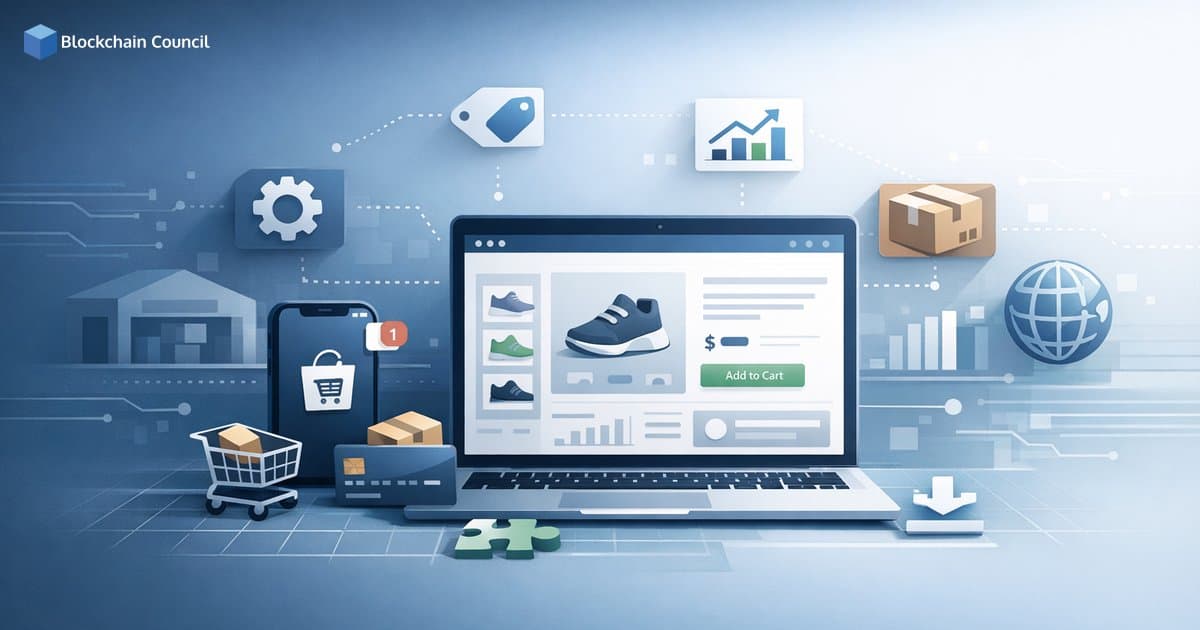
Shopify is one of the most widely used cloud-based ecommerce platforms for launching and scaling online stores. It combines storefront design, product and order management, payments, shipping, and marketing into a single admin experience, which is why solo creators, small businesses, and large enterprises running omnichannel commerce all rely on it. This Shopify 101 guide explains how Shopify works, what you get out of the box, how Shopify plugins (apps) extend the platform, and what trends matter through 2026.
What Is Shopify and How Does Shopify Work?
Shopify is a subscription-based, Software-as-a-Service (SaaS) ecommerce platform. Instead of building and maintaining custom infrastructure, merchants pay a monthly fee and use Shopify's hosted environment to:

Create a storefront using themes and a visual editor
Manage products and inventory across locations
Process orders and payments using Shopify Payments or third-party gateways
Configure shipping, taxes, and discounts
Run marketing and measure performance from built-in analytics and reports
Day-to-day operations happen inside a web-based admin panel and companion mobile apps. Shopify also supports multichannel selling, including online storefronts, social channels, marketplaces, and in-person sales through Shopify POS.
Core Components Inside Shopify
Most Shopify stores are built around three pillars:
Storefront: Themes built with Liquid templates and Online Store 2.0 sections (JSON templates) support flexible page layouts and reusable blocks.
Back office: Product catalogs, inventory, orders, customer profiles, discounts, shipping, taxes, and reporting all live in one dashboard.
Checkout and payments: Shopify offers integrated payments where available and supports additional gateways, with a checkout experience the platform continually optimizes for conversion and compliance.
Shopify's Market Presence and Why It Matters
Shopify is deployed across millions of merchants in 175+ countries and reported approximately US$8.0 billion in revenue in 2024, reflecting growth across subscriptions and merchant services such as payments and POS. Market share estimates vary by methodology, but third-party web technology trackers consistently place Shopify among the top ecommerce platforms globally by live site count.
For professionals, this scale matters because it creates a mature ecosystem: themes, agencies, freelancers, and a large library of Shopify plugins. It also means many enterprises consider Shopify for standardized commerce operations, particularly when faster time-to-market is a priority over a fully custom build.
Shopify Plans and When Each Tier Fits
Shopify offers multiple product tiers, and selecting the right one affects costs, automation capabilities, and extensibility:
Starter: Lightweight selling via social and messaging channels, commonly used by micro-merchants testing demand.
Basic, Shopify, Advanced: Standard SMB plans with increasing reporting depth and lower transaction costs at higher tiers (pricing varies by region and billing cycle).
Shopify Plus: An enterprise plan designed for high-volume commerce, advanced automation including Shopify Flow, higher API limits, and complex operational requirements.
Shopify POS add-ons: In-store selling with inventory sync and unified customer profiles.
Key Features Available Out of the Box
A practical way to evaluate Shopify is to compare built-in capabilities against what you may need Shopify plugins to provide later.
Product Management and Merchandising
Variants (size, color) and SKU-level tracking
Collections (manual and rules-based automated collections)
Gift cards and support for digital product patterns through apps
Discounts and promotional pricing
Inventory, Fulfillment, and Shipping
Multi-location inventory for warehouses and retail stores
Shipping profiles, rates, and label workflows
Fulfillment integrations with third-party logistics providers and logistics partners, often via Shopify plugins
Payments and Checkout
Shopify Payments (availability depends on region) plus third-party gateways
Support for payment methods including PayPal and regional options, with buy-now-pay-later methods such as Klarna and Afterpay available depending on region and setup
A checkout that continues to evolve with expanded extensibility for approved customizations and app-based additions
Marketing, SEO, and Customer Engagement
SEO controls including editable meta titles, descriptions, and URLs
Email marketing tools and abandoned cart recovery tracking
Blogging and content pages to support organic growth
Customer profiles, segmentation, and purchase history that function as a lightweight built-in CRM
Analytics and Reporting
Shopify provides dashboards and reporting across sales, traffic, products, and customers. Many teams rely on built-in analytics for daily decisions and add specialized reporting tools as they scale.
Shopify Plugins (Apps): What They Are and How to Use Them Strategically
In common usage, people refer to Shopify plugins. Within Shopify's ecosystem, these are called apps, available through the Shopify App Store and via custom development. The catalog spans many thousands of apps covering nearly every commerce workflow.
Common Categories of Shopify Plugins
Store design: Page builders, image optimization, theme extensions
Conversion: Reviews, bundles, upsell and cross-sell, personalization
Marketing and SEO: Email, SMS, loyalty, referrals, analytics
Shipping and fulfillment: Carrier rates, label printing, returns, third-party logistics connections
Accounting and tax: QuickBooks, Xero, Avalara, VAT and sales tax tools
Operations: ERP, PIM, and WMS integrations, plus demand forecasting
Subscriptions and payments: Subscription billing and payment enhancements
Examples of High-Impact App Use Cases
Apps deliver the most value when they either connect Shopify to other systems or add specialized capabilities the platform does not fully provide natively.
Marketing automation: Use customer purchase history and segmentation to run targeted lifecycle campaigns beyond what built-in tools offer.
Upsell and merchandising: Add product bundles, post-purchase offers, and tailored recommendations to improve average order value.
Shipping and returns: Integrate specific carriers, enable bulk label printing, automate returns, and route orders to the optimal fulfillment location.
Advanced analytics: Sync Shopify data into BI tools like Tableau or Looker using connectors or data pipeline apps.
Internationalization: Support multilingual content, regional pricing, and multi-currency workflows when requirements exceed native configuration.
App Sprawl: The Most Common Shopify Scaling Risk
Many practitioners caution against installing too many apps. A large app stack can increase monthly costs, add performance overhead through scripts, and create maintenance complexity. A sound approach is to:
Map requirements to native Shopify features first.
Choose fewer, higher-impact Shopify plugins that address core revenue or operational needs.
Audit quarterly to remove redundant apps and assess performance impact.
Shopify for Developers: APIs, Headless Builds, and Extensibility
For technical teams, Shopify is more than a hosted storefront builder. It is a commerce platform with robust developer tooling:
Admin API and Storefront API (REST and GraphQL) for programmatic access to products, orders, customers, and more
Webhooks for event-driven integrations such as order creation, fulfillment updates, and customer events
Hydrogen (framework) and Oxygen (hosting) for headless storefronts
Theme development using Liquid and Online Store 2.0, plus app extensions that integrate cleanly into themes
This makes Shopify suitable for multiple architectures: traditional theme-based stores, hybrid setups with select headless components, and composable enterprise stacks where Shopify serves as the system of record for catalog, carts, checkout, and orders.
Trends Shaping Shopify and Shopify Plugins Through 2026
More Native Features, Leaner App Stacks
Shopify continues to bring previously app-only capabilities into the core product, including stronger abandoned cart recovery workflows, product recommendations, and marketing utilities. This shift pushes app ecosystems toward deeper specialization rather than replicating basic features.
Checkout Extensibility and Conversion Tooling
Shopify has prioritized checkout performance and conversion, expanding approved extensibility so apps can add upsells, loyalty elements, and analytics while maintaining compliance and speed.
AI and Automation Across Commerce Operations
From AI-assisted content creation to automation in tagging, fraud checks, and fulfillment rules, AI features are increasingly available as built-in tools or through Shopify plugins. Shopify Plus merchants commonly rely on advanced automation via Shopify Flow, while smaller merchants often turn to automation apps.
Logistics-First Commerce and Third-Party Logistics Integrations
As merchants diversify fulfillment, third-party logistics and carrier integrations via apps remain essential. Multi-origin shipping and localized delivery promises are now baseline expectations across many product categories.
Compliance Pressure: Privacy, Tax, and Payments
Regulations such as GDPR and CCPA/CPRA, combined with complex sales tax and VAT requirements, continue to drive demand for consent management and tax compliance tools. Many merchants implement compliance apps for cookie banners, data subject requests, and record keeping alongside Shopify's own settings and policies.
Common Shopify Setup Patterns
Solo Founder Launching a Direct-to-Consumer Brand
Theme-based storefront
Core apps: reviews, email or SMS marketing, a bundle or upsell tool, and a shipping label solution
Goal: launch quickly and iterate based on customer feedback
Omnichannel Retailer Using Shopify POS
Multi-location inventory and unified customer profiles
POS extensions: loyalty programs, staff management, clienteling tools
Operations integrations: ERP or WMS via apps or custom APIs
International Brand Selling Across Regions
Shopify Markets configuration for regional pricing and domains
Translation apps where needed
Tax and duty tooling to support VAT, sales tax, and cross-border shipping
Conclusion: How to Succeed with Shopify
Shopify is widely adopted because it reduces the operational burden of running ecommerce while supporting serious customization through themes, APIs, and a large ecosystem of Shopify plugins. For professionals and teams, the most effective approach follows a clear pattern:
Start with Shopify's native capabilities for products, orders, payments, shipping, and basic marketing.
Add apps only where they provide clear ROI, such as logistics integrations, advanced merchandising, analytics, and compliance.
Plan your architecture early: a theme-based store is often sufficient at launch, while scaling brands may need Shopify Plus, custom apps, or headless storefronts.
As Shopify expands its native features and AI-driven automation, merchants and developers who regularly audit their stack, stay current with platform updates, and invest in core technical skills will be best positioned to build fast, resilient commerce systems.
Related Articles
View All
Info
Blockchain: What It Is, How It Works, and Why It Matters
A clear guide to blockchain, how it works, its use cases, benefits, limits, and the best learning paths for business and technical professionals.

Info
Shopify Security Checklist for 2026: Protect Customer Data, Payments, and Admin Access
Shopify Security Checklist for 2026 covering admin access, app and theme risks, privacy compliance, payments, fraud controls, and incident response steps.

Info
What is Shopify? A Clear Guide to the Ecommerce Platform in 2026
Shopify is a leading ecommerce platform for online stores, POS, B2B, and cross-border selling. Learn how it works, key features, and 2026 trends.
Trending Articles
The Role of Blockchain in Ethical AI Development
How blockchain technology is being used to promote transparency and accountability in artificial intelligence systems.
AWS Career Roadmap
A step-by-step guide to building a successful career in Amazon Web Services cloud computing.
Claude AI Tools for Productivity
Discover Claude AI tools for productivity to streamline tasks, manage workflows, and improve efficiency.