

What Is Claude Looping?

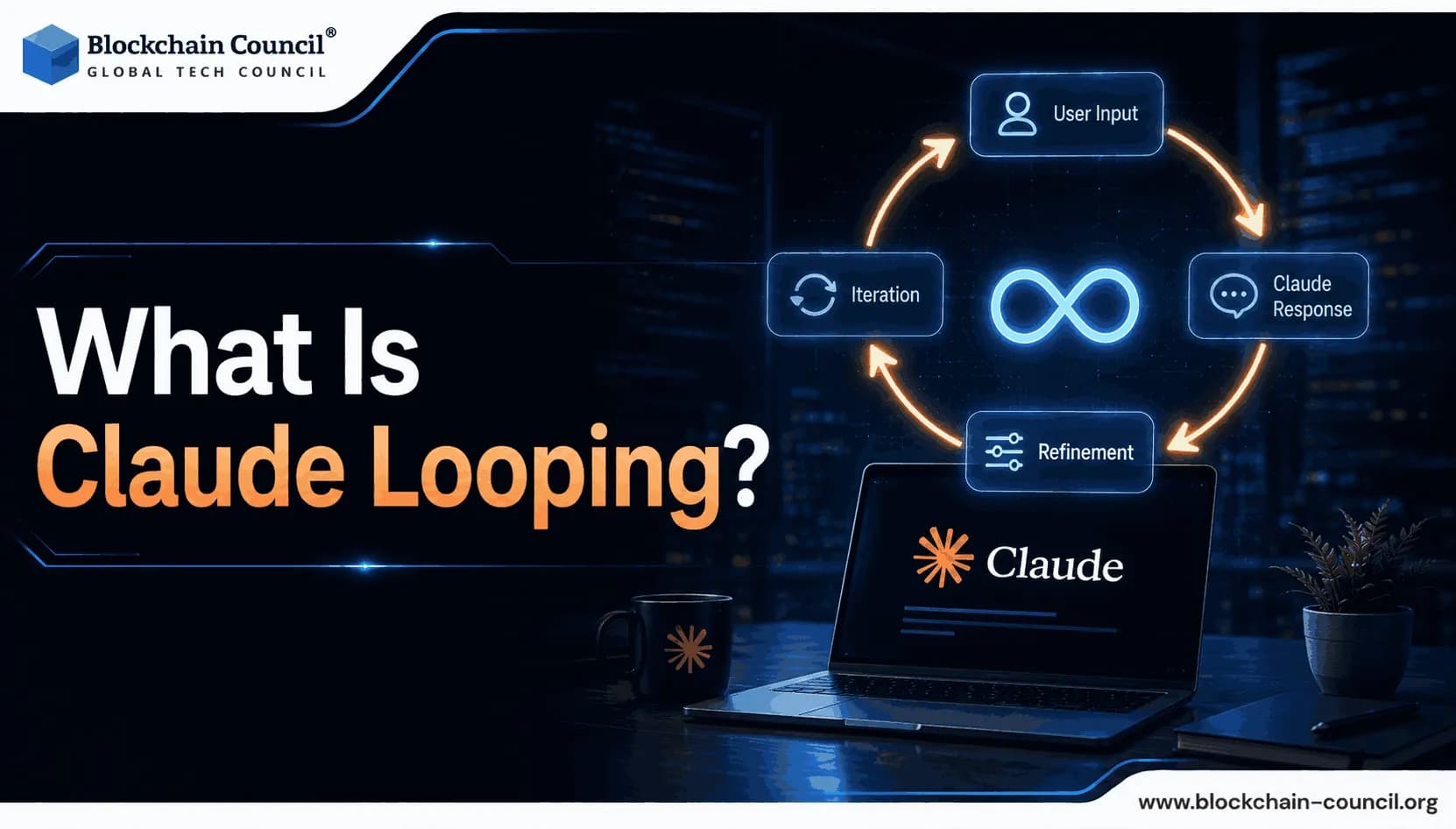
Artificial intelligence has moved well past simple chat. In 2026, the most powerful way to use Claude is not to type a single prompt and read the reply. It is to design a system where Claude prompts itself, checks its own work, and keeps going until the job is done. That system is called a Claude Looping workflow, also known as an agentic loop, and it represents one of the most important shifts in how developers, engineers, and AI practitioners work today.
In June 2026, Boris Cherny, the creator and head of Claude Code at Anthropic, described this shift in a widely shared interview: "I don't prompt Claude anymore. I have loops running that prompt Claude and figuring out what to do. My job is to write loops." That statement, echoed by Google's Addy Osmani in his influential "Loop Engineering" essay and by Peter Steinberger's viral post that received five million views in under 24 hours, crystallized a paradigm shift that the developer community had been building toward for two years.

For anyone entering the AI practitioner space, understanding Claude Looping is no longer optional. It is foundational. Professionals who want to build genuine expertise in Claude's architecture, tools, and agentic capabilities from the ground up can do so through a structured Claude AI Expert certification, which covers the core concepts behind Claude's behavior, capabilities, and applied deployment, including the agentic loop patterns that define production AI work in 2026.
This guide explains Claude Looping clearly, from first principles through to practical implementation, with no assumed background knowledge.
What Is Claude Looping?
Claude Looping is the process of running Claude inside a repeating cycle where the model takes an action, observes the result of that action, decides what to do next, and repeats. This cycle continues until the task is complete, a predefined stopping condition is met, or a budget limit is reached.
The simplest definition: a Claude loop is a task with a check.
In a standard single-turn prompt, you send a message and receive one response. The interaction ends. In a Claude loop, the response from one step becomes the input to the next step. Claude keeps running, using tools, reading results, and making new decisions, until it finishes the work on its own. That is the fundamental difference between a chatbot interaction and an agentic loop.
Why "Looping" and Not Just "Prompting"?
The word "looping" captures the cyclical, self-driving nature of the system. Unlike a single prompt that stops when Claude responds, a loop creates a continuous execution cycle. Claude reads a file, acts on what it found, reads the result, acts again. It can run for 10 iterations on a focused task, or hundreds of iterations on a complex, long-horizon project. The loop does not stop until either the job is done or the system's guardrails intervene.
How Does a Claude Loop Work? The Four-Step Cycle
Every Claude loop, regardless of its complexity, follows the same four-step cycle. Anthropic's own documentation describes this as the core of the agentic loop:
Step 1 — Perceive: Claude receives the current state. This includes the original goal, the system prompt, any tool definitions, and the full history of prior actions and their results. Everything that happened in previous iterations is in context.
Step 2 — Reason: Claude evaluates what it knows, what it has done, what went wrong or right in the last iteration, and what the logical next action is. This is not random. Claude reasons about the goal and selects the most appropriate next step.
Step 3 — Act: Claude takes an action. In Claude Code, this might mean reading a file, editing code, running a test, executing a shell command, or calling an external API through MCP. In API-based implementations, it means issuing a structured tool call that the developer's code executes and returns.
Step 4 — Observe: Claude receives the result of its action. The result is appended to the conversation history, and the cycle restarts from Step 1. Claude now has more information than it did in the previous iteration, which informs its next decision.
This four-step cycle repeats until Claude determines the task is complete and returns a final text response without any additional tool call, a condition the API signals through the stop_reason: "end_turn" field.
The Three Types of Claude Loops
Not all Claude loops are the same. Understanding the three main types helps you know which pattern to use for which task.
1. Goal Loops
A goal loop is the most powerful and most commonly misunderstood loop type. You define an outcome, not a sequence of steps. Claude runs, attempts to reach the outcome, and a separate evaluator or verifier checks whether the goal condition has been met. The loop does not stop on a timer. It stops when the work is actually validated as complete.
Goal loops are best for: complex coding tasks, multi-step research projects, bug-finding and patching workflows. Mozilla's engineering team used a goal loop architecture with Claude to ship 423 Firefox security fixes in one month, with agents running up to 14 successive attempts before finding a valid bug trigger, something no human team could sustain without exhaustion.
2. Scheduled Loops (Heartbeats)
A scheduled loop fires on a timer: every five minutes, every hour, every morning. Claude Code's /loop command and /schedule command handle this pattern. The agent wakes up, checks something, takes an action if needed, and goes back to sleep until the next interval.
Scheduled loops are best for: PR review automation, CI health monitoring, regular content generation, daily briefings, or any recurring task that benefits from consistent, autonomous execution on a defined cadence.
3. Event-Driven Loops
An event-driven loop fires when something happens: a pull request is opened, a file changes, an API call completes, or a webhook is received. Rather than running on a timer, the loop is triggered by a real-world event that requires a response.
Event-driven loops are best for: automated code review on PR submission, customer support ticket triage, incident response monitoring, or any workflow where action should be immediate upon a triggering condition rather than scheduled.
Claude Code: The Primary Environment for Claude Looping
Claude Code is Anthropic's terminal-based agentic coding system and the primary tool for implementing Claude Looping workflows. As of 2026, Anthropic reports that the majority of its own code is written by Claude Code, with engineers focusing on architecture, direction, and orchestration rather than manual implementation.
Claude Code operates on the same inner loop cycle described above and includes specific commands that support loop engineering:
/loop — runs a prompt on a defined interval or self-paces based on output
/schedule — sets a scheduled trigger for recurring agent tasks
/goal — defines a durable outcome that the agent pursues until validated complete
--max-turns — limits the number of tool-use turns in a session
--max-budget-usd — caps the total spend of a session before the loop terminates
These commands turn a single Claude interaction into a persistent, autonomous workflow that operates without the developer actively holding it at every step.
Real-World Results From Claude Code Loops
The impact of Claude Looping workflows in production is already measurable:
A financial technology company reduced incident investigation time by 80% after integrating Claude Code into its workflow
A software company migrated a 50,000-line Python library to Go in approximately 20 hours, a project estimated at two to three months of manual work
An e-commerce platform reduced average feature delivery time from 24 working days to 5
These are not benchmarks. They are reported production outcomes from organizations using the same loop architecture described in this guide.
Loop Engineering: The Skill Behind Claude Looping
Loop engineering is the discipline of designing Claude loops rather than writing individual prompts. It emerged as the natural evolution of prompt engineering as Claude agents became capable of sustained, multi-step autonomous work.
The progression is well-documented: prompt engineering gave way to context engineering, which gave way to harness engineering, which gave way to loop engineering in 2026. At each stage, the developer's role shifted further away from manual turn-by-turn interaction and toward designing the system that runs autonomously.
A loop engineer does the following:
Defines a precise, verifiable goal before writing any code
Builds the execution environment (the harness) that houses the loop
Designs verification checkpoints that confirm progress at each stage
Sets stopping conditions covering three scenarios: success, failure, and budget exhaustion
Creates a CLAUDE.md file that gives the agent persistent memory across sessions
Uses subagents to separate the maker (who generates output) from the checker (who validates it)
The last point is critical. A single Claude instance that grades its own work is unreliable. Splitting the maker and checker roles into two separate agents with independent context windows eliminates the confirmation bias that causes self-assessment to fail.
The Claude Looping Stack: What You Need to Build One
A production-ready Claude loop requires several components working together. For beginners, understanding what each component does helps demystify why loops are designed the way they are.
The Goal or Objective
Before writing anything, define what "done" looks like. Not "fix the bugs" but "all tests in the unit test directory pass with exit code 0 and no new files are created outside the source directory." If you cannot write the success condition in one specific sentence, the task is not scoped tightly enough for autonomous execution.
Vague goals create infinite loops. Specific goals create finishing conditions.
The Bootstrap File (CLAUDE.md)
Claude has no memory between separate sessions. Without persistent state, an agent starting a new session will guess at your project's conventions and make avoidable errors. The CLAUDE.md file is a plain markdown document that the agent reads at the start of every session. It contains project build steps, naming conventions, environment setup, error-handling rules, and any lessons learned from previous loop runs.
The habit that experienced loop engineers develop: every mistake a loop makes gets corrected in CLAUDE.md, so the fix persists into every future run.
The Verifier
Every production loop needs an independent verification mechanism. This is not asking Claude to assess whether it has finished. It is an external test, script, validator, or subagent that checks the actual output against the goal condition. A unit test suite passing with exit code 0 is a verifier. A linter returning zero errors is a verifier. A separate Claude subagent reading the output against a rubric and scoring it is a verifier.
Without a real verifier, the agent will claim completion when it feels done, not when it actually is.
The Stopping Criteria
Every Claude loop must have three types of stopping conditions defined before it runs:
Success condition: the goal has been achieved and verified
Failure condition: the loop has hit a maximum number of consecutive failures without progress
Budget condition: the session has reached its maximum turn count or cost limit
Failing to define all three is a known failure mode. Without a budget condition, a loop that cannot solve a problem will keep trying and accumulate massive token costs. Uber reportedly hit its entire annual AI budget in four months before implementing strict per-person, per-tool spending caps.
Subagents
Subagents are separate Claude instances that the main agent delegates specific tasks to. They operate with their own context windows, which means they approach delegated tasks without the bias of having tried and failed at the same task in the main agent's history. The maker-checker pattern is the most common application: one subagent builds, a separate subagent verifies.
Common Claude Looping Problems and How to Fix Them
Claude Looping is powerful, but it comes with specific failure modes that beginners encounter consistently. Knowing what they look like and how to fix them shortens the learning curve significantly.
The Infinite Loop
The infinite loop is the most common and most expensive failure mode. It occurs when the loop lacks a real success condition, causing Claude to refine indefinitely because there is always something it could improve. The community term for this is "the agent polishing the brass on the Titanic."
Fix: Define a specific, binary success condition before starting. Use external tests or validators rather than asking Claude to assess its own completion. Always set --max-turns and --max-budget-usd as a safety net.
Goal Drift
Goal drift occurs when Claude begins pursuing a related but different objective than the one you specified. It is caused by ambiguous task specifications or tool results that pull the agent sideways from the original goal.
Fix: Write the goal in one sentence before running the loop. Use a VISION.md file, as advocated by Peter Steinberger, to define the overall scope and give the agent a mechanism to recognize when a potential action falls outside the intended boundary.
Context Overflow
Claude's context window fills as the loop runs. Every tool call, every result, every iteration adds tokens to the context. Once the context fills, reasoning quality degrades and the loop becomes less reliable.
Fix: Break long tasks into discrete subtasks, each with its own scoped loop. Use subagents for work that generates large tool outputs. Use prompt caching for fixed components like system prompts and CLAUDE.md to reduce context consumption on reused content.
The Runaway Cost Problem
Without spending limits, a misbehaving loop can generate API bills orders of magnitude over budget in a single unattended session. This is not hypothetical — developer forums in 2026 document multiple cases of overnight loops generating hundreds or even thousands of dollars in unexpected token costs.
Fix: Set --max-budget-usd on every session. Set max_consecutive_failures to trigger a circuit breaker if the agent makes no measurable progress across a defined number of iterations. Estimate expected cost before running by multiplying iterations by expected tokens per iteration.
Confirmation Bias in Self-Assessment
A single Claude instance asked to verify its own output will consistently report success even when the work is incomplete or incorrect. This is a known limitation, not a random error.
Fix: Use a separate verifier agent or an external tool to assess output quality. Never let the same context window that produced the output also grade it.
Claude Looping for Non-Developers: Business and Marketing Applications
Claude Looping is not exclusively a developer tool. As no-code and low-code interfaces for Claude agents mature, business and marketing professionals are increasingly building and managing Claude loops without writing code.
Common non-developer loop applications include:
Daily briefing loops: A scheduled loop fires every morning, checks calendar events, reviews incoming emails, and delivers a structured summary to Slack or email. No code required in tools like Claude Cowork.
Content pipeline loops: A goal loop receives a content brief, researches the topic using web search, drafts a structured article, checks it against a rubric, and revises until the output meets a defined quality threshold.
Customer feedback clustering: A scheduled loop pulls new customer feedback every hour, classifies entries by theme and sentiment, and updates a tracking document with the latest patterns.
Competitive monitoring: An event-driven loop fires when a competitor publishes new content, summarizes the key claims, and adds them to a competitive intelligence document.
For professionals who want to build the strategic and communication skills to position, manage, and lead Claude Looping initiatives within organizations, a recognized Tech Certification provides the technical literacy needed to bridge the gap between loop design and organizational deployment, equipping practitioners to speak fluently with both technical teams and business stakeholders.
How to Build Your First Claude Loop: A Beginner's Checklist
Whether you are a developer or a non-technical professional, the following checklist applies to every first loop:
Write the goal in one sentence. If you cannot, narrow the scope until you can.
Define the success condition explicitly. What does a passing result look like?
Create a CLAUDE.md bootstrap file. Include your project context, conventions, and any known failure modes to avoid.
Set max turns and budget limits before running anything autonomously.
Build or identify a verifier. An external test, a script, or a separate checker subagent.
Run a short scoped test first. Set --max-turns=5 on the first run to observe behavior before extending.
Update CLAUDE.md with every lesson learned. The loop gets smarter with each run if the corrections persist.
The Future of Claude Looping
Loop engineering is described by practitioners as "the most underrated AI feature of 2026." As Claude's context window expands, tool ecosystems grow through MCP integrations, and subagent coordination becomes more sophisticated, Claude loops will handle increasingly complex, long-horizon tasks autonomously. Mozilla has already demonstrated a Claude loop finding 15-year-old Firefox bugs through 14 consecutive attempts per bug, with zero human fatigue involved.
The professionals who understand how to design, govern, and optimize these loops are building a skill that is rapidly separating high-output practitioners from those who are still prompting manually one turn at a time. To build that expertise comprehensively, pairing practical loop engineering practice with a structured Claude AI Expert certification gives practitioners the deep architectural understanding of how Claude thinks, decides, and uses tools that elevates loop design from trial-and-error into systematic, production-grade engineering.
Conclusion
Claude Looping is the fundamental architecture of agentic AI work in 2026. It transforms Claude from a question-answering tool into an autonomous system that pursues goals, verifies its own output, corrects its course, and delivers completed work without manual intervention at every step. The core concept is simple: perceive, reason, act, observe, repeat. The craft lies in designing the goal, the verifier, the stopping conditions, and the memory system that make the loop reliable, cost-controlled, and genuinely useful.
For beginners, the entry point is understanding these principles clearly before running anything autonomously. For practitioners ready to build, the path runs from first loops on focused, scoped tasks to more complex architectures involving subagents, scheduled triggers, and multi-stage verification systems. For professionals who want structured credentials to go with their practical skills, a Marketing Certification adds the strategic communication dimension that helps practitioners articulate the business value of Claude Looping implementations to stakeholders, leadership, and clients who need to understand outcomes, not architecture. Together, a Claude AI Expert credential, a Tech Certification, and a Marketing Certification provide a complete professional foundation for leading Claude Looping initiatives in any organizational context.
The era of manual prompting is giving way to the era of loop engineering. Understanding Claude Looping is where that era begins.
Frequently Asked Questions
1. What is Claude Looping?
Claude Looping is the process of running Claude inside a repeating cycle where the model takes an action, observes the result, decides what to do next, and repeats autonomously until a task is complete or a stopping condition is met.
2. How is a Claude loop different from a regular prompt?
A regular prompt sends a message and receives one response. A Claude loop chains responses into a continuous cycle where each result informs the next action, allowing Claude to complete multi-step tasks autonomously without manual intervention at each step.
3. What are the three types of Claude loops?
The three main types are goal loops (which run until an outcome is verified complete), scheduled loops (which fire on a timer or interval), and event-driven loops (which trigger when a specific event occurs).
4. What is loop engineering?
Loop engineering is the discipline of designing autonomous Claude workflows rather than writing individual prompts. It involves defining goals, building verification systems, setting stopping conditions, and managing the full loop lifecycle.
5. What is Claude Code and how does it relate to looping?
Claude Code is Anthropic's terminal-based agentic coding system. It is the primary tool for building and running Claude loops, with built-in commands including /loop, /schedule, /goal, and flags for turn and budget limits.
6. What is the CLAUDE.md file?
CLAUDE.md is a plain markdown bootstrap file that Claude reads at the start of every session to understand the project's context, conventions, and rules. It gives the agent persistent memory across sessions, preventing it from making the same mistakes repeatedly.
7. What is a goal loop?
A goal loop defines an outcome and runs Claude against it until the outcome is independently verified as complete. It stops when the work is done, not on a timer, making it the most powerful and most demanding loop type to design correctly.
8. What happens if a Claude loop does not have stopping criteria?
Without stopping criteria, a loop can run indefinitely, burning tokens and accumulating API costs orders of magnitude beyond budget. Defining success, failure, and budget stopping conditions before every run is non-negotiable.
9. What is the maker-checker pattern in Claude looping?
The maker-checker pattern uses two separate Claude agents with independent context windows: one to generate output and one to verify it. This eliminates the confirmation bias that occurs when a single agent assesses its own work.
10. What is context overflow in a Claude loop?
Context overflow occurs when the accumulation of messages, tool calls, and results across many loop iterations fills Claude's context window, causing reasoning quality to degrade. It is addressed by scoping tasks, using subagents, and caching fixed prompt components.
11. What is goal drift?
Goal drift occurs when Claude begins pursuing a related but different objective than the one specified, typically due to an ambiguous task specification or a tool result that pulls it sideways from the original goal.
12. How do I prevent infinite loops in Claude?
Set explicit success conditions, use external validators rather than self-assessment, always configure --max-turns and --max-budget-usd limits, and define maximum consecutive failure counts before the loop starts.
13. What is a verifier in a Claude loop?
A verifier is an independent mechanism that checks whether the loop's output actually meets the goal condition. This can be a test suite, a linter, a script, or a separate Claude subagent with its own context window.
14. Can non-developers use Claude Looping?
Yes. Tools like Claude Cowork and no-code automation platforms allow non-technical users to build scheduled and goal-based loops for content pipelines, daily briefings, competitive monitoring, and customer feedback analysis without writing code.
15. What is the --max-turns flag?
The --max-turns flag in Claude Code limits the number of tool-use turns in a session, serving as a hard ceiling that prevents runaway loops from executing indefinitely. It counts only turns with tool calls, not final text responses.
16. What is the stop_reason field and why does it matter?
The stop_reason field in Claude's API response is the authoritative signal for loop control. When it returns "tool_use," the loop continues. When it returns "end_turn," Claude has finished. Using natural language parsing instead of stop_reason for loop control is a common beginner error that leads to unreliable behavior.
17. What is subagent delegation in Claude Looping?
Subagent delegation is the practice of having the main agent hand off specific subtasks to separate Claude instances. Subagents operate with their own clean context windows, which makes them more objective evaluators and reduces confirmation bias.
18. What real-world results have Claude loops produced?
Reported production outcomes include an 80% reduction in incident investigation time, a 50,000-line library migration in 20 hours versus an estimated 2–3 months, feature delivery time reduction from 24 to 5 working days, and 423 Firefox security fixes shipped in one month using goal-loop architecture.
19. What is an event-driven Claude loop?
An event-driven loop triggers when a specific condition occurs, such as a pull request opening, a file changing, or a webhook firing. Rather than running on a schedule, it activates in real time when its trigger condition is met.
20. How do I get started with Claude Looping as a beginner?
Start with a single, tightly scoped task, define the success condition in one sentence, create a CLAUDE.md with project context, set conservative turn and budget limits, run the loop, observe the behavior, and update CLAUDE.md with corrections. Scale complexity only after confirming the basic loop works reliably.
Related Articles
View All
Claude Ai
Claude Prompt vs Claude Looping in AI Automation: Benefits, Limits, and Examples
Understand Claude Prompt vs Claude Looping for AI automation, including benefits, limits, use cases, costs, and when teams should use each approach.

Claude Ai
Common Mistakes in Claude Prompting and Claude Looping - How to Avoid Them
Learn how to avoid common Claude prompting and Claude looping mistakes with clearer prompts, cleaner context, stop rules, and safer agent workflows.

Claude Ai
Claude Looping Explained: How Iterative Prompts Improve Reasoning and Accuracy
Claude looping uses iterative prompts, feedback, state, and verification to improve reasoning accuracy for coding, audits, research, and AI workflows.
Trending Articles

Can DeFi 2.0 Bridge the Gap Between Traditional and Decentralized Finance?
The next generation of DeFi protocols aims to connect traditional banking with decentralized finance ecosystems.
Claude AI Tools for Productivity
Discover Claude AI tools for productivity to streamline tasks, manage workflows, and improve efficiency.
How to Install Claude Code
Learn how to install Claude Code on macOS, Linux, and Windows using the native installer, plus verification, authentication, and troubleshooting tips.