

Statusline Claude Code

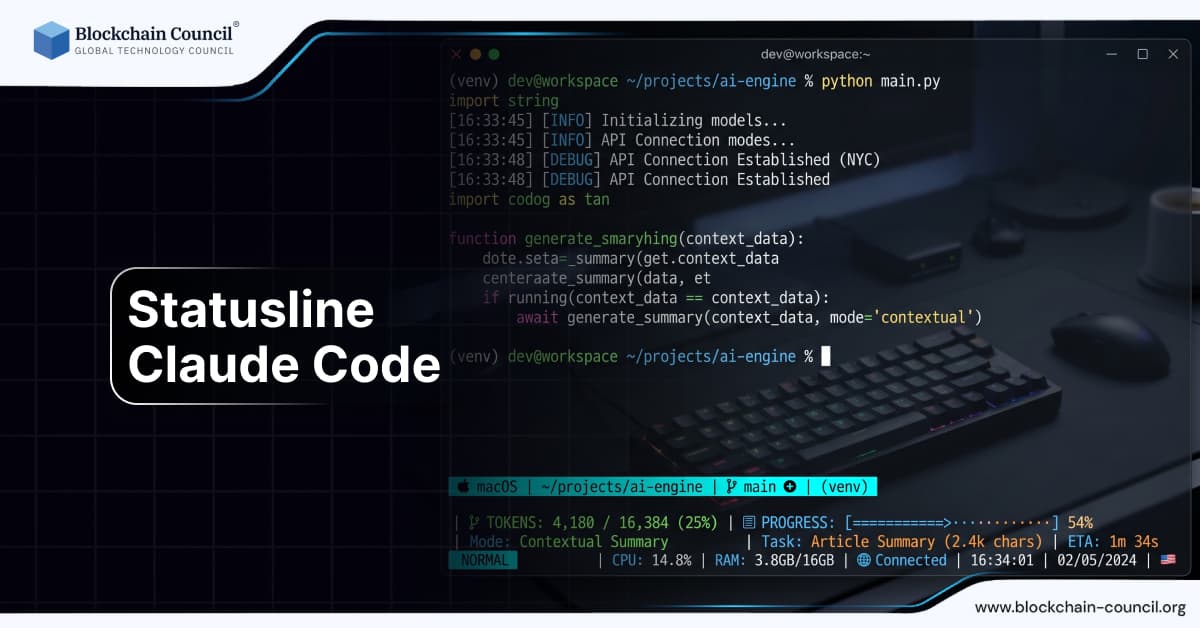
Modern software development has evolved far beyond writing code in plain text editors. Today’s developers operate in sophisticated environments filled with automation, integrations, and intelligent assistance. Among these innovations, the concept of a “statusline” integrated with Claude Code represents a subtle yet powerful improvement in productivity and workflow awareness.
A statusline in coding environments traditionally displays information such as file name, cursor position, and system status. When combined with AI tools like Claude Code, it becomes a dynamic interface that communicates real time insights, suggestions, and system feedback.

For professionals looking to understand and master such integrations, structured learning paths like the Claude Code Certification and the AI expert certification provide valuable knowledge about AI driven development environments.
What is a Statusline in Coding Environments
A statusline is a user interface element typically located at the bottom of a code editor. It provides contextual information about the current file and environment.
Common Elements
File name and type
Line and column position
Git branch information
Error or warning indicators
Traditionally, it has been static and informational. With AI integration, it becomes interactive and intelligent.
What is Claude Code
Claude Code refers to the use of Claude AI models to assist developers in writing, debugging, and optimizing code. It allows developers to interact with AI using natural language.
Key Capabilities
Code generation
Debugging assistance
Documentation creation
Contextual suggestions
When combined with a statusline, these capabilities become more accessible in real time.
What is Statusline Claude Code
Statusline Claude Code refers to the integration of Claude AI functionality directly into the statusline of a coding environment.
Core Idea
Instead of switching between windows or tools, developers receive AI powered insights directly within their editor interface.
Functionality
Display AI suggestions
Show system status updates
Provide quick actions
Offer contextual hints
Why Statusline Integration Matters
Reduced Context Switching
Developers do not need to leave their editor to access AI assistance.
Improved Productivity
Real time feedback accelerates coding tasks.
Enhanced Awareness
Developers stay informed about system status and suggestions.
How Statusline Claude Code Works
Input Monitoring
The system tracks coding activity and context.
AI Processing
Claude analyzes the code and generates insights.
Statusline Display
Relevant information is shown in the statusline.
User Interaction
Developers can act on suggestions directly.
Real World Example
A developer is writing a function in Python.
The statusline shows a warning about a potential bug
Claude suggests a fix in real time
The developer applies the suggestion instantly
This eliminates the need for separate debugging tools.
Key Features of Statusline Claude Code
Real Time Feedback
Instant updates based on code changes.
Context Awareness
Understands the current file and project.
Minimal Disruption
Information is displayed without interrupting workflow.
Customization
Developers can configure what is shown.
Benefits of Using Statusline Claude Code
Faster Development
Quick access to insights speeds up coding.
Reduced Errors
Early detection of issues improves code quality.
Better Focus
Developers remain within a single environment.
Statusline Claude Code vs Traditional Interfaces
Traditional Approach
Separate tools for debugging and suggestions
Frequent context switching
Limited real time feedback
AI Integrated Approach
Unified interface
Continuous assistance
Improved efficiency
Use Cases
Debugging
Identify and fix errors quickly.
Code Optimization
Receive suggestions for improving performance.
Learning
Beginners can understand code through explanations.
Collaboration
Teams benefit from consistent feedback.
Role of AI in Developer Interfaces
Intelligent Assistance
AI provides relevant suggestions.
Predictive Insights
Anticipates potential issues.
Automation
Reduces manual effort.
Developers can enhance their expertise through the AI Powered coding expert Course.
Challenges
Information Overload
Too many suggestions can distract developers.
Accuracy Concerns
AI suggestions must be validated.
Integration Complexity
Implementing such systems requires technical expertise.
Best Practices
Customize the Statusline
Display only relevant information.
Validate Suggestions
Review AI outputs before applying them.
Balance Automation
Use AI as a tool, not a replacement.
Integration with Development Tools
IDEs
Works with modern coding environments.
Version Control Systems
Displays Git information.
Cloud Platforms
Supports remote development workflows.
Marketing and Business Perspective
Developer Productivity
Improved efficiency reduces costs.
Innovation
AI integration drives new solutions.
Competitive Advantage
Organizations adopting AI tools stay ahead.
Professionals can explore these trends through the AI powered marketing course.
Recent Developments
Advanced AI Models
Improved accuracy and context understanding.
Better UI Integration
Seamless incorporation into editors.
Increased Adoption
Growing use among developers.
Future of Statusline Claude Code
Smarter Interfaces
More intuitive and adaptive systems.
Deeper Integration
AI embedded in all aspects of development.
Enhanced Collaboration
Real time team insights.
Impact on Developers
Beginners
Easier learning and guidance.
Experienced Developers
Increased efficiency and productivity.
Teams
Improved collaboration and consistency.
Conclusion
Statusline Claude Code represents a subtle but powerful evolution in developer tools. By embedding AI directly into the coding interface, it reduces friction, improves productivity, and enhances the overall development experience.
As AI continues to evolve, such integrations will become standard, transforming how developers interact with code and tools. Understanding and leveraging these systems will be essential for staying competitive in modern software development.
FAQs
1. What is Statusline Claude Code?
Statusline Claude Code refers to integrating AI powered coding assistance directly into the statusline of a development environment. It provides real time insights and suggestions without requiring developers to switch tools. This improves workflow efficiency. It represents a modern approach to developer interfaces.
2. How does a statusline work?
A statusline displays contextual information about the coding environment, such as file details and system status. With AI integration, it also shows suggestions and alerts. It updates in real time. This enhances usability.
3. Why is AI integration important in statuslines?
AI integration allows developers to receive instant feedback and suggestions. It reduces the need for external tools. This improves productivity. It creates a more seamless experience.
4. Can beginners use Statusline Claude Code?
Yes, beginners benefit from real time guidance and explanations. It helps them understand coding concepts. Learning becomes more interactive. Practice improves results.
5. What are the benefits of using it?
Benefits include faster development, reduced errors, and improved focus. Developers can work more efficiently. It enhances productivity. It supports better outcomes.
6. Are AI suggestions always accurate?
Not always, and they should be reviewed before implementation. AI can make mistakes. Validation is important. Developers must use judgment.
7. What tools support statusline integration?
Modern IDEs and editors support customizable statuslines. Integration depends on the platform. APIs enable functionality. Tools vary.
8. How does it improve debugging?
It provides real time alerts and suggestions. Errors are identified early. Developers can fix issues quickly. This saves time.
9. Can teams use this system?
Yes, teams benefit from consistent feedback and shared insights. It improves collaboration. Productivity increases. It supports workflows.
10. What challenges exist?
Challenges include integration complexity and information overload. Managing these issues is important. Proper configuration helps. Balance is key.
11. How does AI enhance productivity?
AI automates repetitive tasks and provides insights. Developers save time. Efficiency improves. It supports innovation.
12. Is customization possible?
Yes, developers can customize what information is displayed. This improves usability. Flexibility is important. It enhances experience.
13. What is the future of AI in coding interfaces?
The future includes deeper integration and smarter systems. AI will become more intuitive. Development will evolve. Innovation will continue.
14. How does it compare to traditional tools?
It offers real time assistance and a unified interface. Traditional tools require switching between applications. Efficiency improves. It is more advanced.
15. Can it reduce errors?
Yes, early detection of issues reduces errors. Suggestions improve code quality. Validation ensures reliability. It enhances outcomes.
16. What industries use this technology?
Technology, finance, and software development industries use it. Adoption is growing. It has wide applications. Impact is significant.
17. How can developers learn about it?
They can take courses, certifications, and practice with tools. Continuous learning is essential. Skills improve over time. Education helps.
18. What role does UI design play?
UI design ensures information is clear and accessible. Good design improves usability. It enhances experience. It is crucial.
19. Is it secure to use AI in coding?
Security depends on implementation. Developers must follow best practices. Protecting data is important. Monitoring helps.
20. Why is Statusline Claude Code important?
It improves efficiency, reduces errors, and enhances developer experience. It represents the future of coding interfaces. It supports innovation. It is essential for modern development.
Related Articles
View All
Claude Ai
How to Use Claude Fable 5.1 for Free
Find out whether Claude Fable 5.1 is available for free, which Claude plans provide access, and what users need to know before trying Anthropic’s latest AI model.

Claude Ai
Anthropic's New Claude Fable 5.1 and Mythos 5.1 Update: What's New?
Anthropic’s Claude Fable 5.1 and Mythos 5.1 update brings stronger coding, long-running agentic workflows, research, vision, and knowledge-work capabilities. Fable 5.1 is generally available and introduces cheaper cache reads, potentially reducing typical workload costs by about 25% and highly agentic workloads by up to 45%. Mythos 5.1 uses the same underlying model but offers expanded cybersecurity and biology capabilities to vetted organizations through trusted-access programs.

Claude Ai
Fable 5 vs Claude vs ChatGPT: Which AI Model Should You Choose?
Compare Fable 5, Claude, and ChatGPT across coding, research, DevOps, cost, context, and governance to choose the right AI model.
Trending Articles
AWS Career Roadmap
A step-by-step guide to building a successful career in Amazon Web Services cloud computing.
What is AWS? A Beginner's Guide to Cloud Computing
Everything you need to know about Amazon Web Services, cloud computing fundamentals, and career opportunities.

Can DeFi 2.0 Bridge the Gap Between Traditional and Decentralized Finance?
The next generation of DeFi protocols aims to connect traditional banking with decentralized finance ecosystems.