

What are the new features of fable 5 ?
 Suyash Raizada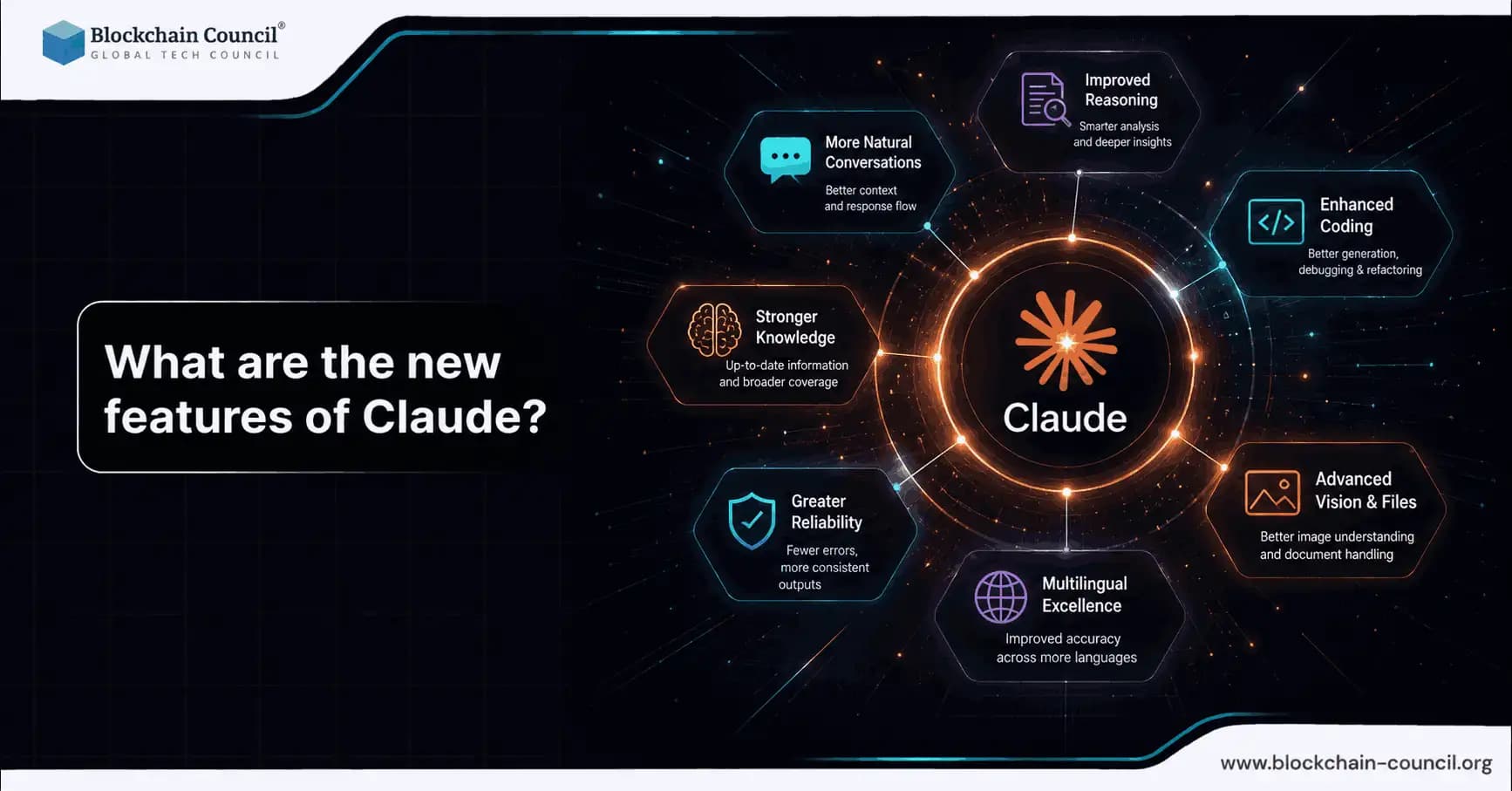
What are the new features of Claude? As of April 2026, Anthropic has shipped a major set of upgrades across the Claude model family, Claude Code, and the Claude API. The headline release is Claude Opus 4.7, which improves long-running software tasks, instruction following, self-verification, and vision. Alongside the model update, Claude adds more agentic workflows (including a "dreaming" review loop), richer developer controls for reasoning effort, bigger context for large documents, and new visual and desktop experiences. Explore the latest Claude features including improved reasoning, larger context windows, AI agents, multimodal capabilities, and workflow automation by building expertise through an AI certification, testing new AI capabilities using a Python certification, and applying AI innovations in business workflows with a Digital marketing course.
This guide breaks down the most important updates and what they mean for all AI users, from casual prompts to professional coding, analytics, and creative work.

1) Claude Opus 4.7: more reliable for complex work
The most significant answer to what are the new features of Claude? starts with the model itself. Anthropic's Claude Opus 4.7 builds on Opus 4.6 with improvements aimed at difficult, multi-step tasks where earlier models could stall, drift from requirements, or require frequent human supervision.
Key improvements in Opus 4.7
Advanced software engineering upgrades for complex, long-running tasks, including better handling of work that previously required human oversight, as described in Anthropic's Opus 4.7 release notes.
Stronger instruction adherence, reducing the need to repeat constraints and acceptance criteria.
Self-verification behaviors, where Claude checks its own outputs to catch mistakes earlier in the process.
Engineering teams have reported practical gains in one-shot coding tasks and output completeness, with fewer regressions and clearer acknowledgment of limitations when tasks are under-specified or not feasible.
2) Better vision: higher-resolution image understanding
Improved multimodal capability is also a core part of what are the new features of Claude? Opus 4.7 significantly improves vision by supporting images up to 2,576 pixels on the long edge, which is roughly 3.75 megapixels. Anthropic highlights that this enables analysis of dense screenshots and complex diagrams that appear regularly in real workflows.
What this enables for everyday users
Debugging from screenshots (stack traces, terminal output, CI logs, cloud dashboards).
Understanding diagrams (architecture charts, flowcharts, UML, network maps).
Document interpretation when images include tables, UI layouts, or multi-panel visuals.
For teams building with Claude, the higher image capacity makes it more practical to run vision-driven agents that review UI changes or interpret product analytics dashboards.
3) Managed agents and "dreaming": a path toward self-improving workflows
Platform-level agent functionality is another major part of what are the new features of Claude? Anthropic has introduced managed agent capabilities that include a "dreaming" feature, described as an overnight review process where the agent revisits earlier work, identifies mistakes, and learns from them.
In shared case studies and creator demos, "dreaming" is associated with large productivity gains, including reports of a 6x performance boost in a managed-agent setup. Results vary by workflow design, but the broader direction is consistent: Claude is moving from single-turn chat toward iterative, quality-improving automation.
Other agent enhancements
Outcomes: a mechanism for AI self-checking and quality verification, used in document review workflows that reportedly reduced review time by 50%.
Multi-agent orchestration: parallel task handling where multiple agents work simultaneously and a lead agent coordinates outputs.
Webhooks: background automation triggers for tasks like analytics refreshes, periodic checks, and scheduled reporting.
For non-developers, these features reduce the manual burden of keeping an AI on track across a longer project.
4) Claude Code upgrades: deeper review and fewer interruptions
Claude Code is central to what are the new features of Claude? for developers. Recent updates focus on higher-quality code review and better long-task autonomy.
/ultrareview for stronger code change inspection
Claude Code introduces /ultrareview, designed to detect bugs and design issues in code changes. This is particularly useful when reviewing a pull request-sized diff and wanting feedback beyond style concerns, such as edge cases, hidden regressions, and architectural issues. Anthropic has noted limited free trials of this capability for certain subscription tiers.
Extended auto mode for long-running tasks
Claude Code's extended auto mode reduces interruptions during longer tasks. In practice, that means fewer mid-task prompts for operations like refactors, test generation, or multi-file updates.
Weekly developer updates
For builders, Claude Code's "What's New" page provides a weekly digest with runnable examples and demos that highlight workflow-changing features.
Professionals building skills around AI-assisted development can find structured training through Blockchain Council's Certified AI Developer and Prompt Engineer programmes, as well as blockchain-focused developer certifications for teams combining AI with Web3 tooling.
5) Claude API: more control over reasoning, larger context, and new inputs
From an integration perspective, what are the new features of Claude? includes meaningful improvements to the Claude API for developers and enterprises.
Adaptive thinking controls (including xhigh)
The API supports adaptive thinking using effort parameters, including a newer xhigh level. This gives developers direct control: more reasoning effort can be allocated to hard problems while routine tasks use less, balancing latency and cost against accuracy.
Extended thinking for step-by-step transparency
Claude supports modes that produce more explicit step-by-step reasoning, which helps when debugging complex automations, validating outputs, and building user trust in high-stakes workflows.
PDF processing
For users handling contracts, research papers, SOPs, compliance documents, or product specifications, PDF processing is a meaningful workflow improvement. It reduces the friction of extracting structured meaning from long documents without relying on manual copy-pasting.
Up to 1M tokens of context
Claude's context window can reach up to 1 million tokens for large documents and codebases, as documented in Claude's platform overview. This supports use cases including:
Full-repo reasoning across many files
Large policy and legal analysis with cross-references
Long research synthesis across multiple sources in a single session
For enterprise deployments, Claude's availability across platforms including AWS Bedrock, Google Vertex AI, and Microsoft Foundry expands adoption paths for organizations with established cloud standards.
6) New desktop and visual experiences
Claude's product experience is also evolving, which is part of what are the new features of Claude? beyond model quality alone.
Claude Code desktop app
A dedicated desktop app for Claude Code emphasizes speed and integrated development features. For many developers, a native desktop experience reduces context switching compared to browser-only workflows.
Interactive visuals inside conversations
Claude now supports interactive visuals that appear inline in chats and can evolve dynamically through conversation, without requiring users to write code. This makes it practical to build and refine diagrams and charts iteratively, which is useful for explaining systems, planning projects, or communicating analytical findings.
7) Claude Design: creative output powered by better vision
Improved creative tooling is another practical answer to what are the new features of Claude? Claude Design, powered by Opus 4.7's vision model, supports professional creative tasks such as generating higher-quality interfaces, slides, and documents.
For business users, the value is faster drafting combined with better interpretation of visual references, such as existing brand slides, wireframes, or UI screenshots. Professionals looking to build structured expertise in AI-assisted design and content workflows can explore Blockchain Council's certifications in AI, prompt engineering, and generative AI.
8) Safety and forward direction: faster iteration with risk awareness
Anthropic's updates also reflect faster iteration cycles paired with a measured approach to rollouts. Efforts like Project Glass Wing provide early access to advanced models for assessing risks and benefits before broad release, signaling that capability scaling is being accompanied by structured evaluation. Combined with weekly Claude Code updates, the trajectory points toward more reliable, persistent, agent-like systems suited for business automation. Learn how Claude’s newest features improve coding, content generation, research, and enterprise productivity by mastering advanced AI systems through an AI certification, building AI-powered applications using a Node JS Course, and scaling AI-driven businesses using an AI powered marketing course.
Conclusion
What are the new features of Claude? In 2026, the answer covers a clear expansion across reliability, vision, agents, developer control, and product experience. Claude Opus 4.7 improves complex software work, instruction adherence, and self-verification. Vision now handles higher-resolution images for dense screenshots and diagrams. Managed agents introduce "dreaming," outcomes-based self-checking, multi-agent orchestration, and webhooks for background automation. Claude Code adds deeper review with /ultrareview and smoother long-task operation, while the API adds adaptive thinking controls, PDF support, and up to 1M tokens of context.
For everyday AI users, these upgrades translate into fewer retries, more dependable long-form work, and automation that holds up under real constraints. For professionals and teams, they define a clearer path to production-grade AI workflows that can be audited, optimized, and scaled.
FAQs
1. What are the major new features of Claude?
Claude’s 2026 updates include Claude Opus 4.7, improved vision capabilities, managed agents, adaptive reasoning controls, larger context windows, and upgraded developer tools. Anthropic also introduced better code review systems, PDF support, and interactive visual experiences. These upgrades aim to improve reliability, automation, and long-form AI workflows.
2. What is Claude Opus 4.7?
Claude Opus 4.7 is Anthropic’s advanced AI model designed for difficult, multi-step tasks and long-running workflows. It improves instruction following, software engineering performance, self-verification, and output reliability. The model is built to reduce errors and require less manual supervision during complex tasks.
3. How does Claude Opus 4.7 improve software development tasks?
Claude Opus 4.7 handles complex coding tasks more effectively by improving reasoning, consistency, and task completion. It performs better with large codebases, multi-file edits, and long-running engineering work. Developers also report fewer regressions and clearer handling of under-specified requirements.
4. What is self-verification in Claude?
Self-verification allows Claude to review and check its own outputs before finalizing responses. This helps identify mistakes, inconsistencies, or missing details earlier in the workflow. The goal is to improve reliability without forcing humans to manually inspect every tiny AI decision, an exhausting hobby many developers accidentally acquired.
5. How has Claude’s vision capability improved?
Claude now supports higher-resolution image understanding with images up to 2,576 pixels on the long edge. This allows it to interpret dense screenshots, architecture diagrams, UI layouts, and complex visual documents more accurately. The improvement makes visual analysis more practical for real-world business and technical workflows.
6. What can users do with Claude’s improved image understanding?
Users can analyze stack traces, terminal screenshots, dashboards, UML diagrams, and product analytics visuals more effectively. Claude can also interpret tables, flowcharts, and multi-panel images inside documents. This is especially useful for debugging, reporting, and technical reviews.
7. What is the “dreaming” feature in Claude?
The “dreaming” feature is part of Claude’s managed-agent workflow system. It allows the AI to revisit earlier work, identify mistakes, and improve outputs over time through iterative review. Anthropic describes it as a step toward more autonomous and self-improving AI workflows.
8. What are managed agents in Claude?
Managed agents are AI systems designed to handle longer workflows with reduced human intervention. They can perform iterative reviews, coordinate multiple tasks, and trigger automated background actions. These features move Claude beyond simple chat interactions into more structured automation systems.
9. What is multi-agent orchestration in Claude?
Multi-agent orchestration allows several AI agents to work on tasks simultaneously while a lead agent coordinates the final output. This can improve efficiency in workflows involving analysis, research, or complex automation. Apparently even AI now needs middle management.
10. What are Claude webhooks used for?
Claude webhooks are used to trigger automated background actions such as scheduled reports, analytics refreshes, and periodic checks. They allow AI workflows to interact with systems continuously without manual prompting. This helps organizations automate repetitive operational tasks.
11. What is /ultrareview in Claude Code?
/ultrareview is a Claude Code feature designed for deeper code review analysis. It focuses on identifying bugs, regressions, edge cases, and architectural issues instead of only checking coding style. This makes it more useful for reviewing production-level pull requests and complex changes.
12. How does extended auto mode improve Claude Code?
Extended auto mode reduces interruptions during long-running coding tasks such as refactoring, testing, or multi-file updates. It allows Claude Code to continue working with fewer mid-task confirmations. This creates smoother development workflows and reduces unnecessary context switching.
13. What are adaptive thinking controls in the Claude API?
Adaptive thinking controls allow developers to adjust how much reasoning effort Claude applies to a task. Higher settings can improve performance on difficult problems, while lower settings reduce cost and latency for simpler requests. This gives teams more control over performance and efficiency.
14. What is extended thinking in Claude?
Extended thinking allows Claude to provide more transparent step-by-step reasoning during responses. This helps developers debug workflows, validate outputs, and understand how conclusions were reached. It is especially valuable in high-stakes or compliance-sensitive systems.
15. How does Claude support PDF processing?
Claude can now process PDFs directly, making it easier to analyze contracts, research papers, policies, and technical documents. This reduces the need for manual copy-pasting and improves document workflow efficiency. Enterprise users benefit because humans apparently enjoy storing critical knowledge inside giant PDFs.
16. What is the significance of Claude’s 1 million token context window?
Claude’s context window can support up to 1 million tokens for large-scale reasoning tasks. This enables analysis across entire repositories, large policy sets, long legal documents, and multi-source research sessions. It is particularly useful for enterprise-scale workflows involving extensive context.
17. What is the Claude Code desktop app?
The Claude Code desktop app is a dedicated development-focused application designed for coding workflows. It reduces reliance on browser-based interaction and provides a more integrated environment for developers. This helps streamline long development sessions and reduce workflow interruptions.
18. What are interactive visuals in Claude?
Interactive visuals allow users to generate and modify diagrams, charts, and visual elements directly inside conversations. These visuals can evolve dynamically as the discussion changes. This feature is useful for planning systems, presenting analytics, and explaining technical concepts.
19. What is Claude Design?
Claude Design is a creative workflow feature powered by Claude’s improved vision capabilities. It helps generate interfaces, slides, and design drafts using visual references such as wireframes or screenshots. Business and creative teams can use it to accelerate design and content production.
20. Why are Claude’s 2026 updates important?
Claude’s 2026 updates improve reliability, automation, vision, developer tooling, and long-context reasoning across many workflows. These enhancements make AI more practical for enterprise development, analytics, design, and operational automation. The updates also show a broader shift toward persistent, agent-based AI systems that can handle more complex responsibilities.
Related Articles
View All
Claude Ai
Anthropic's New Claude Fable 5.1 and Mythos 5.1 Update: What's New?
Anthropic’s Claude Fable 5.1 and Mythos 5.1 update brings stronger coding, long-running agentic workflows, research, vision, and knowledge-work capabilities. Fable 5.1 is generally available and introduces cheaper cache reads, potentially reducing typical workload costs by about 25% and highly agentic workloads by up to 45%. Mythos 5.1 uses the same underlying model but offers expanded cybersecurity and biology capabilities to vetted organizations through trusted-access programs.

Claude Ai
Fable 5 vs Gemini: Features, Performance, Pricing, and Use Cases Compared
Compare Fable 5 vs Gemini across features, benchmarks, pricing, multimodal support, coding, agents, and enterprise use cases.

Claude Ai
What Is Fable 5? Features, Capabilities, and How It Works
Fable 5 is Anthropic's public Mythos-class Claude model for long-horizon work, coding, vision, and research, with strong safety guardrails.
Trending Articles
What is AWS? A Beginner's Guide to Cloud Computing
Everything you need to know about Amazon Web Services, cloud computing fundamentals, and career opportunities.
Claude AI Tools for Productivity
Discover Claude AI tools for productivity to streamline tasks, manage workflows, and improve efficiency.
How to Install Claude Code
Learn how to install Claude Code on macOS, Linux, and Windows using the native installer, plus verification, authentication, and troubleshooting tips.