

Deploying an MCP Server for Claude in Production: Docker, Kubernetes, Monitoring, and Scaling Guide

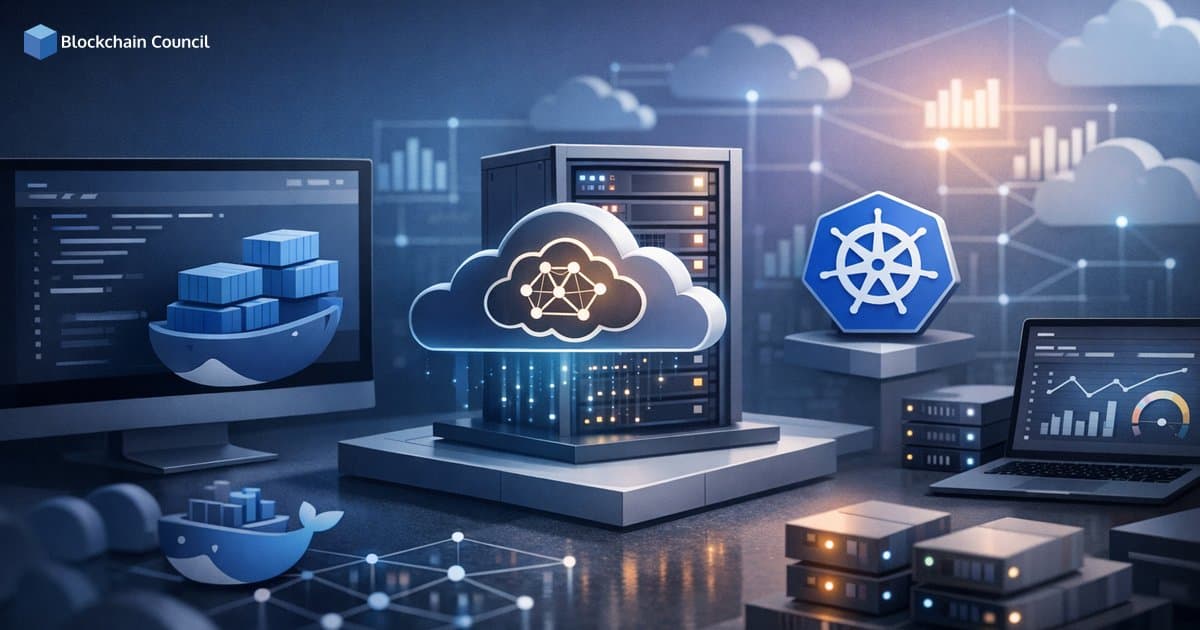
Deploying an MCP server for Claude in production has converged on a clear playbook: containerize the server, run it on Kubernetes (or a managed container platform), enforce least-privilege access with strong authentication and RBAC, and add full observability with logging, metrics, tracing, and autoscaling. This guide covers a practical, production-focused approach across Docker packaging, Kubernetes architecture, monitoring, scaling, and governance.
What an MCP Server Is in Production Terms
A Model Context Protocol (MCP) server is a tooling bridge that translates natural language requests from Claude (an MCP client) into structured API calls against your systems, then returns results as structured JSON. In production, treat it like any other internal microservice capable of triggering high-impact actions. That means clear boundaries, authentication, auditing, and guardrails.

Most real-world MCP server implementations are written in TypeScript/Node, Python, or Go, and are packaged as containers for portability and isolation. Teams increasingly run shared MCP servers centrally rather than relying on each developer maintaining local instances.
Docker Packaging for an MCP Server for Claude in Production
Why Docker Is the Default First Step
Docker is the standard baseline packaging format because it creates runtime consistency and reduces host dependencies. For an MCP server, this is especially valuable because local developer environments differ across Node, Bun, Python, and OS versions.
- Isolation: Controlled filesystem access and constrained resources.
- Consistency: The image includes the runtime and all dependencies.
- Portability: The same image moves from a laptop to Kubernetes or other runtimes without modification.
Containerizing the MCP Server
A common containerization pattern follows these steps:
- Build artifacts (for TypeScript): install dependencies and produce a build output such as dist/index.js.
- Use a minimal base image: Alpine-based Node images or a Bun runtime image, depending on your stack.
- Run as non-root: avoid privileged containers to reduce the blast radius of any compromise.
- Configure via environment variables: pass endpoints and tool settings through env vars, and handle secrets via your platform secret manager.
For Kubernetes-focused MCP servers, configuration typically includes in-cluster authentication via a Kubernetes ServiceAccount or a restricted kubeconfig, depending on your security model.
Docker Desktop and Claude Desktop: Useful for Prototyping
Docker Desktop includes an MCP Toolkit workflow that helps developers run curated MCP servers as containers and connect them to Claude Desktop through an MCP connection. This is not a production hosting model, but it is useful for validating packaging, environment variables, and tool behavior before moving to Kubernetes.
Kubernetes Architecture for an MCP Server for Claude in Production
Why Kubernetes Is the Most Common Production Target
For multi-user and shared internal tooling, Kubernetes is the most widely used platform because it provides standardized deployment, reliability, and security controls:
- Isolation and governance using namespaces, network policies, and resource quotas.
- Reliability with health checks, restart policies, and rolling updates.
- Scalability using horizontal pod autoscaling and multi-replica deployments.
- Permission control using fine-grained Kubernetes RBAC to restrict what the MCP server can do.
Reference Production Layout
Most production deployments follow a predictable structure:
- Deployment: one or more replicas of your MCP server container.
- Service: typically a ClusterIP service to expose the MCP endpoint inside the cluster.
- Ingress or gateway: optional, depending on whether access is internal-only or requires controlled external entry.
- ConfigMap and Secret: configuration in ConfigMaps and credentials in Secrets.
- ServiceAccount and RBAC: least-privilege permissions for Kubernetes tool calls.
If Claude Desktop runs on user machines, access to the MCP endpoint is commonly provided through a corporate VPN, a secure tunnel, or an internal gateway rather than direct public exposure.
Production Hardening Checklist
Hardening your MCP server is not optional. The server can become a high-impact control plane for internal systems, and that attack surface must be managed deliberately.
- Namespace isolation: run each MCP server in its own namespace.
- RBAC least privilege: allow only required verbs and resources, such as get/list on pods and events, and restrict patch or delete actions to explicit use cases.
- Network policies: allow egress only to the Kubernetes API server and explicitly approved endpoints.
- Resource requests and limits: prevent runaway workloads and noisy-neighbor behavior.
- Defensive error handling: ensure a single failing integration does not crash the entire MCP server process.
Startup failures caused by a single cloud integration misconfiguration can take down the whole MCP service if error handling is not designed for graceful degradation.
Monitoring and Observability: Logs, Metrics, and Traces
Structured Logging That Supports Auditing
Treat the MCP server like any microservice that must be observable and auditable. Use structured logs and avoid logging sensitive prompt content or secrets.
- Request or invocation ID per MCP call.
- Tool name and sanitized argument metadata.
- Latency and outcome (success or failure category).
- User or client identity if your authentication layer provides it.
Forward logs to centralized systems such as ELK, Loki, or cloud-native logging using the same pipelines already in place for Kubernetes workloads.
Metrics to Prioritize Early
MCP-specific metrics are still maturing, but the core signals are familiar from standard microservice operations:
- Golden signals: request rate, error rate, and latency percentiles (p95 and p99).
- Resource usage: CPU and memory consumption, restart counts, and throttling events.
- Tool-level metrics: counts by tool name, failure categories (auth, validation, rate limiting), and downstream API latency.
Tracing for Multi-Step Tool Workflows
For incident response and complex operations, distributed tracing reduces time-to-diagnosis. OpenTelemetry spans for each tool invocation help correlate MCP operations with downstream APIs such as Kubernetes, GitHub, or cloud services.
Scaling an MCP Server for Claude in Production
What Scaling Means for MCP
Scaling MCP servers involves more than CPU capacity. It also includes concurrency control, throughput, and tenant isolation.
- Concurrency: multiple Claude sessions calling tools simultaneously.
- Throughput: sustained tool calls per minute during incident response or high-demand periods.
- Isolation: separating environments (dev, staging, prod) and separating high-risk write operations from read-only diagnostics.
Kubernetes Scaling Strategies
- Horizontal Pod Autoscaling (HPA): scale replicas based on CPU, memory, or custom metrics such as requests per second.
- Separate deployments by risk and environment: run distinct MCP servers for read-only diagnostics versus mutating actions, and maintain separate instances for dev, staging, and prod.
- Rate limiting and backpressure: enforce per-user and per-tool limits to protect downstream services, and return clear errors so Claude can adapt its strategy.
- High availability basics: multiple replicas, PodDisruptionBudgets where necessary, and multi-zone clusters for critical workloads.
A central shared MCP server typically scales better than many local instances because upgrades, observability, and access control can be standardized across the organization.
Security, Governance, and Safety Controls
Least Privilege with Strong Auth and RBAC
Because the MCP server functions as an automation gateway, security design should assume mistakes will occur and limit their impact accordingly:
- Scoped Kubernetes permissions: restrict the ServiceAccount to the smallest set of API resources and namespaces required.
- Scoped external tokens: use dedicated IAM roles or fine-grained tokens for Git and cloud integrations.
- Secret hygiene: store credentials in Kubernetes Secrets or an external secret manager and avoid mounting host credentials into the container.
Read-Only vs. Write-Enabled Modes
Many teams enforce safety by splitting tools into tiers:
- Read-only MCP server: inventory queries, logs, events, and diagnostics.
- Write-enabled MCP server: restarts, patches, or rollouts, protected by stricter authentication, approval workflows, or restricted network paths.
Human-in-the-Loop Approvals and Audit Logs
As model-driven operations become more capable, governance patterns from SRE and change management apply directly:
- Approval flows for high-risk actions, where the MCP server returns a proposed plan and waits for explicit confirmation before proceeding.
- Audit logs that record who initiated the action, which tool ran, and what arguments were used.
Practical Production Checklist
- Packaging: minimal container image, non-root user, deterministic builds.
- Platform: Kubernetes for shared or critical workloads, managed container platforms for simpler single-tenant use cases.
- Security: namespaces, RBAC least privilege, network policies, secret management, and safe defaults.
- Observability: structured logs, actionable metrics, and tracing for complex workflows.
- Scaling: HPA, rate limiting, and separate deployments by environment and risk profile.
- Safety: read-only and write-enabled separation, approval workflows, and comprehensive audit trails.
Where Production MCP Deployments Are Headed
Production patterns are becoming more standardized. Expect more reusable deployment assets such as Helm charts and templates that encode secure RBAC, autoscaling, and observability by default. Policy engines are also likely to play a larger role, enforcing guardrails on tool actions and standardizing audit schemas so enterprises can answer who did what through an AI assistant at any given time.
Conclusion
Deploying an MCP server for Claude in production is best approached as a secure, observable microservice capable of triggering high-impact actions. Docker provides the consistent packaging foundation, while Kubernetes delivers the operational controls needed for multi-user usage: RBAC, network isolation, health checks, and autoscaling. Adding structured logging, meaningful metrics, and distributed tracing, alongside safety controls such as read-only tiers, approval flows, and audit logs, gives teams a reliable interface for Claude to operate against real systems without sacrificing governance.
Related Articles
View All
Claude Ai
Troubleshooting MCP Server for Claude Integrations: Common Errors and Fixes
Learn troubleshooting MCP server for Claude integrations with common errors, a proven debugging workflow, and practical fixes for Desktop, Code, Unity, and API setups.

Claude Ai
Connecting Claude to Enterprise Data via an MCP Server: RAG Pipelines, Permissions, and Compliance
Learn how connecting Claude to enterprise data via an MCP server enables secure RAG pipelines, granular permissions, audit logging, and compliance-ready AI access.

Claude Ai
How Claude Prompting Works: A Beginner's Guide to Better AI Outputs
Learn how Claude prompting works, why context and tokens matter, and how beginners can use structure, examples, and self-checks for better AI outputs.
Trending Articles

Top 5 DeFi Platforms
Explore the leading decentralized finance platforms and what makes each one unique in the evolving DeFi landscape.
How Blockchain Secures AI Data
Understand how blockchain technology is being applied to protect the integrity and security of AI training data.
What is AWS? A Beginner's Guide to Cloud Computing
Everything you need to know about Amazon Web Services, cloud computing fundamentals, and career opportunities.