

Claude Tools & Ecosystem
 Suyash Raizada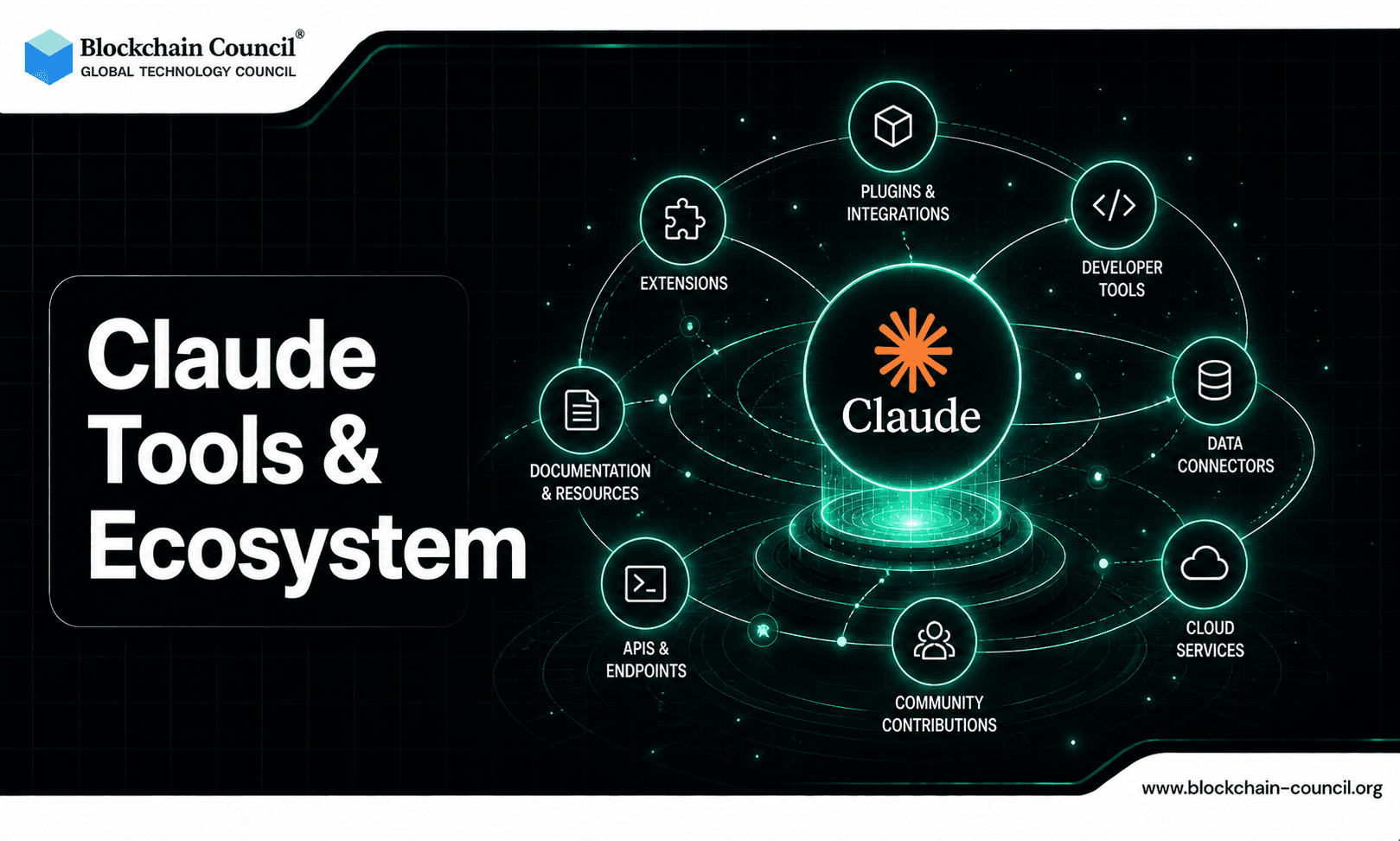
AI is no longer just about chatting - it’s about building a complete ecosystem that fits into your workflow. From coding and creativity to automation and productivity, having the right tools matters.
This is where Claude AI stands out. Instead of being a standalone tool, Claude has evolved into a full ecosystem designed for developers, creators, and professionals.

From web access to APIs and integrations, Claude offers a seamless experience across platforms - making it one of the most versatile AI systems available today.
What is the Claude Ecosystem?
The Claude ecosystem includes a range of tools that work together to enhance productivity and automation:
Web-based interface
Desktop applications
Command-line tools
APIs for developers
Third-party integrations
Growing plugin ecosystem
This allows users to choose how they interact with Claude - whether casually or at scale.
Claude Web App: The Core Experience
The Claude Web App is the most accessible way to use Claude.
Key Features:
Easy-to-use interface
Instant access without setup
Ideal for writing, research, and brainstorming
Best For:
Beginners
Content creators
Students
It serves as the entry point into the Claude ecosystem.
Claude Desktop (Cowork): AI on Your System
Claude Desktop, often referred to as “Cowork,” brings AI directly to your local environment.
What It Offers:
Persistent workflows
File access and management
Faster interactions
Benefits:
Works alongside your daily tasks
Improves productivity
Enables deeper integrations
This makes Claude feel like a true work companion.
Claude Code CLI: Power for Developers
For developers, the Claude Code CLI unlocks advanced capabilities.
Features:
Run commands directly
Automate development workflows
Manage projects efficiently
Use Cases:
Debugging
Deployment
Script automation
It turns Claude into a terminal-native AI agent.
Claude API: Build with AI
The Claude API allows developers to integrate AI into applications.
Capabilities:
Build AI-powered apps
Automate workflows
Create custom solutions
Ideal For:
Startups
SaaS products
Enterprise solutions
This is where Claude becomes a platform, not just a tool.
Third-Party Integrations
Claude integrates with multiple external tools, expanding its capabilities.
Examples:
Development tools
Design platforms
Productivity apps
Benefits:
Seamless workflows
Reduced manual effort
Cross-platform functionality
This allows users to create end-to-end systems.
Plugin Ecosystem (Growing Rapidly)
The Claude plugin ecosystem is expanding quickly.
What Plugins Enable:
Custom functionalities
Workflow automation
Tool-specific integrations
Future Potential:
Industry-specific plugins
Advanced automation
Personalized AI workflows
This makes Claude highly adaptable.
Why Claude Ecosystem is a Game-Changer
Compared to standalone AI tools, Anthropic’s ecosystem offers:
Unified experience
Faster workflows
Intelligent automation
Cross-platform integration
It’s designed for scalability and flexibility.
AI Learning Path Using Claude Tools
To fully leverage the ecosystem:
Step 1: Basics
Use Claude Web App
Learn prompting
Step 2: Intermediate
Explore Desktop workflows
Use integrations
Step 3: Advanced
Work with CLI
Build using API
A structured path like the Certified Claude AI Expert Program helps you:
Master all tools
Build real-world systems
Monetize your skills
Tech Certifications for Future AI Careers
Recommended
Business Certifications for Growth
Top Certifications
Monetization Opportunities
Freelancing
Offer services like:
AI setup
Workflow automation
API integrations
SaaS Development
Build:
AI tools
Automation platforms
Productivity apps
Remote Jobs
Roles include:
AI Engineer
Automation Specialist
Developer
Personal Branding
Share:
Tutorials
Use cases
Case studies
Why Claude Stands Out
Claude AI excels due to:
Deep reasoning
Multi-platform support
Strong ecosystem
Continuous updates
The Certified Claude AI Expert Program helps you:
Master the ecosystem
Build scalable solutions
Create income streams
Career Opportunities
AI Developer
Automation Engineer
SaaS Builder
Tech Consultant
AI Specialist
Conclusion
Claude is no longer just an AI assistant - it’s a complete ecosystem that adapts to your workflow.
Whether you’re a beginner or an advanced developer, mastering Claude tools can:
Increase productivity
Unlock new opportunities
Future-proof your career
The sooner you start, the bigger your advantage.
FAQs
1. What is the Claude tools ecosystem?
The Claude tools ecosystem refers to the collection of APIs, integrations, and platforms built around Claude. It enables users to extend Claude’s capabilities beyond simple chat interactions. This ecosystem supports automation, development, and business use cases. It makes Claude more powerful and versatile.
2. What tools are available for Claude?
Claude tools include APIs, integrations with apps, plugins, and third-party platforms. These tools allow users to connect Claude with workflows and systems. They expand functionality beyond basic usage. This enhances productivity and automation.
3. What is the Claude API?
The Claude API allows developers to integrate Claude into applications and systems. It enables programmatic access to Claude’s capabilities. Developers can build custom solutions using it. This makes Claude adaptable for various use cases.
4. How do integrations work in Claude?
Integrations connect Claude with external tools like CRMs, databases, and productivity apps. This allows seamless data flow and automation. Users can perform tasks across platforms. Integration improves efficiency.
5. Can Claude be integrated with business tools?
Yes, Claude can be integrated with tools like project management software, marketing platforms, and analytics systems. This helps automate workflows and improve operations. Businesses can streamline processes. Integration enhances productivity.
6. What role do plugins play in Claude?
Plugins extend Claude’s functionality by adding new features and capabilities. They allow users to perform specialized tasks. This makes Claude more flexible. Plugins enhance user experience.
7. How does Claude support automation through tools?
Claude uses tools and integrations to automate workflows and tasks. It can interact with external systems to complete actions. This reduces manual work. Automation improves efficiency.
8. What is the role of third-party platforms in Claude’s ecosystem?
Third-party platforms build additional tools and services around Claude. They expand its capabilities and use cases. This creates a broader ecosystem. It encourages innovation.
9. Can developers build custom tools for Claude?
Yes, developers can create custom tools using the Claude API. They can design solutions tailored to specific needs. This allows flexibility and scalability. Custom tools enhance functionality.
10. How does Claude integrate with data sources?
Claude can connect with databases and data systems through integrations. It can analyze and process data efficiently. This supports decision-making. Data integration is a key feature.
11. What are the benefits of Claude’s ecosystem?
The ecosystem provides flexibility, scalability, and enhanced capabilities. Users can customize workflows and automate tasks. It supports various applications. This makes Claude more useful.
12. How does Claude support enterprise solutions?
Claude’s ecosystem allows integration with enterprise systems and tools. It supports large-scale automation and data processing. Businesses can build advanced solutions. This improves efficiency.
13. Can Claude be used with cloud platforms?
Yes, Claude can integrate with cloud services for scalability and storage. This enables large-scale operations. Cloud integration improves performance. It supports enterprise needs.
14. How does Claude handle security in its ecosystem?
Claude follows security protocols and guidelines for data protection. Integrations must also ensure secure data handling. Users should implement best practices. Security is essential.
15. What are the limitations of Claude’s ecosystem?
Some integrations may require technical expertise to set up. Compatibility issues can arise. Users must ensure proper configuration. Understanding limitations is important.
16. Can Claude work with automation platforms?
Yes, Claude can integrate with automation tools to streamline workflows. It can trigger actions and manage processes. This improves efficiency. Automation becomes more powerful.
17. How does Claude support collaboration through tools?
Claude can integrate with collaboration platforms to share information and updates. This improves teamwork. It ensures smooth communication. Collaboration becomes easier.
18. What industries benefit from Claude’s ecosystem?
Industries like finance, healthcare, marketing, and tech benefit from Claude’s ecosystem. It supports automation and data analysis. Adoption is increasing. It has wide applications.
19. How does Claude’s ecosystem evolve?
The ecosystem evolves through updates, new integrations, and developer contributions. Innovation drives growth. This expands capabilities. Continuous improvement is key.
20. Why is Claude’s ecosystem important?
Claude’s ecosystem enables advanced use cases and scalability. It allows users to extend AI capabilities. This makes Claude more powerful. It is essential for future AI applications.
Related Articles
View All
Claude Ai
How to Use Claude Fable 5.1 for Free
Find out whether Claude Fable 5.1 is available for free, which Claude plans provide access, and what users need to know before trying Anthropic’s latest AI model.

Claude Ai
Anthropic's New Claude Fable 5.1 and Mythos 5.1 Update: What's New?
Anthropic’s Claude Fable 5.1 and Mythos 5.1 update brings stronger coding, long-running agentic workflows, research, vision, and knowledge-work capabilities. Fable 5.1 is generally available and introduces cheaper cache reads, potentially reducing typical workload costs by about 25% and highly agentic workloads by up to 45%. Mythos 5.1 uses the same underlying model but offers expanded cybersecurity and biology capabilities to vetted organizations through trusted-access programs.

Claude Ai
Fable 5 vs Claude vs ChatGPT: Which AI Model Should You Choose?
Compare Fable 5, Claude, and ChatGPT across coding, research, DevOps, cost, context, and governance to choose the right AI model.
Trending Articles
What is AWS? A Beginner's Guide to Cloud Computing
Everything you need to know about Amazon Web Services, cloud computing fundamentals, and career opportunities.

Can DeFi 2.0 Bridge the Gap Between Traditional and Decentralized Finance?
The next generation of DeFi protocols aims to connect traditional banking with decentralized finance ecosystems.
How to Install Claude Code
Learn how to install Claude Code on macOS, Linux, and Windows using the native installer, plus verification, authentication, and troubleshooting tips.