

Claude AI Projects for Beginners Coding
 Suyash Raizada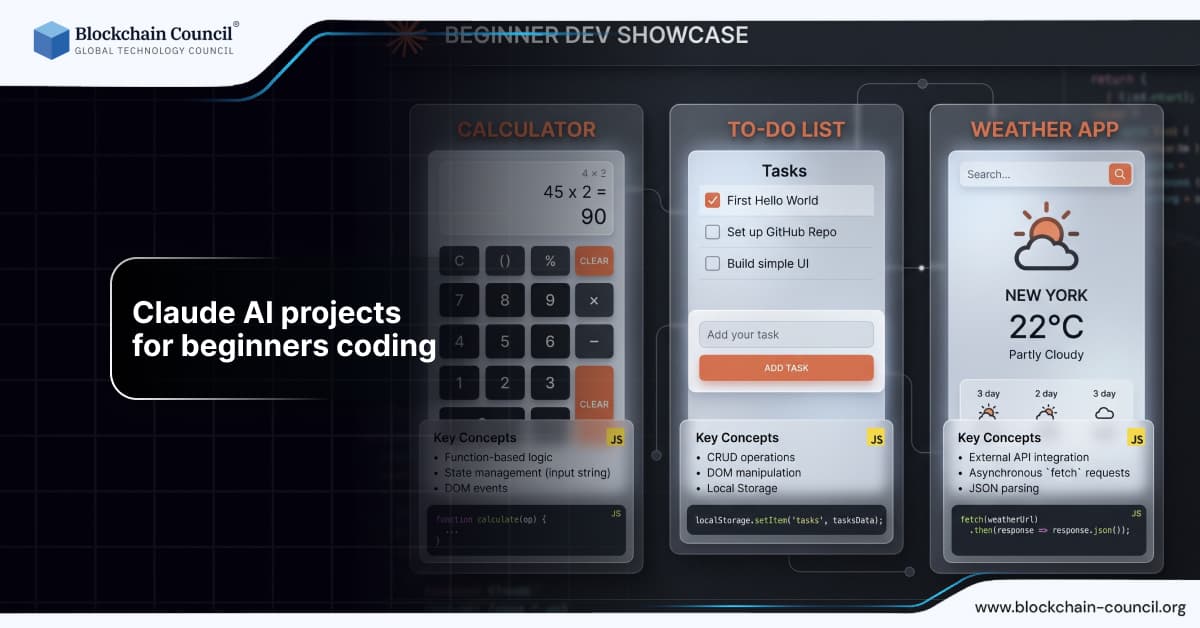
Artificial intelligence is reshaping how people learn programming, and Claude AI is one of the most accessible tools for beginners entering the coding world. Unlike traditional learning methods that require extensive setup and prior knowledge, Claude AI allows users to generate, understand, and refine code using simple natural language prompts.
For beginners, the biggest challenge is not writing code, but knowing what to build. That is where beginner-friendly Claude AI projects become valuable. They provide structured, hands-on experience while leveraging AI assistance to accelerate learning.

To build a solid foundation in AI and development, learners often explore programs such as AI expert certification and agentic AI certification. These introduce key AI concepts before diving into practical coding projects. Building Claude AI projects for beginners coding helps reinforce learning through practical application. Projects provide hands-on experience and improve problem-solving skills. However, guided learning ensures better outcomes. The Claude Code Certification helps you work on real-world projects.
Why Claude AI is Ideal for Beginner Coders
Claude AI lowers the barrier to entry for coding by allowing users to describe tasks instead of writing everything from scratch. This makes it particularly useful for beginners who may struggle with syntax or logic.
Key advantages include:
Natural language-based coding assistance
Real-time debugging and explanations
Faster learning through iteration
Reduced intimidation for new developers
Instead of spending hours figuring out why a script is failing, beginners can ask Claude directly and receive clear explanations.
How to Approach Claude AI Projects as a Beginner
Before jumping into projects, beginners should follow a structured approach.
Start Small
Choose simple projects that focus on one concept at a time, such as input handling or API calls.
Use Iterative Prompts
Break tasks into smaller steps. Claude performs better when instructions are specific and incremental.
Review and Learn
Do not just copy code. Understand what each line does. Otherwise, you are not learning, just outsourcing thinking.
Build Consistency
Regular practice with small projects leads to better long-term understanding.
Beginner-Friendly Claude AI Coding Projects
Here are some practical and engaging projects that beginners can build using Claude AI.
1. Simple Calculator Application
This is one of the easiest projects for beginners.
What you will learn:
Basic arithmetic operations
User input handling
Conditional logic
How Claude helps:
You can prompt Claude to generate a calculator script in Python or JavaScript and then ask it to explain each function.
2. To-Do List Application
A to-do list introduces basic data handling and logic.
Features to include:
Add tasks
Delete tasks
Mark tasks as completed
Real-world relevance:
Task management systems are widely used in productivity tools.
3. Weather App Using API
This project introduces API integration.
What you will learn:
Fetching data from external APIs
Parsing JSON responses
Displaying results
Claude can generate the API request code and guide you through handling responses.
4. Chatbot Application
Building a simple chatbot helps understand conversational logic.
What you will learn:
Conditional responses
Text processing
Basic NLP concepts
Claude can assist in structuring chatbot logic and improving responses.
5. File Organizer Script
This project automates file management.
What you will learn:
File handling
Automation scripting
Directory management
Example: Automatically sort files into folders based on type.
6. Basic Blog Backend
For those interested in backend development, a simple blog system is a great start.
Features:
Create and display posts
Store data in a database
Basic routing
Learning backend development becomes easier when supported by structured learning like the Python certification.
7. REST API Project
Creating a simple API introduces backend concepts.
What you will learn:
API endpoints
Request and response handling
Data formatting
For JavaScript-based projects, knowledge from a Node JS Course can help refine your understanding.
8. Password Generator Tool
This project focuses on security basics.
Features:
Generate strong passwords
Customize length and complexity
Understanding security fundamentals is important, and programs like the AI Security Certification can deepen your knowledge.
9. Email Automation Script
Automation is a key application of AI.
What you will learn:
Sending automated emails
Scheduling tasks
Working with libraries
10. Marketing Campaign Tracker
This project connects coding with real-world business use.
Features:
Track campaign performance
Store and analyze data
Generate reports
Professionals interested in this domain can benefit from an AI powered marketing course.
Real-World Examples of Beginner Projects Scaling Up
From Calculator to Financial Tool
A simple calculator project can evolve into a financial analysis tool with features like interest calculation and budgeting.
From To-Do List to Task Management System
Basic task apps can grow into collaborative platforms with user authentication and cloud storage.
From Weather App to Data Dashboard
A weather app can expand into a full analytics dashboard integrating multiple data sources.
Common Mistakes Beginners Make
Over-Reliance on AI
Using Claude without understanding the code leads to shallow learning.
Skipping Fundamentals
Ignoring core concepts like loops and data structures creates gaps in knowledge.
Poor Prompting
Vague instructions produce weak outputs.
Lack of Testing
Even simple scripts should be tested thoroughly.
Best Practices for Using Claude AI in Projects
Be Specific
Detailed prompts produce better results.
Iterate Frequently
Refine outputs through multiple prompts.
Ask for Explanations
Use Claude as a learning tool, not just a generator.
Validate Everything
Always test and review code before using it.
Recent Developments in Claude AI for Beginners
Claude AI has improved significantly in recent versions.
Better Context Understanding
It now handles longer and more complex prompts effectively.
Improved Code Accuracy
Generated code is more reliable and structured.
Enhanced Learning Support
Claude provides clearer explanations, making it more useful for beginners.
Movement Toward Agentic AI
Claude is evolving into systems capable of executing multi-step workflows independently.
Future of Learning Coding with AI
The role of AI in coding education will continue to grow.
Personalized Learning Paths
AI will adapt to individual skill levels.
Interactive Development
Coding will become more conversational and intuitive.
Reduced Learning Curve
Beginners will enter the field faster with AI assistance.
Increased Demand for Hybrid Skills
Developers will need both coding and AI interaction skills.
Conclusion
Claude AI is transforming how beginners learn coding by making development more accessible, interactive, and efficient. Through simple projects, learners can gain practical experience while leveraging AI to accelerate their progress.
However, the key to success lies in balance. Claude should be used as a guide, not a crutch. Understanding the logic behind the code is essential for long-term growth.
Beginners who combine hands-on projects with structured learning and consistent practice will build strong foundations in programming. Those who rely entirely on AI without understanding the basics may progress quickly at first, but will eventually hit limitations.
FAQs
1. What is Claude AI?
Claude AI is an advanced AI tool that helps with coding, automation, and problem-solving.
2. Is Claude AI suitable for beginners?
Yes, it simplifies coding and provides explanations.
3. What projects can beginners build?
Calculator apps, chatbots, APIs, and automation scripts.
4. Do I need coding knowledge to start?
Basic understanding helps, but Claude can guide beginners.
5. Can Claude AI write complete applications?
Yes, but they require review and refinement.
6. Which language is best for beginners?
Python is widely recommended.
7. How does Claude help in learning?
By generating code and explaining concepts.
8. Is AI-generated code reliable?
It is useful but must be tested.
9. Can Claude help with debugging?
Yes, it can identify and fix errors.
10. What are the benefits of AI in coding?
Faster learning and improved productivity.
11. Should beginners rely fully on AI?
No, understanding fundamentals is essential.
12. Can Claude help with backend development?
Yes, it can generate APIs and server logic.
13. What tools work with Claude AI?
Python, Node.js, and various frameworks.
14. How can I improve my prompts?
Be clear, specific, and structured.
15. Is learning Python important?
Yes, it is beginner-friendly and versatile.
16. Can Claude automate tasks?
Yes, it can generate automation scripts.
17. What is the future of AI in coding?
More automation and personalized learning.
18. Are certifications useful?
Yes, they provide structured learning paths.
19. Can Claude help with real-world projects?
Yes, it supports practical development tasks.
20. What is the best way to learn coding with AI?
Combine AI assistance with hands-on practice and continuous learning.
Related Articles
View All
Claude Ai
How Claude Prompting Works: A Beginner's Guide to Better AI Outputs
Learn how Claude prompting works, why context and tokens matter, and how beginners can use structure, examples, and self-checks for better AI outputs.

Claude Ai
Meta AI vs Claude AI: Which Assistant Is Better for Work, Coding, and Daily Use?
A practical Meta AI vs Claude AI comparison covering writing, coding, safety, integrations, and where Meta AI fits against leading AI assistants.

Claude Ai
Best Claude Fable Alternatives: Top LLMs for Coding, Automation, Research, and AI Agents
Compare the best Claude Fable alternatives for coding, automation, research, AI agents, IDE workflows, and self-hosted enterprise deployments.
Trending Articles
The Role of Blockchain in Ethical AI Development
How blockchain technology is being used to promote transparency and accountability in artificial intelligence systems.
What is AWS? A Beginner's Guide to Cloud Computing
Everything you need to know about Amazon Web Services, cloud computing fundamentals, and career opportunities.

Can DeFi 2.0 Bridge the Gap Between Traditional and Decentralized Finance?
The next generation of DeFi protocols aims to connect traditional banking with decentralized finance ecosystems.