

Claude AI in Java: API Integration, Authentication, and Your First Prompt
 Suyash Raizada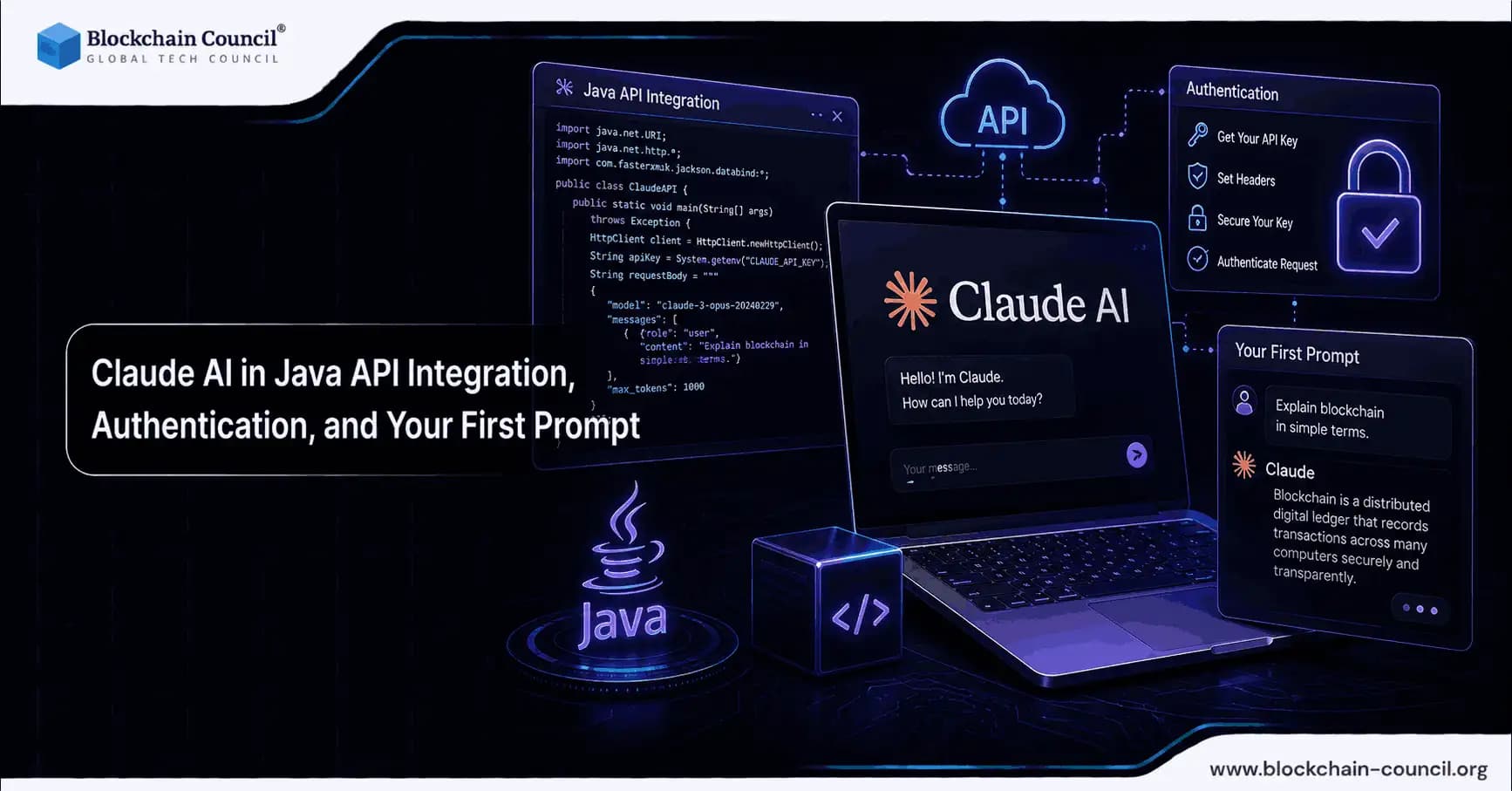
Claude AI in Java is straightforward once you understand three core building blocks: choosing the right SDK, configuring authentication correctly, and sending your first prompt through the Messages API. Anthropic provides an official Java SDK that supports Java 8+ and works either directly against the Claude API or through enterprise platforms like Amazon Bedrock and Google Vertex AI. This guide covers a clean, production-ready setup and the minimum code required to get a working response. Learn how to integrate Claude AI into Java applications using APIs, authentication workflows, and prompt handling for enterprise-ready AI systems by building expertise through an AI certification, automating API interactions and AI workflows using a Python certification, and positioning AI-powered products effectively with a Digital marketing course.
Why use Claude AI in Java applications?
Claude is widely used for summarization, coding assistance, customer support automation, and document Q&A. For Java teams, the practical advantages are clear:

Official Java SDK support with builder-style request objects and both synchronous and asynchronous patterns.
Large context windows in the Claude 3 family, up to 200K tokens, which is useful for long documents and multi-step workflows.
Tool use support, where the model can invoke external functions based on JSON schemas derived from Java classes, useful for calling internal services in a controlled way.
Multi-cloud deployment options including Bedrock and Vertex AI, which matter for enterprise governance and data residency requirements.
Claude's API design fits naturally into Java and Spring Boot codebases, and it is frequently referenced in Spring AI tutorials as a strong fit for enterprise chatbot scenarios involving both text and vision inputs.
Choose your integration path: Direct API vs cloud platforms
Before writing code, decide where Claude will run. The official SDK supports multiple backends:
Direct Claude API: the simplest option for most applications and prototypes.
Amazon Bedrock: use com.anthropic:anthropic-java-bedrock with the BedrockMantleBackend approach for AWS-native deployments.
Vertex AI: use com.anthropic:anthropic-java-vertex for Google Cloud environments.
Microsoft Foundry: use com.anthropic:anthropic-java-foundry.
Claude Platform on AWS (beta): use com.anthropic:anthropic-java-aws.
For Spring Boot projects, Spring AI abstractions can reduce boilerplate, while LangChain4J is a solid choice when you need chaining, retrieval, and tool orchestration. A lightweight community wrapper called claude4j also exists, but the official SDK is the better starting point for feature coverage and long-term maintenance.
Step 1: Get API access and configure environment variables
To use the direct Claude API, you need an API key from Anthropic, obtained through the Anthropic Console. Access approval timelines vary by region and use case.
The official SDK supports environment variables and system properties for authentication. The standard setup uses:
Environment variable: ANTHROPIC_API_KEY
System property: anthropic.apiKey
Optional configuration includes:
ANTHROPIC_BASE_URL when routing through a proxy or custom endpoint
ANTHROPIC_AUTH_TOKEN for specific authentication setups
Security note: treat the API key as a production secret. Store it in a secrets manager such as AWS Secrets Manager, GCP Secret Manager, or HashiCorp Vault, and inject it via environment variables at runtime rather than hardcoding it in source files.
Step 2: Add the official Anthropic Java SDK dependency
The official SDK artifact is com.anthropic:anthropic-java, compatible with Java 8+. Add it to your Maven project:
pom.xml
(Check Maven Central for the latest version, as the SDK is updated frequently.)
<dependency>
    <groupId>com.anthropic</groupId>
    <artifactId>anthropic-java</artifactId>
    <version>0.3.0</version>
</dependency>
For teams working across AI and enterprise development, this is a good point to consider role-based upskilling. Blockchain Council programs such as the Certified Artificial Intelligence Expert, Certified Prompt Engineer, and Certified Blockchain Developer certifications can support secure AI adoption across blockchain and enterprise workflows.
Step 3: Initialize the client in Java
With ANTHROPIC_API_KEY set, client initialization is minimal:
import com.anthropic.client.AnthropicClient;
import com.anthropic.client.okhttp.AnthropicOkHttpClient;

public class ClaudeQuickstart {
    public static void main(String[] args) {
        AnthropicClient client = AnthropicOkHttpClient.fromEnv();
        // Next: create a message request and print the result
    }
}
This uses the direct API backend and reads configuration from the environment. Under the hood, the SDK sends standard JSON requests with headers including Content-Type: application/json, Accept: application/json, anthropic-version: 2023-06-01, and the API key header.
Step 4: Send your first prompt with the Messages API
The Messages API structures interactions as an ordered list of messages. Below is a minimal working example that asks Claude to explain blockchain basics:
import com.anthropic.client.AnthropicClient;
import com.anthropic.client.okhttp.AnthropicOkHttpClient;
import com.anthropic.models.messages.Message;
import com.anthropic.models.messages.MessageCreateParams;
import com.anthropic.models.messages.Model;

import java.util.List;

public class ClaudeFirstPrompt {
    public static void main(String[] args) {
        AnthropicClient client = AnthropicOkHttpClient.fromEnv();

        MessageCreateParams params = MessageCreateParams.builder()
            .model(Model.CLAUDE_3_5_SONNET_20240620)
            .maxTokens(100)
            .temperature(0.7)
            .messages(List.of(
                Message.user().content("Hello, Claude! Explain blockchain basics.")
            ))
            .build();

        Message response = client.messages().create(params);
        System.out.println(response.getContent().get(0).getText());
    }
}
Key parameter reference:
model: selects the Claude model. This example uses Claude 3.5 Sonnet, which offers a strong balance of performance and cost.
maxTokens: caps the number of tokens Claude can generate in the response. Increase this for longer answers.
temperature: higher values increase response variation; lower values increase determinism. For enterprise summaries and compliance-sensitive outputs, lower values are typically preferable.
messages: the conversation input. Add additional user and assistant turns to support multi-step dialogs.
Common next steps: multi-turn chat, tools, and structured outputs
Multi-turn conversations
To move from a single prompt to a full conversation, append messages as the exchange progresses. In production systems, store conversation state (or a summarized version) in a database or cache. Claude's large context window is helpful, but keeping prompts focused and avoiding unnecessary history is still good practice for managing cost and latency.
Tool use in Java (function calling)
One of the most practical capabilities for Java backends is tool use. You describe available tools using JSON schema definitions, often derived from Java classes, and Claude can request that your application call a specific tool such as:
Looking up account status
Querying a product catalog
Running a pricing calculation
Fetching blockchain transaction metadata from an internal indexer
This pattern is particularly relevant for Web3 and enterprise automation because it separates natural language reasoning from deterministic system actions.
Schema-conforming outputs with strict mode
Many enterprise workflows require structured outputs that consistently match a defined schema, such as a JSON object with specific fields. The Anthropic Java SDK supports schema-conforming outputs through strict behaviors. Use this when integrating Claude responses into downstream systems like risk engines, ticketing workflows, or on-chain monitoring dashboards.
Alternative Java options: Spring AI, LangChain4J, and claude4j
For Spring Boot applications, Spring AI can reduce boilerplate by auto-configuring a ClaudeChatModel and providing consistent interfaces across AI providers. This is useful for:
Customer support chatbots
Internal knowledge assistants
Vision-enabled workflows where users upload images or screenshots
For more complex production workflows, LangChain4J handles call chaining, retrieval integration, and tool orchestration effectively. If you prefer a minimal wrapper with fewer abstractions, the community library claude4j works for simple use cases, but verify feature parity and maintenance activity before adopting it in enterprise deployments.
Cost, scale, and performance considerations
When moving from a proof of concept to production, keep three constraints in mind:
Token budgeting: Claude 3.5 Sonnet was priced at approximately $3 per million input tokens and $15 per million output tokens in late 2024. Always verify current pricing in the Anthropic Console before cost forecasting.
Context strategy: large context windows are powerful, but they increase cost. Use summarization and retrieval techniques to keep prompts concise.
Deployment platform: Bedrock and Vertex AI have seen significant enterprise adoption for inference workloads, driven by demand for governance controls, regional data residency, and consolidated cloud billing.
Conclusion
Getting started with Claude AI in Java follows a predictable flow: add the official SDK, set ANTHROPIC_API_KEY, initialize AnthropicOkHttpClient.fromEnv(), and call the Messages API with a well-scoped prompt. From that baseline, you can build toward multi-turn conversations, tool-enabled actions, and schema-conforming structured outputs that integrate reliably with enterprise systems.
For regulated workflows, Web3 analytics, or secure automation, prioritize strong secret management, schema-based outputs, and defined tool invocation patterns from the start. Build Java applications powered by Claude AI with secure authentication, prompt engineering, and scalable API integrations by mastering AI development through an AI certification, creating backend AI services using a Node JS Course, and launching AI-driven developer solutions with an AI powered marketing course.
FAQs
1. What is Claude AI in Java?
Claude AI in Java means integrating Anthropic’s Claude models into Java applications using an SDK or API. Developers can use it for chatbots, summarization, coding help, document Q&A, and enterprise automation. The setup mainly involves authentication, SDK installation, client initialization, and sending prompts through the Messages API.
2. Why should Java developers use Claude AI?
Java developers can use Claude AI to add intelligent text generation, analysis, and automation features to existing applications. It fits well into Java and Spring Boot environments because the SDK supports structured request objects and common backend patterns. This makes it useful for enterprise teams that need reliable AI features without rebuilding their full software stack.
3. What is required to start using Claude AI in Java?
To start, developers need Anthropic API access, an API key, and the official Anthropic Java SDK. The API key should be stored securely as an environment variable instead of being hardcoded in the application. After configuration, developers can initialize the client and send a prompt to Claude through the Messages API.
4. Which SDK is recommended for Claude AI Java integration?
The official Anthropic Java SDK is the recommended starting point for most Java projects. It supports Java 8 and later, works with the direct Claude API, and offers better long-term reliability than lightweight community wrappers. It also supports enterprise deployment options through platforms like Amazon Bedrock and Google Vertex AI.
5. What is the environment variable used for Claude authentication?
The standard environment variable for Claude API authentication is ANTHROPIC_API_KEY. Developers can also use the anthropic.apiKey system property depending on their setup. This key should be treated as a production secret and stored in a secure secrets manager.
6. Why should developers avoid hardcoding Claude API keys?
Hardcoding API keys creates serious security risks because secrets can leak through repositories, logs, or shared code. A safer approach is to store keys in tools like AWS Secrets Manager, GCP Secret Manager, HashiCorp Vault, or environment variables. This keeps authentication details separate from the source code and improves production security.
7. How do you add Claude AI to a Maven Java project?
Developers can add Claude AI by including the official com.anthropic:anthropic-java dependency in their Maven pom.xml file. The article notes that the SDK version should be checked on Maven Central because it may change over time. Once added, the project can initialize the Anthropic client and begin sending requests.
8. How is the Claude client initialized in Java?
The Claude client can be initialized using AnthropicOkHttpClient.fromEnv(). This method reads configuration from the environment, including the API key. It is a clean setup for direct API usage because developers do not need to manually pass secrets inside the code.
9. What is the Messages API in Claude?
The Messages API is the main interface used to send prompts and receive responses from Claude. It organizes communication as a list of user and assistant messages, which makes it suitable for both single prompts and multi-turn conversations. Developers can define parameters such as model, max tokens, temperature, and message content.
10. What does the model parameter do in Claude requests?
The model parameter tells the API which Claude model should generate the response. Different models may offer different balances of speed, cost, reasoning quality, and context length. In the article’s example, Claude 3.5 Sonnet is used because it provides strong performance for general application use.
11. What does maxTokens mean in Claude AI Java integration?
maxTokens controls the maximum length of Claude’s generated response. A lower value creates shorter outputs, while a higher value allows longer explanations or detailed answers. Developers should set this carefully to manage cost, latency, and output quality.
12. What does the temperature setting control?
The temperature setting controls how varied or predictable Claude’s responses are. Higher values produce more creative and diverse answers, while lower values create more consistent and deterministic responses. For enterprise workflows, lower temperatures are usually better because reliability matters more than creative chaos, apparently a rare business preference.
13. Can Claude AI support multi-turn conversations in Java?
Yes, Claude AI can support multi-turn conversations by appending previous user and assistant messages to the request. In production systems, developers should store conversation state in a database, cache, or summarized format. This helps maintain context while controlling cost and reducing unnecessary prompt length.
14. What is tool use in Claude AI?
Tool use allows Claude to request external functions based on defined schemas. In Java applications, this can support tasks like account lookup, product catalog searches, pricing calculations, or blockchain transaction checks. This keeps natural language reasoning separate from system actions, which is useful because letting models directly improvise backend operations would be a spectacularly bad idea.
15. Why are structured outputs useful in Claude Java applications?
Structured outputs help ensure Claude’s responses follow a specific format, such as JSON with required fields. This is important when responses need to feed into ticketing systems, risk engines, monitoring tools, or automated workflows. Schema-based outputs make AI results easier to validate, parse, and use reliably.
16. Can Claude AI be used with Spring Boot?
Yes, Claude AI can be integrated into Spring Boot applications directly through the Anthropic SDK or through Spring AI. Spring AI can reduce boilerplate by providing consistent interfaces across AI providers. This is helpful for chatbots, internal assistants, and enterprise applications that need text or vision-based workflows.
17. What are alternative Java options for Claude integration?
Besides the official SDK, developers can use Spring AI, LangChain4J, or claude4j depending on project needs. Spring AI is useful for Spring Boot applications, while LangChain4J supports retrieval, chaining, and tool orchestration. The article suggests using community wrappers cautiously because enterprise teams need maintained and feature-complete libraries.
18. How should teams manage Claude AI costs?
Teams should manage costs by monitoring token usage, limiting unnecessary context, and choosing the right model for the task. Large context windows are useful, but they can increase cost when prompts contain too much irrelevant history. Summarization and retrieval strategies can help keep inputs focused and efficient.
19. Can Claude AI be deployed through cloud platforms?
Yes, Claude can be accessed through cloud platforms such as Amazon Bedrock and Google Vertex AI. These options are useful for enterprises that need governance controls, data residency, and cloud billing integration. The official SDK also supports different backend options for teams working in cloud-native environments.
20. What is the best way to start with Claude AI in Java?
The best starting path is to get API access, set ANTHROPIC_API_KEY, add the official Java SDK, initialize the client, and send a simple prompt through the Messages API. After the first response works, teams can add multi-turn chat, tool use, and structured outputs. This gives developers a practical baseline before moving into production-grade automation.
Related Articles
View All
Claude Ai
Fable 5 API Guide: Integration, Use Cases, and Developer Best Practices
A practical Fable 5 API guide covering integration paths, effort tuning, long-running agents, enterprise use cases, pricing, and production best practices.

Claude Ai
Claude Prompt vs Claude Looping in AI Automation: Benefits, Limits, and Examples
Understand Claude Prompt vs Claude Looping for AI automation, including benefits, limits, use cases, costs, and when teams should use each approach.

Claude Ai
Claude Prompt vs Claude Looping: Which Should Developers Use?
Claude prompts suit interactive coding work, while Claude looping fits recurring agent workflows. Learn when to use each and how to combine both safely.
Trending Articles
AWS Career Roadmap
A step-by-step guide to building a successful career in Amazon Web Services cloud computing.

Top 5 DeFi Platforms
Explore the leading decentralized finance platforms and what makes each one unique in the evolving DeFi landscape.
How Blockchain Secures AI Data
Understand how blockchain technology is being applied to protect the integrity and security of AI training data.