

Claude AI for Data Science Teams
 Suyash Raizada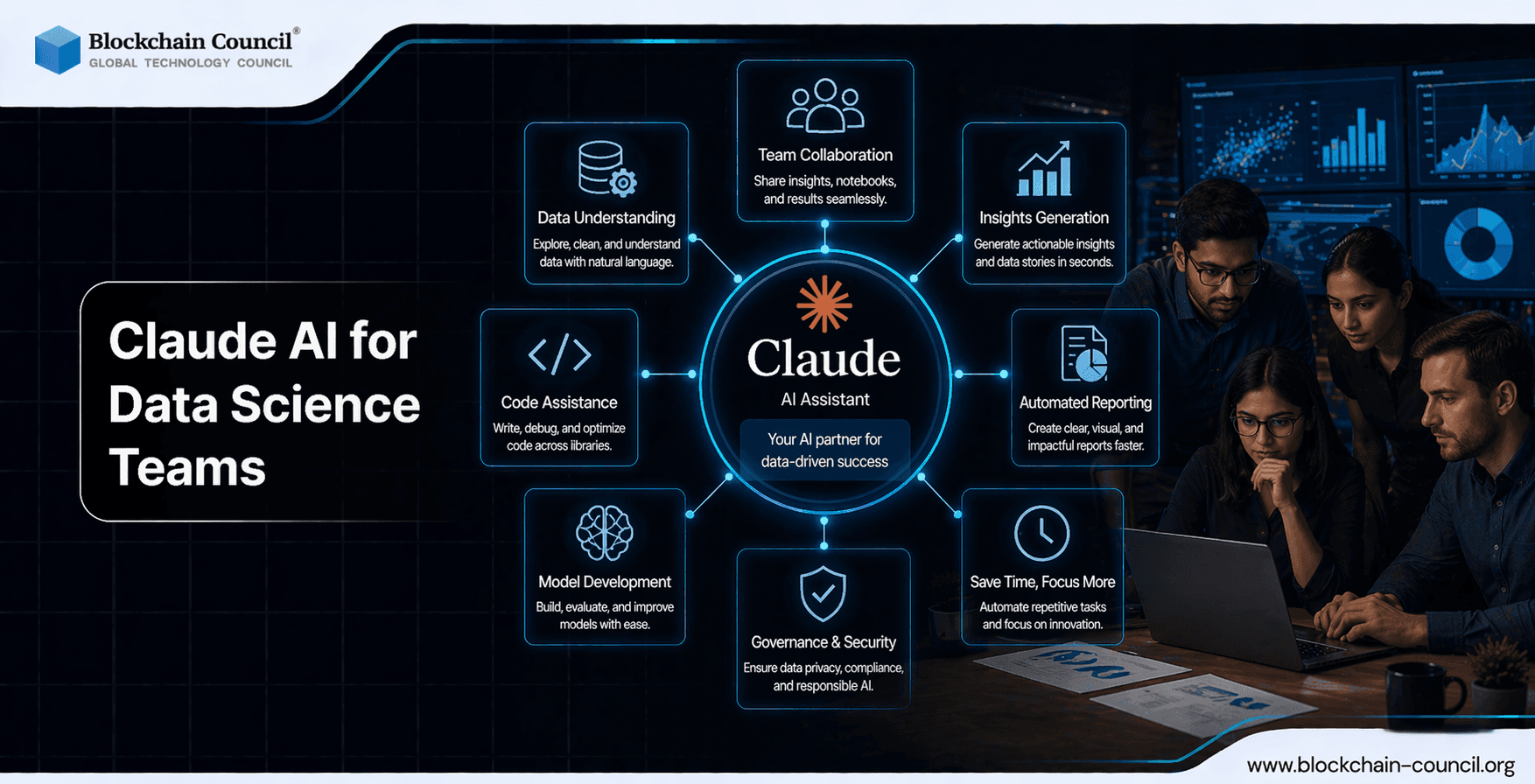
Claude AI for data science teams is moving from ad hoc experimentation to an operational capability that can query large datasets, draft analyses, and support regulated workflows. With connectors to platforms like Databricks and Snowflake, teams can use natural language to explore data, run domain-specific analyses such as differential expression, and accelerate hypothesis generation. Enterprise adoption in healthcare and finance highlights a parallel need: standardizing prompts, review processes, and governance so outputs are traceable, compliant, and reproducible at scale. Using Claude AI for Data Science Teams improves collaboration, analysis, and reporting efficiency. Teams can automate repetitive tasks and generate insights faster. However, aligning workflows across teams requires structured systems. The Claude Code Certification helps you implement these solutions.
Enable collaborative AI development and faster experimentation within teams by learning advanced systems through an AI Course, optimizing workflows with a machine learning course, and scaling adoption via a courses in digital marketing.

Why Claude AI Matters for Modern Data Science Teams
Data science work is increasingly constrained by workflow friction: context switching, lengthy experimentation cycles, and the overhead of translating business questions into code, SQL, and documentation. Claude's enterprise capabilities address those bottlenecks through:
Connectors and integrations across thousands of SaaS tools, including data platforms used in analytics and life sciences.
Large-context reasoning that supports complex tasks, long notebooks, multi-step analyses, and extended documentation review.
Agentic workflows that can execute longer tasks with intermediate steps, improving traceability when implemented with the right controls.
In data-intensive and regulated environments, Claude has been developed with safety and compliance requirements in mind, including healthcare-oriented controls. This makes a strong case for treating Claude as part of the data production system rather than simply an individual productivity tool.
Claude in Scientific and Regulated Data Workflows
Anthropic's roadmap and ecosystem partnerships have expanded Claude's fit for scientific and data-heavy work. Recent developments include domain-focused offerings in life sciences and healthcare, along with integrations that support multi-step workflows such as hypothesis formation, protocol planning, and analysis. Ecosystem examples show Claude acting as a collaborator that can compress long project cycles by removing experimentation and analysis bottlenecks.
For engineering-adjacent data teams, Claude Code has been associated with faster development cycles and lower rework, indicating value not only in ideation but also in the implementation and maintenance of data products and pipelines.
Standardizing Prompts: From Personal Habits to Team Assets
Most teams start with individual prompt styles, which creates variability in quality, tone, compliance, and reproducibility. To operationalize Claude AI for data science teams, treat prompts as versioned assets with clear intent and constraints.
Create a Prompt Library with Tiers
Establish a shared repository (for example, in Git) with three levels of prompts:
Foundational prompts: universal standards for safety, privacy, and style (for example, "do not include sensitive identifiers," "cite data sources used," "state assumptions").
Task prompts: reusable templates for common tasks such as SQL generation, exploratory data analysis plans, experiment design, metric definitions, and model card drafting.
Domain prompts: specialized prompts for business domains (finance, healthcare, biotech) or datasets (Snowflake schemas, Databricks catalogs), including glossary and KPI definitions.
Use a Consistent Prompt Schema
A standard schema reduces ambiguity and makes outputs easier to review. A practical structure:
Objective: what success looks like.
Context: dataset, tables, time windows, and business rules.
Constraints: privacy limits, allowed tools, and formatting requirements.
Method: expected approach (EDA checklist, statistical tests, validation steps).
Output contract: required sections, tables, and confidence notes.
This structure is especially useful when Claude is querying Snowflake or Databricks through connectors, because the "context" and "constraints" blocks reduce the risk of wrong-table queries, inconsistent filters, or undocumented assumptions.
Define Prompt Quality Acceptance Criteria
Prompts should be reviewed like code. Common acceptance criteria include:
Reproducibility: another team member can run the same request and get an equivalent output.
Testability: outputs include checks (row counts, null checks, cohort consistency) and clear next validation steps.
Compliance readiness: prompts avoid requesting sensitive fields unless explicitly authorized and necessary.
Transparency: outputs list assumptions and highlight uncertainties.
Review Processes: Building an LLM-Aware SDLC for Analytics
LLM outputs can appear confident even when incorrect, so review must be explicit and role-based. A lightweight but effective review workflow mirrors a software development lifecycle, adapted for analytics and modeling.
1) Intake and Scoping Review
Before running a prompt, confirm the request is properly scoped:
Is the question answerable with available data?
Are there privacy or regulatory constraints (for example, healthcare requirements)?
What decisions will the result influence, and what error tolerance is acceptable?
2) Technical Review of Generated SQL, Code, and Statistics
For any Claude-generated query or notebook step, reviewers should validate:
Correctness: joins, filters, time windows, and cohort definitions.
Performance: expensive scans, missing partitions, or non-sargable filters.
Statistical validity: test selection, multiple comparisons, leakage risks, and power considerations.
Data quality gates: missingness, duplicates, and outlier handling.
When Claude is used for differential expression or multi-omics quality control through connected platforms, this step is critical: ensure the method matches the experimental design and that normalization and batch effects are addressed.
3) Business and Compliance Review
Outputs that affect decisions should be reviewed for:
Interpretability: a clear summary of what changed, for whom, and why it matters.
Policy alignment: approved data fields, retention rules, and disclosure standards.
Documentation completeness: assumptions, limitations, and data lineage notes.
4) Post-Deployment Monitoring and Feedback
If Claude is part of an automated workflow (for example, scheduled reporting, alert triage, or pipeline scaffolding), establish monitoring:
Drift checks on key metrics and cohorts
Error budgets for false positives and false negatives
Periodic audits of prompt versions and connector permissions
Governance: Controls That Make Claude Safe and Scalable
Governance for Claude in data science is less about restricting usage and more about making usage auditable, consistent, and compliant. Claude's positioning in regulated sectors suggests governance patterns that teams can formalize.
Access Control and Environment Separation
Role-based access: separate permissions for exploration, production query execution, and deployment.
Dev-test-prod separation: require that prompts and generated code be validated in lower environments before reaching production.
Connector governance: manage Databricks and Snowflake connectors with least privilege and periodic entitlement reviews.
Auditability and Traceability
Adopt a paper-trail-by-default approach:
Log prompt versions, model configurations, and tool calls used in each analysis run.
Store intermediate outputs (summaries, SQL drafts, validation checks) alongside final deliverables.
Require a standard analysis header that includes dataset version, time range, and reviewer names.
Teams report improved traceability when automation is driven by structured prompts. Build that traceability in by design rather than as an afterthought.
Data Privacy and Regulated Workflows
For healthcare and other regulated contexts, governance should explicitly define:
Which data classifications are allowed in Claude-assisted workflows
Approved de-identification or aggregation requirements
Escalation paths when prompts request restricted fields
This aligns with Claude's compliance-focused enterprise features and secure integration capabilities.
Operating Model: Who Owns What in a Claude-Enabled Team
Clear ownership prevents ad hoc prompting and inconsistent practices. A practical model:
Prompt Owner: maintains templates, acceptance criteria, and versioning.
Data Steward: governs datasets, definitions, and connector entitlements.
Reviewer Pool: rotates to review generated SQL, notebooks, and narrative conclusions.
AI Governance Lead: coordinates policy, audit readiness, and incident response.
Organizations can formalize capability development through structured internal training plans. Teams often pair Claude adoption with foundational programs such as Blockchain Council's Certified Data Scientist, Certified AI Developer, or Certified Prompt Engineer certifications to standardize skills across roles.
Practical Playbook: A 30-Day Rollout for Standardization
Week 1: Define policy boundaries (data classes, approved connectors, logging requirements) and select three high-value use cases.
Week 2: Build the initial prompt library (10 to 15 templates) using the standard schema and add review checklists.
Week 3: Pilot in a controlled environment with mandatory technical review of every generated query or notebook.
Week 4: Promote the best prompts into a validated tier, implement versioning, and set monitoring for automated workflows.
Streamline data pipelines and team productivity using AI-powered collaboration tools by combining expertise from an Agentic AI Course, building automation through a Python Course, and driving business outcomes with an AI powered marketing course.
Conclusion: Making Claude AI Reliable for Data Science at Scale
Claude AI for data science teams can accelerate analysis, improve iteration speed, and support complex workflows through connectors and agentic capabilities. The differentiator for enterprise-grade outcomes is not model quality alone, but operational discipline: standardized prompts, explicit review stages, and governance controls that ensure privacy, compliance, and reproducibility. Treat prompts as code, treat outputs as draft artifacts requiring validation, and treat governance as a shared responsibility across data, security, and business stakeholders. That is how teams turn Claude from a helpful assistant into a dependable part of the data science operating model.
FAQs
1. What is Claude AI for data science teams?
Claude AI is an AI assistant that helps data science teams with analysis, coding, documentation, and communication. It supports various stages of the data workflow. This improves efficiency and collaboration.
2. How can Claude AI improve team productivity in data science?
Claude AI automates repetitive tasks like data summarization and report generation. It provides quick insights and suggestions. This allows teams to focus on complex analysis.
3. Can Claude AI assist with data analysis tasks?
Yes, Claude AI can help interpret datasets, identify trends, and suggest analysis approaches. It supports exploratory data analysis. Results should be validated by team members.
4. How does Claude AI support collaboration in data science teams?
Claude AI can generate summaries, documentation, and shared insights. It helps align team understanding. This improves communication across roles.
5. Can Claude AI generate code for data science projects?
Claude AI can create code snippets for data processing, modeling, and visualization. It supports languages like Python and R. Developers should review outputs carefully.
6. How does Claude AI help with data cleaning?
Claude AI can suggest methods to handle missing values, duplicates, and inconsistencies. It improves data preparation workflows. Clean data leads to better models.
7. What role does Claude AI play in exploratory data analysis?
Claude AI can summarize datasets and highlight patterns or anomalies. It suggests visualizations and metrics. This speeds up initial analysis.
8. Can Claude AI assist with machine learning workflows?
Yes, it can guide model selection, feature engineering, and evaluation methods. It helps explain algorithms and results. Teams must validate model performance.
9. How does Claude AI support documentation in data science?
Claude AI can generate reports, code comments, and project summaries. It improves clarity and consistency. Good documentation supports team collaboration.
10. What are the benefits of using Claude AI in data science teams?
Benefits include faster analysis, improved communication, and reduced manual work. It supports decision-making with structured insights. This enhances overall productivity.
11. What are the limitations of Claude AI for data science teams?
Limitations include potential inaccuracies and lack of full dataset context. It may not replace domain expertise. Human validation is required.
12. Can Claude AI help with data visualization?
Claude AI can suggest visualization types and generate plotting code. It helps present data clearly. Final design decisions should be reviewed by analysts.
13. How does Claude AI improve decision-making in teams?
Claude AI provides structured insights and summaries. It helps teams evaluate options and interpret results. This supports informed decisions.
14. Can Claude AI assist with model evaluation?
Yes, Claude AI can explain metrics like accuracy, precision, and recall. It helps interpret results. This supports better model assessment.
15. How does Claude AI integrate into existing data workflows?
Claude AI can be used alongside tools like notebooks, IDEs, and dashboards. It complements existing processes. Integration depends on the platform.
16. What skills are needed to use Claude AI effectively in teams?
Teams need data literacy, programming knowledge, and critical thinking. Clear communication with the AI improves outputs. Experience enhances results.
17. Can Claude AI help with large datasets?
Claude AI can assist with summarization and analysis strategies. However, it may not process very large datasets directly. External tools are still needed.
18. How does Claude AI support agile data science teams?
Claude AI helps with quick insights, documentation, and iteration. It supports fast decision cycles. This aligns with agile workflows.
19. Is Claude AI suitable for remote data science teams?
Yes, it supports remote teams by providing shared insights and documentation. It improves communication across locations. This enhances collaboration.
20. What is the future of Claude AI in data science teams?
Claude AI will become more integrated into tools and workflows. It will offer deeper insights and automation. Teams will rely on it for faster and smarter analysis.
Related Articles
View All
Claude Ai
Connecting Claude to Enterprise Data via an MCP Server: RAG Pipelines, Permissions, and Compliance
Learn how connecting Claude to enterprise data via an MCP server enables secure RAG pipelines, granular permissions, audit logging, and compliance-ready AI access.

Claude Ai
Fable 5 for Data Analysis: Turning Raw Data Into Actionable Insights
Learn how Fable 5 for data analysis helps teams interpret tables, PDFs, charts, and qualitative data while managing governance, cost, and validation.

Claude Ai
How to Use Fable 5 for Summarization Tasks Across Documents and Data
Learn how to use Fable 5 for summarization across documents, PDFs, transcripts, logs, and enterprise data with structured outputs and verification.
Trending Articles
The Role of Blockchain in Ethical AI Development
How blockchain technology is being used to promote transparency and accountability in artificial intelligence systems.
Claude AI Tools for Productivity
Discover Claude AI tools for productivity to streamline tasks, manage workflows, and improve efficiency.
How to Install Claude Code
Learn how to install Claude Code on macOS, Linux, and Windows using the native installer, plus verification, authentication, and troubleshooting tips.