

Claude AI Debugging Code Examples
 Suyash Raizada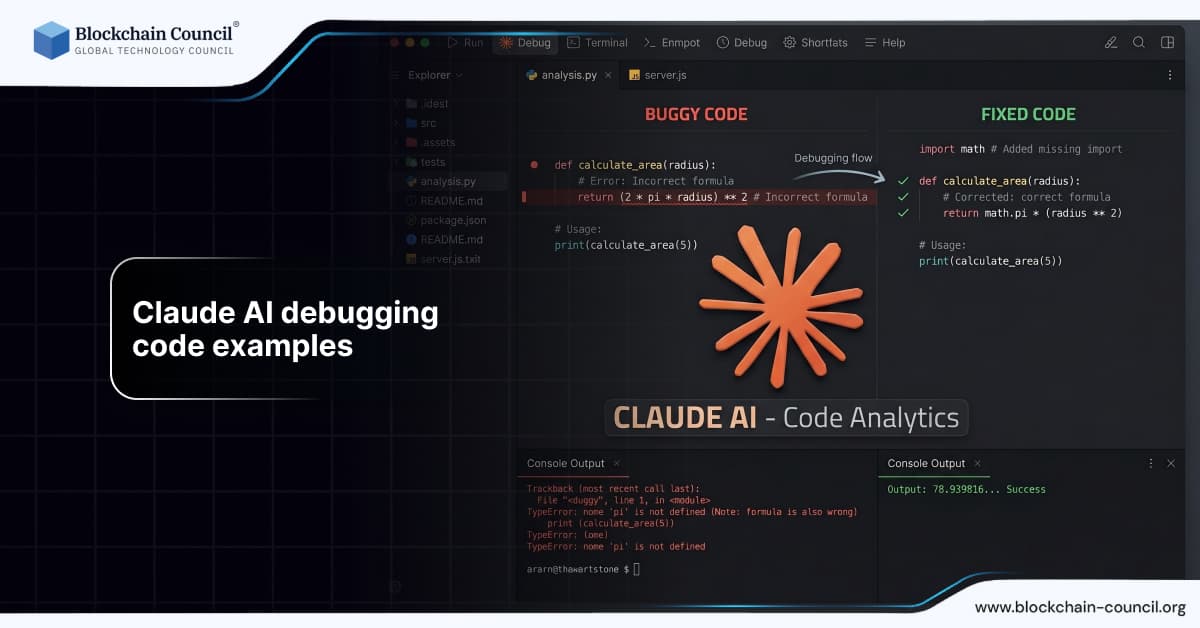
Debugging is one of the most critical and time-consuming aspects of software development. Identifying errors, understanding their causes, and implementing fixes often requires deep technical expertise and patience. With the rise of artificial intelligence, tools like Claude AI are transforming how developers approach debugging.
Solving issues with Claude AI debugging code examples becomes easier as Claude can identify errors and suggest fixes quickly. It supports troubleshooting across different programming languages. However, understanding the root cause is critical for long-term improvement. The Claude Code Certification helps you build debugging expertise.

This article provides a comprehensive guide to using Claude AI for debugging code, including practical examples, strategies, and best practices.
What is Claude AI?
Claude AI is an advanced conversational AI developed by Anthropic. It is designed to assist with tasks such as coding, writing, research, and data analysis.
Its ability to understand context and analyze large blocks of code makes it particularly useful for debugging.
Why Use Claude AI for Debugging?
Debugging requires careful analysis and problem-solving. Claude AI simplifies this process by:
Identifying errors quickly
Explaining issues clearly
Suggesting fixes
Improving code quality
To ensure secure and responsible use of AI in development, professionals often pursue an AI Security Certification.
How Claude AI Helps in Debugging
Error Detection
Claude AI identifies syntax and logical errors in code.
Example:
“Find errors in this Python code and explain them.”
Root Cause Analysis
Claude AI explains why the error occurs.
Example:
“Explain why this function is not returning the correct output.”
Suggesting Fixes
Claude AI provides corrected code.
Example:
“Fix this code and improve its performance.”
Code Optimization
Claude AI enhances code efficiency.
Example:
“Optimize this code to reduce execution time.”
Debugging Code Examples
Python Debugging Example
Prompt:
“Fix the error in this Python code that calculates the sum of a list.”
Claude AI identifies issues such as incorrect loops or variable usage.
Many developers enhance their expertise through a Python certification.
JavaScript Debugging Example
Prompt:
“Identify and fix bugs in this JavaScript function handling user input.”
Claude AI provides corrected logic and explanations.
Node JS Debugging Example
Prompt:
“Debug this Node JS API that is not returning the expected response.”
Developers often strengthen backend skills through a Node JS Course.
Real World Applications
Web Development
Claude AI helps debug frontend and backend issues.
Data Analysis
Developers use Claude AI to debug data processing scripts.
Automation
Claude AI fixes errors in automation scripts.
Software Testing
Claude AI identifies bugs and improves test coverage.
Real World Example
A developer working on a web application encountered a bug in their backend API. By providing the code and error message to Claude AI, they received a detailed explanation and solution within minutes. This significantly reduced debugging time and improved productivity.
Benefits of Using Claude AI for Debugging
Faster Issue Resolution
Claude AI quickly identifies problems.
Improved Code Quality
Fixes lead to cleaner and more efficient code.
Better Understanding
Developers learn from AI explanations.
Increased Productivity
Less time spent on manual debugging.
Challenges and Limitations
Despite its advantages, Claude AI has some limitations:
May not fully understand complex edge cases
Requires clear prompts
Needs human verification
Developers should always test outputs.
Best Practices for Debugging with Claude AI
Provide Complete Code
Share enough context for accurate analysis.
Include Error Messages
Error details help identify issues quickly.
Ask Specific Questions
Clear prompts produce better results.
Test Suggested Fixes
Always verify AI-generated solutions.
Expanding Skills Beyond Debugging
Developers can also explore other domains such as marketing and business using AI tools.
For example, professionals can enhance their knowledge through an AI powered marketing course.
Latest Developments in Claude AI
In 2026, Claude AI has improved in:
Advanced debugging capabilities
Better error analysis
Enhanced context understanding
Integration with development tools
These improvements make it more effective for debugging tasks.
Future of AI in Debugging
The future of AI in debugging includes:
Automated error detection systems
Intelligent debugging assistants
Real-time code analysis
Developers who adopt AI tools early will gain a competitive advantage.
Conclusion
Claude AI is a powerful tool for debugging code, helping developers identify errors, understand issues, and implement fixes efficiently. By using structured prompts and following best practices, developers can significantly reduce debugging time and improve code quality.
However, success depends on combining AI capabilities with human expertise and critical thinking. Developers who master this balance will thrive in the evolving tech landscape.
Frequently Asked Questions
1. What is Claude AI used for in debugging?
It helps identify and fix errors.
2. Can beginners use Claude AI?
Yes, it is beginner friendly.
3. Can Claude AI fix code errors?
Yes, it suggests solutions.
4. Is Claude AI accurate?
Generally yes, but should be verified.
5. Which languages does it support?
Python, JavaScript, and more.
6. Can Claude AI explain errors?
Yes, it provides detailed explanations.
7. Do I need technical skills?
Basic knowledge is helpful.
8. Can Claude AI replace debugging skills?
No, it supports developers.
9. How do I improve results?
Provide clear prompts and context.
10. Can Claude AI optimize code?
Yes, it improves performance.
11. What are common mistakes?
Vague prompts and incomplete code.
12. Can Claude AI help with projects?
Yes, it guides debugging.
13. Is AI debugging safe?
Yes, with proper usage.
14. Can Claude AI handle large codebases?
Yes, with proper context.
15. Can developers use Claude AI daily?
Yes, for productivity.
16. Are certifications useful?
Yes, they validate skills.
17. What is the future of AI debugging?
More automation and smarter tools.
18. Can Claude AI detect logical errors?
Yes, with detailed prompts.
19. Can Claude AI improve productivity?
Yes, significantly.
20. How can I start using Claude AI for debugging?
Begin with simple errors and refine prompts.
Related Articles
View All
Claude Ai
Claude Prompt vs Claude Looping in AI Automation: Benefits, Limits, and Examples
Understand Claude Prompt vs Claude Looping for AI automation, including benefits, limits, use cases, costs, and when teams should use each approach.

Claude Ai
How to Use Claude Fable 5.1 for Free
Find out whether Claude Fable 5.1 is available for free, which Claude plans provide access, and what users need to know before trying Anthropic’s latest AI model.

Claude Ai
Anthropic's New Claude Fable 5.1 and Mythos 5.1 Update: What's New?
Anthropic’s Claude Fable 5.1 and Mythos 5.1 update brings stronger coding, long-running agentic workflows, research, vision, and knowledge-work capabilities. Fable 5.1 is generally available and introduces cheaper cache reads, potentially reducing typical workload costs by about 25% and highly agentic workloads by up to 45%. Mythos 5.1 uses the same underlying model but offers expanded cybersecurity and biology capabilities to vetted organizations through trusted-access programs.
Trending Articles
The Role of Blockchain in Ethical AI Development
How blockchain technology is being used to promote transparency and accountability in artificial intelligence systems.
How Blockchain Secures AI Data
Understand how blockchain technology is being applied to protect the integrity and security of AI training data.
What is AWS? A Beginner's Guide to Cloud Computing
Everything you need to know about Amazon Web Services, cloud computing fundamentals, and career opportunities.