

From Status Reports to Smart Dashboards
 Suyash Raizada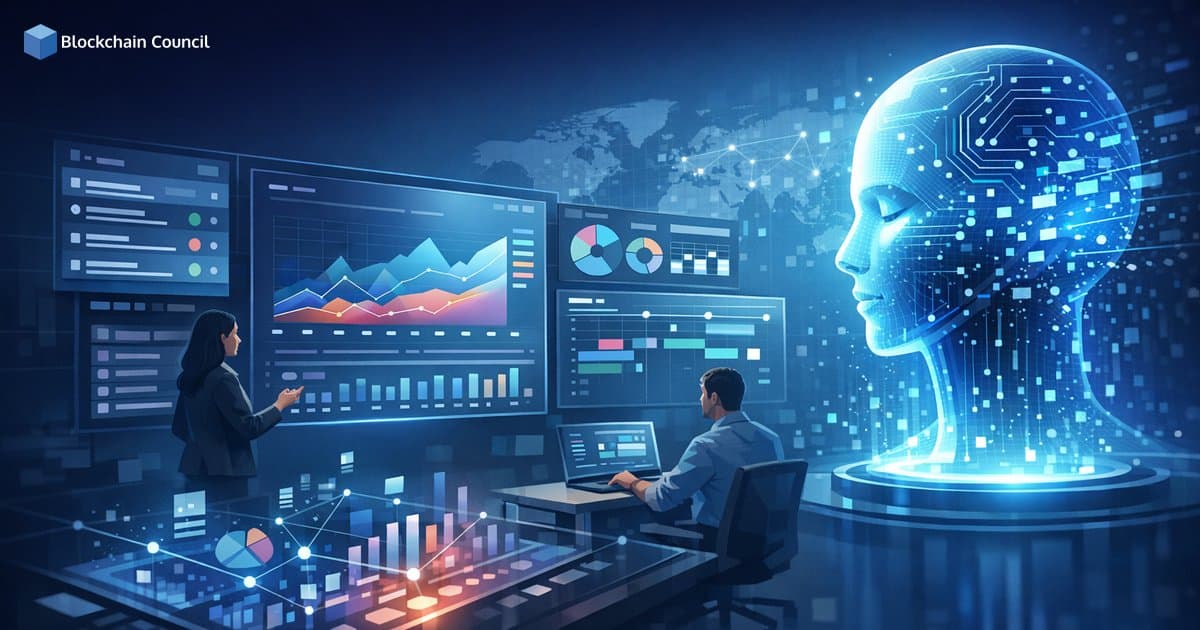
Using generative AI to transform project tracking is replacing the slow, manual cycle of weekly status reports, spreadsheet rollups, and slide decks. In 2026, teams can generate executive-ready summaries, real-time health scores, and risk signals in minutes, while keeping project data connected across tasks, people, and outcomes. The practical result is not just faster reporting, but better decisions because project intelligence becomes continuous rather than periodic.
This article breaks down what smart dashboards look like today, the key AI features driving the shift, real-world use cases, tool selection considerations, and the challenges teams must manage to ensure accuracy and trust.

Smart dashboards rely on data integration, visualization, and predictive analytics-develop these capabilities with an Agentic AI Course, strengthen ML insights via a machine learning course, and connect reporting to execution via a Digital marketing course.
Why Traditional Status Reporting Is Failing Modern Teams
Status reports were built for a world where project data lived in isolated tools and progress changed slowly. Today, work shifts daily across distributed teams, multiple platforms, and competing priorities. Manual reporting introduces several predictable problems:
Lagging information: by the time a report is written, it can already be outdated.
High administrative overhead: project managers spend hours collecting updates, formatting summaries, and chasing missing inputs.
Shallow insights: reports often describe what happened, but not why metrics changed or what to do next.
Inconsistent governance: metrics definitions, rollups, and interpretations vary between teams and stakeholders.
AI-enhanced reporting addresses these gaps by shifting reporting from a manual artifact into an automated, always-on layer of project operations. Many organizations now use AI to generate comprehensive status reports, executive summaries, and board-ready views with minimal manual work, compressing what previously took weeks of reporting effort into minutes for some workflows.
What Smart Dashboards Mean in 2026
A smart dashboard is not just a prettier chart. It is a system that combines automated reporting, predictive insights, and context-aware recommendations so stakeholders can understand progress, risks, and next actions without waiting for a meeting.
Core Capabilities of AI-Powered Smart Dashboards
Auto-generated summaries: dashboards that draft weekly updates, milestone narratives, and executive briefs based on live project data.
Real-time health scoring: continuous signals based on schedule, scope, budget, dependency risk, and resource utilization.
Explanations, not just alerts: AI that explains why a metric changed - for example, because a dependency slipped or capacity dropped.
Natural language interaction: teams can ask questions like "What is blocking release readiness?" and receive a grounded answer tied to specific tasks and owners.
This is where using generative AI to transform project tracking becomes strategic: it enables a decision layer that helps teams prioritize attention, not just collect status.
Key Generative AI Features Transforming Project Tracking
Across leading project management platforms, several AI capabilities are driving the shift from static reporting to smart dashboards.
1) Autonomous Task Orchestration
AI agents can create and update multi-step workflows based on natural language prompts, automatically generating projects, task lists, and handoffs. Tools like Motion focus on scheduling and execution automation, while platforms like Smartsheet have introduced project oversight agents that monitor progress and flag risks.
2) Predictive Insights and Scenario Planning
Predictive analytics is moving beyond simple trend lines toward context-rich guidance. Some platforms incorporate knowledge graphs that learn from outcomes and relationships between projects, people, and processes. This supports what-if analysis, scenario planning, and more accurate completion forecasts over time.
3) Resource and Capacity Optimization
Workload balancing and utilization dashboards reduce overcommitment and prevent hidden delays. Calendar-aware tools can dynamically time-block work, resolve conflicts, and continuously reschedule as priorities change.
4) Natural Language Dashboard Building
Instead of configuring complex filters and widgets, teams can describe what they need - such as "Show delivery risk by team, with capacity and top blockers". This reduces setup time and makes portfolio visibility accessible to a broader range of users, not just specialists.
5) Automated Communication and Meeting-to-Action Workflows
Dashboards can now generate action items from meeting conversations, summarize notes into updates, and route tasks to the right owners. monday.com, for example, supports AI-driven summaries and extraction of key information from boards to keep tracking current without manual input.
Real-World Use Cases: From Reporting Automation to Execution Intelligence
Practical adoption typically starts with reporting automation, then expands into risk detection and execution support.
Use Case 1: Executive Reporting in Minutes
AI dashboard generators can convert raw project data into executive-ready reporting quickly while maintaining metric governance and accuracy. That consistency matters when leaders need uniform definitions for schedule variance, burn rate, or delivery risk across multiple teams.
Use Case 2: AI-Powered Risk Detection Tied to Money and Time
Risk detection becomes more valuable when it connects schedule and financial signals. Scoro's AI assistant, Eli, analyzes time and financial data to highlight risks such as budget overruns, utilization issues, and anomalies that warrant investigation. Rather than generic red-yellow-green flags, teams receive targeted leads for root cause analysis.
Use Case 3: Autonomous Workflow Generation During Project Kickoff
Rather than spending days building a plan, teams use generative AI to create a first-pass structure covering milestones, dependencies, and task breakdown. AI can then prioritize work based on criticality and adjust as inputs change, reducing the friction between project initiation and execution.
Use Case 4: Capacity-Aware Scheduling and Continuous Rescheduling
Scheduling is where many projects quietly fail. AI-driven systems can prevent overbooking by learning from scheduling patterns, dynamically reshuffling work when blockers appear, and ensuring critical tasks stay protected on calendars.
Tool Landscape: What Leading Platforms Are Emphasizing
Platform selection depends on workflow fit, budget, integration requirements, and how much autonomy a team wants from AI. Common differentiators include risk prediction depth, automation breadth, and how transparently the AI explains its recommendations.
Asana: known for AI-powered productivity recommendations that help teams focus on high-impact work.
ClickUp: positioned as an all-in-one AI productivity hub with task automation and workload analysis.
Wrike: often chosen for generative content creation and predictive risk capabilities.
monday.com: strong in visual project tracking, customizable automation rules, and AI-assisted summaries.
Smartsheet and Motion: examples of platforms emphasizing AI agents for project oversight and calendar-first execution automation.
ProProfs Project: illustrates a simpler approach with automated reminders, progress updates, and collaboration features, though it involves feature tradeoffs such as limited deployment options.
For teams that want to deepen their practical skills with AI-enabled project workflows, Blockchain Council programs such as the Certified Generative AI Expert, Certified AI Professional, and Certified Project Manager offer complementary tracks for implementing AI governance, prompt-driven workflows, and operational measurement.
Implementation Roadmap: How to Adopt Smart Dashboards Without Chaos
Using generative AI to transform project tracking works best when rolled out in phases with clear governance.
Standardize your metrics: define what "on track," "at risk," and "blocked" mean. Align schedule, scope, and budget definitions across teams before automation begins.
Connect the right data sources: tasks, time tracking, resourcing, and financials should map to shared identifiers such as projects, epics, and cost centers.
Start with reporting automation: auto-generate weekly updates and executive summaries before enabling autonomous changes.
Introduce predictive risk signals: validate forecasts against real outcomes, then tune thresholds and escalation routes accordingly.
Operationalize human review: define when AI can suggest versus when it can execute, particularly for resource and budget decisions.
Challenges and Limitations to Plan For
AI adoption in project tracking still has real constraints. Teams should anticipate and manage the following:
Integration and data quality issues: inaccurate inputs produce misleading forecasts. Some organizations report integration problems that skew demand forecasting.
Setup complexity: CRM-linked forecasting and unified portfolio visibility can be difficult to configure without adequate training and clear ownership.
Opaque AI logic: stakeholders may distrust recommendations if the system cannot clearly explain why it flagged a risk or suggested a change.
Administrative burden for small teams: enterprise platforms can add overhead if workflows are not appropriately scoped.
Mitigation requires a governance-first mindset: transparent metrics, explainable outputs, and clear accountability for decisions influenced by AI recommendations.
Future Outlook: From Dashboards to Decision Intelligence
The next phase is decision intelligence that moves beyond reporting and prediction into active execution support. Platforms are already beginning to link risks directly to milestones and objectives, recommend tradeoffs, and advance workflows based on real-time signals. Over time, competitive advantage is likely to concentrate around platforms that unify portfolio visibility across resourcing, financials, and demand forecasting while keeping the experience accessible to non-specialist users.
AI-driven dashboards replace static reporting with real-time analytics and insights-build expertise with an AI certification, implement data pipelines using a Python Course, and align outputs with business decision-making through an AI powered marketing course.
Conclusion
Using generative AI to transform project tracking is shifting project management from periodic reporting to continuous intelligence. Smart dashboards automate status updates, surface predictive risks, optimize capacity, and convert meeting output into action - all while reducing the administrative load that traditionally consumed project teams. The organizations that benefit most will be those that pair AI capabilities with strong metric governance, reliable integrations, and transparent decision processes.
For professionals building these systems, developing skills in generative AI workflows, AI governance, and project analytics is becoming as important as classic project planning fundamentals. Blockchain Council certifications in generative AI, AI, and project management can support that capability-building as teams move from manual status reports to truly smart dashboards.
FAQs
1. What are smart dashboards in project management?
Smart dashboards are interactive tools that display real-time project data. They replace static status reports with dynamic visual insights. This helps teams monitor progress and make faster decisions.
2. How do smart dashboards differ from traditional status reports?
Traditional reports are static and updated periodically. Smart dashboards update in real time and allow interaction. They provide deeper insights and reduce manual reporting effort.
3. Why are organizations moving from status reports to dashboards?
Organizations want faster access to accurate data and less manual work. Dashboards improve visibility and decision-making. They also reduce delays caused by outdated reports.
4. What data is typically shown in smart dashboards?
Dashboards display metrics such as project progress, timelines, budgets, and risks. They may also include team performance and resource usage. Data is often visualized through charts and graphs.
5. How do smart dashboards improve decision-making?
They provide real-time insights and highlight key trends. Managers can quickly identify issues and take action. This leads to more informed and timely decisions.
6. What tools are used to create smart dashboards?
Popular tools include Power BI, Tableau, Google Looker Studio, and project management platforms. These tools integrate with data sources and automate updates. They support customizable dashboards.
7. How does automation play a role in smart dashboards?
Automation pulls data from multiple systems and updates dashboards automatically. It reduces manual data entry and errors. This ensures consistent and reliable reporting.
8. What are key features of an effective smart dashboard?
Key features include real-time updates, clear visualizations, and customizable views. It should be easy to use and focused on relevant metrics. Simplicity improves usability.
9. How can businesses transition from reports to dashboards?
Start by identifying key metrics and data sources. Choose a dashboard tool and integrate existing systems. تدريجيًا replace manual reports with automated dashboards.
10. What are the benefits of real-time data in dashboards?
Real-time data allows immediate visibility into project status. It helps detect issues early and respond quickly. This improves efficiency and reduces risks.
11. How do dashboards support performance tracking?
Dashboards track key performance indicators and display trends over time. Teams can monitor progress against goals. This supports continuous improvement.
12. What is the role of data visualization in dashboards?
Data visualization presents complex data in an easy-to-understand format. Charts and graphs highlight patterns and trends. This improves comprehension and communication.
13. Can smart dashboards be customized for different teams?
Yes, dashboards can be tailored to specific roles and needs. Teams can focus on relevant metrics. Customization improves usability and relevance.
14. How do dashboards integrate with existing systems?
Dashboards connect to tools like CRM, ERP, and project management systems عبر APIs. This allows seamless data flow. Integration ensures accurate and up-to-date information.
15. What are common challenges when implementing dashboards?
Challenges include data quality issues, integration complexity, and user adoption. Poor design can reduce effectiveness. Training and planning are important.
16. How do smart dashboards improve collaboration?
Shared dashboards provide a single source of truth for teams. Everyone can access the same data in real time. This reduces miscommunication and improves alignment.
17. Are smart dashboards suitable for small businesses?
Yes, many tools offer scalable solutions for small teams. Dashboards can simplify reporting and improve visibility. They are not limited to large organizations.
18. How do dashboards support predictive analytics?
Advanced dashboards use AI to forecast trends and outcomes. They provide insights into future risks and opportunities. This supports proactive decision-making.
19. What security considerations apply to smart dashboards?
Data access controls and encryption are important for protecting sensitive information. داشبوردها should limit access based on roles. Regular monitoring improves security.
20. What is the future of smart dashboards?
Dashboards will become more intelligent with AI-driven insights and automation. They will provide deeper analytics and recommendations. Adoption will continue to grow across industries.
Related Articles
View All
Blockchain
Agile for Blockchain Teams: Managing Sprints, Smart Contracts, and Decentralized Roadmaps
Learn how agile for blockchain teams works when sprints, smart contracts, audits, governance, and decentralized roadmaps are planned around risk.

Blockchain
Managing Smart Contract Product Development: A Guide for Product Managers
A practical guide to smart contract product development for product managers, covering lifecycle planning, governance, testing, audits, and launch readiness.

Blockchain
Blockchain vs Smart Contracts: Key Differences, Benefits, and Real-World Applications
Blockchain vs smart contracts explained: learn how distributed ledgers and self-executing code differ, work together, and power DeFi, NFTs, DAOs, and enterprise workflows.
Trending Articles

Top 5 DeFi Platforms
Explore the leading decentralized finance platforms and what makes each one unique in the evolving DeFi landscape.
What is AWS? A Beginner's Guide to Cloud Computing
Everything you need to know about Amazon Web Services, cloud computing fundamentals, and career opportunities.
Claude AI Tools for Productivity
Discover Claude AI tools for productivity to streamline tasks, manage workflows, and improve efficiency.