

What Is Strawberry Browser? The Self-Driving Browser Explained

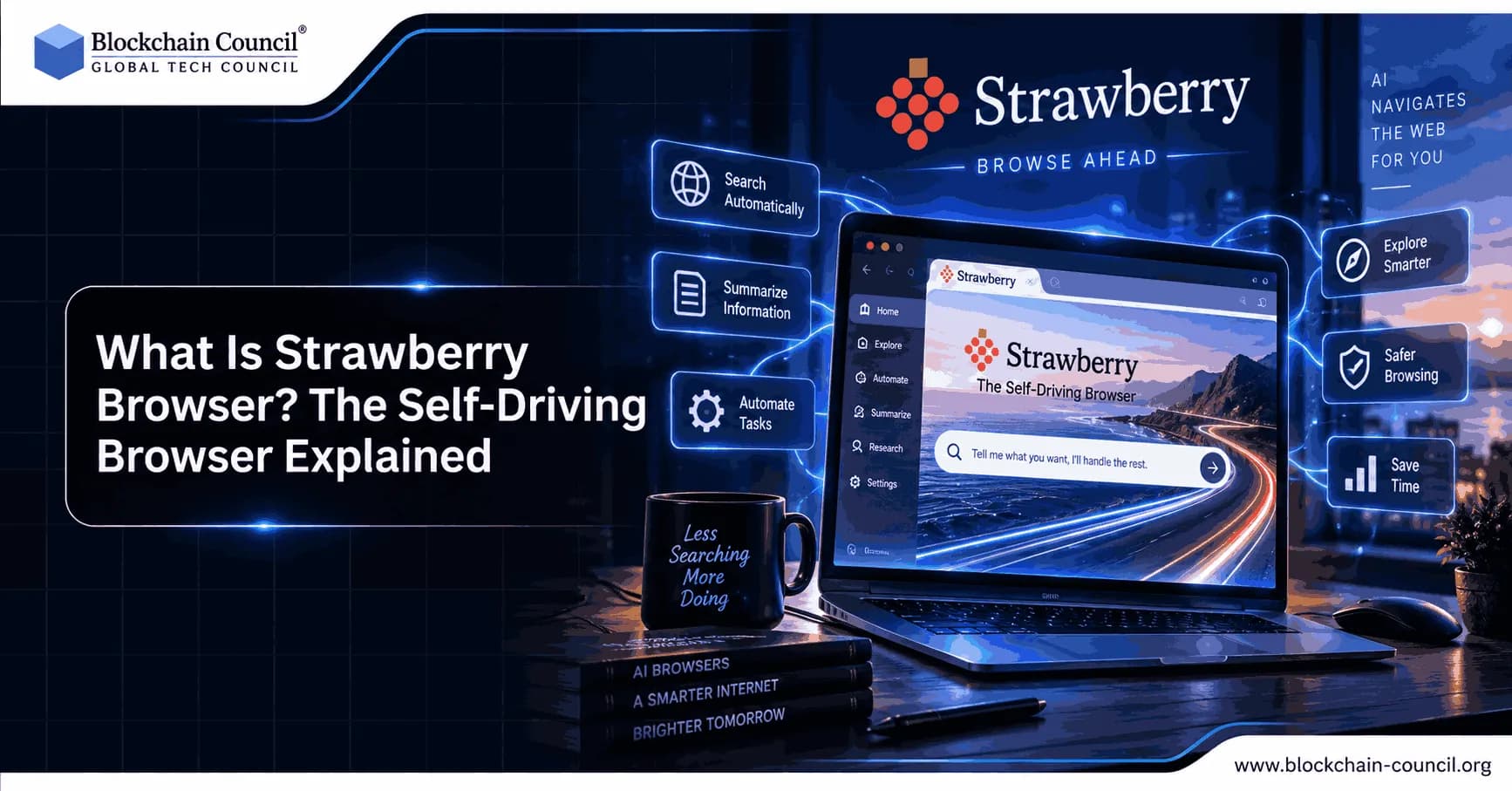
Most people still use a browser the way they did ten years ago. You open a tab, you search, you click, you copy information, you paste it somewhere else, and you repeat that cycle dozens of times a day. Strawberry Browser was built to break that cycle. It is a new kind of web browser with artificial intelligence agents built directly into it, so instead of doing every click yourself, you can hand off entire tasks to an AI companion that works inside your own logged-in accounts. As AI tools move from simple chatbots to systems that can actually take action on your behalf, understanding how a product like this works is becoming a genuinely useful skill, and it is one reason more professionals are now pursuing a Certified Artificial Intelligence (AI) Expert credential to keep up with how fast this space is changing.
This guide explains what Strawberry Browser is, how it works, what makes it different from a normal browser like Chrome or Firefox, who it is built for, and how it fits into the bigger picture of AI-powered browsing, written so both beginners and experienced professionals walk away with a clear, practical understanding.

The Story Behind Strawberry Browser
Strawberry Browser comes from a Stockholm-based startup co-founded by Sebastian Thunman. The team set out to build a browser that could stand the test of time, rather than another short-lived AI wrapper, combining the raw automation power of agent platforms with the polish of a beautifully designed consumer app.
The name has caused some confusion because OpenAI once used "Strawberry" as an internal codename for a research project that later became the o1 model. That project has no connection to this browser. Strawberry Browser is a completely separate, independently built product from a Swedish startup, and the two are unrelated beyond sharing a name.
Since launching in closed beta, the company has grown quickly, securing six million dollars in funding led by General Catalyst and EQT Ventures, with backing from founders connected to Lovable, Supabase, and Hugging Face. If you want to understand the mechanics behind how AI agents like this are trained and deployed at a technical level, a Certified Artificial Intelligence (AI) Developer program can give you the hands-on foundation to see exactly how such tools are engineered under the hood.
What Makes Strawberry a "Self-Driving" Browser
A normal browser is a passive window onto the internet. It shows you pages, and you decide what to do with them. Strawberry flips that relationship. Instead of only displaying content, it includes built-in AI agents, called "companions," that can actively operate the browser for you, scrolling pages, clicking buttons, filling out forms, and moving between multiple tabs on their own, much like a human assistant would.
The term "self-driving" evokes the same idea as a self-driving car. You still set the destination and supervise the journey, but you no longer control every single movement. You give the companion a goal, such as researching a topic or comparing prices across several websites, and it carries out the individual steps needed to reach that goal while you focus on higher-value work.
This distinguishes Strawberry from many so-called "AI browsers" that simply bolt a chatbot onto a traditional browsing window. Those tools can summarize a page or answer questions about what you are viewing, but they generally cannot take independent action across multiple sites and tabs the way Strawberry's companions can.
How Strawberry Browser Actually Works
Understanding the mechanics helps explain why this approach feels different from older automation tools.
You give a companion an outcome, not a script. Rather than writing code, you describe what you want in plain language, such as "find twenty companies that raised a seed round this month and put the details into a spreadsheet," and the companion figures out the individual steps required.
It works inside your real sessions. Because Strawberry is a full browser, companions can operate inside the accounts you are already signed into, whether that is your email, your CRM, or a research database, avoiding the common problem of AI tools that only have partial context.
It reads pages visually and structurally. The companions combine visual recognition of what is on screen with the underlying page structure, letting them interact with buttons, menus, and forms much like a human would.
It asks for approval before anything risky. Before a companion sends an email, makes a payment, or does anything that cannot easily be undone, Strawberry pauses for your explicit approval, keeping a human in the loop for consequential decisions.
It can run multiple tabs and sub-agents in parallel. For complex jobs, a companion can open several tabs at once or spin up smaller sub-agents to handle different pieces of a task simultaneously.
It can be scheduled to repeat. A feature called Routines lets a companion run the same job automatically on a schedule, such as sourcing new leads every morning, without you starting the task manually each time.
If you are curious about the broader engineering concepts that make agentic software like this possible, a Tech Certification is a solid way to build that foundational knowledge from the ground up, whether you come from a technical background or not.
Meet the Companions: Strawberry's Built-In AI Agents
One of the most distinctive parts of Strawberry Browser is its library of ready-made AI companions, each designed with a specific job in mind, such as a lead generation companion nicknamed "Sales Sally," a competitive research companion nicknamed "Competition Camille," and a recruiting-focused companion called "Recruiter Ryan." Users can activate a pre-built companion and immediately put it to work.
For more specific or unusual needs, users can also build a custom companion from scratch by describing the task, the sources it should use, and any rules it needs to follow. This flexibility is part of why the product appeals to such a wide range of professionals, including salespeople, recruiters, researchers, marketers, and freelancers who spend meaningful chunks of their day on repetitive browser-based work.
A newer addition to the product is a "Skills" feature, which lets users set up their own reusable instructions for everyday tasks such as shopping or comparing options, turning a one-off automation into a shortcut that can be triggered again whenever needed.
Key Features and Recent Updates
Strawberry has moved quickly since opening to the public. Notable features that have shipped include:
A Knowledge hub that pulls together memory, reports, and skills in one searchable place, with personalized suggestions based on your role.
Split tabs, allowing you to work across two pages side by side without leaving the window.
An Agent Control Center that shows every running task at a glance.
The ability for a companion to work inside real folders on your Mac or PC, within a safe, sandboxed environment that only touches files and folders you have explicitly approved.
Meeting recording, transcription, and automated follow-up actions, without needing a separate meeting bot.
Support for Chrome extensions and a growing library of connected apps.
A major agent rebuild that reduced credit usage across chats by around seventy percent while making companions faster and more reliable on longer jobs.
The company has also worked to make the product lightweight, cutting the overall app size significantly while improving performance, which matters for a tool meant to run in the background all day.
Strawberry Browser vs Traditional Browsers and Other AI Browsers
It helps to place Strawberry on a simple spectrum of browser types.
A traditional browser, such as classic Chrome or Firefox, only renders pages. It has no built-in intelligence and depends entirely on you for every action.
An AI-assisted browser adds a layer of help on top of normal browsing, such as summarizing an open page, but it generally cannot act independently across multiple sites.
An agentic browser, the category Strawberry belongs to, goes a step further by letting built-in agents actually operate the browser itself: opening tabs, filling forms, extracting data, and completing multi-step work using your logins and personal context, while still including the lighter reading-and-answering features found in AI-assisted browsers.
This puts Strawberry in the same broad category as other emerging agentic browsers on the market, though its focus on pre-built, role-specific companions and its emphasis on approachable design are two things reviewers frequently point out as differentiators.
Pricing and Availability
Strawberry Browser is currently a free download for macOS and Windows, with no iOS or Android version yet. Regular browsing does not use any credits. Automated tasks run on a credit-based system, with the free plan including a set monthly allowance and paid plans starting at a modest monthly rate for users who need higher limits, letting casual users try it for free while heavier users, like sales teams, scale up as needed.
Who Should Use Strawberry Browser
Strawberry is aimed at anyone who spends a large portion of their day doing repetitive tasks inside a browser. That includes sales professionals researching prospects, recruiters sourcing candidates, marketers pulling competitive data, researchers gathering information from dozens of sources, and freelancers without a team to hand busywork off to. Because the interface is built around plain-language instructions rather than code, the barrier to entry is intentionally low, fitting the company's stated mission of making AI automation accessible to everyday workers, not only large enterprises with big budgets.
AI Microdrama: A Creative Frontier for AI Companions
Automation and productivity are not the only places where agentic AI is showing up. One emerging application is AI microdrama, where generative AI helps bring serialized stories, characters, and fictional worlds to life. In the same way a browser companion can be given a goal and left to carry out the steps needed to reach it, generative storytelling tools can be given a creative direction and left to develop characters and short episodic plots over time, a reminder that the technology powering automation in tools like Strawberry is also reshaping entertainment and content creation.
Privacy, Safety, and Staying in Control
A common concern with any tool that can act on your behalf is losing control over what it actually does. Strawberry addresses this by requiring explicit approval before a companion does anything consequential, such as sending a message or making a purchase. Folder access on your computer is sandboxed, so a companion can only reach files you have specifically approved. This "co-driver, not autopilot" framing is central to the product: the companion watches, learns, and offers to take over routine steps, while you make the final call on anything important.
Getting Started with Strawberry Browser
Getting started is straightforward. You download the app for macOS or Windows, sign in with your email, and choose to set it as your default browser or run it alongside your current one. From there, activate a ready-made companion or build a custom one for a recurring task. Many new users start with a small, low-risk task before moving on to bigger workflows once they are comfortable with how approvals work.
The Bigger Picture: Why Agentic Browsers Matter
Strawberry is part of a broader shift across the software industry, where AI is moving from answering questions to actually completing work. This affects far more than browsers, touching how businesses market themselves, how products get built, and how professionals grow their careers. For marketing teams specifically, understanding how AI-driven automation changes customer research and campaign workflows is becoming essential, and a Marketing Certification can help professionals turn these new AI capabilities into practical, measurable strategy rather than treating them as a passing trend.
As agentic browsers like Strawberry mature, they are likely to become a normal part of daily computing, the way spell check and tabbed browsing eventually became standard features nobody thinks twice about. Whether you are a student encountering this technology for the first time or a professional evaluating it for your team, the core idea is worth understanding clearly: a self-driving browser does not replace you, it removes the repetitive parts of your work so you can spend more time on the parts that actually require your judgment.
FAQs
1. What is Strawberry Browser?
Strawberry Browser refers to an AI-powered, self-driving browser concept designed to let artificial intelligence understand a user's goal and navigate the web to complete tasks. Instead of requiring users to manually open pages, click buttons, and gather information, an agentic browser can potentially perform multiple steps on the user's behalf.
2. Why is Strawberry Browser called a self-driving browser?
It is called "self-driving" because the browser can potentially decide what actions to take based on a user's objective. Similar to a self-driving vehicle navigating a route, an AI browser can interpret a task, navigate websites, interact with web elements, and adjust its actions based on what it encounters.
3. How does Strawberry Browser work?
A self-driving browser typically follows an instruction → planning → action → observation → next action cycle. The AI interprets the user's request, determines the necessary steps, interacts with websites, observes the results, and continues until the task is completed or human input is required.
4. Is Strawberry Browser an AI browser?
Yes, the concept is associated with the emerging category of AI browsers, which combine traditional web browsing with AI agents. The AI layer can understand natural-language instructions and potentially perform tasks rather than simply displaying search results.
5. What can a self-driving browser do?
Depending on its capabilities, an AI browser could potentially:
Search the web
Read and summarize pages
Compare information
Fill out forms
Navigate multiple websites
Research topics
Organize information
Perform repetitive browser tasks
Follow multi-step instructions
The exact capabilities depend on the specific implementation.
6. How is Strawberry Browser different from a traditional browser?
A traditional browser mainly provides the interface for users to access and interact with websites. A self-driving AI browser adds an autonomous agent that can interpret goals, plan actions, and perform multiple browsing steps for the user.
7. Can Strawberry Browser browse the web automatically?
An agentic browser can potentially browse the web automatically after receiving a task. Rather than requiring a user to manually search every website, the AI can determine which pages to visit and what information to collect.
8. Can Strawberry Browser complete multi-step tasks?
That is one of the main purposes of self-driving browsers. A user could provide a goal that requires several actions, and the AI agent could potentially break the goal into smaller steps and execute them sequentially.
9. Can Strawberry Browser click buttons and fill forms?
AI browser agents can potentially interact with web elements such as buttons, text fields, menus, and links. For sensitive actions, however, requiring user confirmation can provide an important safety layer.
10. Does Strawberry Browser use an AI agent?
A self-driving browser relies on agent-like behavior to interpret instructions, plan actions, interact with websites, and respond to changing conditions. Large Language Models (LLMs) can provide the reasoning and language-understanding capabilities behind these interactions.
11. Is Strawberry Browser the same as an AI search engine?
No. An AI search engine primarily focuses on finding and explaining information. A self-driving browser can potentially go further by taking actions on websites after finding the relevant information.
12. Can Strawberry Browser summarize websites?
AI-powered browsers can summarize webpages by extracting the information relevant to a user's request and presenting it in a concise format. This can be useful when research requires reading information across multiple websites.
13. Can Strawberry Browser compare information across websites?
Yes, this is a potential use case for agentic browsing. The AI can visit multiple sources, extract relevant details, organize them, and provide a comparison based on the user's criteria.
14. Can Strawberry Browser perform online shopping tasks?
A sufficiently capable browser agent could potentially search for products, compare prices or specifications, and navigate shopping websites. Actions involving purchases or other consequential transactions should generally require explicit user confirmation.
15. Can Strawberry Browser replace Chrome or other traditional browsers?
Not necessarily. A self-driving browser could complement or compete with traditional browsers by adding AI automation, but traditional browsers have mature ecosystems for extensions, compatibility, privacy controls, synchronization, and web applications.
16. What are the benefits of a self-driving browser?
The main benefit is reducing manual web interaction. Instead of performing dozens of repetitive clicks, users can describe the desired outcome and allow an AI agent to handle appropriate parts of the workflow.
17. What are the limitations of Strawberry Browser?
AI browser agents can struggle with complex websites, CAPTCHAs, authentication, changing interfaces, ambiguous instructions, and tasks requiring human judgment. They can also make incorrect decisions, which makes monitoring and confirmation important for sensitive activities.
18. Is Strawberry Browser safe?
Safety depends on the specific browser's implementation, permissions, security controls, and data practices. Users should be especially cautious when an AI browser can access personal accounts, payment information, confidential documents, or other sensitive resources.
19. What is the future of self-driving browsers?
Self-driving browsers could evolve from tools that answer questions and summarize webpages into general-purpose web agents capable of completing longer workflows. Future systems may combine browsing, reasoning, memory, coding, and tool use to handle increasingly complex tasks.
20. Why are self-driving browsers important for the future of AI?
Self-driving browsers represent a shift from AI that tells users what to do to AI that can potentially do the work for them. If the technology becomes reliable and safe, users could delegate research, information gathering, online workflows, and other repetitive web tasks to AI agents, making autonomous web interaction an important part of the broader agentic AI ecosystem.
Related Articles
View All
AI & ML
Meta Launches Muse Wonder: Its New AI Model Explained
Meta has launched Muse Wonder and Muse Wonder Full, new AI models built for personal and professional agents. Learn the features, pricing, access options and how they compare with rivals.

AI & ML
AI Explained: From Machine Learning to Generative AI
AI Explained in simple terms. Learn the differences between AI, machine learning, and deep learning, how neural networks and LLMs work, and how generative and multimodal AI create content.

AI & ML
NVIDIA Cosmos 3 Explained: The Next Generation of Physical AI
Explore NVIDIA Cosmos 3, an open foundation model for Physical AI that combines vision reasoning, world simulation, multimodal generation, and action prediction for robotics and autonomous systems.
Trending Articles
AWS Career Roadmap
A step-by-step guide to building a successful career in Amazon Web Services cloud computing.

Can DeFi 2.0 Bridge the Gap Between Traditional and Decentralized Finance?
The next generation of DeFi protocols aims to connect traditional banking with decentralized finance ecosystems.
Claude AI Tools for Productivity
Discover Claude AI tools for productivity to streamline tasks, manage workflows, and improve efficiency.