

From Hello, World! to AI for Kids: Skills That Actually Prepare Students for the Future
 Suyash Raizada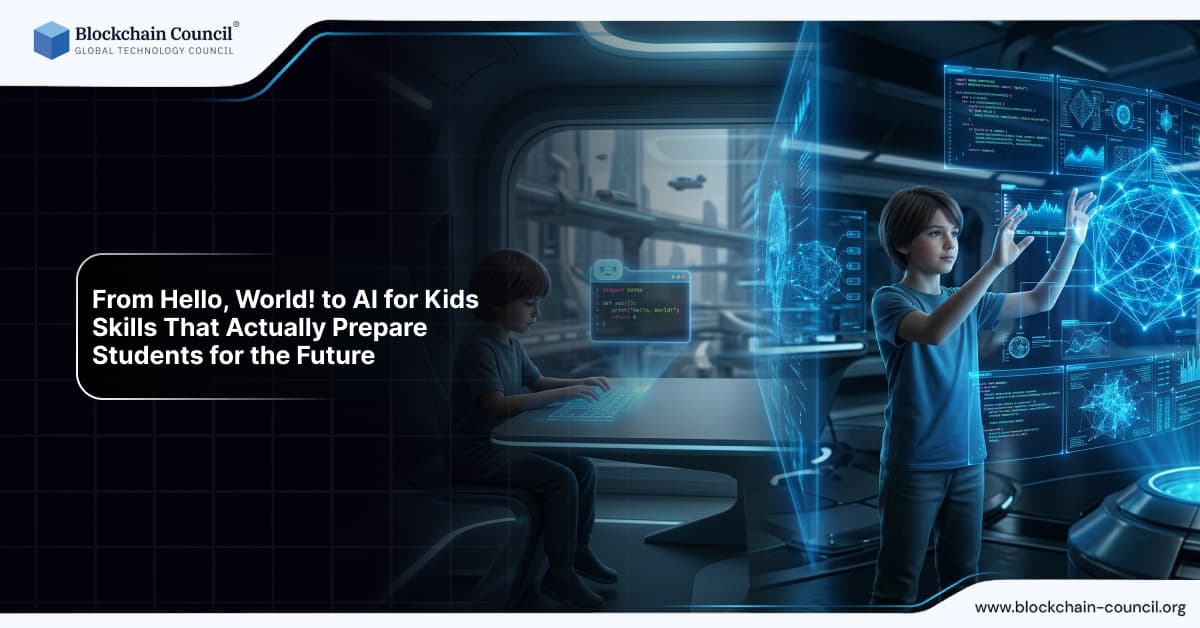
AI for Kids is no longer a distant concept. In the 2024-25 school year, 85% of teachers and 86% of students used AI in K-12 settings, reflecting how rapidly classrooms are changing. The question is no longer whether students should learn AI, but which skills help them use it safely, creatively, and responsibly.
For years, many students began with classic coding milestones like printing "Hello, World!". Coding still matters, but future readiness now includes AI literacy: prompting effectively, checking facts, spotting bias, and applying AI tools to real problems. This shift also supports AI for All, because the right AI skills can make high-quality learning more accessible to students worldwide.

Future-ready education starts with AI fundamentals-introduce learners to concepts through an AI Course, build logic with a Python Course, and explore creative applications via an AI powered marketing course.
AI & Technology
As artificial intelligence continues to transform education, students are getting more opportunities to explore technology beyond traditional classroom learning. A Tech Olympiad can help students develop their understanding of AI, logical reasoning, problem-solving, and other technology skills through structured competition.
Why the "Hello, World!" Pathway Is No Longer Enough
Learning to code teaches important foundations including logic, sequencing, and debugging. But generative AI has changed how people build, write, research, and create. Students increasingly work in environments where AI functions as a collaborator, not just a textbook topic.
Education organizations lead other industries in generative AI adoption, with 86% actively using it. Student use is rising sharply as well, including in higher education where generative AI adoption has reached 92% of students. Students are already interacting with AI daily, often without structured guidance.
The goal of AI for Kids is not to turn every child into an AI engineer. It is to develop:
Understanding: what AI can and cannot do
Judgment: when to trust, verify, or reject AI output
Responsibility: ethical use, privacy awareness, and fair decision-making
Capability: using AI tools to learn faster and build better projects
What AI Skills Actually Prepare Kids for the Future?
Below are the most practical skill areas that move students from basic programming toward AI-native readiness.
1. Prompting and Question Design
Prompting is rapidly becoming a core digital skill. Students should learn how to ask clear, specific questions, provide context, and request output in useful formats.
For example, instead of asking "Explain photosynthesis," students can learn to request:
A short explanation written for a 10-year-old
A five-step summary
A quiz with answers and explanations
Real-world examples and a diagram description
This teaches students to be intentional rather than passive, and supports AI for All by helping learners at different levels get explanations that match their needs.
2. Output Evaluation and Fact-Checking
AI can produce fluent answers that sound correct even when they are wrong. Students need reliable verification routines, such as:
Cross-checking key facts using trusted sources
Spotting uncertainty: vague claims, missing evidence, or inconsistent details
Requesting sources and then validating them independently
Comparing multiple outputs and reconciling differences
Research has shown short-term performance gains when students have AI access, but mixed results when students must transfer skills without it. That makes evaluation skills essential to prevent over-reliance on AI tools.
3. Critical Thinking and Managing Cognitive Offloading
AI can reduce busywork, but it can also reduce thinking if used at the wrong stage. Students should learn when to:
Use AI for brainstorming, feedback, practice questions, and explanations
Avoid AI during first attempts, core skill drills, or personal reflection writing
Return to AI after working independently, to compare solutions and learn from mistakes
This approach helps students retain ownership of their learning while still benefiting from speed and support.
4. Ethical AI Use: Fairness, Honesty, and Bias Awareness
Ethics is a non-negotiable part of AI for Kids. Schools are already seeing a clear distinction between using AI to deepen learning and using AI to bypass it. Real-time school network data from millions of student interactions showed that most AI use was appropriate, while most blocked requests involved attempts to complete homework automatically. That distinction highlights why clear norms matter.
Key ethics lessons for young learners include:
Academic honesty: using AI for feedback and practice, not copying final answers
Bias and fairness: recognizing stereotypes or unfair assumptions in AI outputs
Attribution: disclosing when AI was used and what it contributed
Respect: not using AI to bully, impersonate, or spread misinformation
5. AI Tool Integration Across Subjects
The most future-ready students will know how to apply AI across many contexts, not just in computer class. Common school applications already include research, summarization, lesson material generation, and planning. For younger learners, safe tool integration can look like:
Reading: summarize a chapter, then request vocabulary practice
Writing: get a rubric-based critique, then revise and explain the changes made
Math: request step-by-step hints rather than final answers
Science: generate testable hypotheses and simple experiment plans
Art: explore styles and then create original work with deliberate personal intent
Studies and industry reports consistently show learning benefits when AI supports active engagement, including higher test scores and stronger participation. The best outcomes occur when AI is used to practice, iterate, and reflect.
What Does "AI for All" Mean in a Kids' Classroom?
AI for All means access combined with understanding. It ensures every student can benefit from AI, not only those with advanced devices, private tutoring, or tech-savvy families.
AI-enabled personalization has been linked to improved engagement and efficiency, with reports showing higher course completion rates and meaningful learning gains from AI tutoring compared to traditional methods. AI also supports global learning, including improvements in English instruction for young learners in under-resourced regions.
To make AI for All practical, schools and families can prioritize:
Age-appropriate tools with safety controls and privacy protections
Teacher support so educators can model healthy AI habits
Shared guidelines on when AI is permitted and how to cite its use
Accessibility features that serve students with different learning needs
A Skills Progression from Coding to AI Literacy
Students do not need to jump directly into complex models. The following progression works across a wide range of learners and age groups.
Stage 1: Computational Thinking Basics
Sequencing and logic through basic coding puzzles
Pattern recognition and cause-and-effect reasoning
Debugging mindset: identify the issue, test a fix, repeat
Stage 2: Practical Digital Literacy
Search strategies and source quality assessment
Cyber safety basics: passwords, phishing awareness, and privacy
Media literacy: recognizing misinformation and deepfake content
Stage 3: AI Literacy (Core of AI for Kids)
Prompting skills and iterative refinement
Verification habits and error recognition
Ethical decision-making and transparency
Stage 4: Creation and Collaboration
Build projects using AI as a supporting tool
Document the process: what was tried, what changed, what was learned
Present results clearly to a real audience
How Parents and Teachers Can Support AI for Kids Without Sacrificing Learning
Because adoption is moving faster than policy in many contexts, practical routines are essential. The following strategies help maintain learning quality:
Use "try first, AI second": students attempt the task independently, then use AI for hints and feedback.
Require a learning log: students record what AI helped with and what they changed as a result.
Ask for reasoning: even when AI assisted, students must explain steps in their own words.
Turn AI errors into lessons: when AI is wrong, treat the verification process as a learning win.
Protect privacy: avoid entering personal details, school IDs, or sensitive information into AI tools.
Building Long-Term Readiness: Skills That Last When Tools Change
The AI education market is projected to grow significantly through the next decade, with classrooms expected to place greater emphasis on using AI effectively. Specific tools will change, but durable skills remain relevant across generations of technology:
Clear communication
Critical thinking
Ethical judgment
Problem-solving
Commitment to continuous learning
These are the skills that make AI genuinely helpful rather than a shortcut, and they sit at the heart of both AI for Kids and AI for All.
Conclusion: Future-Ready Students Learn to Think with AI, Not Just Use It
"Hello, World!" still has educational value, but it is no longer the finish line. The students best prepared for the future are those who can collaborate with AI responsibly - prompting clearly, verifying confidently, applying tools across subjects, and making ethical choices throughout the process. With AI already deeply embedded in K-12 environments, the most effective response is to teach these skills directly and consistently.
Preparing students for the AI era requires a blend of creativity and tech-develop skills with an Agentic AI Course, strengthen understanding through a machine learning course, and explore digital opportunities via a Digital marketing course.
FAQs
1. What does “Hello, World!” represent learning programming?
“Hello, World!” is a beginner-level program used to introduce basic coding concepts. It helps students understand syntax, structure, and how code executes.
2. Why is traditional coding education no longer enough?
Basic coding alone does not cover problem-solving, AI understanding, or real-world applications. Modern careers require broader digital and analytical skills.
3. What is AI for kids in education?
AI for kids involves teaching foundational concepts like machine learning, data, and automation. It focuses on understanding how AI works rather than deep technical coding.
4. What skills prepare students for the future workforce?
Key skills include critical thinking, digital literacy, creativity, collaboration, and adaptability. Technical awareness of AI and data is increasingly important.
5. At what age should children start learning AI concepts?
Children can begin learning basic AI concepts as early as elementary school. Age-appropriate tools and visual platforms make learning accessible and engaging.
6. How is AI education different from traditional programming?
AI education focuses on data, patterns, and decision-making systems. Traditional programming emphasizes writing instructions and building software logic.
7. Why is problem-solving more important than memorizing code?
Problem-solving enables students to apply knowledge in real situations. Memorizing code is less valuable than understanding how to approach and solve challenges.
8. What role does creativity play in future-ready skills?
Creativity helps students design innovative solutions and think beyond standard approaches. It is essential for working with AI and developing new technologies.
9. How can schools integrate AI into their curriculum?
Schools can introduce AI through interactive tools, project-based learning, and cross-disciplinary subjects. Teacher training and updated resources are also important.
10. What are the benefits of teaching AI to children early?
Early exposure builds confidence and familiarity with emerging technologies. It also helps students develop logical thinking and data awareness.
11. Do students need advanced math skills to learn AI?
Basic math concepts are helpful but not always required at early stages. Many tools simplify AI learning using visual and intuitive interfaces.
12. What tools are available for teaching AI to kids?
Platforms like Scratch, Teachable Machine, and beginner-friendly AI apps are commonly used. These tools make learning interactive and practical.
13. How does AI education improve career readiness?
It equips students with skills relevant to modern industries. Understanding AI systems prepares them for roles in technology, business, and beyond.
14. What is digital literacy and why is it important?
Digital literacy involves understanding and using technology effectively. It is essential for navigating online environments and working with digital tools.
15. How can parents support AI learning at home?
Parents can encourage curiosity through online resources, coding apps, and simple projects. Supporting exploration is more important than technical expertise.
16. What are the risks of not teaching AI skills to students?
Students may fall behind in a technology-driven world. Lack of exposure can limit career opportunities and adaptability in future job markets.
17. How does collaboration fit into future-ready education?
Collaboration teaches teamwork and communication skills. These are critical for working on complex projects, especially in tech-driven environments.
18. What is the role of ethics in AI education for kids?
Students should learn about fairness, bias, and responsible use of AI. Ethical awareness ensures they use technology thoughtfully and responsibly.
19. Can non-technical students benefit from AI education?
Yes, AI knowledge is valuable across all fields, including arts and business. It helps students understand how technology impacts different industries.
20. What is the future of education with AI integration?
Education will become more personalized and technology-driven. AI tools will support learning, but human skills like creativity and critical thinking will remain essential.
Related Articles
View All
AI & ML
NVIDIA’s New AI Models: Nemotron 3.5 Lightning, Cosmos 3 and the Future of Agentic AI
Explore NVIDIA Nemotron 3.5 Lightning and Cosmos 3, how they support agentic and Physical AI, and what these models reveal about NVIDIA’s broader vision for autonomous intelligent systems.
AI & ML
The Future of System One Models
Explore the future of System One Models, including how fast, structured, probabilistic AI could reshape automation, real-time software, decision systems, and machine-native intelligence.
AI & ML
AI Video Generator: The Future of Video Production
### Excerpt AI video generators are transforming video production by enabling creators and businesses to generate high-quality videos from text, images, scripts, and prompts. Explore how AI video generation is shaping the future of content creation, filmmaking, marketing, and automated video production.
Trending Articles

Top 5 DeFi Platforms
Explore the leading decentralized finance platforms and what makes each one unique in the evolving DeFi landscape.
How Blockchain Secures AI Data
Understand how blockchain technology is being applied to protect the integrity and security of AI training data.
Blockchain in Supply Chain Provenance Tracking
Supply chains are under pressure to prove not just efficiency, but also authenticity, sustainability, and fairness. Customers want to know if their coffee really is fair trade, if the diamonds are con