

AI Tools and Applications: Practical Categories, Use Cases, and Other AI Websites to Explore

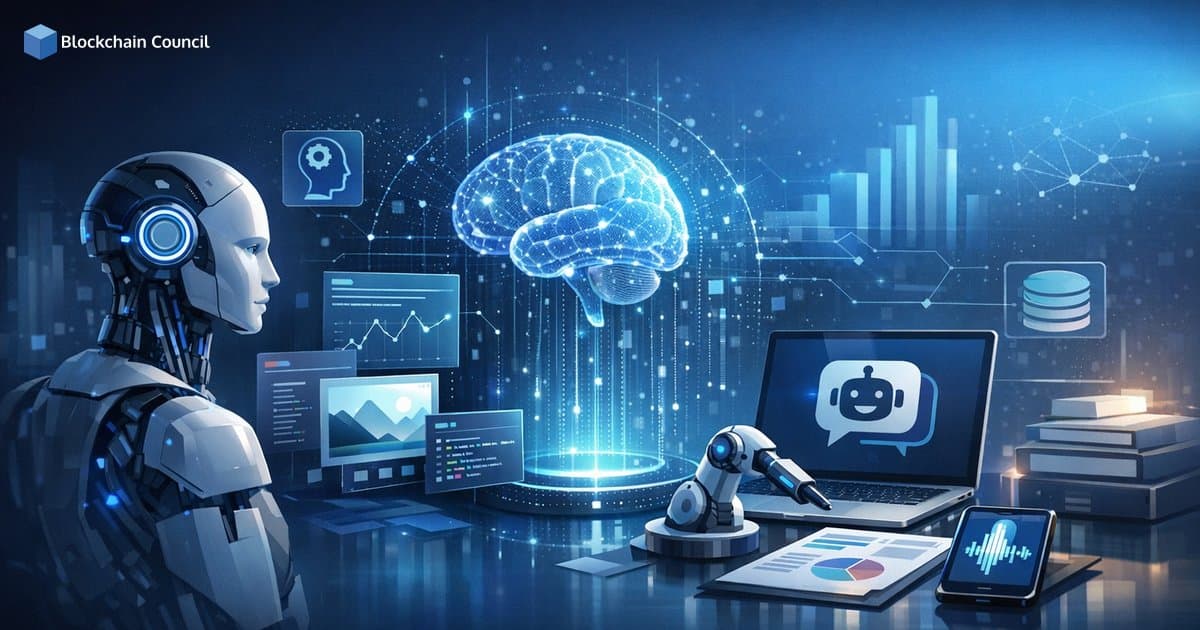
AI Tools and Applications have shifted from standalone chatbots into a practical layer embedded across software, devices, and business workflows. For professionals searching for other AI websites, the challenge is no longer finding tools. It is choosing the right category leaders, evaluating risk, and integrating AI into real work without compromising data governance.
This guide breaks down the current landscape, major trends like multimodal and agentic AI, real-world use cases, and how to use other AI websites and directories to discover and vet tools. It draws on consolidated observations from curated reviews, automation platforms, and institutional guidance including Harvard University IT's tiered approach to generative AI tools.

What AI Tools and Applications Mean in 2026
In practice, AI tools now span:
- Generalist assistants that write, summarize, analyze files, and help with coding
- Specialized tools for marketing, development, design, audio, video, and analytics
- Automation and agent platforms that execute multi-step workflows across apps
- Enterprise AI platforms offering governance, monitoring, and model access via cloud services
Independent tool reviewers consistently report testing dozens of products to shortlist only a small set of daily drivers, reflecting a market with many options but concentrated adoption around a few polished leaders and reliable workflows.
Main Categories of AI Tools and Applications
1) Generalist and Multimodal Assistants
Generalist assistants such as ChatGPT, Claude, Gemini, Perplexity, and Microsoft Copilot increasingly support:
- Text generation (drafting, rewriting, summarizing)
- Code assistance (snippets, debugging, explanations)
- Document and file analysis (PDFs, spreadsheets, presentations)
- Multimodal inputs (images, voice, files) depending on the platform
A defining trend is that these tools function less like discrete apps and more like an interface layer used across tasks throughout the day.
2) Vertical and Workflow-Specific Tools
Specialized tools deliver consistent outputs, templates, collaboration features, and domain-first workflows that generalist assistants often cannot match.
- Marketing and writing: Jasper, Copy.ai, Grammarly, Notion AI, Clearscope, Gamma
- Developer tools: Cursor (AI-native IDE), Replit, GitHub Copilot, v0, Lovable
- Creative media: Midjourney (images), Descript (audio and video editing), Synthesia and HeyGen (avatar video), ElevenLabs (voice)
- Analytics and decision support: Obviously AI, Tellius, and cloud-native analytics toolkits
Most of these tools build on a small set of foundation models, with differentiation coming from user experience, integrations, and domain-specific tuning.
3) Customer Support, Chatbots, and Voice Agents
AI-powered support tools increasingly combine knowledge base retrieval, ticket workflows, and escalation to human agents. Intercom handles chat-based support, while platforms such as Vapi AI enable real-time voice agents that integrate with CRMs and ticketing systems.
Common deployments include FAQ handling, basic troubleshooting, order and account queries, and structured intake that routes complex cases to a human agent.
4) Enterprise AI Platforms and Cloud Services
For enterprises, the AI stack increasingly lives in cloud platforms such as:
- Azure AI
- Google Cloud Vertex AI
- Amazon Bedrock
These ecosystems typically provide model access, vector search, orchestration pipelines, monitoring, and governance controls. Google Cloud also offers free and low-cost AI tools for speech, video, images, and app-building to lower barriers for experimentation.
5) AI Browsers and Agentic Interfaces
A fast-growing category is the AI-augmented browser and agentic interface. These tools are designed to operate the web by reading pages, extracting information, and taking actions inside web applications. Perplexity is often positioned as a research engine that searches the web and returns grounded answers with cited sources, rather than purely conversational responses.
This shift is significant because it turns AI from a passive assistant into an active workflow participant.
6) Institutional and Enterprise-Approved Tool Stacks
Governance is becoming a product feature. Harvard University IT, for example, organizes generative AI tools into tiers such as general use versus advanced use and aligns them with data handling guidance and confidentiality classifications.
Enterprises increasingly mirror this model with:
- Curated approved tools lists
- Procurement and privacy reviews
- Security requirements such as SOC 2 or ISO 27001 compliance
- Logging, access control, and model risk assessment
Latest Trends Shaping AI Tools and Applications
Multimodal Is Becoming the Default
Modern AI platforms are converging on a single interface that accepts text, images, voice, and files. Across product portfolios and generalist assistant reviews, multimodality has moved from a premium feature to a baseline expectation.
Agentic AI and Automation Are Accelerating Adoption
Automation platforms like Zapier and Make, plus agent builders such as Lindy and Gumloop, are gaining traction because they connect AI to real systems: email, CRMs, project tools, databases, and support desks. Rather than generating text alone, AI can trigger workflows, update records, and coordinate multi-step tasks.
Consolidation Around Core Models, Differentiation via Integration
Many AI tools rely on a small number of leading foundation models via APIs. Differentiation increasingly comes from:
- Workflow integration (where the tool fits in your existing stack)
- Reliability (output quality, latency, and consistency)
- Governance controls (data handling, access management, auditability)
- Domain-specific UX (templates, guardrails, collaboration features)
Real-World Use Cases
Customer Support and Service Operations
- Chat support: Intercom-style deployments use AI to answer common queries and escalate edge cases to human agents.
- Phone support: Voice agents handle reminders, qualification, and intake, then route to humans when needed.
Key evaluation criteria include accuracy against your knowledge base, reliable escalation logic, and clear human override controls.
Marketing, Content, and Communication
- Copy and campaigns: Jasper and Copy.ai support rapid variant generation for ads and email.
- SEO workflows: Clearscope-style tools support content planning and on-page optimization.
- Presentations: Gamma accelerates first drafts of decks and narratives.
- Workspaces: Notion AI supports summarization and organization inside team documentation.
- Writing quality: Grammarly provides real-time tone and clarity feedback.
Software Development and Prototyping
- AI-native coding: Cursor embeds AI directly into the IDE workflow.
- Rapid app building: Replit scaffolds apps from prompts and streamlines iteration.
- Assisted coding: GitHub Copilot supports completion, refactoring suggestions, and onboarding.
- UI generation: v0 and Lovable accelerate front-end prototyping and product mockups.
For development teams, the largest productivity gains typically come from faster prototyping, code comprehension, test generation, and documentation rather than fully autonomous coding.
Audio, Video, and Design Production
- Video avatars: Synthesia and HeyGen generate presenter-style video from scripts.
- Edit by transcript: Descript enables text-based editing of audio and video recordings.
- Voiceovers: ElevenLabs supports multilingual voice generation for training and media content.
- Image generation: Midjourney supports stylized visual creation for campaigns and brand assets.
Productivity, Meetings, and Knowledge Management
- Meeting intelligence: Otter-style tools transcribe, summarize, and extract action items from recordings.
- Automation: Zapier and Make connect apps and trigger workflows from AI outputs.
- No-code AI workflows: Gumloop and Lindy support building multi-step automations with AI assistance.
Research and Analytics
- Research engine: Perplexity is widely used for web-grounded questions and answers with cited sources.
- No-code prediction: Obviously AI targets business users needing quick predictive modeling without data science expertise.
- Enterprise analytics: Tellius and cloud analytics stacks support decision intelligence workflows at scale.
Other AI Websites to Find and Evaluate Tools
If you are searching for other AI websites, prioritize sources that compare tools by category and use case rather than by popularity alone:
1) Curated Review Sites and Roundups
- Lindy's platform reviews and category shortlists
- Gumloop's tested best AI apps lists
- Efficient App rankings and qualitative comparisons
- Zapier roundups focused on productivity and automation outcomes
2) Vendor Ecosystems and Cloud Catalogs
- Google AI product pages and experimental tools
- Google Cloud's free and low-cost AI tools catalog
- Integration marketplaces in platforms like Zapier, Notion, and Slack
3) Institutional Guidance for Risk-Aware Adoption
- Harvard University IT's AI tool comparison and tiering framework
Use these sources to shortlist candidates, then validate security posture, data handling practices, and internal compliance requirements before rollout.
How to Choose the Right AI Tool for Your Role
- Start with the workflow: identify repetitive steps, handoffs, and bottlenecks before selecting a tool.
- Pick a category leader: generalist assistants for breadth, specialized tools for reliability within a domain.
- Prioritize integrations: compatibility with email, CRM, ticketing, IDE, cloud storage, and SSO matters more than novelty features.
- Set data rules: align tool selection with confidentiality requirements, procurement standards, and auditability needs.
- Measure outcomes: track time saved, error reduction, cycle time improvements, and user adoption rates.
Build Skills That Transfer Across Tools
Tool names will change, but core capabilities carry forward: prompt design, output evaluation, automation thinking, and governance. For professionals building credible expertise, Blockchain Council offers structured learning paths and certification programmes in these areas. Relevant programmes include the Certified Artificial Intelligence (AI) Expert, Certified Prompt Engineer, and Certified Machine Learning Expert, along with role-aligned tracks in data science, cybersecurity, and blockchain where AI governance and automation are increasingly central.
Conclusion
AI Tools and Applications now span generalist multimodal assistants, specialized vertical tools, automation platforms, and enterprise cloud stacks. The most significant shift is from answers to actions, where agentic AI and automation connect models to real systems and business workflows. At the same time, institutional approaches such as tiered access and data classification confirm that governance is becoming a non-negotiable requirement.
To discover other AI websites and make smarter adoption decisions, use curated review roundups for shortlisting, cloud catalogs for scalable building blocks, and institutional resources for risk-aware policies. Evaluate tools based on integration depth, reliability, and data controls rather than model performance alone.
Related Articles
View All
AI & ML
NVIDIA Nemotron 3.5 Lightning vs NVIDIA Cosmos 3: Key Differences and Use Cases
Compare NVIDIA Nemotron 3.5 Lightning and NVIDIA Cosmos 3, including their architectures, reasoning capabilities, modalities, performance goals, and use cases across agentic and physical AI.

AI & ML
Built to Catch AI Cheating: Rethinking Pre-Employment Assessments with HireValid
Explore how HireValid is rethinking pre-employment assessments with AI-resistant test design, integrity signals, candidate evidence, and human review to address AI-assisted cheating.
AI & ML
AI-Era Hiring Needs AI-Proof Tests: How HireValid Is Redefining Talent Assessment
Explore how HireValid is rethinking talent assessment for the AI era with job-relevant tests, anti-cheating design, integrity signals, and human-reviewed evidence of candidate ability.
Trending Articles
The Role of Blockchain in Ethical AI Development
How blockchain technology is being used to promote transparency and accountability in artificial intelligence systems.
AWS Career Roadmap
A step-by-step guide to building a successful career in Amazon Web Services cloud computing.

Can DeFi 2.0 Bridge the Gap Between Traditional and Decentralized Finance?
The next generation of DeFi protocols aims to connect traditional banking with decentralized finance ecosystems.