

Claude for Developers
 Suyash Raizada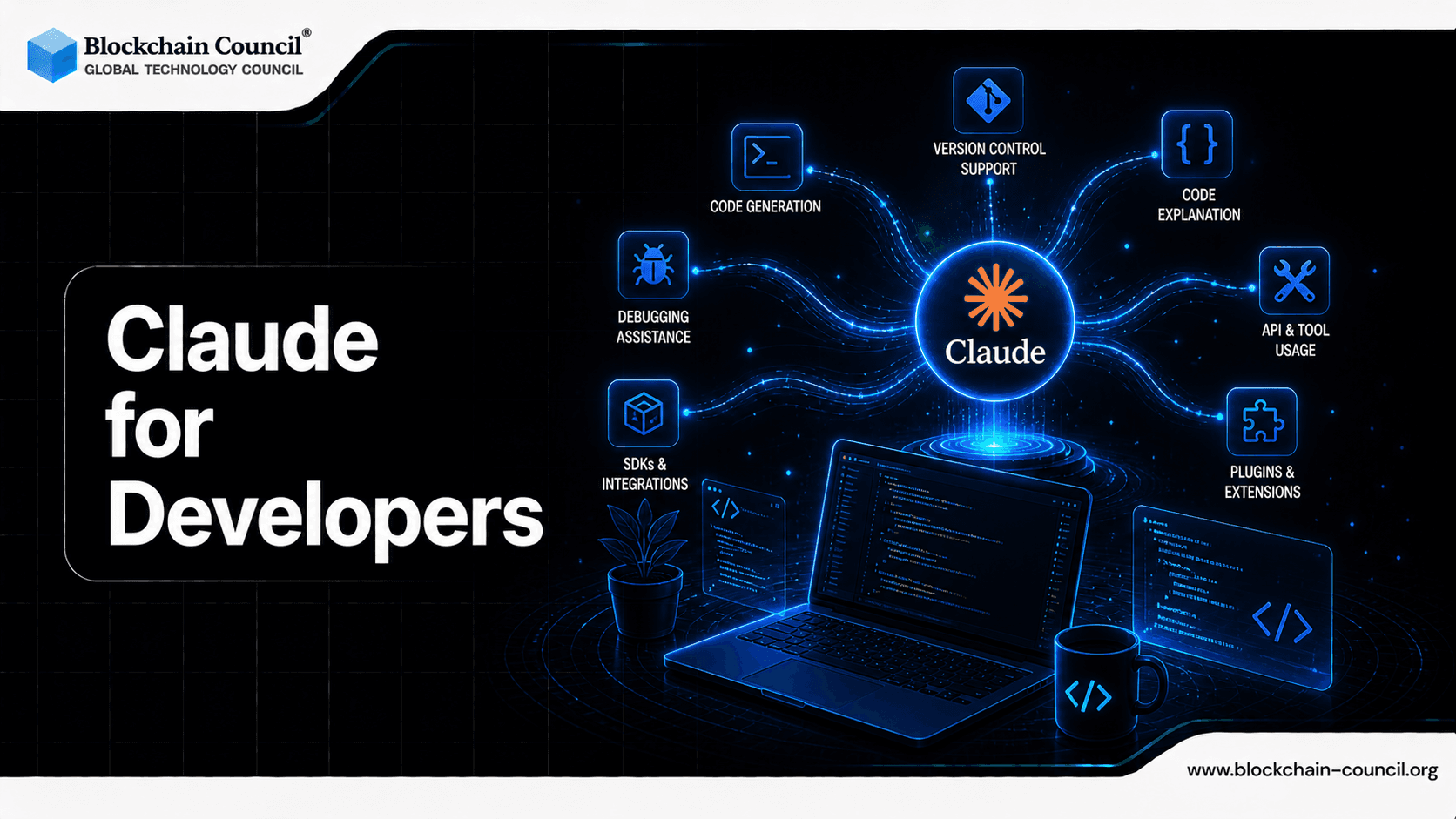
Software development is evolving rapidly. Writing code is no longer the only skill developers need - understanding systems, debugging efficiently, and automating workflows are becoming equally important.
This is where Claude AI is transforming how developers work.

Claude is not just a coding assistant - it’s a developer co-pilot with agentic capabilities that can understand entire codebases, fix issues, and even execute tasks autonomously.
Claude Code (Agentic Coding): A New Development Paradigm
Agentic coding is the next evolution of AI in software development.
With Claude Code, developers can:
Automate repetitive coding tasks
Execute multi-step workflows
Reduce manual intervention
Unlike traditional tools, Claude behaves like an intelligent agent, not just a responder.
Debugging & Refactoring Made Effortless
Smart Debugging
Claude can:
Identify bugs quickly
Explain root causes
Suggest accurate fixes
This reduces debugging time drastically.
Code Refactoring
Claude helps improve code quality by:
Optimizing structure
Removing redundancies
Enhancing readability
It ensures your code is not just working - but scalable.
Codebase Understanding at Scale
One of Claude’s biggest advantages is its ability to understand large codebases.
What It Can Do:
Analyze project architecture
Understand dependencies
Suggest improvements
This is especially useful for:
Large teams
Legacy systems
Complex projects
API Usage with Claude
APIs are the backbone of modern development - and Claude simplifies working with them.
How Claude Helps:
Generate API requests
Debug API errors
Create integration logic
Write documentation
This speeds up development cycles significantly.
Prompt Engineering for Developer Tasks
Prompt engineering is becoming a core skill for developers.
What You Can Do:
Write better prompts for code generation
Automate workflows
Build reusable prompt systems
Claude enables developers to:
Think in systems
Automate tasks
Increase efficiency
Integration with IDEs
Claude integrates seamlessly into development environments.
Supported Workflows:
VS Code integration
JetBrains tools
Terminal-based usage
Benefits:
Real-time assistance
Faster coding
Better debugging
Workflow automation
This makes Claude a natural extension of your IDE.
Why Developers Are Adopting Claude Rapidly
The shift toward Claude is driven by real benefits:
Faster development
Automation of repetitive tasks
Reduced errors
Better understanding of complex systems
Continuous workflow improvement
AI Learning Path for Developers
To fully leverage Claude:
Step 1: Programming Fundamentals
Python / JavaScript
Data structures
Step 2: AI Tools Mastery
Prompt engineering
AI-assisted coding
Step 3: Agentic Systems
Automation workflows
AI agents
Dev process optimization
A structured approach like the Certified Claude AI Expert Program helps you:
Master real-world AI workflows
Build projects
Monetize your skills
Tech Certifications for Future AI Careers
Recommended
Business Certifications for Growth
Top Certifications
These help developers turn skills into income streams.
Monetization Opportunities
Freelancing
Offer:
Code debugging
Automation setup
API integrations
Agency Model
Build services around:
AI development
Workflow automation
Remote Jobs
Roles include:
AI Developer
Backend Engineer
Automation Specialist
Personal Branding
Share:
Coding tutorials
AI workflows
Case studies
Why Claude AI Stands Out
Compared to other tools, Anthropic’s Claude offers:
Deep contextual understanding
Long-form reasoning
Safer outputs
Better coding capabilities
The Certified Claude AI Expert Program enables you to:
Build real-world projects
Learn agentic coding
Create income opportunities
Career Opportunities
AI Developer
Prompt Engineer
Automation Engineer
Backend Developer
Tech Consultant
Conclusion
Claude is redefining what it means to be a developer.
It’s no longer about writing every line of code - it’s about designing intelligent systems that can build, fix, and scale themselves.
Developers who adopt Claude early will:
Work smarter
Build faster
Earn more
FAQs
1. How can Claude help developers?
Claude assists developers by generating code, debugging errors, and explaining complex logic. It speeds up development workflows and reduces manual effort. Developers can use it as a coding assistant for various tasks. This improves productivity and efficiency.
2. Can Claude write code in multiple languages?
Yes, Claude supports multiple programming languages such as Python, JavaScript, Java, and more. It can generate code snippets and complete functions. This makes it versatile for different development needs. It adapts based on user prompts.
3. How does Claude assist in debugging?
Claude can analyze code, identify errors, and suggest fixes. It explains issues clearly for better understanding. This helps developers resolve bugs faster. It reduces troubleshooting time.
4. Can Claude help in learning programming?
Yes, Claude can explain coding concepts, provide examples, and guide beginners. It acts as a learning assistant. Developers can improve skills through interactive explanations. This makes learning easier.
5. How does Claude improve coding productivity?
Claude automates repetitive coding tasks and generates structured code quickly. It reduces manual work. Developers can focus on problem-solving. This boosts productivity.
6. Can Claude generate documentation?
Claude can create clear and structured documentation for code. It explains functions, APIs, and workflows. This saves time for developers. Documentation becomes easier.
7. How does Claude support API development?
Claude can help design APIs, generate endpoints, and explain integration methods. It simplifies backend development. Developers can build APIs faster. This improves efficiency.
8. Can Claude assist in code optimization?
Yes, Claude can suggest improvements for performance and readability. It helps optimize code structure. This leads to better efficiency. Developers can refine their work.
9. How does Claude help in testing code?
Claude can generate test cases and suggest testing strategies. It helps identify edge cases. This improves code reliability. Testing becomes more efficient.
10. Can Claude be used for full-stack development?
Yes, Claude can assist in both frontend and backend development. It supports UI design, server logic, and database queries. This makes it useful for full-stack projects. Developers can manage end-to-end tasks.
11. How does Claude handle complex programming tasks?
Claude can break down complex problems into smaller steps. It provides structured solutions. This helps developers understand and implement solutions. It supports advanced tasks.
12. Can Claude integrate with development tools?
Claude can be used alongside IDEs, APIs, and development platforms. It enhances existing workflows. Integration improves usability. Developers can work seamlessly.
13. How does Claude assist in DevOps?
Claude can help with scripts, automation, and deployment strategies. It supports infrastructure management. This improves DevOps efficiency. It simplifies workflows.
14. Can Claude help with database queries?
Yes, Claude can generate and optimize SQL queries. It can also explain database structures. This helps developers manage data effectively. It improves database handling.
15. How does Claude improve collaboration among developers?
Claude can generate shared documentation and explain code for teams. It improves communication. This helps teams work more efficiently. Collaboration becomes smoother.
16. What are the limitations of Claude for developers?
Claude may produce incorrect or incomplete code at times. Developers must review outputs carefully. It depends on prompt clarity. Understanding limitations is important.
17. Can Claude be used for rapid prototyping?
Yes, Claude can quickly generate code for prototypes. It helps developers test ideas faster. This speeds up innovation. Prototyping becomes easier.
18. How secure is Claude for coding tasks?
Claude follows safety guidelines but should not be used for sensitive code without review. Developers must ensure security best practices. It is a support tool, not a replacement. Caution is needed.
19. Is Claude suitable for professional developers?
Yes, Claude is useful for both beginners and experienced developers. It enhances productivity and efficiency. Professionals can use it for complex tasks. It supports various skill levels.
20. Why is Claude important for developers in 2026?
Claude represents the shift toward AI-assisted development. It helps developers work faster and smarter. Its capabilities improve efficiency and innovation. It is becoming a key tool in modern development.
Related Articles
View All
Claude Ai
Claude Sonnet 5 for Developers: Building Smarter AI Agents and Enterprise Applications
Claude Sonnet 5 for Developers is a practical guide to building AI agents, coding workflows, and enterprise applications with Anthropic's latest Sonnet model.

Claude Ai
Claude Prompt vs Claude Looping: Which Should Developers Use?
Claude prompts suit interactive coding work, while Claude looping fits recurring agent workflows. Learn when to use each and how to combine both safely.

Claude Ai
Claude Fable 5 for Developers: Building Smarter AI Applications and Assistants
Learn how Claude Fable 5 helps developers build smarter AI applications, coding agents, analytics copilots, and safe multimodal assistants.
Trending Articles

Top 5 DeFi Platforms
Explore the leading decentralized finance platforms and what makes each one unique in the evolving DeFi landscape.
How Blockchain Secures AI Data
Understand how blockchain technology is being applied to protect the integrity and security of AI training data.
Claude AI Tools for Productivity
Discover Claude AI tools for productivity to streamline tasks, manage workflows, and improve efficiency.