

Claude Design 2.0

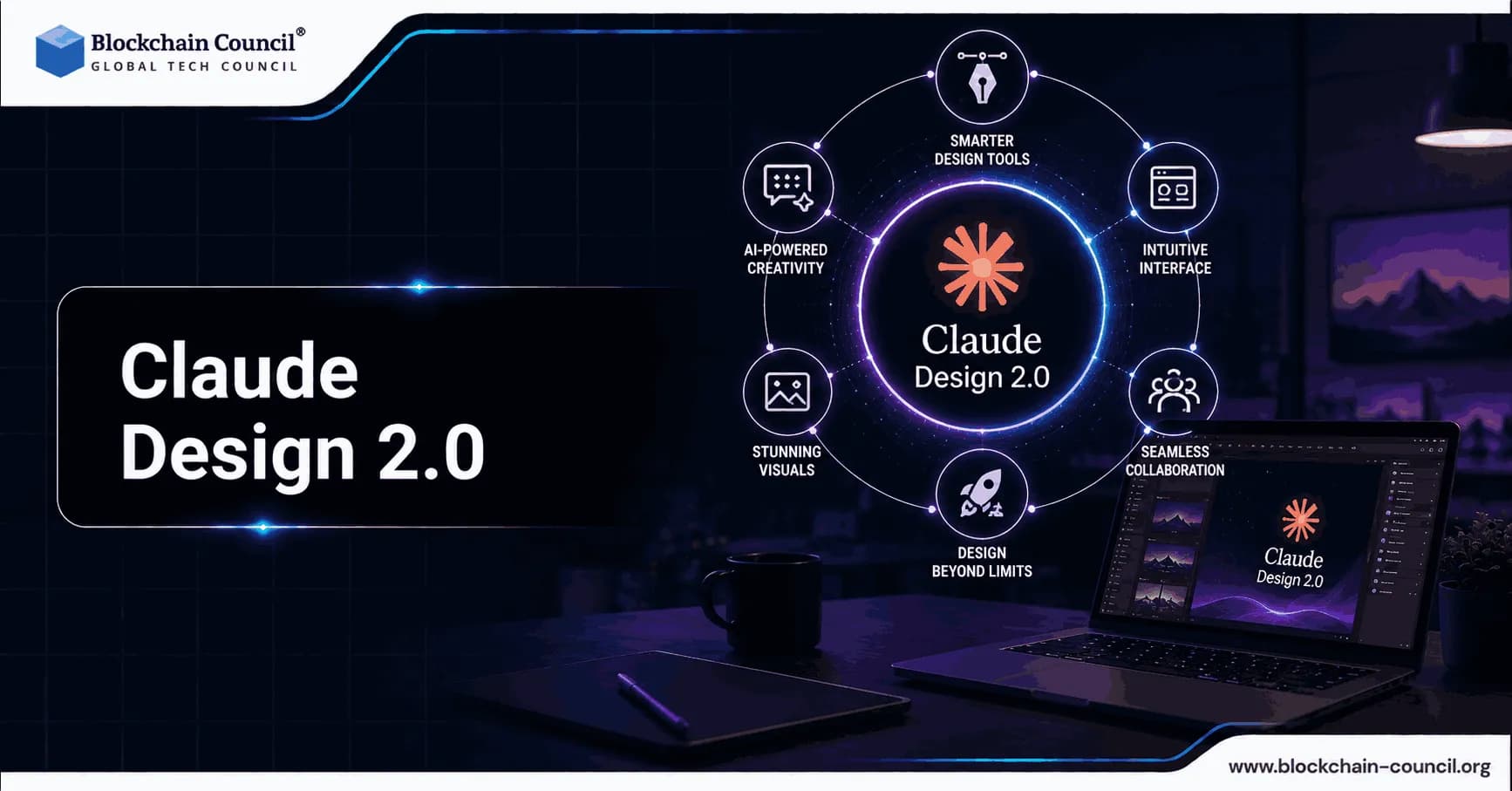
On June 17, 2026, Anthropic released a major overhaul of its visual creation platform that the design and engineering community rapidly began calling Claude Design 2.0. Specifically, the update addressed the most significant pain points reported by the more than one million users who adopted the original tool in its first week following the April 17, 2026 launch. Consequently, this was not an incremental patch, it was a foundational rebuild of how the platform handles brand systems, editing control, developer handoff, and token efficiency.
Furthermore, the context surrounding this release is significant. When the original Claude Design launched in April, it wiped seven percent off Figma's market value in a single trading day, a signal that the market recognized the tool as a structural competitive threat. Moreover, the June update deepened that competitive positioning by transforming Claude Design from an impressive prototype generator into a workflow product that professional organizations could adopt as a legitimate production design tool.

Therefore, understanding what Claude Design 2.0 actually delivers and what it still does not is essential for designers, product managers, founders, marketers, and engineers evaluating where this platform fits in their workflow. Additionally, professionals who want to develop deep expertise in how tools like this are built, governed, and deployed at scale can benefit significantly from a recognized Claude AI Expert certification, which builds comprehensive understanding of Claude's capabilities, architecture, and professional applications. Consequently, this guide walks through every major change in Claude Design 2.0, explains why each one matters, and examines the implications for teams across design, engineering, marketing, and product strategy.
What Is Claude Design and Why Did It Matter Before the June Update?
Claude Design is Anthropic's AI-powered visual creation tool built into Claude.ai. Specifically, it allows users to describe what they need in plain language: a landing page, an app prototype, a pitch deck, a marketing one-pager and receive a first working version in seconds. Furthermore, the output is not a static image; it is live HTML, clickable, testable, and refinable through further conversation.
The original April 17, 2026 launch positioned Claude Design as a product for everyone who needs to go from idea to visual before they ever open a design tool. Specifically, Anthropic framed it this way: even experienced designers have to ration exploration under deadline pressure, limiting themselves to a few directions when they could benefit from testing many more. For non-designers founders, product managers, and marketers with ideas but no design background the barrier to creating and sharing visual concepts had always been significant. Therefore, Claude Design addressed both audiences simultaneously.
Moreover, the tool was powered from launch by Claude Opus 4.7, Anthropic's most capable vision model at the time, which brought improvements in vision resolution from 1,568 pixels to 2,576 pixels. Consequently, this upgrade directly enabled better image analysis, reference-image interpretation, and higher-quality design output. Furthermore, it launched with Canva integration, allowing teams to export decks and marketing materials into Canva for full collaborative editing and polish.
Early Adoption and the Friction Points That Demanded a Major Update
The first-week response was significant. Specifically, over one million users engaged with the tool within seven days of launch a pace that gave Anthropic unusually rich and rapid feedback. Furthermore, early adopters included teams from Brilliant, Datadog, and Jane Street, whose public reports provided detailed, real-world assessments of where the tool performed well and where it fell short.
Brilliant reported that pages requiring twenty or more prompts to recreate in competing tools needed only two prompts in Claude Design. Datadog compressed a week-long cycle of briefs, mockups, and review rounds into a single conversation. However, the same teams and the broader community identified consistent friction points: design system consistency degraded across sessions, editing required working through chat prompts rather than direct canvas interaction, the handoff to Claude Code was fragile, and token consumption was higher than it needed to be for the results delivered.
Consequently, Claude Design 2.0 was built as a direct, systematic response to every one of these reported failures.
The Four Major Changes in Claude Design 2.0
Anthropic designer Nate Parrott, speaking to Fast Company, framed the June 17 update as the 'big new release' that completed the original vision. Specifically, Claude Design 2.0 delivers four foundational changes: importable design systems, real canvas editing, bidirectional Claude Code synchronization, and significantly improved token efficiency. Furthermore, each of these changes addresses a documented weakness in the April launch version.
1. Importable Design Systems: Ending the Brand Drift Problem
The single most significant architectural change in Claude Design 2.0 is the introduction of importable design systems. Specifically, users can now bring their own design system into Claude Design from a GitHub repository, design files, or raw uploads. Claude then builds with those components, checks its output against the imported system, and makes corrections before the result is presented.
This matters because the original version of Claude Design generated outputs based on what it inferred from context meaning it defaulted to generic styling, Tailwind defaults, and its own interpretation of visual conventions rather than the actual components a team uses. Consequently, output from one session would look noticeably different from another, a problem Parrott described directly: 'The previous version of Claude Design lacked some consistency when it came to applying design systems across generated prototypes.'
Furthermore, Claude Design 2.0 adds an enterprise-grade admin control layer. Specifically, for larger organizations, a new admin role can approve one standard design system and lock down edits across the team, ensuring that every output matches company guidelines regardless of who generates it. Consequently, this moves the tool from individual creative assistant to organizational design infrastructure.
Additionally, users can import multiple design systems simultaneously, with Claude building against the correct set of components for each project. Moreover, the import mechanism supports the web capture tool, which allows users to point Claude Design at any live website URL and pull in the visual elements colors, typography, layout patterns directly from the production site, so prototypes look like the real product from the first iteration.
2. Direct Canvas Editing: From Chat-Only to True WYSIWYG
Before the June update, refining a design in Claude Design required working entirely through conversation typing instructions like 'move the call to action left' or 'change the button color to blue' and waiting for the tool to regenerate. Consequently, users familiar with direct-manipulation design tools found this chat-only interaction model frustrating, particularly for minor visual adjustments that would take seconds in a traditional design environment.
Claude Design 2.0 introduces genuine WYSIWYG canvas editing. Specifically, users can now edit text directly on the canvas, drag, resize, and align elements using proper layout tools, and apply fine-grained controls over layout, typography, button styles, and spacing all without leaving the design surface. Furthermore, these direct edits can then be applied across the full design by asking Claude to propagate the changes consistently.
Parrott described the intent behind this change clearly: 'You can go in and you can edit things directly and try your hand at what it looks like with a different font or a different color, and you can get some of those direct controls that you might have had in other tools that designers are familiar with.' Consequently, this brings Claude Design significantly closer to the interaction paradigm that professional designers expect from a production tool. Additionally, Anthropic reports shipping hundreds of stability fixes specifically for production use cases as part of this canvas editing overhaul.
3. Bidirectional /design-sync: The Production-Ready Handoff
The handoff between design and engineering has historically been one of the most friction-heavy transitions in product development. Specifically, even well-designed prototypes frequently lose fidelity when passed to developers, because the translation from visual specification to working code introduces gaps, assumptions, and reinterpretations that accumulate over time.
Claude Design 2.0 addresses this with a bidirectional synchronization system built on two new commands. Specifically, the /design-sync command, run from Claude Code, pulls the team's design system into the codebase so everything built in Claude Design starts from existing components rather than hallucinated markup. Conversely, the /design command allows developers to create, edit, and synchronize design projects without leaving the terminal. Furthermore, when a design is ready to become software, it can be handed off to Claude Code directly, which continues from existing work rather than starting over from a screenshot.
Moreover, the export ecosystem has expanded significantly. Specifically, Claude Design 2.0 now exports to Canva, Adobe tools, Vercel, Replit, Wix, and other major platforms, in addition to the original ZIP archive, PDF, PPTX, and standalone HTML formats. Consequently, teams are no longer locked into a single downstream workflow they can move their designs into whatever production environment they use.
Furthermore, professionals who want to develop comprehensive expertise in the full technical stack that makes integrations like this reliable including API architecture, system design, and deployment infrastructure benefit meaningfully from a recognized Tech Certification that builds the foundational knowledge required to understand, implement, and govern these kinds of bidirectional system integrations. Consequently, certified technology professionals are better positioned to lead their organizations through design-to-code adoption at scale.
4. Token Efficiency and Shared Usage Limits
Token consumption was one of the most consistently cited friction points in early Claude Design feedback. Specifically, users reported that the tool consumed tokens at a rate that felt disproportionate to the outputs delivered, and that this cost structure limited how extensively they could use it within their existing subscription tiers.
Claude Design 2.0 addresses this on two fronts. First, the engineering team has made substantial reductions in tokens consumed per turn for equivalent outputs, alongside what Anthropic describes as sharply lower error rates. Parrott acknowledged this directly: 'People can't get enough Claude tokens, and so we got a lot of work on the engineering side to make Claude Design do more with the same amount of tokens.' Consequently, the practical result is that users can iterate more extensively within the same usage budget.
Second, Claude Design 2.0 now shares usage limits with chat, Claude Cowork, and Claude Code, rather than operating on a separate, isolated allocation. Consequently, this increases the total headroom available and eliminates the frustration of hitting design-specific caps while still having available tokens across the rest of the platform.
Who Benefits Most from Claude Design 2.0?
The combination of these four changes meaningfully shifts who Claude Design 2.0 serves most effectively. Specifically, the April launch was most valuable for individuals who needed to go from idea to visual quickly and informally. The June update extends genuine value to professional teams who need consistent, brand-accurate, production-adjacent output at organizational scale.
Professional Designers
For experienced designers, Claude Design 2.0 is most compelling as a wide-angle exploration tool. Specifically, it allows designers to generate ten directional explorations in the time it would take to complete one in a traditional design tool with the assurance that each exploration adheres to the team's actual design system rather than inventing its own conventions. Consequently, the winning concept can then be moved into a dedicated design tool for polish and refinement.
Furthermore, the WYSIWYG editing capability removes the chat-only limitation that previously made Claude Design feel like a supplementary generator rather than an interactive workspace. Moreover, the direct handoff to Claude Code eliminates the screenshot-based translation step that previously introduced fidelity loss at the design-to-engineering boundary.
Product Managers and Founders
Product managers benefit from the ability to sketch feature flows and produce shareable wireframes before design reviews compressing what had been a multi-day brief, mockup, and review cycle into a single afternoon's work. Specifically, the design system import ensures that these wireframes use real components rather than generic placeholders, making the handoff to engineering teams cleaner and more immediately actionable.
Founders, similarly, can move from a rough outline to a complete, on-brand pitch deck in minutes. Furthermore, with the expanded export options to Canva, Adobe, Vercel, and other platforms, the output reaches stakeholders in whatever format they prefer without requiring an additional conversion step.
Marketing and Creative Teams
Marketing teams represent one of the strongest fit cases for Claude Design 2.0. Specifically, creating landing pages, social media assets, one-pagers, and campaign visuals without design bottlenecks is now significantly more viable with imported brand systems ensuring that all outputs stay consistent with visual guidelines from the first iteration. Consequently, marketing campaigns can move from brief to visual asset in a fraction of the time previously required.
Furthermore, with exported designs flowing directly into Canva for full collaborative editing, marketing teams can use Claude Design 2.0 to handle the bulk production side of their visual work while retaining full control over refinement and finalization. Moreover, professionals who hold a recognized Marketing Certification are better positioned to integrate tools like Claude Design into structured campaign workflows ensuring that AI-accelerated visual production is grounded in brand strategy, audience intelligence, and commercial outcomes rather than pure creative speed. Consequently, this combination of formal marketing expertise and hands-on AI design fluency is increasingly valuable as marketing operations adopt generative design as a standard capability.
What Claude Design 2.0 Still Does Not Do Well
An accurate assessment of Claude Design 2.0 requires acknowledging its current limitations alongside its genuine advances. Specifically, several capability gaps remain that organizations should understand before committing to this tool as a primary design platform.
Multiplayer Design Operations at Scale
Figma's core competitive advantage is its multiplayer design environment with multiple team members working on the same file simultaneously with real-time collaborative visibility. Specifically, Claude Design 2.0 offers organization-scoped sharing and admin design system controls, but does not yet match Figma's depth of collaborative design operations for large, multi-team organizations.
Consequently, agency workflows, multi-region design teams, and organizations with dedicated design operations infrastructure will likely continue to use Figma for high-complexity collaborative work while using Claude Design for rapid exploration, prototyping, and production handoff acceleration. Moreover, Anthropic has positioned the tool as complementary to rather than competing with traditional design tools, a distinction TechCrunch confirmed in its April launch coverage.
Production Code Requires Human Review
The Claude Code handoff generates functional code from Claude Design prototypes, but this code requires the same review as any AI-generated output security auditing, scalability assessment, and testing coverage. Specifically, the promise of seamless idea-to-production workflow is closer to reality than it was in April, but the gap between 'functional prototype code' and 'production-ready code' still requires engineering judgment and review.
Furthermore, comment persistence in inline reviews occasionally fails, and very large codebases connected to Claude Design can introduce lag or browser stability issues. Consequently, teams working with large-scale codebases should monitor these limitations during their initial adoption period and plan for engineering review time as part of the design-to-code workflow rather than assuming the handoff is fully automated.
How to Access Claude Design 2.0 and Get Started
Claude Design 2.0 is available on web and desktop to Claude Pro, Max, Team, and Enterprise subscribers. Specifically, it lives inside claude.ai, accessible at claude.ai/design or via the palette icon in the left-hand navigation sidebar of the Claude desktop app. Furthermore, Team and Enterprise plans may require admin-side activation before team members can access the tool.
Getting started follows a straightforward process. First, users set up their design system during onboarding by connecting a GitHub repository, uploading design files, or using the web capture tool to pull visual elements from a live website. Subsequently, Claude builds a design system from those inputs that applies automatically to every project going forward. Furthermore, the system can be refined over time, and teams can maintain more than one design system for different products or brands.
Additionally, to access the bidirectional code integration, developers run /design-sync from Claude Code to pull the design system into their codebase, or /design to create, edit, and sync design projects directly from the terminal. Consequently, the full design-to-code pipeline is accessible from either direction, design surface or development environment.
Building Professional Expertise Around Claude Design 2.0
As Claude Design 2.0 moves from research preview toward mainstream professional adoption, the practitioners who can implement, govern, and advise on these tools authoritatively will hold a meaningful competitive advantage. Specifically, three credential pathways address the different professional dimensions that effective use of this platform demands.
Mastering Claude's Full Capability Stack
Professionals who want comprehensive, verified expertise in Claude's complete capability set including Claude Design's architecture, vision model capabilities, design system integration, and enterprise governance benefit most directly from a dedicated Claude AI Expert certification. Specifically, this credential provides structured, expert-validated training covering the strategic and technical dimensions of the full Claude platform from conversational AI to agentic code execution to visual design creation.
Consequently, practitioners who hold this credential are better equipped to advise organizations on adopting Claude Design 2.0 within enterprise workflows, to lead design-to-code automation initiatives, and to navigate the governance and security considerations that professional adoption requires. Moreover, as Anthropic continues to expand the Claude platform's capabilities, certified practitioners maintain a structured foundation for understanding each new release.
Understanding the Infrastructure Behind Design-to-Code
The bidirectional design-code synchronization in Claude Design 2.0 sits on top of significant technical infrastructure API integrations, codebase parsing, design system extraction, and deployment pipeline connections. Specifically, professionals who want to lead or evaluate these implementations at the technical level benefit from a recognized Tech Certification that builds foundational expertise in systems architecture, API design, and software engineering principles.
Consequently, technology professionals with formal certification are better positioned to assess the security, scalability, and maintenance implications of integrating Claude Design's code handoff into production engineering workflows. Furthermore, this credential provides the systems-level understanding that distinguishes practitioners who can implement these tools reliably from those who adopt them experimentally.
Applying AI Design to Commercial Strategy
For marketing and creative professionals, a recognized Marketing Certification provides the commercial and brand strategy context that ensures Claude Design's visual production speed is channeled toward measurable business outcomes. Specifically, this credential builds expertise in brand consistency, campaign management, audience strategy, and commercial outcome measurement all of which determine whether AI-accelerated design production actually delivers marketing results or simply produces faster visual content.
Consequently, marketing professionals who combine this certification with hands-on Claude Design expertise are positioned to lead AI-powered creative operations that move faster, stay on brand, and contribute directly to revenue impact. Therefore, this credential is the logical complement for any marketing professional seeking to integrate Claude Design 2.0 into their organization's creative workflow.
Conclusion
In summary, Claude Design 2.0 marks the transition of Anthropic's visual creation platform from a compelling proof of concept into a production-adjacent workflow tool. Specifically, the June 17, 2026 update resolves the four most critical limitations of the April launch: brand consistency through importable design systems, interaction depth through canvas-level WYSIWYG editing, engineering integration through bidirectional Claude Code synchronization, and cost sustainability through significantly improved token efficiency.
Furthermore, the platform's first-week adoption of over one million users demonstrated genuine market appetite, and the depth of the June update demonstrates that Anthropic is listening to practitioner feedback and building a tool that can earn a permanent place in professional workflows. Consequently, Claude Design 2.0 is no longer competing only on speed it is competing on system awareness, brand precision, and production proximity.
Moreover, the opportunity for professionals to build genuine expertise in this platform is real and growing. Specifically, practitioners who develop structured knowledge of Claude's full capability stack including the design and code integration layers through recognized credentials are positioning themselves ahead of what Anthropic has been clear is a deliberate strategy: building an integrated suite in which Claude Design 2.0 is the missing piece between idea and production code.
Therefore, whether you are a designer, developer, product manager, founder, or marketer, Claude Design 2.0 is now a tool worth evaluating seriously for your workflow. Furthermore, pairing that hands-on exploration with a recognized Claude AI Expert certification equips you with the structured understanding to use it not just effectively, but strategically and to lead others through the adoption process with verified expertise.
Frequently Asked Questions (FAQs)
1. What is Claude Design 2.0?
Claude Design 2.0 refers to the major update Anthropic released on June 17, 2026, to its AI-powered visual creation tool. Specifically, it adds importable design systems, direct canvas editing, bidirectional Claude Code synchronization, and improved token efficiency—transforming the original April 2026 research preview into a production-adjacent workflow platform.
2. When did Claude Design originally launch?
The original Claude Design launched on April 17, 2026, as a research preview under Anthropic Labs. Specifically, it was powered by Claude Opus 4.7 and available to Pro, Max, Team, and Enterprise subscribers, attracting over one million users in its first week.
3. What is the /design-sync command?
The /design-sync command, run from Claude Code, pulls a team's design system into their codebase so that everything built in Claude Design starts from existing components rather than generic or hallucinated markup. Consequently, this creates a direct, synchronized bridge between design exploration and production code.
4. What model powers Claude Design 2.0?
Claude Design 2.0 is powered by Claude Opus 4.7, Anthropic's most capable vision model at the time of the June 2026 update. Specifically, Opus 4.7 delivers improved vision resolution of 2,576 pixels up from 1,568 pixels enabling better image analysis, reference-image interpretation, and higher-quality design output.
5. Can I import my existing design system into Claude Design 2.0?
Yes. Claude Design 2.0 allows users to import design systems from a GitHub repository, design files, or raw uploads. Furthermore, Claude builds with the imported components, validates its outputs against the system, and makes corrections before presenting results.
6. Is Claude Design 2.0 a Figma replacement?
Not fully. Specifically, Figma still leads in multiplayer design operations, design tokens at scale, and agency workflows. However, Claude Design 2.0 significantly outperforms Figma for rapid prototyping, AI-assisted exploration, and the design-to-code handoff for Claude-native teams.
7. Who can access Claude Design 2.0?
Claude Design 2.0 is available to Claude Pro, Max, Team, and Enterprise subscribers, on web and desktop platforms. Furthermore, Team and Enterprise plans may require admin-side activation before all team members can access the tool.
8. What export formats does Claude Design 2.0 support?
Claude Design 2.0 exports to Canva, Adobe tools, Vercel, Replit, Wix, standalone HTML, PDF, PPTX, and ZIP archives. Consequently, teams can move designs into virtually any downstream production or collaboration environment without additional conversion steps.
9. How does the admin design system control work?
Enterprise plans include a new admin role that can approve one standard design system and lock down edits across the team. Specifically, this ensures all outputs match company guidelines regardless of who generates them, making the tool viable for large organizations with strict brand governance requirements.
10. What was the main problem with the original Claude Design?
The primary problems were brand consistency degrading across sessions, chat-only editing with no direct canvas interaction, a fragile and screenshot-dependent design-to-code handoff, and higher-than-expected token consumption for the outputs delivered. Specifically, Claude Design 2.0 directly addresses all four of these failure points.
11. Does Claude Design 2.0 produce production-ready code?
The Claude Code handoff generates functional code, but it requires the same review process as any AI-generated output security auditing, scalability assessment, and testing coverage. Consequently, engineering review remains a necessary step between prototype and production deployment.
12. How does the web capture tool work?
The web capture tool allows users to point Claude Design at any live website URL. Claude then pulls in the visual elements colors, typography, layout patterns directly from the site, so prototypes match the actual product rather than starting from generic blank-canvas styling.
13. How does token sharing work in Claude Design 2.0?
Claude Design 2.0 now shares its usage limits with chat, Claude Cowork, and Claude Code, rather than drawing from a separate isolated allocation. Consequently, this increases total available headroom and eliminates the frustration of hitting design-specific token caps while other platform areas still have available budget.
14. What did Nate Parrott say about the June 2026 update?
Nate Parrott, Anthropic's designer on the project, described the update to Fast Company as fixing consistency problems in design system application, adding direct editing controls familiar to designers from other tools, and delivering engineering work to make Claude Design do significantly more with the same number of tokens.
15. Can I use Claude Design 2.0 from the command line?
Yes. The /design command allows developers to create, edit, and synchronize design projects without leaving the terminal. Consequently, engineering teams can work within the Claude Design ecosystem entirely from their existing development environment.
16. How does Claude Design 2.0 compare to Lovable and v0?
Claude Design 2.0 excels at extracting design systems from existing codebases and enabling precise, brand-consistent output. Lovable excels at generating full-stack apps with integrated databases and authentication. Specifically, Claude Design is the stronger choice for showcase sites, landing pages, and app mockups; Lovable remains preferable for functional MVPs with backend logic requirements.
17. What impact did Claude Design have on Figma's valuation?
When the original Claude Design launched on April 17, 2026, it wiped approximately seven percent off Figma's market value in a single trading day. Furthermore, Anthropic's Chief Product Officer Mike Krieger resigned from Figma's board three days before the launch, signaling that the competitive positioning was deliberate rather than coincidental.
18. Is there a public directory or design marketplace in Claude Design 2.0?
No. Claude Design does not include a public template directory or community marketplace. Specifically, the platform is designed around a team's own design system and project history, not generic templates. Consequently, designs are inherently tailored to organizational brand guidelines rather than starting from community-shared defaults.
19. What known limitations remain in Claude Design 2.0?
Documented current limitations include occasional failures in inline comment persistence, lag or browser issues with very large codebases, and the requirement for human engineering review before generated code reaches production. Additionally, multiplayer design operations at Figma's scale are not yet matched.
20. What is the strategic vision behind Claude Design 2.0?
Anthropic's stated goal is for Claude Design to become the natural habitat for design brainstorming and exploration a tool that generates shippable directions, stays synchronized with production code, and fits inside the broader Claude ecosystem rather than existing as an isolated creative utility. Specifically, the full loop of exploration, prototype, and production code is designed to stay within Anthropic's integrated platform.
Related Articles
View All
Claude Ai
How to Use Claude Fable 5.1 for Free
Find out whether Claude Fable 5.1 is available for free, which Claude plans provide access, and what users need to know before trying Anthropic’s latest AI model.

Claude Ai
Anthropic's New Claude Fable 5.1 and Mythos 5.1 Update: What's New?
Anthropic’s Claude Fable 5.1 and Mythos 5.1 update brings stronger coding, long-running agentic workflows, research, vision, and knowledge-work capabilities. Fable 5.1 is generally available and introduces cheaper cache reads, potentially reducing typical workload costs by about 25% and highly agentic workloads by up to 45%. Mythos 5.1 uses the same underlying model but offers expanded cybersecurity and biology capabilities to vetted organizations through trusted-access programs.

Claude Ai
Fable 5 vs Claude vs ChatGPT: Which AI Model Should You Choose?
Compare Fable 5, Claude, and ChatGPT across coding, research, DevOps, cost, context, and governance to choose the right AI model.
Trending Articles
The Role of Blockchain in Ethical AI Development
How blockchain technology is being used to promote transparency and accountability in artificial intelligence systems.
AWS Career Roadmap
A step-by-step guide to building a successful career in Amazon Web Services cloud computing.
How Blockchain Secures AI Data
Understand how blockchain technology is being applied to protect the integrity and security of AI training data.