

Claude–Dangerously-Skip-Permissions

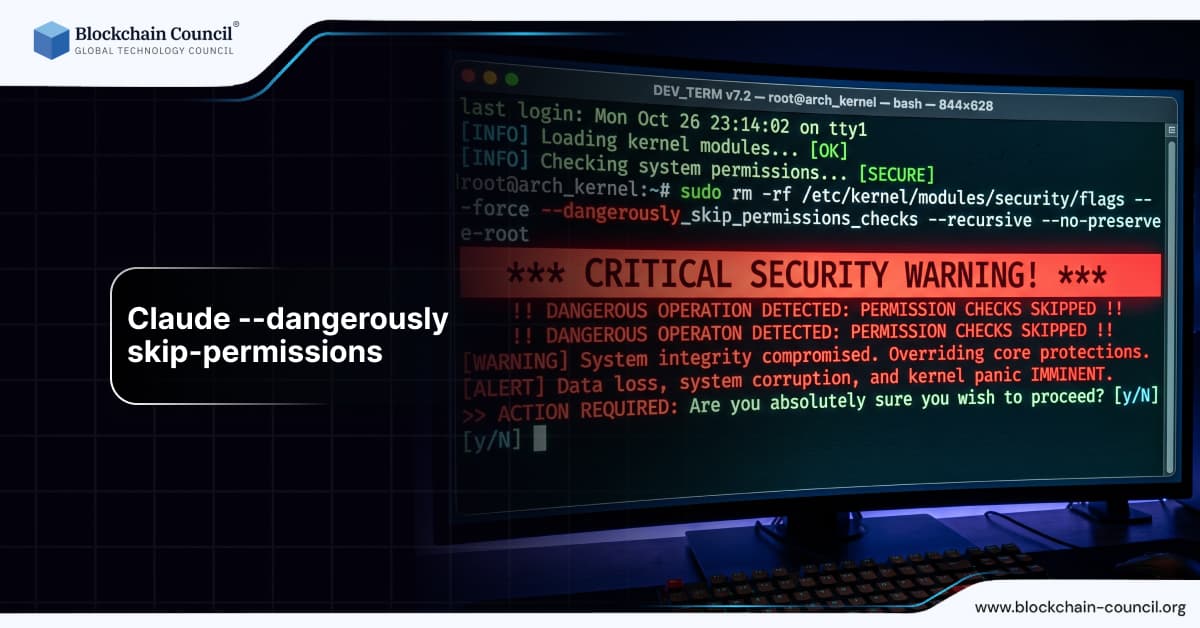
Artificial intelligence tools are increasingly integrated into development workflows. Systems like Claude Code allow developers to automate tasks, generate code, and interact with complex environments. As these tools become more powerful, they also introduce new layers of control and permission management.
One advanced and controversial concept in this space is the use of a flag often referred to as “dangerously skip permissions.” This feature, typically used in command line or automated environments, allows users to bypass standard permission checks and safeguards.

For professionals seeking structured knowledge about such systems, programs like the Claude Code Certification and the AI expert certification provide essential insights into AI workflows, safety, and system design.
What Does Dangerously Skip Permissions Mean
The phrase “dangerously skip permissions” refers to a configuration or flag that disables built in permission checks within a system.
Core Function
Bypasses confirmation prompts
Ignores safety restrictions
Executes commands without validation
It is designed for advanced users who understand the risks.
Why Such a Feature Exists
Automation Needs
In automated pipelines, manual approvals slow down processes.
Developer Efficiency
Experienced users may prefer fewer interruptions.
Testing Environments
Developers often need full control during testing.
How It Works in Claude Code Context
Permission Layer
Normally, systems verify whether an action is allowed.
Override Mechanism
This flag disables those checks.
Direct Execution
Commands run immediately without confirmation.
Real World Example
A developer is running an automated deployment script.
Without the flag, the system asks for confirmation
With the flag, execution proceeds instantly
The process becomes faster but riskier
This illustrates the trade off between speed and safety.
Benefits of Using Dangerously Skip Permissions
Increased Speed
Eliminates delays caused by permission prompts.
Automation Friendly
Ideal for CI CD pipelines and scripts.
Advanced Control
Allows experienced users to manage systems directly.
Risks and Challenges
Security Vulnerabilities
Bypassing permissions can expose systems to threats.
Accidental Actions
Users may execute harmful commands unintentionally.
Data Loss
Critical data can be modified or deleted without warning.
Why It is Labeled “Dangerously”
The naming is intentional. It signals that misuse can lead to serious consequences.
Warning Indicator
Users are reminded of potential risks.
Responsibility Shift
Control is placed entirely in the user’s hands.
Best Practices for Safe Usage
Use in Controlled Environments
Limit usage to testing or isolated systems.
Avoid in Production
Production systems require strict safeguards.
Monitor Actions
Track and log all executed commands.
Role of Permissions in AI Systems
Security
Permissions protect sensitive data and operations.
Accountability
They ensure actions are authorized.
Stability
Prevent unintended system changes.
Comparison with Standard Permission Systems
Standard Approach
Requires confirmation
Enforces restrictions
Reduces risk
Skip Permissions Approach
No confirmation
Full access
Higher risk
Use Cases
Automated Deployment
Speeds up continuous integration processes.
Testing and Debugging
Allows unrestricted experimentation.
Advanced Development
Used by experienced developers for efficiency.
Integration with Development Tools
Command Line Interfaces
Flags are often used in CLI environments.
DevOps Pipelines
Automation systems benefit from reduced friction.
Cloud Platforms
Used in controlled cloud deployments.
AI and Automation Trends
Increased Autonomy
Systems are becoming more independent.
Reduced Human Intervention
Automation minimizes manual steps.
Need for Safeguards
Balancing speed and safety is critical.
Developers can enhance their skills through the AI Powered coding expert Course.
Ethical Considerations
Responsibility
Users must understand the consequences of their actions.
Transparency
Systems should clearly indicate when safeguards are disabled.
Risk Management
Organizations must establish policies.
Marketing and Business Perspective
Efficiency Gains
Automation improves productivity.
Cost Reduction
Faster processes reduce operational costs.
Competitive Advantage
Advanced tools provide an edge.
Professionals can explore these strategies through the AI powered marketing course.
Recent Developments
Improved Safety Mechanisms
Systems now include warnings and logs.
Better Documentation
Developers are informed about risks.
Increased Awareness
Organizations emphasize responsible usage.
Future Outlook
Smarter Permission Systems
AI will adapt permissions dynamically.
Enhanced Monitoring
Real time tracking of actions.
Balanced Automation
Combining speed with safety.
Impact on Developers
Greater Control
Developers can execute tasks quickly.
Increased Responsibility
Mistakes can have serious consequences.
Learning Opportunities
Understanding system internals improves skills.
Conclusion
The concept of dangerously skipping permissions highlights the tension between efficiency and safety in modern development environments. While it offers significant advantages in speed and automation, it also introduces substantial risks.
Developers and organizations must approach such features with caution, ensuring they are used responsibly and only in appropriate contexts. As AI systems continue to evolve, balancing control and protection will remain a critical challenge.
FAQs
1. What does dangerously skip permissions mean?
It refers to bypassing standard permission checks in a system, allowing commands to execute without validation or confirmation. This can significantly speed up workflows but removes important safety layers. It is typically used by experienced developers in controlled environments. Misuse can lead to serious consequences.
2. Why is this feature considered dangerous?
It is considered dangerous because it removes safeguards designed to prevent harmful actions. Without these checks, users can unintentionally execute destructive commands. This increases the risk of data loss, system damage, or security breaches. The name itself is a clear warning.
3. When should it be used?
It should only be used in controlled environments such as testing or development setups. These environments allow experimentation without affecting critical systems. Using it in production is strongly discouraged. Proper understanding is essential before enabling it.
4. Can beginners use this feature?
Beginners are generally advised not to use this feature. It requires a strong understanding of system operations and potential risks. Mistakes can have significant consequences. Learning basic permission systems first is recommended.
5. What are the main benefits?
The main benefits include faster execution, improved automation, and greater control over workflows. It eliminates delays caused by permission prompts. This is particularly useful in automated pipelines. However, benefits must be weighed against risks.
6. What risks are involved?
Risks include security vulnerabilities, accidental data deletion, and system instability. Without safeguards, errors are more likely to occur. These risks can affect both individuals and organizations. Careful usage is required.
7. How does it affect security?
Bypassing permissions weakens security measures. Systems become more vulnerable to unauthorized actions and mistakes. Proper monitoring and controls are necessary. Security should always be a priority.
8. Is it used in production systems?
It is rarely used in production due to high risk. Production environments require strict safeguards. Using this feature can lead to serious issues. It is better suited for testing.
9. How can developers stay safe while using it?
Developers should use it only in isolated environments and monitor all actions. Logging and backups are important. Understanding the system is essential. Caution reduces risks.
10. What is the future of permission systems?
Future systems will likely use AI to manage permissions dynamically. This will improve both security and efficiency. Automation will become smarter. Balance will be key.
11. Can it improve productivity?
Yes, it can improve productivity by reducing delays and enabling faster workflows. However, the increased speed comes with higher responsibility. Developers must ensure accuracy. Proper use is important.
12. What tools support this feature?
Many CLI tools and development environments support similar flags. These tools are used in automation and scripting. Features vary by platform. Understanding documentation is necessary.
13. How does it relate to AI systems?
AI systems often require permission management for safety and control. Skipping permissions affects how these systems operate. It changes the balance between automation and oversight. Awareness is important.
14. What industries use such features?
Technology, software development, and DevOps industries use these features. They rely on automation and efficiency. Proper management is essential. Usage is common among experts.
15. Can it cause data loss?
Yes, it can lead to data loss if commands are executed incorrectly. Without confirmation prompts, mistakes are harder to catch. Backups are important. Prevention is better than recovery.
16. What is the role of monitoring?
Monitoring helps track actions and detect issues early. It is essential when using high risk features. Logs provide accountability. Monitoring improves safety.
17. How can organizations manage risks?
Organizations can implement policies, training, and monitoring systems. Restricting access to experienced users helps. Clear guidelines reduce misuse. Risk management is critical.
18. Is training important for using such features?
Yes, training ensures users understand the risks and proper usage. It reduces errors and improves efficiency. Education is essential. Skilled users make better decisions.
19. How does it affect automation pipelines?
It makes pipelines faster by removing manual steps. However, it also increases risk. Proper configuration is required. Balance is necessary.
20. Why is this concept important?
It highlights the trade off between speed and safety in modern systems. Understanding it helps developers make informed decisions. It is a key aspect of advanced workflows. Responsible use is essential.
Related Articles
View All
Claude Ai
How to Use Claude Fable 5.1 for Free
Find out whether Claude Fable 5.1 is available for free, which Claude plans provide access, and what users need to know before trying Anthropic’s latest AI model.

Claude Ai
Anthropic's New Claude Fable 5.1 and Mythos 5.1 Update: What's New?
Anthropic’s Claude Fable 5.1 and Mythos 5.1 update brings stronger coding, long-running agentic workflows, research, vision, and knowledge-work capabilities. Fable 5.1 is generally available and introduces cheaper cache reads, potentially reducing typical workload costs by about 25% and highly agentic workloads by up to 45%. Mythos 5.1 uses the same underlying model but offers expanded cybersecurity and biology capabilities to vetted organizations through trusted-access programs.

Claude Ai
Anthropic Introduces AI Watermarks for Claude-Generated Content
Anthropic’s AI watermarking initiative for Claude-generated content highlights growing efforts to improve AI transparency, content provenance, and responsible AI use. Explore how AI watermarks can help identify machine-generated material, their potential applications, and the technical limitations involved.
Trending Articles
The Role of Blockchain in Ethical AI Development
How blockchain technology is being used to promote transparency and accountability in artificial intelligence systems.
AWS Career Roadmap
A step-by-step guide to building a successful career in Amazon Web Services cloud computing.

Can DeFi 2.0 Bridge the Gap Between Traditional and Decentralized Finance?
The next generation of DeFi protocols aims to connect traditional banking with decentralized finance ecosystems.