

Claude AI Prompt Templates for Beginners
 Suyash Raizada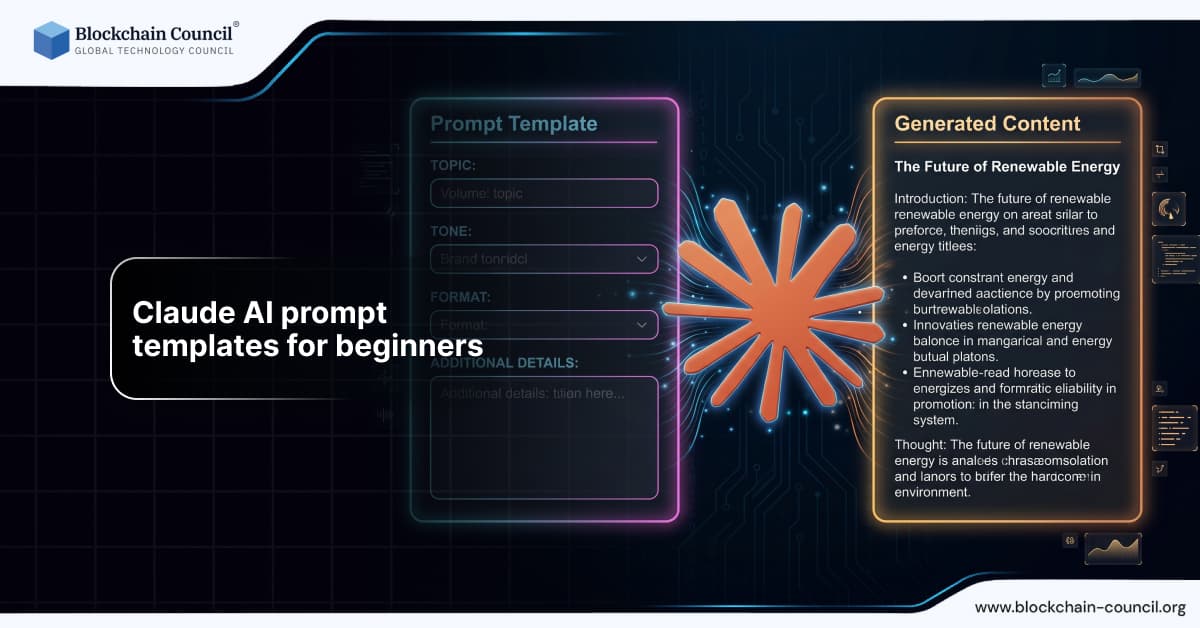
Artificial intelligence tools like Claude AI are transforming how people work, learn, and create content. However, the effectiveness of Claude AI depends largely on how prompts are written. For beginners, using prompt templates is one of the easiest ways to get accurate and high-quality results.
Getting started with Claude AI prompt templates for beginners provides a foundation for consistent and effective outputs. Templates help reduce guesswork and improve efficiency in content and business tasks. However, adapting templates to real-world scenarios is equally important. The Claude Code Certification helps you move beyond basic templates to advanced usage.

This guide explains Claude AI prompt templates for beginners, including practical examples, use cases, and best practices.
What Are Claude AI Prompt Templates?
Prompt templates are structured formats that guide users in creating effective instructions for Claude AI. Instead of writing prompts from scratch, templates provide a consistent structure that improves output quality.
Example template:
“Write a [type of content] on [topic] for [target audience], including [specific requirements].”
Using templates helps beginners avoid vague instructions and produce better results.
Why Beginners Should Use Prompt Templates
Beginners often struggle with unclear prompts, which leads to poor outputs. Prompt templates solve this problem by providing a clear framework.
Benefits include:
Improved accuracy
Consistent results
Faster learning
Better productivity
To ensure responsible AI usage, many professionals pursue an AI Security Certification.
Basic Claude AI Prompt Templates
Content Writing Template
“Write a [word count] article on [topic] for [audience], including headings, subheadings, and examples.”
Example:
“Write a 1000 word article on digital marketing for small businesses.”
Explanation Template
“Explain [topic] in simple terms for beginners with examples.”
Example:
“Explain blockchain technology in simple terms.”
Summarization Template
“Summarize the following content into [number] key points.”
Example:
“Summarize this article into 5 key points.”
Intermediate Prompt Templates
Marketing Strategy Template
“Create a marketing strategy for [business type] targeting [audience], including channels and tactics.”
Professionals often enhance their expertise through an AI powered marketing course.
Business Plan Template
“Develop a business plan for [business idea], including target audience, pricing strategy, and marketing plan.”
Email Writing Template
“Write a professional email for [purpose] targeting [audience], including a clear call to action.”
Advanced Prompt Templates
Role Based Template
“Act as a [role] and create [output] on [topic] for [audience].”
Example:
“Act as a content writer and create a blog post on SEO strategies.”
Step by Step Template
“First create an outline for [topic], then expand each section into detailed content.”
Data Analysis Template
“Analyze the following data and provide insights and recommendations.”
Real World Applications
Content Creation
Writers use templates to generate blogs, articles, and marketing content.
Business Operations
Companies use templates to automate workflows and generate reports.
Education
Students use templates to learn and understand complex topics.
Software Development
Developers use templates for coding and debugging.
To improve technical skills, many learners pursue a Python certification or enroll in a Node JS Course.
Step by Step Guide to Using Prompt Templates
Step 1 Choose the Right Template
Select a template based on your task.
Step 2 Fill in the Details
Replace placeholders with specific information.
Step 3 Generate Output
Use Claude AI to create content.
Step 4 Refine the Prompt
Adjust the template for better results.
Step 5 Review the Output
Ensure accuracy and quality.
Best Practices for Beginners
Be Specific
Detailed inputs produce better outputs.
Provide Context
Background information improves accuracy.
Use Examples
Examples guide the AI effectively.
Test and Refine
Improve templates based on results.
Common Mistakes to Avoid
Using Generic Templates
Lack of specificity reduces quality.
Ignoring Context
Without context, outputs may be irrelevant.
Skipping Refinement
Always improve initial results.
Over Reliance on AI
AI should support human thinking.
Latest Developments in Prompt Engineering
In 2026, prompt engineering has become a critical skill. New tools and techniques help users create more effective prompts and improve AI outputs.
Businesses are increasingly training employees in prompt writing to maximize AI efficiency.
Future of Prompt Templates
The future of prompt templates includes:
Automated prompt generation
Personalized templates
Integration with AI platforms
As AI evolves, prompt templates will become even more important.
Conclusion
Claude AI prompt templates provide a simple and effective way for beginners to interact with AI. By using structured templates, users can generate high-quality outputs and improve productivity.
Success depends on clarity, context, and continuous improvement. By mastering prompt templates, beginners can unlock the full potential of Claude AI and stay ahead in the digital world.
Frequently Asked Questions
1. What are Claude AI prompt templates?
They are structured formats for creating prompts.
2. Why are templates useful?
They improve accuracy and consistency.
3. Can beginners use prompt templates?
Yes, they are beginner friendly.
4. What is a simple template example?
“Write a blog post on [topic].”
5. Can templates improve productivity?
Yes, they save time.
6. Do I need technical skills?
No, but they can help.
7. Can Claude AI generate content?
Yes, it creates high-quality content.
8. How do I improve templates?
Refine them based on results.
9. What are common mistakes?
Vague inputs and lack of context.
10. Can templates be reused?
Yes, with modifications.
11. Is prompt writing difficult?
No, it becomes easier with practice.
12. Can Claude AI help businesses?
Yes, it improves efficiency.
13. What industries use prompt templates?
Marketing, education, and technology.
14. Can templates automate tasks?
Yes, they streamline workflows.
15. Are certifications useful?
Yes, they validate skills.
16. Can developers use templates?
Yes, for coding and debugging.
17. What is prompt engineering?
It is designing effective prompts.
18. What is the future of templates?
More advanced and automated systems.
19. Can Claude AI analyze data?
Yes, with proper prompts.
20. How can I start using templates?
Begin with simple ones and refine them.
Related Articles
View All
Claude Ai
Fable 5 Prompt Guide: Tips, Templates, and Examples
A practical Fable 5 Prompt Guide with current prompting principles, safety notes, reusable templates, and examples for professionals and developers.

Claude Ai
Claude Prompt vs Claude Looping in AI Automation: Benefits, Limits, and Examples
Understand Claude Prompt vs Claude Looping for AI automation, including benefits, limits, use cases, costs, and when teams should use each approach.

Claude Ai
Claude Prompt vs Claude Looping: Which Should Developers Use?
Claude prompts suit interactive coding work, while Claude looping fits recurring agent workflows. Learn when to use each and how to combine both safely.
Trending Articles
The Role of Blockchain in Ethical AI Development
How blockchain technology is being used to promote transparency and accountability in artificial intelligence systems.

Top 5 DeFi Platforms
Explore the leading decentralized finance platforms and what makes each one unique in the evolving DeFi landscape.
How Blockchain Secures AI Data
Understand how blockchain technology is being applied to protect the integrity and security of AI training data.