

How to Build and Deploy Claude-Powered Chatbots: Prompting, Tool Use, and Best Practices

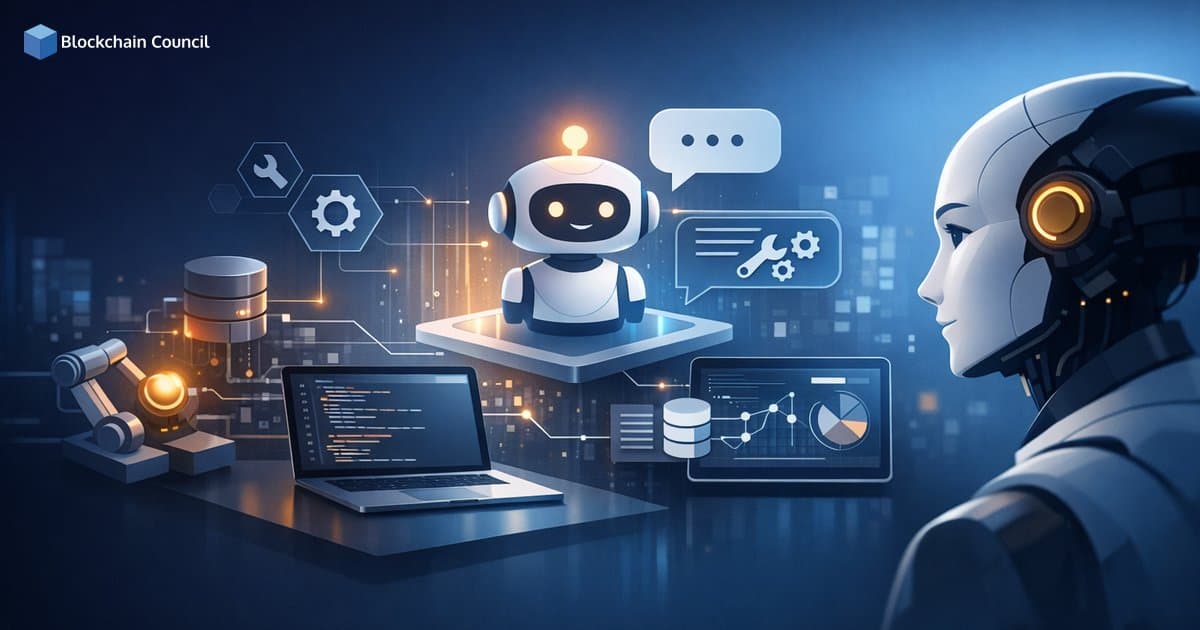
Claude-powered chatbots have become a practical foundation for customer support, internal knowledge assistants, and multi-channel community bots. In 2025, Claude deployments focus less on single-turn Q&A and more on agent-like workflows: maintaining context, invoking tools, and grounding answers in enterprise data through retrieval augmented generation (RAG). This guide covers how to build and deploy Claude-powered chatbots with effective prompting, tool use (including MCP), and production best practices.
Claude-Powered Chatbots: Models and Core Capabilities
Anthropic's Claude model family is well suited for chatbots that require strong reasoning, code generation, multilingual support, and tool-driven workflows. Current ecosystem tooling commonly references Claude 3.5 Sonnet for balanced quality and cost, and Claude 3.5 Haiku for speed and high-volume deployments. Teams requiring more complex reasoning evaluate higher-capability variants such as Opus.

Capabilities that matter most for production chatbot deployments include:
Large context windows that support multi-turn conversations and RAG-based grounding over longer documents.
Tool calling through the Claude Messages API, enabling structured invocation of external systems.
MCP (Model Context Protocol) support for integrating tools and data sources through standardized interfaces.
Vision input for screenshot-based support and document assistance in workflows that require image interpretation.
Reference Architecture for Claude-Powered Chatbot Deployment
Most Claude-powered chatbot implementations follow a layered architecture, whether you build custom code or use a low-code platform.
1) Front End (Where Users Chat)
Common front ends include:
Website widgets and help center chat UIs
Slack, Discord, Telegram, and WhatsApp bots
Internal portals for IT, HR, and engineering support
Workflow-driven chat entry points (for example, an n8n chat flow)
2) Backend Orchestration Layer
The backend handles identity, sessions, logging, and policy enforcement. It calls the Claude Messages API (or an equivalent endpoint such as AWS Bedrock for Claude) and coordinates RAG retrieval alongside tool execution.
3) Claude API or Claude Managed Agents
Orchestration can be implemented in two main ways:
Messages API pattern: you send a structured messages array containing system and user instructions plus selected conversation history.
Managed Agents pattern: you configure an agent with tools and environment settings, then pass user input into that agent. This reduces custom orchestration code for state and toolchain management.
4) Optional RAG and Tool Layer
For enterprise use cases, RAG and tools are typically required:
RAG: vector databases such as pgvector, Pinecone, or Weaviate, or managed knowledge platforms such as CustomGPT.ai.
Tools: ticketing, CRM, billing, order status, account management, and internal databases, exposed as callable functions or MCP servers.
5) Monitoring, Governance, and Deployment Operations
Production deployments require observability across quality and reliability dimensions:
Latency, timeouts, and error rates
Cost per conversation and token usage
Resolution rate, escalation rate, and user satisfaction metrics
Audit logs for tool actions and sensitive workflows
Prompting Best Practices for Claude-Powered Chatbots
Effective prompting for Claude-powered chatbots depends on consistent structure, explicit boundaries, and tool-first behavior rather than clever wording alone. Most production teams converge on a system message that defines identity, constraints, allowed tools, and output formats.
Use a Clear Message Structure (System, User, Assistant)
Typical production patterns include:
System message: defines role, policies, tone, safety constraints, escalation rules, and tool usage instructions.
User messages: end-user requests, optionally including images for vision-enabled workflows.
Assistant messages: selective prior turns for continuity, trimmed to reduce cost and avoid irrelevant context.
Context management is a practical concern. Many deployment teams recommend keeping only essential conversation history, trimming older turns, and optionally summarizing prior context into a short state block.
Write Instructions That Force Grounding and Reduce Hallucinations
For enterprise and support scenarios, the system prompt should explicitly control knowledge sources and uncertainty handling. Instruction elements that consistently perform well include:
Source constraints: Answer only using passages returned by the retrieval tool. If the answer is not in the retrieved content, say you do not know and offer the next best step.
Tool preference: Use tools whenever you need current account data, order status, or policy details.
Non-deceptive behavior: Never claim you completed an action (refund, cancellation) unless a tool confirms success.
Clarifying questions: If the request is ambiguous, ask a targeted follow-up question.
Define Output Formats for Downstream Automation
If the chatbot triggers workflows, enforce a strict output format. Common choices include:
Concise support answers with headings and numbered steps
Structured JSON for automation pipelines (summary, actions, next_steps)
Agent responses that separate user-facing text from internal tool plan fields
Structured outputs are particularly valuable when integrating with workflow automation tools or helpdesk systems.
RAG for Claude-Powered Chatbots: Building Grounded Answers
RAG is the standard approach for enterprise chatbots that must reflect proprietary policies, product documentation, or internal runbooks. Two common implementation paths exist:
Managed RAG platforms: services like CustomGPT.ai index your documents and websites, handle retrieval, and allow Claude to generate answers grounded in retrieved passages.
Custom RAG stacks: teams implement chunking, embeddings, vector search, and reranking internally, often using Claude Code to accelerate development and testing.
RAG Best Practices That Improve Quality
Chunk documents semantically (typically 200-800 tokens) to keep retrieval precise.
Limit retrieved chunks and focus on high-relevance passages to avoid confusing the model with noise.
Attach source identifiers (document titles, URLs, or internal IDs) so responses can cite where information came from.
Prefer retrieval over general knowledge when policy accuracy is critical.
Tool Use: Messages API Tools and MCP Integrations
Tool use is a key differentiator for Claude-powered chatbots in production because it connects the assistant to live systems and eliminates guesswork. Claude selects when to call tools if you define schemas clearly and instruct the model to use tools for facts and actions.
High-Value Tools for Support and Enterprise Chatbots
Knowledge retrieval: search_docs, retrieve_kb
Customer operations: get_order_status, update_subscription
Helpdesk: create_ticket, escalate_issue, get_ticket_status
Personalization: get_user_profile, update_preferences
Tool Schema and Validation Best Practices
Keep parameters explicit and avoid ambiguous fields.
Validate all tool arguments server-side before execution.
Apply least privilege for tool credentials and restrict high-risk actions.
Log tool calls with privacy controls and appropriate retention limits.
MCP (Model Context Protocol) for Standardized Tool Access
MCP is increasingly used to expose tools and data sources through a consistent interface that Claude can call from different environments. Teams deploy MCP servers locally (Claude Desktop or Claude Code) and remotely (connected from a deployed service through the Messages API). An emerging pattern is chaining specialized agents as tools, for example exposing a CustomGPT agent through an MCP server and letting Claude orchestrate it for complex knowledge lookups.
Deployment Patterns: Custom Build, Bedrock, and Low-Code
The right deployment approach depends on your security posture, speed-to-market requirements, and integration complexity.
Claude via AWS Bedrock
For AWS-centric organizations, calling Claude through Amazon Bedrock simplifies governance through IAM, network controls, and centralized monitoring. This pattern is common in regulated environments that prefer cloud-native access controls.
No-Code and Low-Code Deployment
Platforms like CustomGPT.ai and ChatThing reduce infrastructure work by offering prebuilt connectors and channel deployments. Workflow tools such as n8n can serve as the conversation entry point while a Claude agent handles reasoning and tool selection. This approach suits rapid prototyping and teams that want a working bot deployed before investing in a custom orchestration service.
Developer-Centric Builds with Claude Code
Claude Code is commonly used to build and iterate on custom RAG pipelines, tool servers, and chatbot services. Teams also use it to generate test harnesses, refactor orchestration logic, and simulate tool interactions during development.
Production Best Practices: Safety, Performance, and Evaluation
Reliability and Safety Guardrails
System prompt guardrails: explicitly define prohibited advice categories and escalation rules.
Hallucination controls: enforce RAG-only answers for policy and documentation questions.
Human handoff: create tickets or escalate when confidence is low or user risk is high.
Performance and Cost Management
Model routing: use Haiku for simple, high-volume queries and Sonnet or higher-capability variants for complex tasks.
Context trimming: resend only relevant turns, summarize older content, and avoid loading full documents into context.
Streaming responses: enable streaming to improve perceived latency, show typing indicators, and provide a stop button.
Testing and Evaluation Workflow
Conversation test suites: cover typical user journeys plus edge cases such as ambiguous requests and unsupported topics.
Human-in-the-loop review: sample logs regularly to score accuracy, compliance, and helpfulness.
A/B experiments: compare prompts, retrieval settings, and model variants against KPIs like resolution rate, escalation rate, and CSAT.
Building Skills: What to Learn Next
Formalizing expertise in deploying Claude-powered chatbots requires depth across prompt engineering, RAG architecture, API security, and production evaluation. For structured training, Blockchain Council offers relevant programs including the Prompt Engineering Certification, Certified Artificial Intelligence (AI) Expert, and role-aligned tracks covering AI security and responsible deployment.
Conclusion
Building and deploying Claude-powered chatbots is fundamentally an engineering and governance exercise: design a system prompt with strict boundaries, ground answers using RAG, and connect Claude to real tools through the Messages API and MCP. Select models based on workload complexity, stream outputs for better user experience, and invest in evaluation to measure resolution quality and safety over time. When implemented carefully, Claude chatbots move beyond scripted Q&A to become operational assistants that integrate with enterprise systems while remaining controlled, auditable, and reliable.
Related Articles
View All
Claude Ai
Fable 5 API Guide: Integration, Use Cases, and Developer Best Practices
A practical Fable 5 API guide covering integration paths, effort tuning, long-running agents, enterprise use cases, pricing, and production best practices.

Claude Ai
Claude Prompt vs Claude Looping: Key Differences, Use Cases, and Best Practices
Learn the practical difference between Claude prompting and Claude looping, including when to use each, key risks, agent workflows, and best practices.

Claude Ai
Fable 5 vs Sonnet 5: Performance, Accuracy, and Best Use Cases Compared
Fable 5 leads on hard reasoning and agentic coding, while Sonnet 5 wins on cost, latency, and daily production use. Here is when to use each.
Trending Articles
AWS Career Roadmap
A step-by-step guide to building a successful career in Amazon Web Services cloud computing.

Top 5 DeFi Platforms
Explore the leading decentralized finance platforms and what makes each one unique in the evolving DeFi landscape.
What is AWS? A Beginner's Guide to Cloud Computing
Everything you need to know about Amazon Web Services, cloud computing fundamentals, and career opportunities.