

Canva Rolls Out AI Video Feature Powered by Google’s Veo 3

Canva has launched a new AI-powered video feature called Create a Video Clip, allowing users to generate short, cinematic videos with synced audio using just text or voice prompts. This tool is powered by Google’s Veo 3 model, a state-of-the-art text-to-video system capable of adding motion, music, and even dialogue. The feature is available inside Canva’s main editor and is already being used to speed up video creation for social media, product teasers, and presentations.
This article breaks down what the tool does, how to use it, who gets access, what Veo 3 brings to the table, and how Canva compares to other platforms offering similar capabilities.

What Is Canva’s “Create a Video Clip” Feature?
This is Canva’s newest AI tool that turns simple ideas into 8-second videos complete with motion, sound effects, and voice or ambient audio. Users type a short prompt like “Show a foggy mountain morning with soft music” and Canva generates a full video clip using Veo 3’s generation engine.
Once created, the video opens in Canva’s editor where you can add text, your brand logo, or adjust music. You don’t need any editing experience. It’s all point-and-click, drag-and-drop.
Canva also allows voice prompts, meaning you can just speak your idea and get a finished video in seconds.
How Does Veo 3 Power This Feature?
Veo 3 is Google DeepMind’s most advanced video generation model. It can take natural language and turn it into high-quality video with synchronized audio. That includes speech, sound effects, and ambient background sounds.
Canva is among the first platforms to integrate Veo 3, making it accessible to everyday users through its familiar design interface.
The technology behind Veo 3 enables:
- Realistic motion and transitions
- Lip-sync and character movement
- Matching visuals with corresponding audio
- Cinematic styles like bokeh, pans, and fades
Who Can Use This Feature and How Many Videos Can They Make?
The new video clip tool is currently available to:
- Canva Pro users
- Canva Teams and Enterprise users
- Canva for Nonprofits accounts
- Leonardo.AI paid subscribers (Leonardo is owned by Canva)
Each user gets five free AI video clips per month. More generation credits are expected to roll out as Canva scales up the feature.
Canva’s Veo 3 Access Types
| User Type | Access to Video Tool | Monthly Clip Limit |
| Canva Pro | Yes | 5 |
| Canva Teams/Enterprise | Yes | 5 |
| Canva for Nonprofits | Yes | 5 |
| Leonardo.AI Paid Users | Yes | 5 |
How to Use It: Step-by-Step
- Open Canva and go to the Apps section or Home page
- Choose Create a Video Clip
- Enter a text prompt or speak your idea
- Canva generates an 8-second video with synced sound
- The video opens inside Canva’s editor
- Customize the clip with text, music, brand elements, and export
The output is ready for Instagram Reels, TikTok, YouTube Shorts, or client decks without any video editing software.
How Canva Compares to Other AI Video Tools
Many platforms offer text-to-video generation. Runway, Pika, and Synthesia are popular choices. But most of them create mute visuals that need audio added later.
Canva stands out because:
- The video includes audio from the start
- It’s built into an easy-to-use editor
- Brand Kit tools are available for immediate styling
- There’s no need to switch apps to finish a project
Canva’s Veo 3 vs Other AI Video Tools
| Feature | Canva + Veo 3 | Runway / Pika / Others |
| Audio Integration | Yes (built-in sound) | Often no or add manually |
| Editor Access | Direct in Canva | Requires extra tools |
| Video Length | 8 seconds | Varies |
| Creative Controls | High (text, music) | Medium |
Responsible AI Use and Content Safety
Canva uses a system called Canva Shield to moderate prompts and filter unsafe content. It scans both the inputs users type and the outputs Veo 3 generates. This helps prevent harmful, misleading, or inappropriate visuals from being published.
For enterprise clients, Canva also provides AI indemnification, meaning businesses are legally protected when using generated content in their marketing or communications.
Why This Update Matters
This tool is more than a fun AI experiment. It solves real problems:
- Speeds up content creation
- Lowers the barrier for professional-looking video
- Works directly inside Canva’s trusted interface
- Eliminates the need for third-party editing tools
It’s especially useful for:
- Social media managers
- Entrepreneurs and solopreneurs
- Nonprofits and educators
- Anyone without time or skill to learn traditional video editing
How to Build Skills in AI-Generated Content
As video generation becomes easier, knowing how to write effective prompts and use tools like Canva AI can give you an edge.
If you’re interested in mastering this space:
- The AI Certification is ideal for learning how these tools are built and used.
- The Data Science Certification helps you understand the logic and data behind AI models like Veo 3.
- The Marketing and Business Certification shows you how to use AI tools in content, branding, and campaigns.
Final Thoughts
Canva’s integration of Google’s Veo 3 model is a big move in the AI creative space. It brings cinematic-quality, AI-generated video within reach for millions of users—without needing extra apps, editors, or technical skills.
Whether you’re creating a product teaser, a quick educational clip, or a dynamic social video, this new feature helps you move fast, stay on-brand, and publish polished content—all from a simple prompt.
Related Articles
View All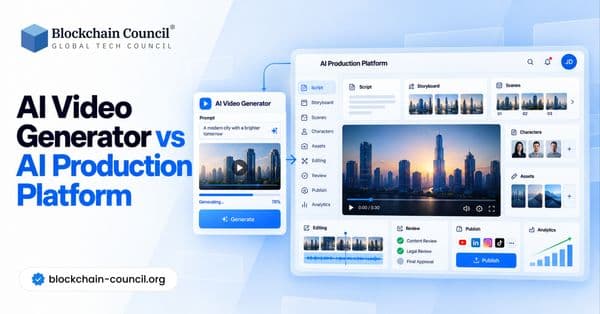
AI & ML
AI Video Generator vs AI Production Platform
AI video generators create videos from prompts, scripts, images, and other inputs, while AI production platforms support broader end-to-end video workflows. Explore the key differences between AI video generators and AI production platforms, including features, use cases, automation, scalability, and video production workflows.

AI & ML
AI Video Generator: The Future of Video Production
### Excerpt AI video generators are transforming video production by enabling creators and businesses to generate high-quality videos from text, images, scripts, and prompts. Explore how AI video generation is shaping the future of content creation, filmmaking, marketing, and automated video production.

AI & ML
Open Dots vs Grok Bot vs Muse
Compare OpenAI Dots, Grok Bot, and Meta Muse to understand how these always-on AI agents differ in persistent work, computer use, connected apps, automation, and personal or business workflows.
Trending Articles
AWS Career Roadmap
A step-by-step guide to building a successful career in Amazon Web Services cloud computing.

Top 5 DeFi Platforms
Explore the leading decentralized finance platforms and what makes each one unique in the evolving DeFi landscape.
What is AWS? A Beginner's Guide to Cloud Computing
Everything you need to know about Amazon Web Services, cloud computing fundamentals, and career opportunities.