

How Parents Can Measure Real Progress in Online Learning for Kids: Skills, Portfolios, and Certifications
 Suyash Raizada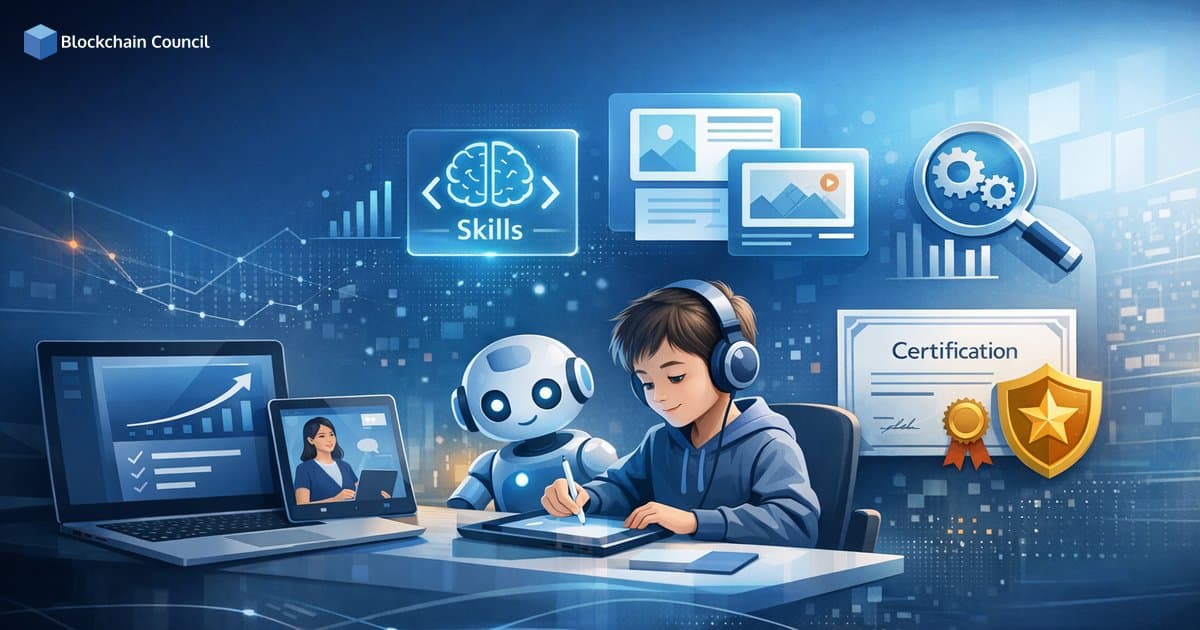
How parents can measure real progress in online learning for kids often comes down to looking beyond what is easiest to count, like grades, logins, and time-on-task. Those metrics can be helpful, but they rarely answer the most important question: What can my child do now that they could not do before? A stronger approach combines skill mastery, portfolio evidence, and selective certifications or microcredentials, along with learning habits like persistence and self-regulation. Instead of focusing only on grades, parents should evaluate how well children master new skills, complete projects, and apply their knowledge in real-world scenarios. Learning platforms such as Intellect Council support this approach with AI-driven assessments, progress dashboards, achievement certificates, and personalized learning pathways that provide a clearer picture of long-term development.
This article breaks down a practical, parent-friendly framework to evaluate online learning growth with less stress and more clarity, especially for skill-based areas like coding, AI literacy, and digital citizenship.

Why grades and screen time do not tell the whole story
Most online schools and learning platforms provide parent dashboards that show grades, assignment completion, attendance, pacing, and teacher feedback. Many also track quiz performance, topic-level accuracy, and question-level error patterns. This visibility is useful for spotting missed work or sudden drops in performance.
Education research and platform design trends increasingly recognize several important limits of these metrics:
Time spent online is not a reliable proxy for mastery. A child can spend longer on tasks due to distraction, confusion, or poor study habits.
High quiz scores do not always equal transferable skill. Some children perform well with repetition but struggle when asked to apply knowledge in a new setting.
Operational data explains what happened, not always why. Parent observation and teacher conversations remain essential.
For many families, another reality matters: parent support can strain work schedules and increase stress during online learning. That means progress tracking must be simple, actionable, and sustainable, not another full-time job.
A 5-layer framework for real learning progress
For a complete picture, measure progress across five layers. Think of it as moving from "Did my child finish?" to "Can my child perform independently?"
1) Knowledge recall
This is the foundation: facts, vocabulary, formulas, and basic procedures.
Quick quizzes and flashcards
Basic definitions
Step-by-step routine problems
Parent takeaway: Recall is useful, but it is the weakest evidence if used alone.
2) Conceptual understanding
Understanding shows up when your child can explain why something works.
Explain a math strategy in their own words
Summarize a science concept and connect it to a real example
Describe cause and effect in a reading passage
Parent takeaway: Ask for explanations, not just answers.
3) Application and transfer
This is one of the strongest indicators of meaningful progress: using knowledge in a new context.
Solve an unfamiliar math problem, not a repeated template
Write an essay on a new prompt using the same skills
Build a new coding project after learning loops and conditionals
Parent takeaway: Transfer separates memorization from real skill.
4) Product evidence
Products make learning visible. In online learning, this matters even more because parents may not see daily classroom interactions.
Projects, presentations, and lab write-ups
Writing drafts and final revisions
Recorded speeches or demonstrations
Art, design, or video storytelling
Code repositories and working prototypes
Parent takeaway: If your child can create something, you have tangible evidence of progress.
5) Disposition and independence
Online learning often demands more self-regulation than traditional classrooms. Progress includes becoming more self-directed.
Improved time management and routine
Less prompting needed to start and finish tasks
More persistence when stuck
Better ability to use feedback and self-correct
Metacognition, meaning they can explain how they learned
Parent takeaway: Independence is a long-term success indicator, even when short-term scores fluctuate.
How to measure skill mastery in online learning
Competency-based learning focuses on whether a child can demonstrate specific skills, not only whether they completed coursework. To measure mastery at home, use a mix of rubrics, demonstrations, and short conversations.
Use rubrics, not just grades
A grade compresses a lot of detail into one number. A rubric shows which component is improving and which is not.
For example, a writing rubric can break performance into:
Organization and clarity
Grammar and mechanics
Use of evidence or examples
Argument quality and reasoning
Revision quality across drafts
Practical tip: Ask teachers or tutors for the rubric used, then track the same rubric over time.
Check transfer, not repetition
After a lesson or unit, ask your child to use the same skill in a different form.
If they learned fractions, can they apply them in a recipe?
If they studied a story, can they compare it with a second text?
If they learned loops in coding, can they build a new animation or game mechanic?
Track self-explanation as a mastery signal
Self-explanation is one of the clearest signs of genuine learning. Try questions like:
How did you solve this?
Why did you choose that approach?
What was confusing at first, and how did you work through it?
Can you teach me the concept in two minutes?
Why portfolios are a parent's best progress tool
Digital portfolios capture growth over time using real artifacts: drafts, final versions, reflections, rubric scores, and teacher comments. Portfolios are becoming standard in many education settings because they show development across a full learning period, not just in single test snapshots.
What to include in a strong learning portfolio
A useful portfolio shows progress, not only best work. Aim for:
Baseline sample: early work that shows the starting point
Midpoint sample: work that shows partial improvement
Final sample: end-of-unit or end-of-term work
Feedback: teacher or tutor comments
Reflection: a short note from the child on what changed
Before-and-after comparison: highlights improvement clearly
How often parents should review portfolios
To avoid micromanagement, review portfolios on a consistent schedule:
Monthly: for younger children or when a child is struggling
Quarterly: for steady learners focused on long-term growth
Ask three questions at each review:
What is better now?
What still needs support?
What evidence proves improvement?
Certifications and microcredentials: when they help and when they mislead
Microcredentials and digital badges are expanding in areas like coding, digital literacy, cybersecurity awareness, and AI literacy. Used correctly, certifications add structure and external validation. Used incorrectly, they can become a checkbox that distracts from real skill building.
What makes a kid-friendly certification meaningful
Clear competency standards: the badge maps to defined skills
Rigorous assessment: not only watching videos or logging time
Age-appropriate expectations: aligned to the child's development stage
Recognition: valued by a school, program, or learning ecosystem
Paired with projects: the child can show real work products alongside the credential
For parents and educators looking at structured learning paths in emerging technology, programs that emphasize practical outcomes and project-based learning in areas like AI, blockchain fundamentals, cybersecurity, and coding offer a more meaningful alternative to credentials that rely solely on passive content consumption.
Using AI analytics and parent portals without overreacting
Many modern platforms use AI to surface strengths, weaknesses, and recommended next steps. Parent portals commonly show real-time grades, pacing, and feedback, while advanced dashboards may include topic-level insights and assessment analytics.
Use these tools as decision support, not as definitive judgments:
Look for patterns, not single scores. One poor quiz result can be noise. Repeated misses on the same skill indicate a genuine gap.
Confirm with performance evidence. If the dashboard flags weakness in word problems, ask your child to walk through a worked example and explain their thinking.
Pair analytics with conversation. Ask what felt difficult and why, then coordinate with a teacher or tutor on next steps.
Privacy and safety checkpoints for parents
Online learning platforms collect child data, so it is worth reviewing each platform's data practices carefully. In the US, COPPA covers online data collection for children under 13, and FERPA governs student education records in schools receiving federal funds. In the EU, GDPR and specific child data protections apply.
Key questions to ask about any platform:
What data is collected and how is it used?
Who can access it, including third parties?
Are AI features opt-in and explainable?
What are the data retention and deletion policies?
A practical checklist to measure real progress without micromanaging
Use this short checklist to evaluate progress consistently across four dimensions.
Academic mastery
Can my child explain the concept in their own words?
Can they apply it in a new situation?
Do they improve after receiving feedback?
Portfolio evidence
Do we have samples from multiple points in time?
Is there visible improvement across drafts or versions?
Are there finished projects, not only test scores?
Certifications and badges
Is the certificate tied to real competencies?
Is it age-appropriate and assessment-based?
Can my child show a project that demonstrates the skill?
Learning habits
Is the study routine consistent?
Does my child complete work on time with less prompting?
Do they recover from mistakes effectively?
Conclusion: measure what matters most
Measuring real progress in online learning ultimately requires shifting from activity metrics to evidence of mastery. Grades, attendance, and time-on-task are useful starting points, but they do not fully capture learning quality. The most reliable approach blends competency checks, portfolio artifacts, selective certifications, and behavioral growth like persistence and independence.
When parents use dashboards to spot patterns, portfolios to prove growth, and skill-based assessments to confirm transfer, online learning becomes easier to evaluate and more rewarding to support. Over time, this approach builds not only academic achievement but also the self-directed learning habits children need in technology-driven domains like AI, coding, cybersecurity, and Web3.
FAQs
1. How Can Parents Measure Real Progress in Online Learning for Kids?
Parents can measure progress by evaluating skill development, completed projects, digital portfolios, assessments, certifications, problem-solving abilities, and the child's confidence in applying what they have learned. Looking beyond grades provides a more complete picture of learning outcomes.
2. Why Are Skills More Important Than Test Scores in Online Learning?
Skills demonstrate whether children can apply their knowledge in real-world situations. Critical thinking, coding, communication, creativity, and problem-solving often provide a better indication of long-term learning success than exam scores alone.
3. What Is a Learning Portfolio for Kids?
A learning portfolio is a collection of a child's completed projects, coding assignments, artwork, presentations, certificates, videos, and other evidence of learning. It helps parents and educators track progress over time and showcase practical achievements.
4. How Do Digital Portfolios Help Measure Online Learning Progress?
Digital portfolios provide a visual record of a child's work, making it easier to monitor improvement in skills, creativity, project complexity, and independent learning. They also encourage children to reflect on their own progress.
5. Which Skills Should Parents Track During Online Learning?
Parents should monitor skills such as critical thinking, communication, coding, digital literacy, creativity, collaboration, time management, problem-solving, research, and subject-specific knowledge based on the child's learning goals.
6. How Can Parents Assess Coding Skills Learned Online?
Coding progress can be measured by reviewing completed projects, debugging ability, programming logic, code quality, creativity, and the child's ability to build applications, games, websites, or automation projects independently.
7. Do Online Course Certificates Reflect Real Learning?
Certificates indicate course completion but should be considered alongside practical skills, project quality, assessments, and real-world application. A certificate has greater value when supported by a strong portfolio and demonstrated competence.
8. Why Are Project-Based Assessments Better Than Traditional Exams?
Project-based assessments require children to apply knowledge to solve real problems, build products, and demonstrate practical understanding. They encourage deeper learning, creativity, and long-term retention compared to memorization-based testing.
9. How Often Should Parents Review Their Child's Learning Progress?
Parents should review progress regularly, such as weekly or monthly, by discussing completed lessons, reviewing projects, checking assessment results, and identifying strengths and areas for improvement without creating unnecessary pressure.
10. What Role Does Feedback Play in Measuring Learning Progress?
Constructive feedback from instructors, mentors, and parents helps children understand their strengths, correct mistakes, and continuously improve. Regular feedback also encourages confidence and a growth mindset.
11. How Can Parents Tell If Their Child Is Truly Understanding the Material?
Children demonstrate genuine understanding when they can explain concepts in their own words, apply knowledge in new situations, solve problems independently, and complete practical projects without relying heavily on instructions.
12. What Progress Indicators Should Parents Look for Beyond Grades?
Indicators include improved confidence, independent learning, consistent participation, stronger communication, increased creativity, better problem-solving, faster task completion, and the ability to use newly acquired skills in different contexts.
13. Can AI Tools Help Parents Track Online Learning Progress?
Yes. AI-powered learning platforms can generate personalized progress reports, identify knowledge gaps, recommend learning activities, monitor skill development, and provide real-time insights into a child's academic performance.
14. How Do Certifications Benefit Kids in Online Learning?
Certifications motivate children to complete learning programs, recognize their achievements, strengthen academic portfolios, and demonstrate commitment to developing future-ready skills such as coding, AI, robotics, and cybersecurity.
15. What Makes a Strong Student Portfolio?
A strong portfolio includes completed projects, coding samples, creative work, presentations, research assignments, certifications, competition achievements, and evidence showing continuous improvement over time.
16. How Can Parents Encourage Continuous Skill Development?
Parents can encourage curiosity, support project-based learning, celebrate progress, provide constructive feedback, introduce new challenges, and create opportunities for children to apply their skills in practical situations.
17. What Common Mistakes Should Parents Avoid When Measuring Progress?
Parents should avoid focusing only on grades or certificates, comparing children with others, expecting immediate results, ignoring practical skill development, and overlooking creativity, confidence, and independent learning abilities.
18. Which Online Learning Outcomes Matter Most for Future Success?
Important outcomes include digital literacy, critical thinking, communication, coding, AI literacy, collaboration, adaptability, creativity, problem-solving, and the ability to learn independently as technology continues to evolve.
19. How Can Parents Build a Long-Term Learning Roadmap for Their Child?
Parents can set age-appropriate learning goals, monitor skill progression, update portfolios regularly, encourage certifications, introduce increasingly challenging projects, and review achievements periodically to ensure continuous growth.
20. What Is the Best Way to Measure Real Progress in Online Learning for Kids?
The most effective approach combines multiple indicators, including practical skills, project-based learning, digital portfolios, instructor feedback, certifications, assessments, and real-world application of knowledge. By focusing on continuous improvement rather than grades alone, parents can better understand their child's strengths, support personalized learning, and prepare them for future academic and career success.
Related Articles
View All
Ai For Kids
Online Learning for Kids With ADHD: Strategies, Tools, and Course Formats That Work
Online learning for kids with ADHD works best with routines, short interactive lessons, executive-function tools, and school accommodations. Learn what formats help most.

Ai For Kids
Project-Based Online Learning for Kids: 15 Hands-On STEM Projects Using Free Web Tools
Explore project-based online learning for kids with 15 hands-on STEM projects using free web tools, from Scratch games to virtual labs and beginner AI.

Ai For Kids
How to Build a Safe Online Learning Setup for Kids: Cybersecurity, Privacy, and Screen-Time Rules
Learn how to build a safe online learning setup for kids with practical cybersecurity steps, privacy settings, and screen-time rules that support learning and well-being.
Trending Articles
AWS Career Roadmap
A step-by-step guide to building a successful career in Amazon Web Services cloud computing.
How Blockchain Secures AI Data
Understand how blockchain technology is being applied to protect the integrity and security of AI training data.
Claude AI Tools for Productivity
Discover Claude AI tools for productivity to streamline tasks, manage workflows, and improve efficiency.