
OpenClaw 101

Introduction
Artificial intelligence is rapidly moving beyond chatbots into a new era of autonomous systems. At the center of this shift is OpenClaw, a powerful open-source AI agent platform that allows users to automate tasks, execute commands, and build intelligent workflows.
If you are new to this space, this OpenClaw 101 guide will help you understand everything from the basics to practical applications.

Whether you are a beginner or exploring advanced AI systems through an Agentic AI Course, Python Course, or an AI powered marketing course, this guide will give you a strong foundation.
What Is OpenClaw?
OpenClaw is an open-source AI agent platform designed to create intelligent systems that can perform real-world tasks.
Unlike traditional AI tools that only generate responses, OpenClaw can:
Execute commands
Access files
Automate workflows
Integrate with apps
Simple Definition
OpenClaw = AI + Automation + System Control
It is built to move beyond conversation into action-driven AI systems.
What Makes OpenClaw Different?
Most AI tools today are:
Prompt-based
Passive
Limited to text interaction
OpenClaw, on the other hand, is:
Action-oriented
Autonomous
Highly customizable
Key Difference
Instead of asking:
“Explain how to do this”
You can say:
“Do this task for me”
And OpenClaw will execute it.
Core Concept: Agentic AI
To understand OpenClaw, you must understand Agentic AI.
What is Agentic AI?
Agentic AI refers to AI systems that can:
Plan tasks
Make decisions
Execute actions
Learn from results
OpenClaw is built on this concept, making it far more powerful than traditional AI systems.
This is why learning through an Agentic AI Course is highly recommended.
How OpenClaw Works (Basic Overview)
OpenClaw operates using a layered architecture.
1. AI Brain (LLM)
Processes instructions
Generates decisions
2. Gateway System
Connects AI with system and apps
Routes commands
3. Execution Layer
Runs commands
Accesses files
Automates tasks
4. Integration Layer
Connects APIs
Integrates messaging platforms
Workflow Summary
User gives instruction
AI processes it
System executes task
Output is returned
Key Features of OpenClaw
1. Task Automation
OpenClaw can automate repetitive tasks such as:
File management
Data processing
Report generation
2. System-Level Execution
It can:
Run shell commands
Manage files
Control applications
3. Messaging Integration
Supports platforms like:
WhatsApp
Telegram
Slack
Discord
You can control your AI agent remotely.
4. Workflow Automation
OpenClaw can handle multi-step tasks automatically.
5. Extensibility with Skills
You can extend OpenClaw using:
Plugins
AgentSkills
Custom integrations
Use Cases of OpenClaw
1. Personal AI Assistant
Manage tasks
Summarize emails
Schedule reminders
2. Developer Automation
Debug code
Run scripts
Automate workflows
3. Marketing Automation
Content creation
Social media scheduling
Campaign analysis
Best combined with an AI powered marketing course.
4. DevOps Automation
Monitor servers
Execute commands
Manage deployments
5. Business Automation
Reporting
Customer support
Workflow management
Getting Started with OpenClaw
Step 1: Set Up Environment
Install required tools
Configure system
Step 2: Connect AI Model
Use API or local model
Step 3: Configure Gateway
Enable integrations
Set permissions
Step 4: Add Skills
Use plugins
Create custom workflows
Step 5: Test and Deploy
Run tasks
Optimize performance
Requirements to Use OpenClaw
Basic Requirements
Computer or server
Internet connection
AI model access
Recommended Skills
Programming knowledge
API understanding
Automation concepts
A Python Course can help you get started quickly.
Advantages of OpenClaw
1. Open-Source Flexibility
You can customize everything.
2. High Automation Power
Handles complex workflows.
3. Cost Control
Flexible pricing based on usage.
4. Privacy
Can run locally for better data control.
Limitations of OpenClaw
1. Learning Curve
Requires technical understanding.
2. Setup Complexity
Initial setup can be challenging.
3. Security Risks
Needs proper configuration to avoid misuse.
OpenClaw vs Traditional AI Tools
Feature | Traditional AI | OpenClaw |
Interaction | Chat-based | Action-based |
Automation | Limited | Advanced |
Control | Low | Full |
Flexibility | Limited | High |
Who Should Use OpenClaw?
Ideal Users
Developers
AI enthusiasts
Businesses
Automation experts
Not Ideal For
Non-technical users
Users seeking simple tools
Learning Path for Beginners
To master OpenClaw:
Start with a Python Course
Learn AI systems through an Agentic AI Course
Apply in real scenarios with an AI powered marketing course
Future of OpenClaw
The future includes:
Fully autonomous AI agents
Continuous automation systems
AI-driven workflows
OpenClaw is an early step toward this future.
Final Thoughts
OpenClaw 101 gives you a starting point to understand one of the most powerful trends in AI—action-based intelligence.
By learning OpenClaw, you are not just using AI—you are building systems that can act, automate, and scale.
Quick Recap
OpenClaw is an open-source AI agent platform
Built on Agentic AI
Enables real-world automation
Supports integrations and workflows
Requires proper setup and learning
FAQs: OpenClaw 101
1. What is OpenClaw?
OpenClaw is an open-source AI platform that can automate tasks and execute commands.
2. Is OpenClaw beginner-friendly?
It has a learning curve, but beginners can start with guidance.
3. What is Agentic AI?
AI systems that can plan and execute tasks independently.
4. Does OpenClaw require coding?
Basic coding knowledge helps, especially from a Python Course.
5. Can OpenClaw run locally?
Yes, it supports local and cloud deployment.
6. What are the main uses of OpenClaw?
Automation, development, marketing, and business workflows.
7. Is OpenClaw free?
Yes, but running it involves infrastructure costs.
8. Can OpenClaw integrate with apps?
Yes, it supports multiple integrations.
9. Is OpenClaw safe?
Yes, if configured properly.
10. Which course helps learn OpenClaw?
Related Articles
View All
AI & ML
NVIDIA NemoClaw 101
Nvidia NemoClaw 101 introduces a secure AI agent platform that adds sandboxing, policy control, and privacy protection to modern AI automation systems.
AI & ML
OpenClaw: The Local AI Agent Changing No-Code Automation
OpenClaw is a local-first, open-source AI agent for Telegram and WhatsApp automation. Learn about the latest updates, use cases, and how OpenClaw compares to Claude.
AI & ML
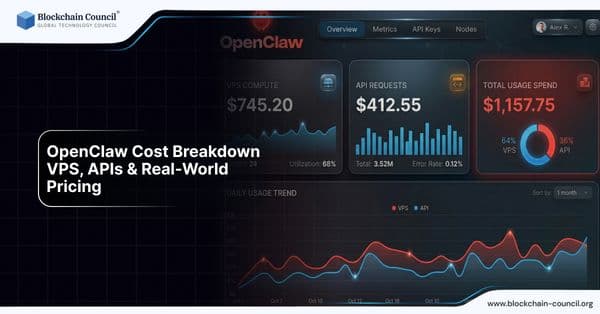
OpenClaw Cost Breakdown: VPS, APIs & Real-World Pricing
OpenClaw is free software but requires infrastructure and API costs depending on your setup and usage level.
Trending Articles

The Role of Blockchain in Ethical AI Development
How blockchain technology is being used to promote transparency and accountability in artificial intelligence systems.

AWS Career Roadmap
A step-by-step guide to building a successful career in Amazon Web Services cloud computing.

Top 5 DeFi Platforms
Explore the leading decentralized finance platforms and what makes each one unique in the evolving DeFi landscape.