
ChatGPT for YouTube
 Blockchain Council
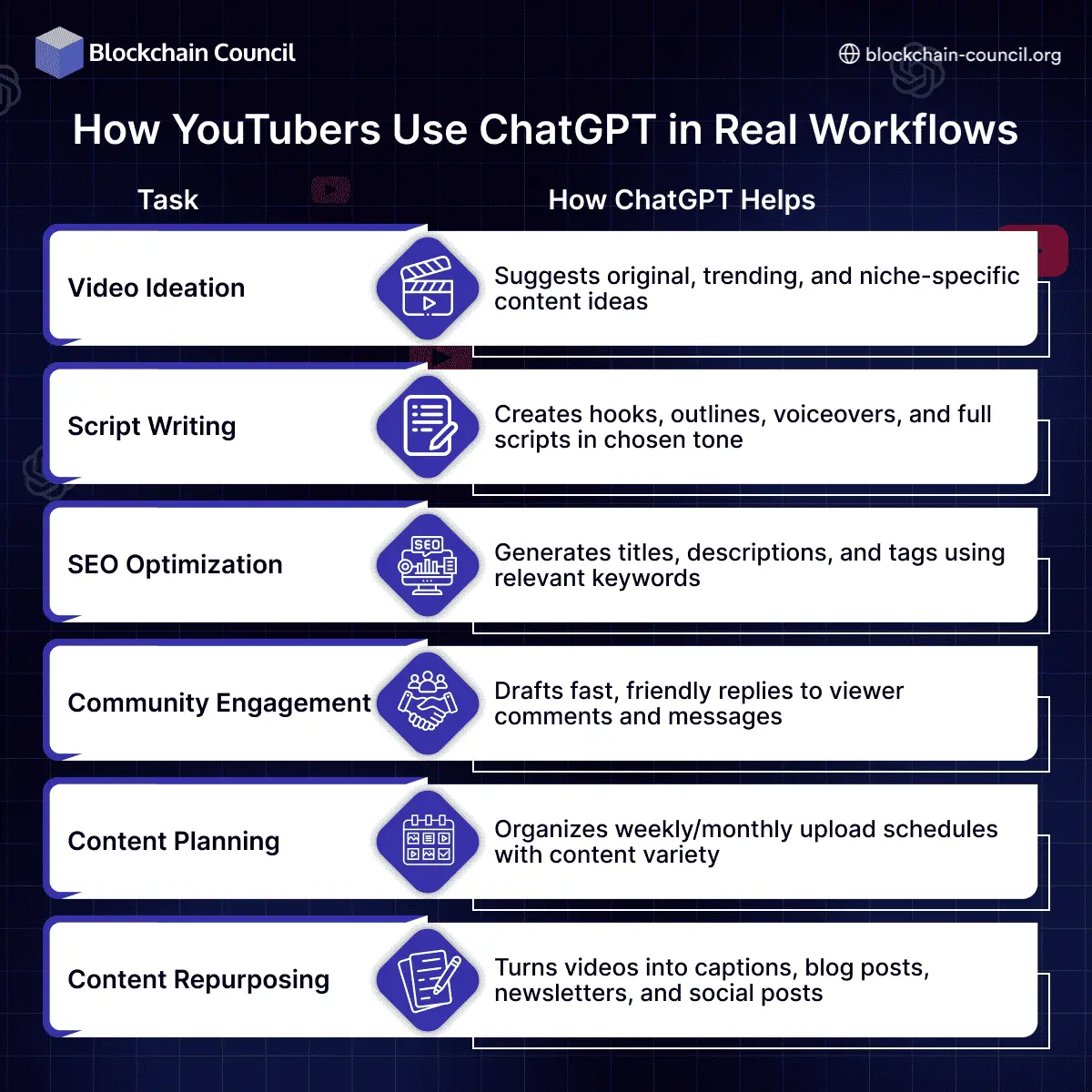
If you’re wondering how to use ChatGPT for YouTube, the short answer is this: it helps you generate video ideas, write scripts, optimize content for search, and repurpose videos — all in less time and with better consistency.
ChatGPT acts as a creative assistant for YouTubers. Instead of staring at a blank page or spending hours rewriting your script, you can simply prompt the AI to handle research, hooks, or even replies to comments.

In this guide, you’ll learn exactly how creators are using ChatGPT to build better channels, post consistently, and grow faster — even with limited time or resources.
Why Use ChatGPT for YouTube?
ChatGPT can support almost every part of your YouTube content workflow. Here’s a breakdown of real use cases:
- Generate fresh and engaging video ideas based on your niche
- Write full video scripts, hooks, or outlines
- Create SEO-optimized titles, tags, and descriptions
- Draft comment replies and community posts
- Translate, summarize, or repurpose your content
- Build weekly or monthly content calendars
- Speed up brainstorming, editing, and planning tasks
Unlike tools like TubeBuddy or VidIQ, ChatGPT helps with the actual writing and content creation, not just analysis. This makes it perfect for creators who want to focus more on filming and less on content prep.
How to Use ChatGPT for YouTube?
Let’s break down how ChatGPT fits into each phase of your process
Generate Video Ideas Instantly
Instead of guessing what to post, ask ChatGPT to recommend ideas based on your content type, audience, or trends.
Prompt Example
“Give me 10 YouTube video ideas for a skincare channel targeting Gen Z.”
You can also ask for content series, challenge formats, or even seasonal video topics.
Write Engaging Video Scripts
ChatGPT can help you draft full-length scripts, bullet-point outlines, or just your intro and CTA. You can even adjust the tone — educational, funny, dramatic, or fast-paced.
Prompt Example
“Write a 5-minute YouTube video script for the title ‘How I Saved $10,000 in 6 Months’ in a friendly, conversational tone.”
This is especially helpful when you want to batch record or experiment with new content styles.
Optimize for YouTube SEO
Use ChatGPT to write search-optimized titles, descriptions, and tags — fast.
Prompt Example
“Create an SEO-friendly title, 150-word description, and 10 YouTube tags for a video about 3 easy vegan lunch recipes.”
This helps your videos rank higher in YouTube search and reach the right audience.
Plan a Content Calendar
Staying consistent is key to growing on YouTube. ChatGPT can help you organize and plan content in advance.
Prompt Example
“Create a content calendar for a tech review channel posting twice a week for the next 4 weeks. Include trending topics.”
This gives you a roadmap so you’re never scrambling for your next idea.
Engage With Your Community
Replying to every comment can take time — especially if your video gets traction. ChatGPT can help draft thoughtful, quick replies.
Prompt Example
“Write a kind, supportive reply to a viewer who commented: ‘This video helped me finally stick to a morning routine.’”
It also helps with writing community posts, polls, or thank-you notes to subscribers.
Repurpose Your Videos for Other Platforms
You can ask ChatGPT to turn your video script into a tweet thread, blog post, or Instagram caption.
Prompt Example
“Convert this video script into a 500-word blog post and a 2-sentence Instagram caption.”
This saves hours and expands your reach beyond YouTube.
How YouTubers Use ChatGPT in Real Workflows
Prompt Templates for YouTube Creators
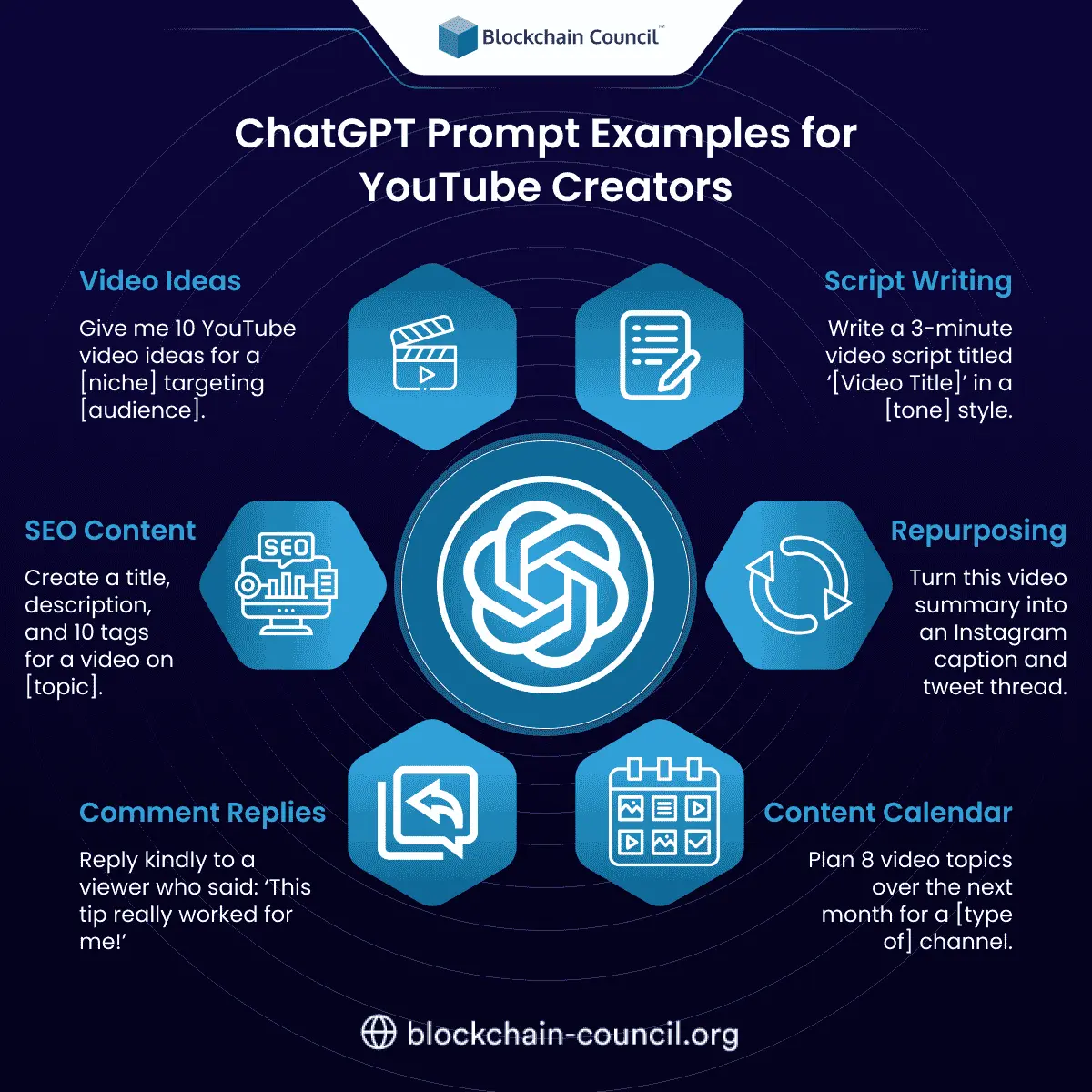
If you’re unsure what to ask, here are some high-performing prompt formats.
ChatGPT Prompt Examples for YouTube Creators
How ChatGPT Compares to Other Tools
Unlike video-focused tools like TubeBuddy, which help with analytics and keywords, ChatGPT helps with actual content creation. It doesn’t just tell you what to make — it helps you write it.
You can pair it with:
- TubeBuddy or VidIQ — for performance and tags
- Canva — to script and design thumbnails
- Google Sheets — to build and track content calendars
- Descript — to transcribe and edit your scripts
ChatGPT isn’t a replacement for these tools — it complements them by saving you time on the creative side.
Tips for Getting the Best Results
- Be specific with your prompts — include tone, audience, and content length
- Edit the output to match your own style and voice
- Use ChatGPT to speed up ideation, not replace your personality
- Save your best prompts and reuse them to build a content system
The more details you give, the better the output. Over time, you’ll refine your prompts to suit your workflow perfectly.
Should You Learn More About AI?
If ChatGPT is already helping you save time on YouTube, it might be worth going deeper. By understanding how these tools work and how to build automations with them, you can expand your brand, content production, and even launch your own AI-driven workflow.
You can explore that path with this AI Certification. It’s beginner-friendly and shows you how to apply AI practically — from writing assistants to automating creative work.
Conclusion
ChatGPT gives YouTubers a serious edge — especially solo creators or small teams.
From idea to script to comments and repurposing, it can handle the heavy lifting while you focus on what matters most: making videos people love.
If you’re not using ChatGPT in your YouTube workflow yet, you’re missing out on a faster, smarter way to create — and compete.
Related Articles
View All
AI & ML
Is Perplexity Better Than ChatGPT?
Is Perplexity better than ChatGPT in 2026? Compare Perplexity vs ChatGPT for research, citations, coding, creativity, and LLM workflows to choose the right tool.

AI & ML
Why Everyone Is Uninstalling ChatGPT
The AI Industry’s Biggest Consumer Revolt — And What It Means for the Future Something extraordinary happened in the last week of February 2026. In the span of just 48 hours, uninstalls of the ChatGPT mobile app surged by 295 percent in a single day. One-star reviews on the App Store jumped…

AI & ML
ChatGPT Jail Break
ChatGPT jail break techniques has grown rapidly because users, researchers, and businesses want to understand how AI systems behave when pushed outside their safety boundaries. A jail break occurs when someone uses a crafted prompt to bypass ChatGPT’s built in rules, causing the model to…
Trending Articles

The Role of Blockchain in Ethical AI Development
How blockchain technology is being used to promote transparency and accountability in artificial intelligence systems.

AWS Career Roadmap
A step-by-step guide to building a successful career in Amazon Web Services cloud computing.

Top 5 DeFi Platforms
Explore the leading decentralized finance platforms and what makes each one unique in the evolving DeFi landscape.